All work

UnitPulse · 2026 · Product Design Lead

Home Search, in Your Own Words

Rebuilding UnitPulse's renter experience around conversational search and live listings, with property content designed for discovery through search and AI. Shipped in about six weeks.

UnitPulse is a venture incubated by Tripalink leadership.

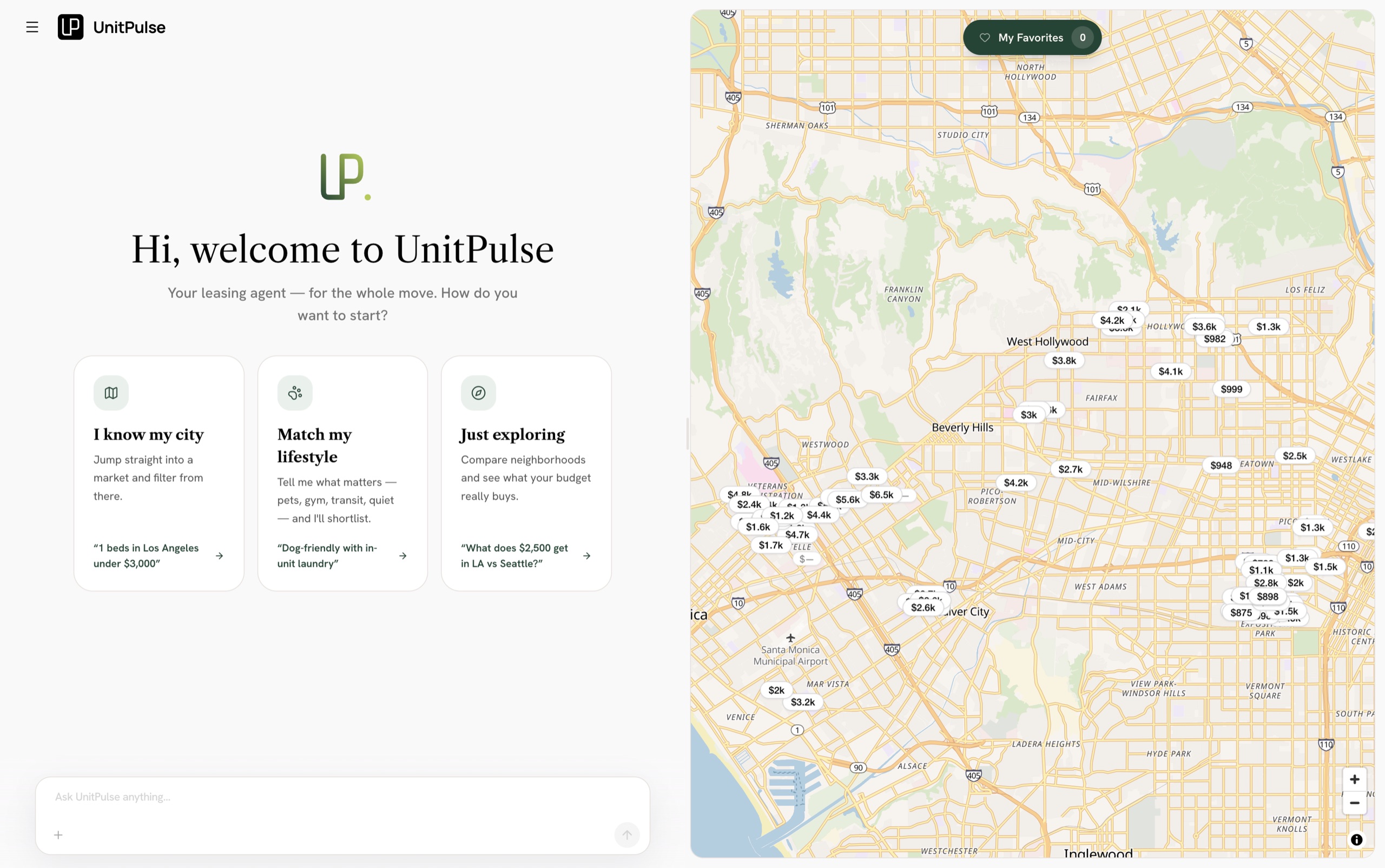
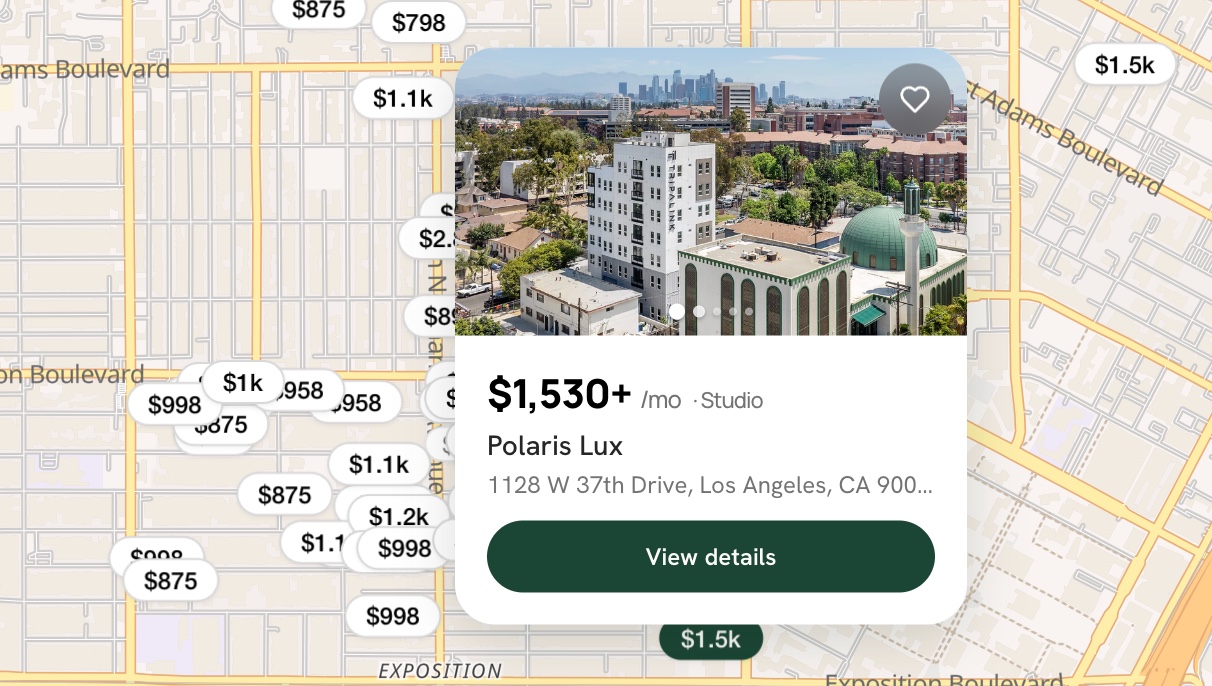
The renter site's conversational welcome — "Hi, welcome to UnitPulse" with three ways to start (know my city, match my lifestyle, just exploring) and an ask-anything box, beside a live map of Los Angeles with priced listing markers
Team
Product Design Lead
Solo design · engineering on the backend
Span
~6 weeks
Type
Web app
Outcome
Live in production · 245 pages indexed, 96 leads
Context

What we shipped

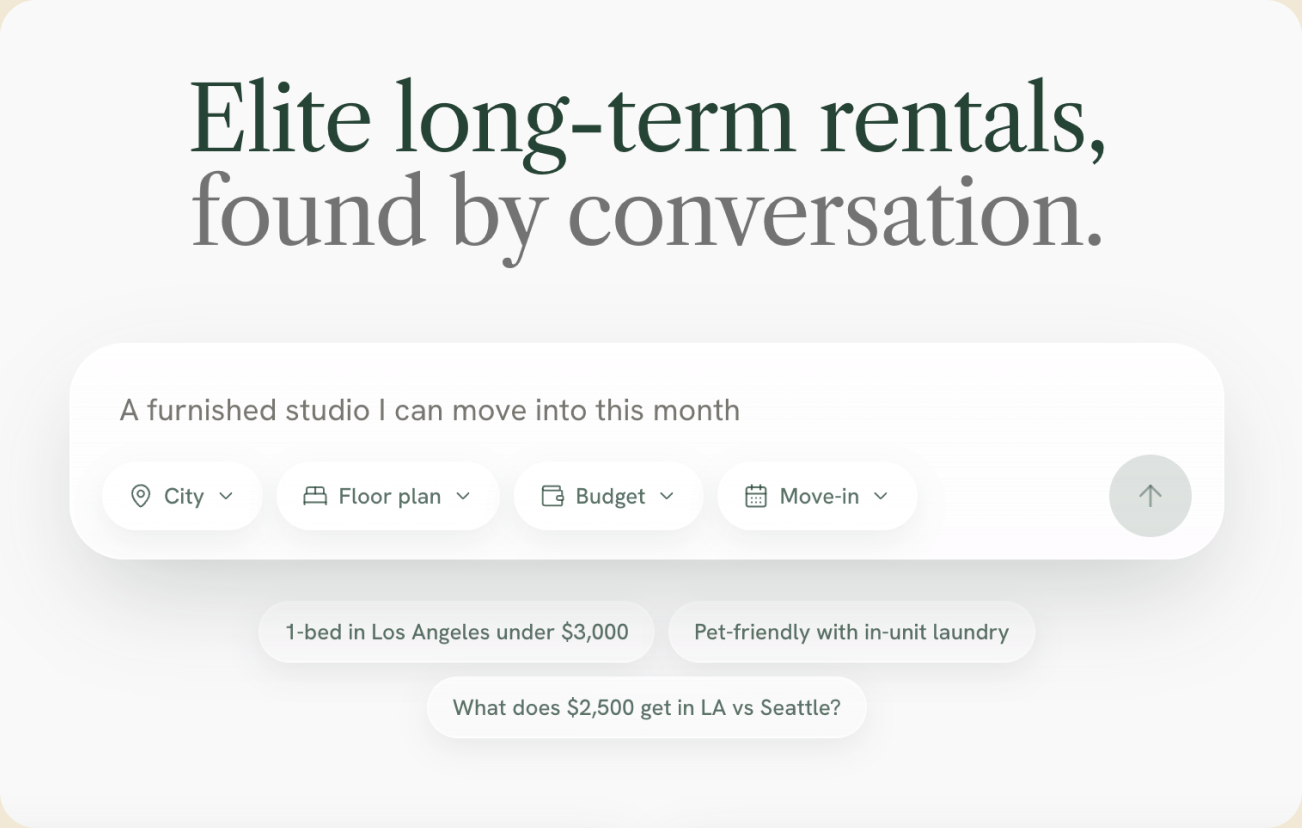
  • The conversational welcome — "Elite long-term rentals, found by conversation" with a chat box, structured filter chips, and example prompts

    Conversational home search

    An assistant that turns a vague need — "walkable to USC, dog-friendly, under $2,500" — into real listings on the map. Grounded on live inventory, so it never invents a home.

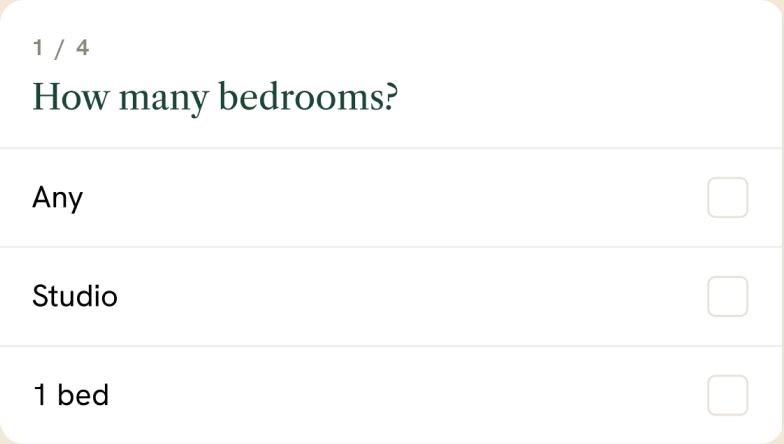
  • The in-conversation guided intake card — "How many bedrooms?" with checkbox options

    Guided intake

    Inline stepped cards capture must-haves.

  • A live map with price pins beside a listing card

    Map split-view

    A live map with price pins beside the result grid.

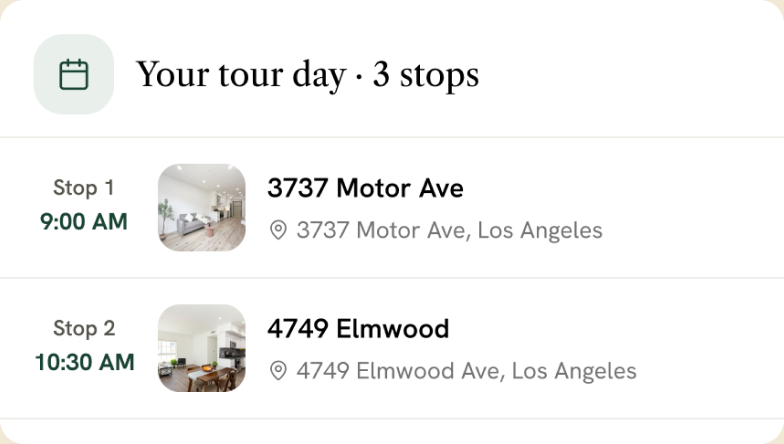
  • A planned tour day with multiple stops — two showings scheduled at 9:00 and 10:30

    Tour shortlist

    Shortlist homes and plan several tours in one pass.

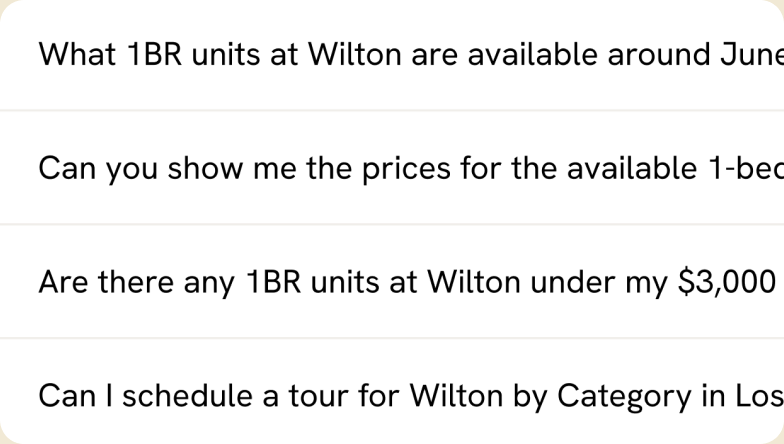
  • Suggested follow-up questions tailored to the renter's past searches

    Personalized search

    Adapts to past searches and stated context.

What I owned

Engineering owned the server-rendered scaffold and data layer; I built the renter surface on top of it — and never claim it.


Mine
  • Renter front-end & UX
  • Conversational-search UX + tuning
  • SEO / GEO architecture
  • Lead capture + Twilio compliance
  • Refreshed visual system
  • AI test suite + evaluation
Shared
  • Chat-backend migration
Engineering
  • SSR scaffolding
  • Data layer
Part 01

The problem

A renter’s search no longer starts in Google — it starts in a chat, often answered before anyone clicks. The old site couldn’t be found in either place: a client-only SPA, invisible to search engines and answer engines alike. The fix was a harder design problem than a redesign.

The problem in three

  • Invisible to search & AI

    A client-only SPA — nothing server-rendered for Google or an answer engine to read.

  • Renters start in a chat

    Search now begins in answer engines, not only Google — and a site that can't be cited there is invisible to a growing slice of demand.

  • The tension to design around

    Keep the experience rich and app-like, yet fully indexable and citable — without the ephemeral chat polluting the index.

Part 02

3 ways in

Before designing the search, I mapped how people start looking for a home. 3 starting points shaped the design, and they want different things.

3 starting points

  • The decisive renter

    Relocating on a timeline; knows the essentials.

    • Set budget
    • Target neighborhood
    • Move-in date

    NeedsFilters and a map — fast, precise, no conversation.

  • The open explorer

    First place in a new city; knows the vibe, not the specifics.

    • Fuzzy criteria
    • Lifestyle-led
    • Open on area

    NeedsConversation that turns "walkable and lively" into real listings.

  • The shortlister

    Down to a few homes, comparing the details.

    • Specific questions
    • Comparing
    • Close to deciding

    NeedsAnswers about one place — commute, schools, walkability.

How rental search works today

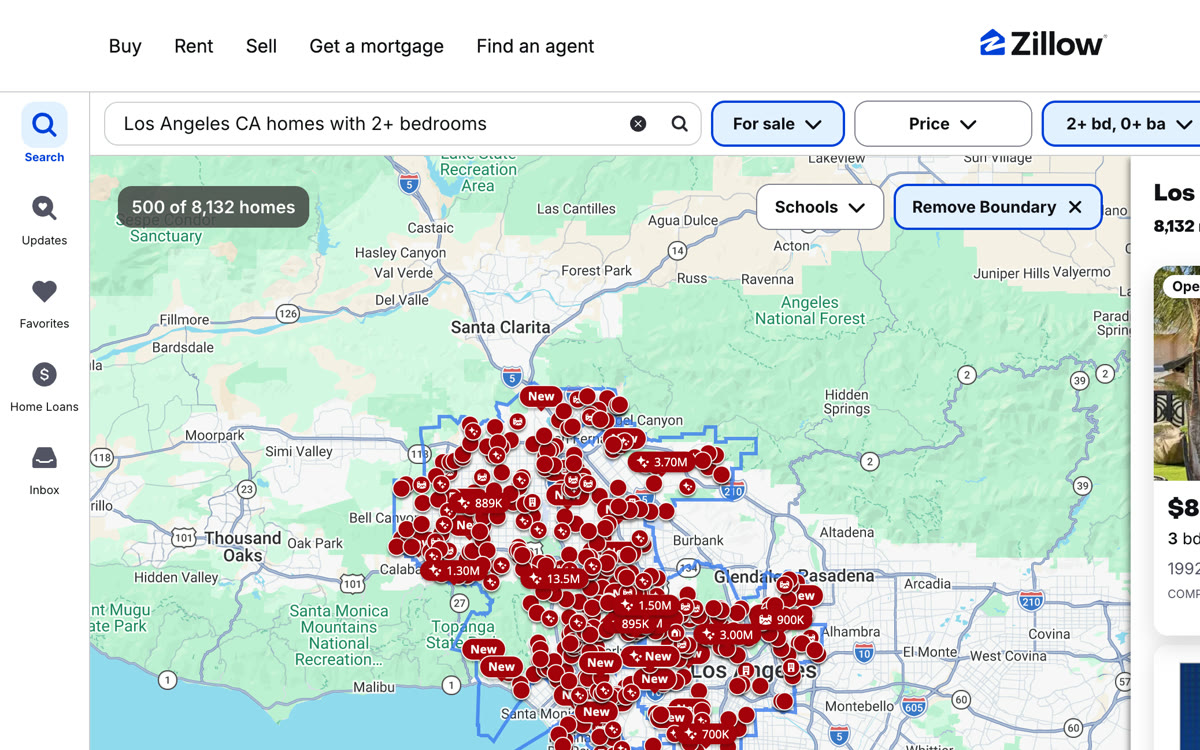
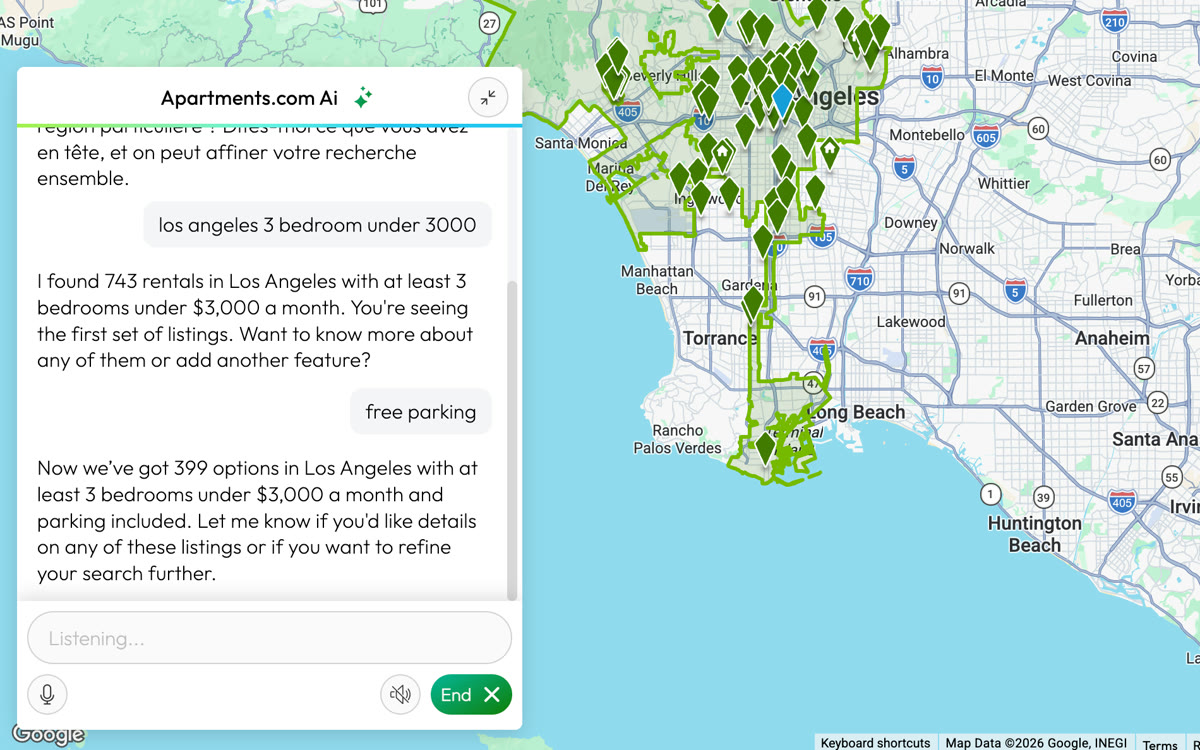
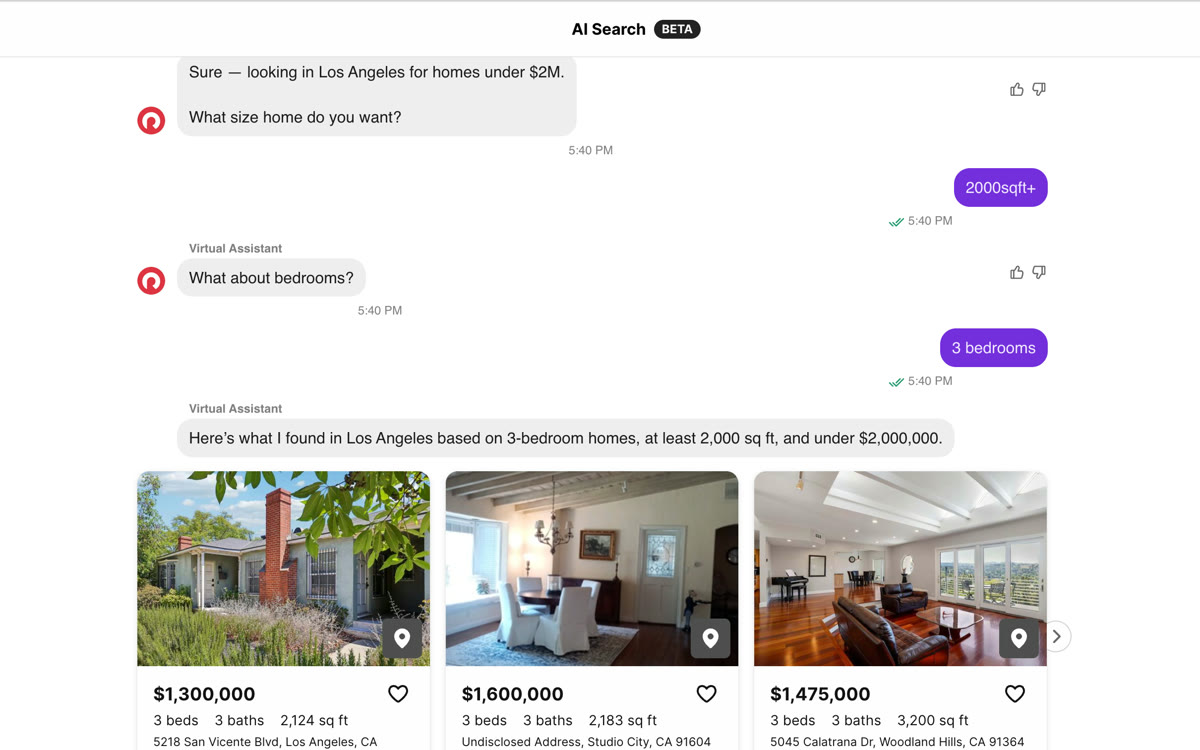
By the time I shipped, conversational search had become table stakes — Zillow, Apartments.com, and Redfin all launched it in 2025–26. So I evaluated each on the three axes this rebuild competes on.

  • Zillow search with bedroom / bathroom filters and AI natural-language search
    Zillow NL search + AI mode
    • AI chat
    • Unified control
    • AI-citable

    Natural-language search, an "AI mode" beta, and a ChatGPT integration — the deepest AI stack. But filters and chat stay separate modes, and pages aren't built for organic citation.

  • Apartments.com Ai conversational and voice search refining results
    Apartments.com Voice + chat
    • AI chat
    • Unified control
    • AI-citable

    Voice + chat "Smart Search" (sitewide Jan 2026) drives big engagement lifts — but it's a guided refine layered on the portal, not unified with the filters.

  • Redfin AI Search — a step-by-step conversational Q&A
    Redfin AI search · beta
    • AI chat
    • Unified control
    • AI-citable

    Sierra-built AI Search replaces filters with pure chat — a linear Q&A. Fluid, but you lose the at-a-glance control precise renters rely on.

The key finding: AI chat is everywhere now, but it’s mostly bolted on as a chat-only Q&A — renters lose the fast, structured control they rely on. No one fuses conversation and filters on one shared state, and no one structures their pages to be cited by answer engines. That’s the opening this rebuild is built for.

Two kinds of renters, one missing interface: nobody lets you start vague, get precise, and keep asking — all on the same canvas.

Part 03

One search, two modes

So I designed the two models as one. Conversational handles intent; faceted handles precision; both write to a single shared state, so they can never drift apart or contradict each other.

The renter journey I designed for

  1. 01 Search A place or a need, in your own words
  2. 02 Browse Map split-view + a live listing grid
  3. 03 Detail Floor plans, amenities, neighborhood Q&A
  4. 04 Act Inquire or schedule a tour

Five decisions, one interface

01

Guided intake, inside the conversation

When the assistant is missing a structured preference, it renders an inline stepped card — checkboxes, Skip, Next — collecting structured data without forcing free-typing, and letting renters skip what they don't care about.

02

Embedded, editable filters in the chat

The assistant's understanding shows as an editable summary ("Where / Budget / Must-have … Edit") and as removable chips in the composer — one tap to drop "pet friendly." Changing a constraint is instant; no re-typed sentence.

03

Traditional controls, kept

Price, Beds, Filters, and Sort still sit above the results for power users — and they write back into the same shared state the conversation uses.

04

Relevant follow-ups

After a result set, the assistant suggests the next useful narrowing — narrow by budget, bedrooms, amenities, or move-in date — guiding, never dead-ending.

05

One shared state, two ways in

Typing, tapping a chip, or moving a filter all update one source of truth that drives both the result list and the live map ("homes appear as we talk," price pins on the map) — so the two modes can never drift apart.

Part 04

How the conversation works

Renters don’t search in fields. They say what they want, change their mind halfway, and ask about the home in front of them. The copilot has to keep up with all of that and still land on a real next step.

From filters to a conversation you can steer

Filters alone compared with a conversation you can steer
Aspect Filters alone A conversation you can steer
Context-aware Every change starts over from the form. It remembers your filters and the home you're viewing. “Widen by $200” edits the saved budget.
Speaks your language You translate what you need into fields. One message fills several: “2b2b under $3,000, move in Aug 23.”
Relevant to you Every listing, every field, every time. Questions about one home are answered from that home's own data, in a few sentences.
Honest when nothing fits “0 results.” It says so in your terms and offers up to 3 one-tap ways to widen. It never loosens a filter on its own.
Built for action A contact form at the bottom of the page. Ask to tour and the form opens in the chat. It never says a tour is booked.

6 steps behind every reply

  1. 01 Listen Reads the message with what it already knows. Code
  2. 02 Collect A model reads the new message; code merges it into your filters. AI + code
    Essentials missing → one short, skippable form
  3. 03 Route Sorts it into 1 of 9 intents. AI + code Fair housing first
    Protected-class request → a plain decline, filters cleared
  4. 04 Act Searches, answers from one home's data, compares, or opens a form. Code
  5. 05 Reply A short answer and up to 3 next steps. AI + code
  6. 06 Remember Saves filters and history for the next turn. Code
  • AI a model reads or writes language
  • Code exact work: math, search, forms
  • Person a person takes over
Simplified from 94 production steps. A model runs 13 of them.

What renters say, and what they mean

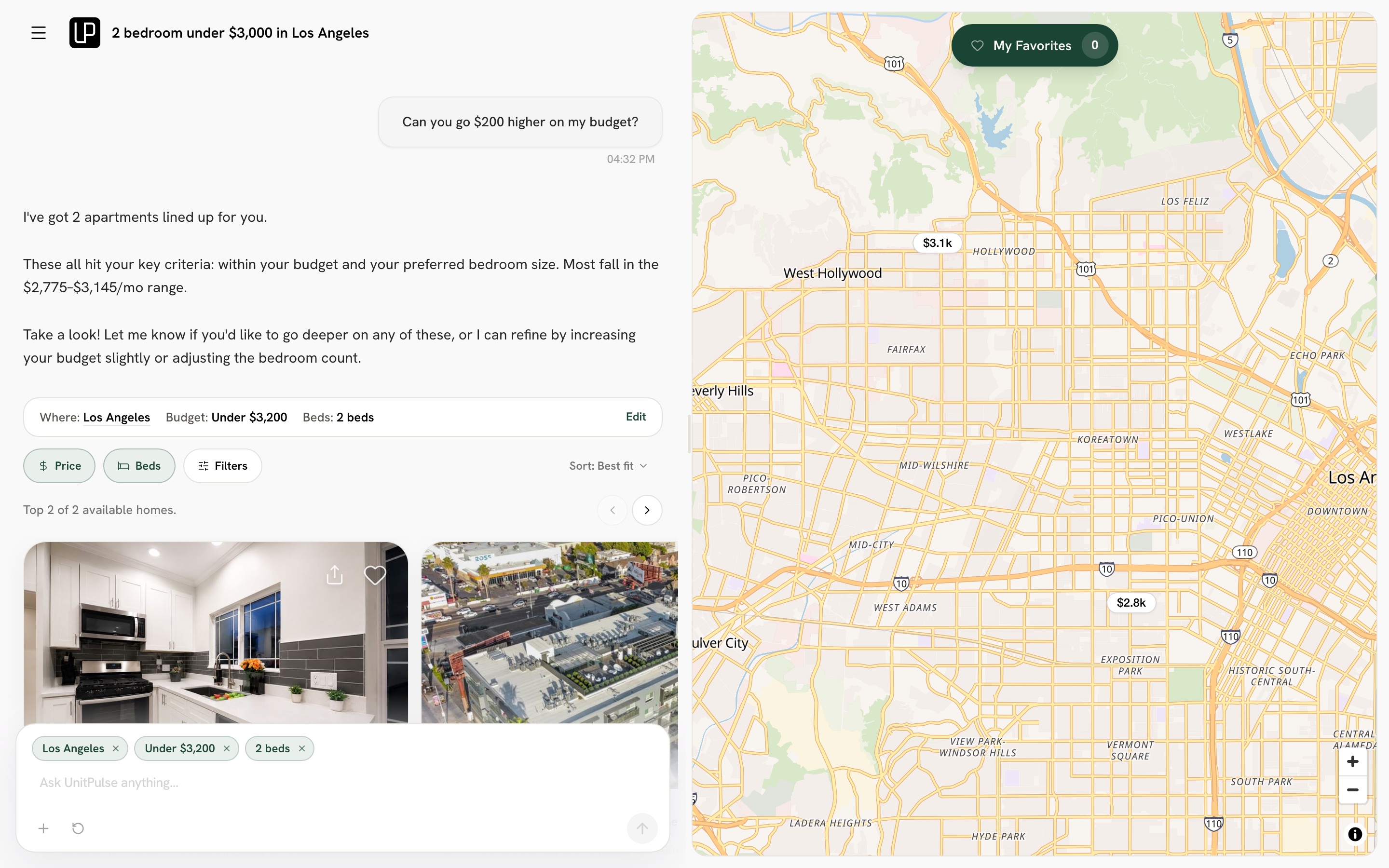
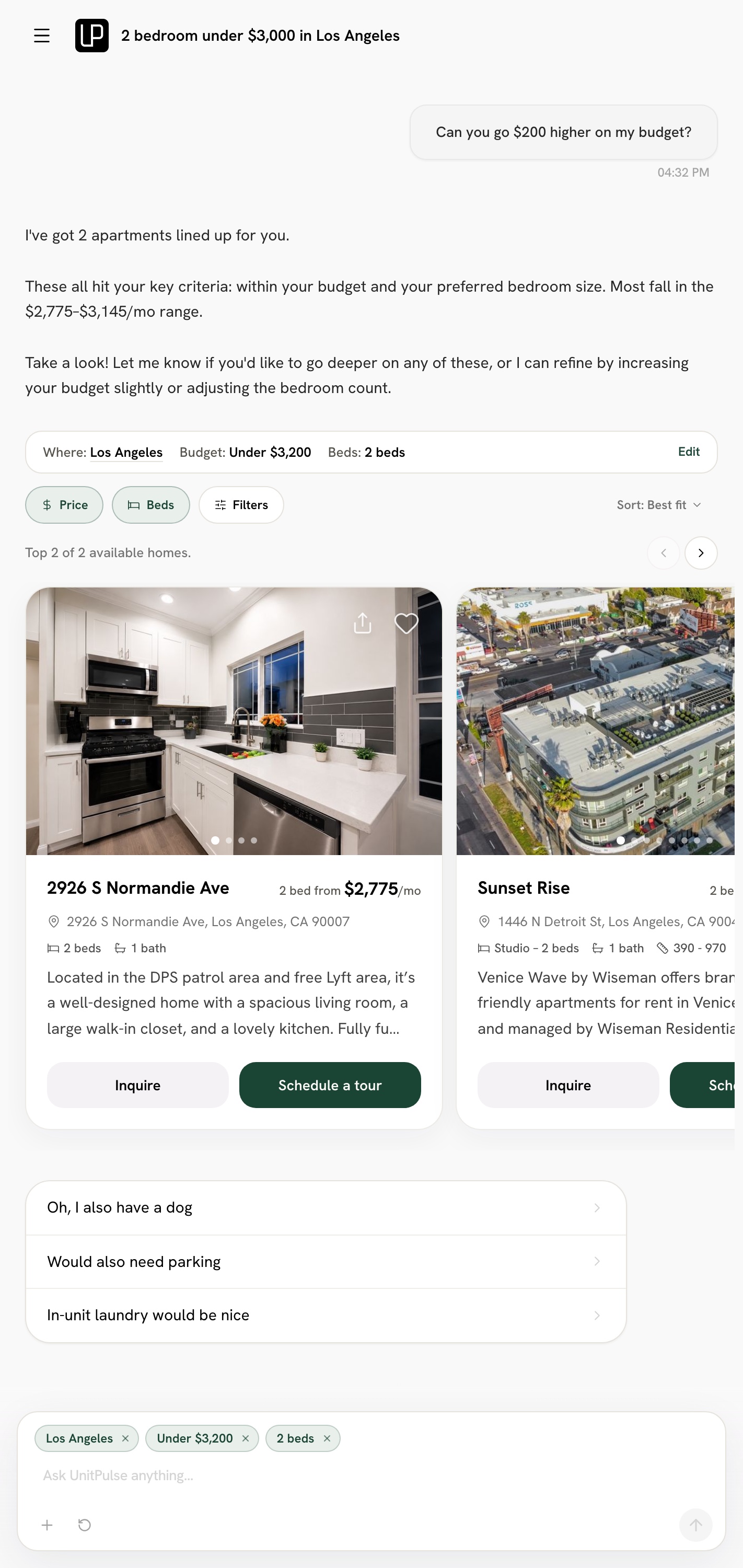
The live copilot after the renter asks to go $200 higher: the summary now reads Budget under $3,200, the filter chips update, and the map shows the matching homes

Context

“Can you go $200 higher on my budget?”

What happened
Mid-search, the renter nudges one thing instead of starting over.
What we designed
The model reads the change, code adds it to the saved budget, and the chat, chips and map move together.
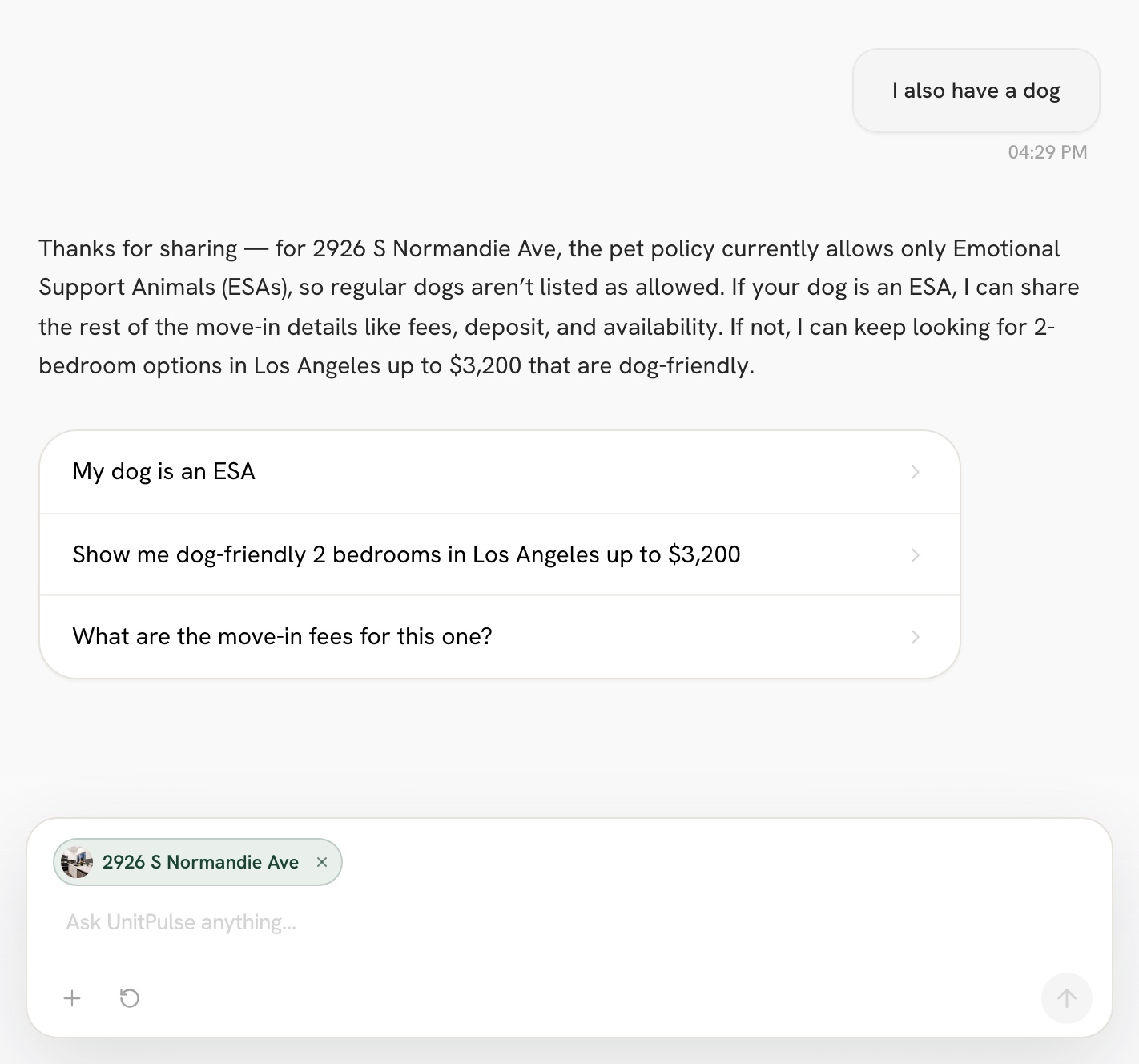
The live copilot answering “I also have a dog” about the home in view: dogs aren't generally allowed there, only emotional support animals, with suggestions to see listings that allow dogs

Listen between the lines

“I also have a dog.”

What happened
Viewing a home, it's a question about that home. Browsing, “pet-friendly” starts a search.
What we designed
Routing reads the context first, so the answer comes from that home's own pet policy, with next steps that keep the search alive.
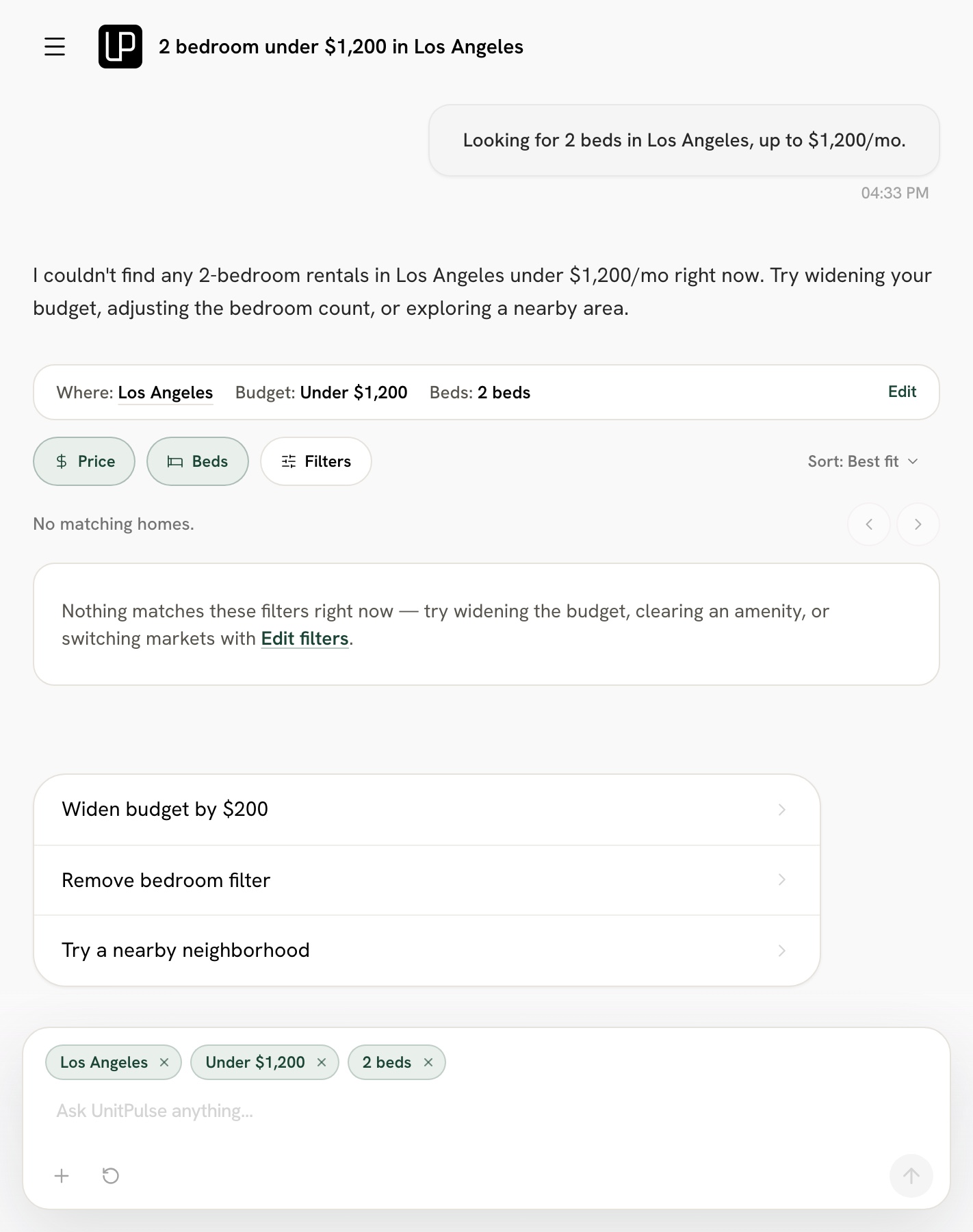
The live copilot's no-results reply, written from the renter's filters, with one-tap chips to widen the budget or remove the bedroom filter

Move the conversation forward

“2 bedrooms under $1,200 in Los Angeles.”

What happened
Nothing on the market matches.
What we designed
The reply says so in the renter's own terms and offers up to 3 ways to widen. The renter chooses; nothing loosens quietly.
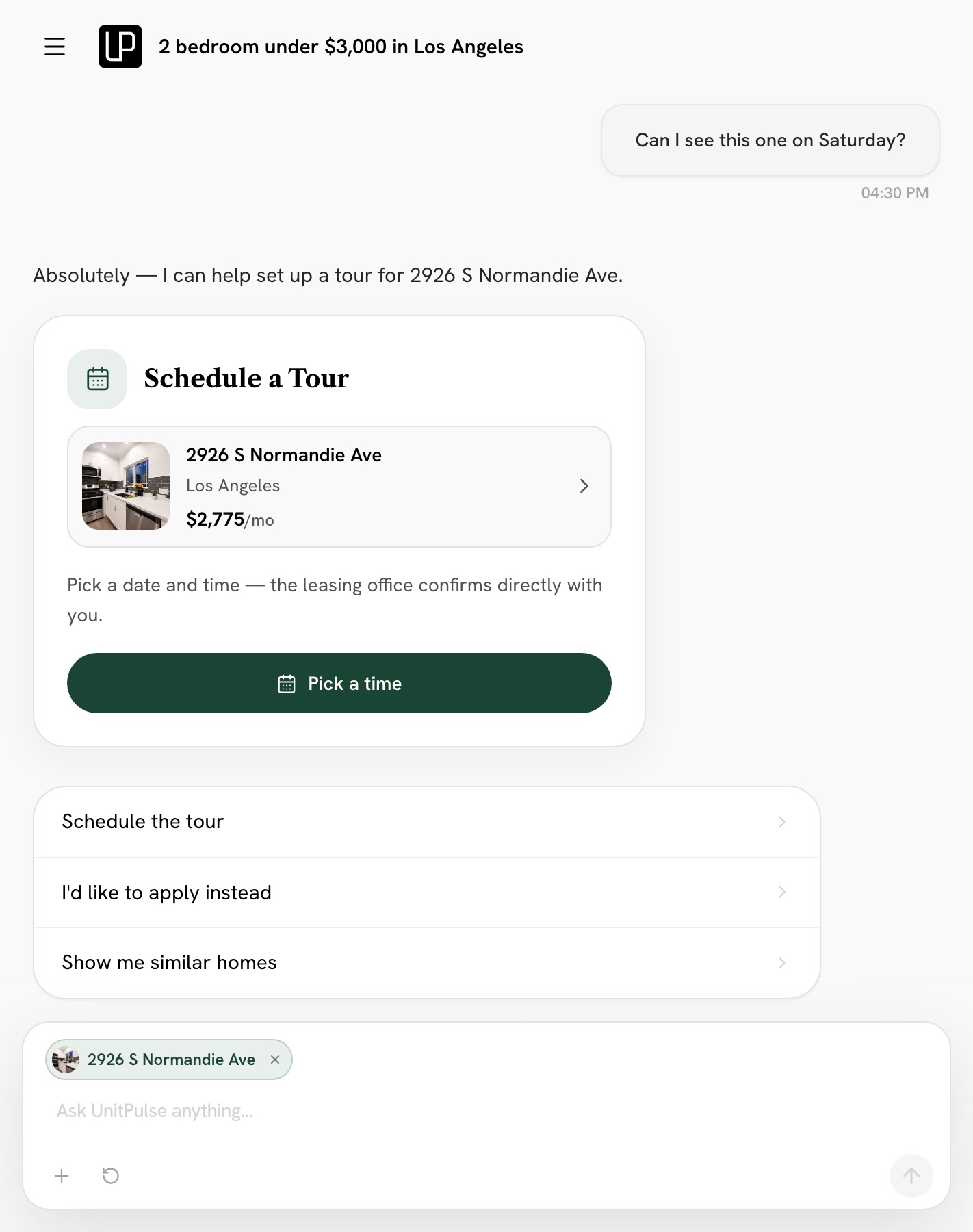
The live copilot opening a Schedule a Tour card for the home in view, with a button to pick a time

Turn-taking

“Can I see this one on Saturday?”

What happened
Asking for a date, a time and contact details one turn at a time drags on.
What we designed
A tour card opens in the chat for that home. The renter picks a time, and the leasing office confirms.

A trade we made on purpose

Asked about a building, the copilot first asks for must-have amenities and a move-in date

Guidance vs control Revisit next

“What can you tell me about this building?”

What happened
Until the essentials are known, a first question gets a question back: amenities and move-in date first.
What we designed
One short ask, every part skippable, and none while you're viewing a home. Answering first is the next revision.

What broke, and what we changed

  1. Move the conversation forward

    “2 bedrooms under $1,200 in Los Angeles”

    What happened
    The reply was written as if homes were on the way, even when none came.
    What we changed
    Code now writes the no-results reply from the renter's own filters, with up to 3 next steps.
    Before
    Reconstructed from the fix
    1. Renter: 2 bedrooms under $1,200 in Los Angeles

    2. Great news, here's what I found for you!

    3. System: 0 homes

    After
    The no-results reply written from the renter's filters, with next-step chips
  2. Context

    “Widen my budget by $200”

    What happened
    The model did the budget math itself, so the result depended on the model.
    What we changed
    It now reads only the change. Code adds the $200 to the saved budget.
    Before
    Reconstructed from the fix
    1. Renter: Widen my budget by $200

    2. System: The model works out the new budget

    3. Updated your budget.

    After
    After the renter asks to go $200 higher, the summary reads Budget under $3,200 and the chips update
  3. Listen between the lines

    “Tell me about The Linden”

    What happened
    A building's name was read as a place to search near.
    What we changed
    The copilot checks every property name first, and code sends the question to that home.
    Before
    Reconstructed from the fix
    1. Renter: Tell me about The Linden

    2. Searching for homes near Linden Ave…

    After
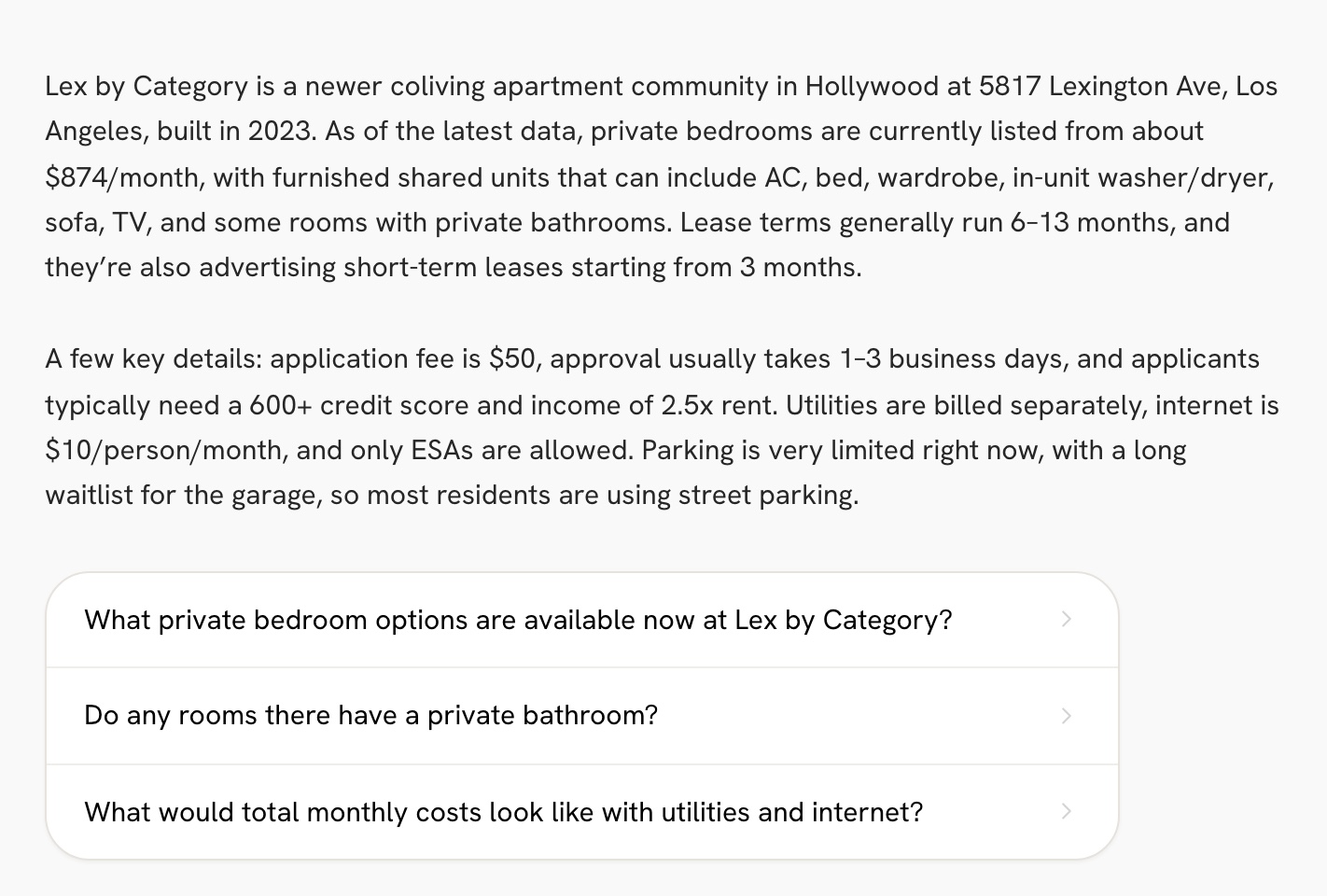
    Asked about a building by name, the copilot answers about that building: room prices, lease terms, fees, parking and pet policy
  4. Move the conversation forward

    “Any bedrooms is fine”

    What happened
    Chips that relaxed a filter relied on the model to clear it, and it didn't always.
    What we changed
    Those chips were dropped. Relaxing now happens in code, from chips the renter taps.
    Before
    Reconstructed from the fix
    1. Assistant: Here are 3 homes.

      • Raise my budget
      • Any bedrooms
    2. Renter: Any bedrooms

    3. Here are 3 homes.

    After
    1. Assistant: I couldn't find any 2-bedroom rentals in Los Angeles under $1,200/mo right now.

      • Widen budget by $200
      • Remove bedroom filter
    2. System: Each chip changes the filters in code

  5. Control One rough edge left

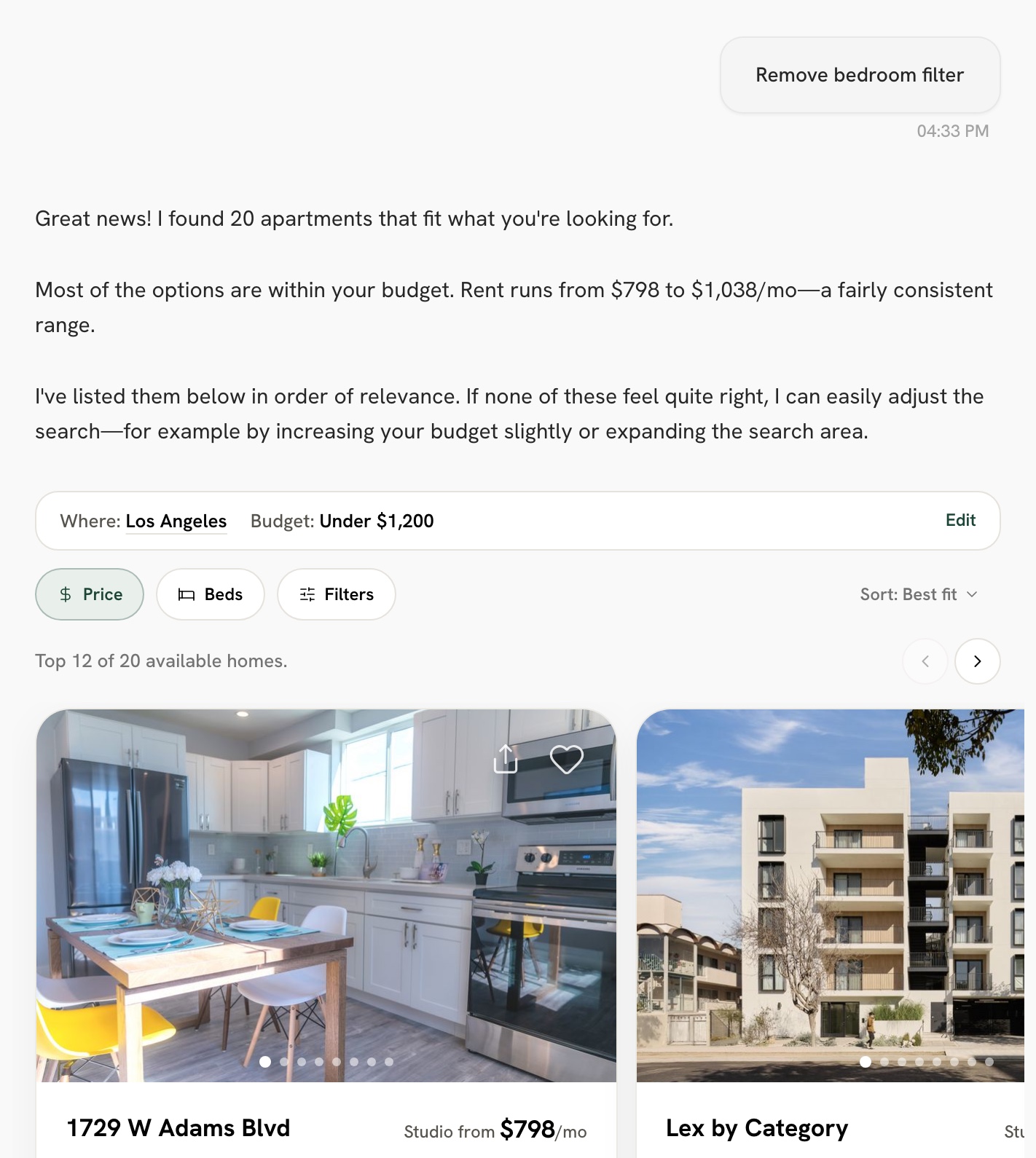
    “Remove bedroom filter”

    What happened
    Tapping “Remove bedroom filter” left the filter in place.
    What we changed
    The page now clears the filter before the message goes out. One rough edge: the copilot can still ask about bedrooms once more.
    Before
    Reconstructed from the fix
    1. Renter: Remove bedroom filter

    2. Here are 2-bedroom homes in Los Angeles.

      • 2 beds ×
    After
    After tapping Remove bedroom filter, the bedroom filter is gone and the copilot shows 20 homes in Los Angeles under $1,200
  6. Listen between the lines Open question

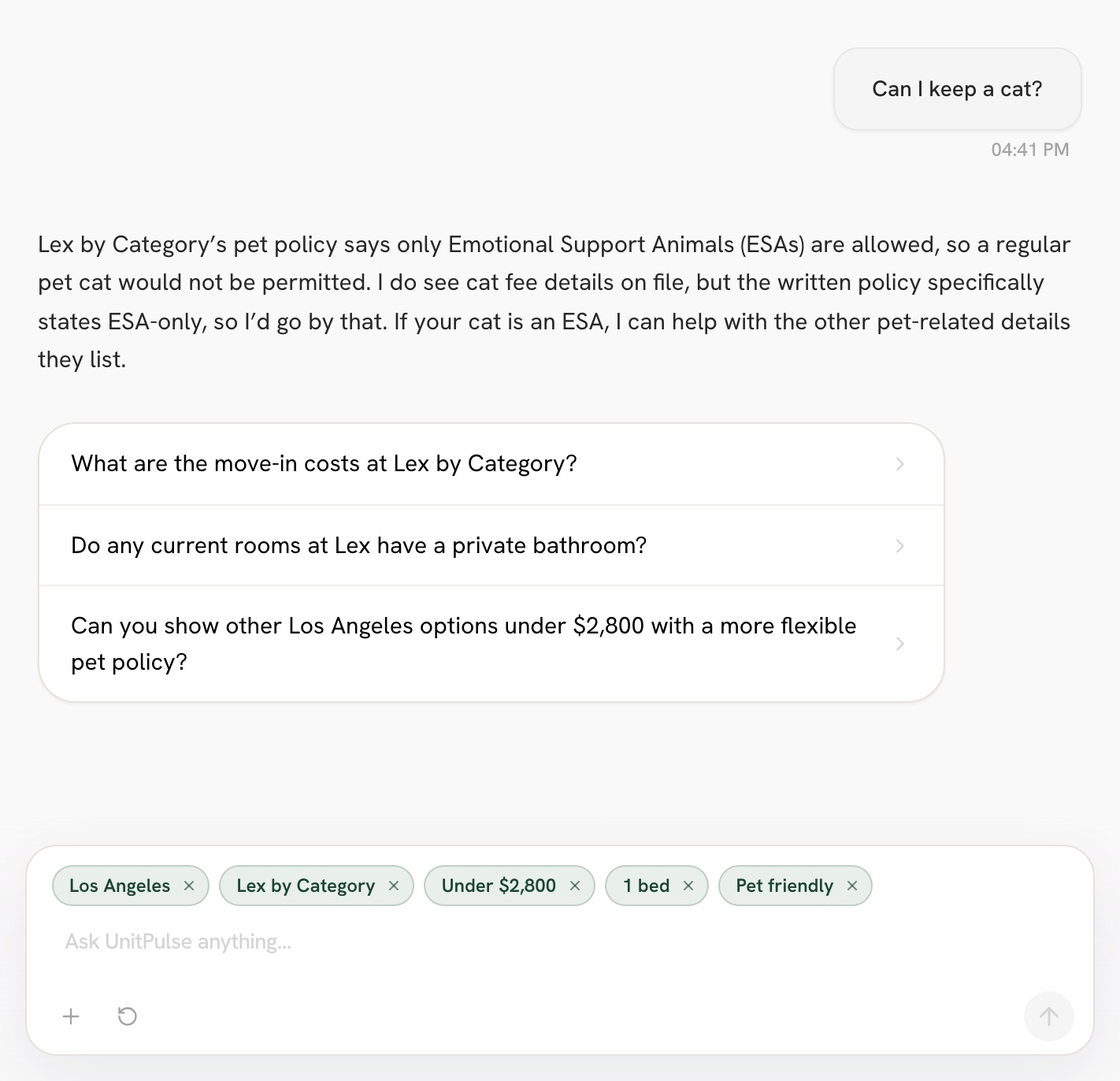
    “Can I keep a cat?”

    What happened
    An earlier version turned a policy question into a Pet friendly filter. We fixed that.
    What we changed
    The current flow saves it again while you view a home. Whether a question should set a filter is still open.
    Before
    Reconstructed from the fix
    1. Renter: Can I keep a cat?

    2. Yes, cats are welcome here.

      • Pet friendly ×
    After
    Asked about cats while viewing a home, the copilot answers from that home's pet policy, and a Pet friendly filter appears in the composer
1 / 6
Part 05

Designed to be found

Designing for the answer engine — not just the search engine — is a bet most rental sites haven’t made.

The GEO architecture

  • Canonical, server-rendered

    Every home gets one stable page that Google can index and an answer engine can quote.

  • Citable neighborhood Q&A

    Each property page carries real questions — “Is it walkable to USC?” — exactly what a renter asks an engine, structured so it can lift them.

  • The chat stays out of the index

    Chats stay private and out of search results; old links redirect to each home's page.

GEO content architecture — built to be cited
Canonical · server-rendered
  • unitpulse.ai/
  • /{state} hub
  • /{state}/{city} hub
  • /{state}/{city}/{slug} PDP
FAQPage + BreadcrumbList JSON-LD
  • /search · noindex (ephemeral chat)
  • /property/[id] → 301 → canonical
A structured, quotable answer
{ }

"How close is it to USC?"

About a mile from campus, with two bus lines at the corner.

Google · indexed

Apartments near USC — studios

unitpulse.ai › ca › los-angeles › …

About a mile from campus, two bus lines…

AI answer · cited

"…about a mile from USC, with two bus lines nearby."

unitpulse.ai
Designed for the answer engine: structure + intent. Classic indexing is the measured part (GSC); AI citation is the forward bet.

To be precise: this is architecture and intent designed for citation, not a measured count of AI citations. Classic indexing is the part I can measure today.

Part 06

Built & tested

Shipped in ~6 weeks

  • Scoped to the minimum

    The redesign was a prioritization decision, not a coat of paint — knowing what to leave out so the AI bet could ship.

  • A refreshed visual system

    A named brand-token palette, a serif display + grotesque body, a bento home — so the AI features read as premium, not experimental.

  • Accessibility, baked in

    44pt touch targets on mobile, 36–40px on desktop, aria-labels on icon buttons — defaults, not retrofits.

Where AI helped, and what I decided

  1. 01Discover

    AI did A fast first pass of research; users for the unknowns.
    I decided Reviewed other search products and framed 3 ways renters start.
  2. 02Define

    AI did No AI here.
    I decided One home, from search to contact. Bulk tours, blogs and FAQ pages waited.
  3. 03Develop

    AI did Early working versions and frontend changes in code.
    I decided The search behavior, lead capture and the visual system.
  4. 04Deliver

    AI did AI-assisted test scripts alongside manual QA.
    I decided Shipped in 6 weeks; flagged a lost-context failure engineering fixed.

The lean journey still has to convert

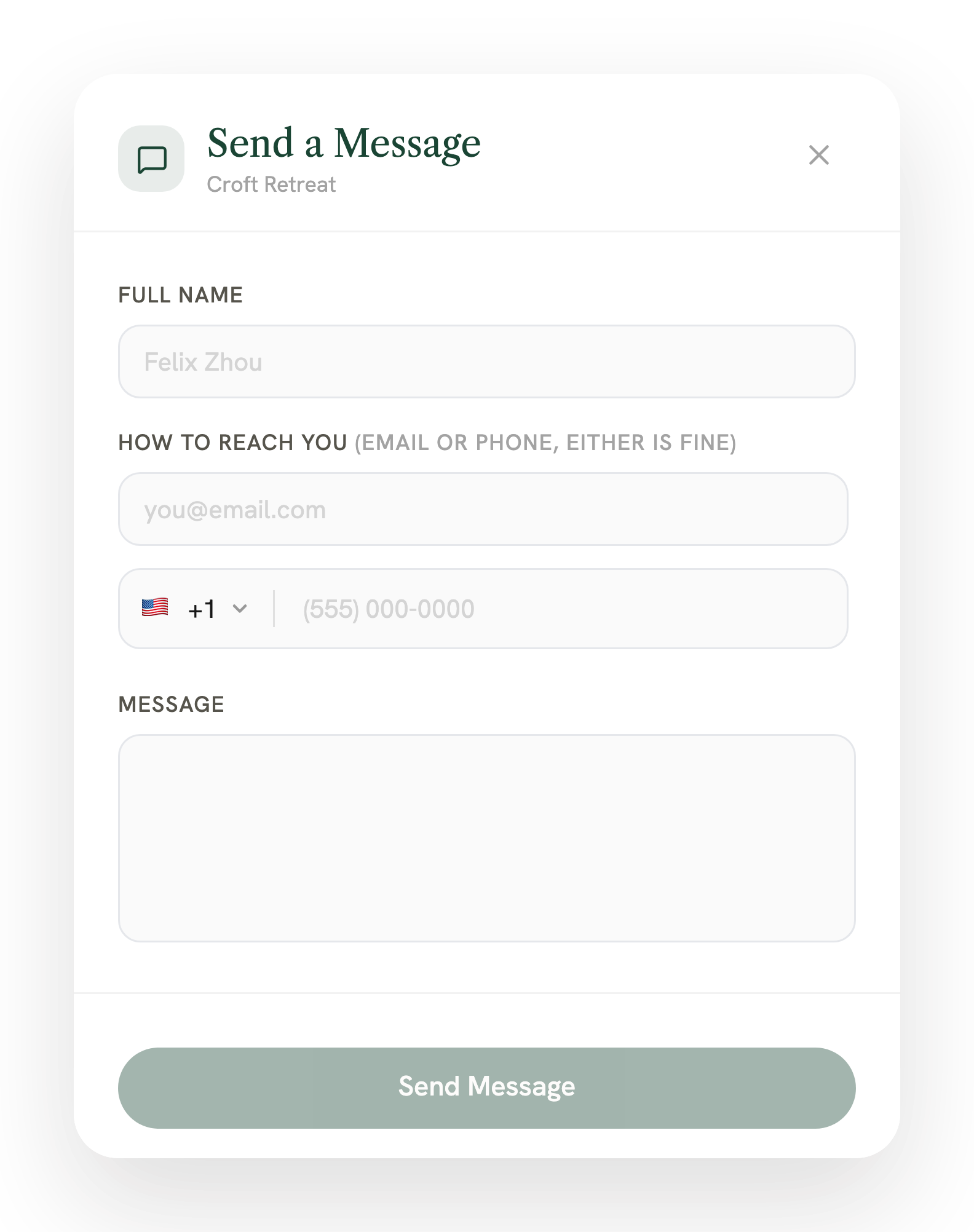
  • Send a message

    An inquire modal — name plus email-or-phone, either is fine.

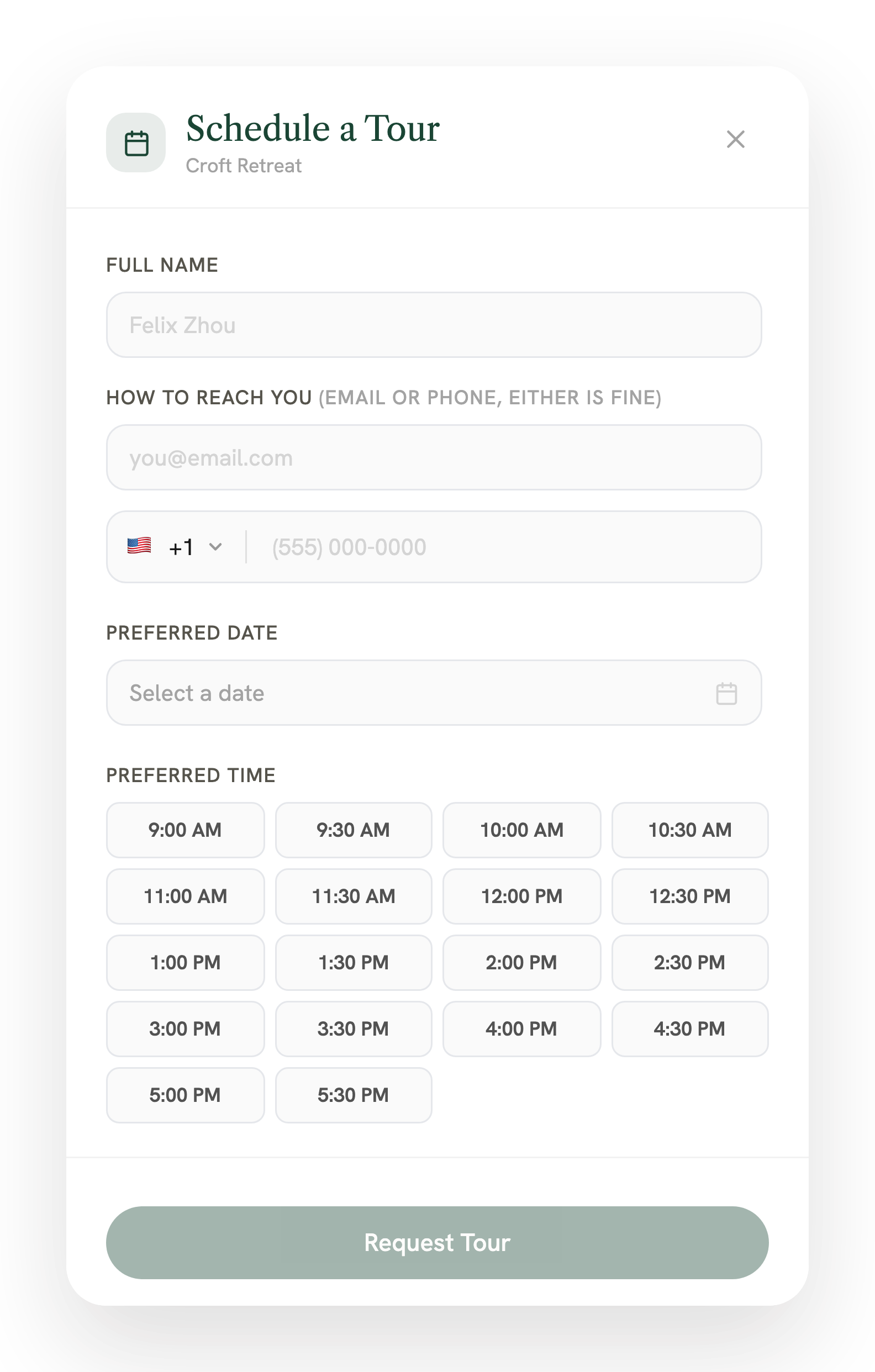
  • Schedule a tour

    A date and time-slot grid, with SMS consent.

  • Compliant, and honest

    Twilio A2P 10DLC consent + disclosure; GA4 fires only after a real 2xx — so the count tracks real leads, not optimistic clicks.

The Send-a-Message inquire modal — full name and a single email-or-phone field (either is fine), plus a message boxThe Schedule-a-Tour modal — contact fields, a preferred-date picker, and a grid of bookable time slots

Tested like a system — quality and Fair Housing

  • 47 cases · 9 families · EN + ZH

    A historical suite in English and Chinese, each case judged on how the message was routed, not just the visible reply.

  • 34 Pass / 9 Fail / 4 Blocked

    A real signal, not a green-washed “all passed.” Mapped back to 7 known prior bugs as a regression guard.

  • Fair Housing, tested

    Adversarial cases proved the router must refuse protected-class filters, never extract them, and redirect to a lawful search.

Conversational search — bilingual regression suite

47 cases · 9 intent families · English + Chinese · each run in a fresh session and judged on how the message was routed, not just the visible reply.

  • 34 Pass
  • 9 Fail
  • 4 Blocked
9 intent families
  • Direct search
  • Location-only
  • Need-location
  • Non-search
  • With-context
  • Compare
  • Relocate
  • Fallback
  • Compliance
Fair-Housing compliance — designed and tested
  1. Protected-class filter request
  2. Refuse — never extract it
  3. Decline plainly, clear saved filters
  4. Redirect to a lawful search

The suite caught a real Blocker: one path extracted a protected-class attribute as a filter and affirmed it; another path handled it as the gold standard. Compliance must be tested, not assumed.

34 Pass / 9 Fail / 4 Blocked — a real signal, mapped back to 7 prior bugs as a regression guard.

The mistake we can’t make, and its opposite

  • Can't happen

    Steering by protected class

    Checked before anything else. The copilot declines in 2 or 3 plain sentences, offers lawful criteria and clears every saved filter.

  • Can't happen either

    Flagging an honest question

    “Koreatown” is a place and “Is this area safe for families?” is a safety question. Neither is flagged, and area answers carry no crime or demographic data.

Part 07

Early traction — honest, not inflated

A 6-week-old production rebuild, live and ramping.

245
Pages indexed
from ~0 in ~6 weeks
2.34K
Impressions · 134 clicks
5.7% CTR · avg position ~10.8last 3 months
96
Live leads captured
54 inquiry · 42 tour0 applications yet — named honestly
+55.6%
Users · trailing 30 days
1,045 users · 11,864 events+65.6% events

These are early numbers for a 6-week rebuild. What matters is that the architecture is live, indexing is climbing from zero, and the funnel is converting real leads. Applications aren’t flowing yet (0 in the window), and I’d rather say that than dress it up.

What I’d hold it to

  • Inquiries and tour requests

    Today96 in the first 6 weeks: 54 inquiries, 42 tour requests

    I'd hold it toTrack it as a rate per chat. If it drops 20% below its 4-week average, check the latest flow change first.

  • Messages to reach a request

    TodayNot measured yet

    I'd hold it toIf renters need more than about 8 messages to send one, revisit the intake form and the no-results replies.

Every release has to pass

  • A protected-class filter is never extracted, and a decline clears the saved filters. Checked
  • No reply claims a tour is booked. Checked
  • Replies come back in the renter's language. Text written by code is still English only. Gap
Part 08

Reflection

On the bet

Design for the answer engine, not just the search engine

The forward move was to build content an AI can cite, and to prove an AI-native rebuild can ship in weeks, in production, without sacrificing craft, an honest index, or compliance.

On the discipline

Make safety a tested requirement

The testing is the part I’d carry anywhere: define the intent space, automate the evaluation, read the logs, and treat Fair-Housing compliance as a first-class thing you verify, not assume. It also taught me to test the handoff between the interface and the AI flow. The answer can sound reasonable while the product has lost the user’s context.

On AI in my process

Faster to try, same bar to ship

AI helps me try ideas and build faster. I still need to define the behavior, review the details, and test whether it works for the person using it.

Open question

Should a question set a filter?

Here, asking “Does it allow dogs?” about the home you’re viewing adds a Pet friendly filter. In our leasing chat, asking adds nothing; only “I need parking” does. I’d pick one rule and test it with renters.

Next case

Onboarding Twilio's first international tier

How a US-only developer platform learned to feel global, in three deliberate phases.