All work

UnitPulse · 2026 · Product Design Lead

UnitPulse Portal

An AI-native leasing platform that finds renters, converts them, and measures the funnel. Built from zero in 2026.

UnitPulse is a venture incubated by Tripalink leadership.

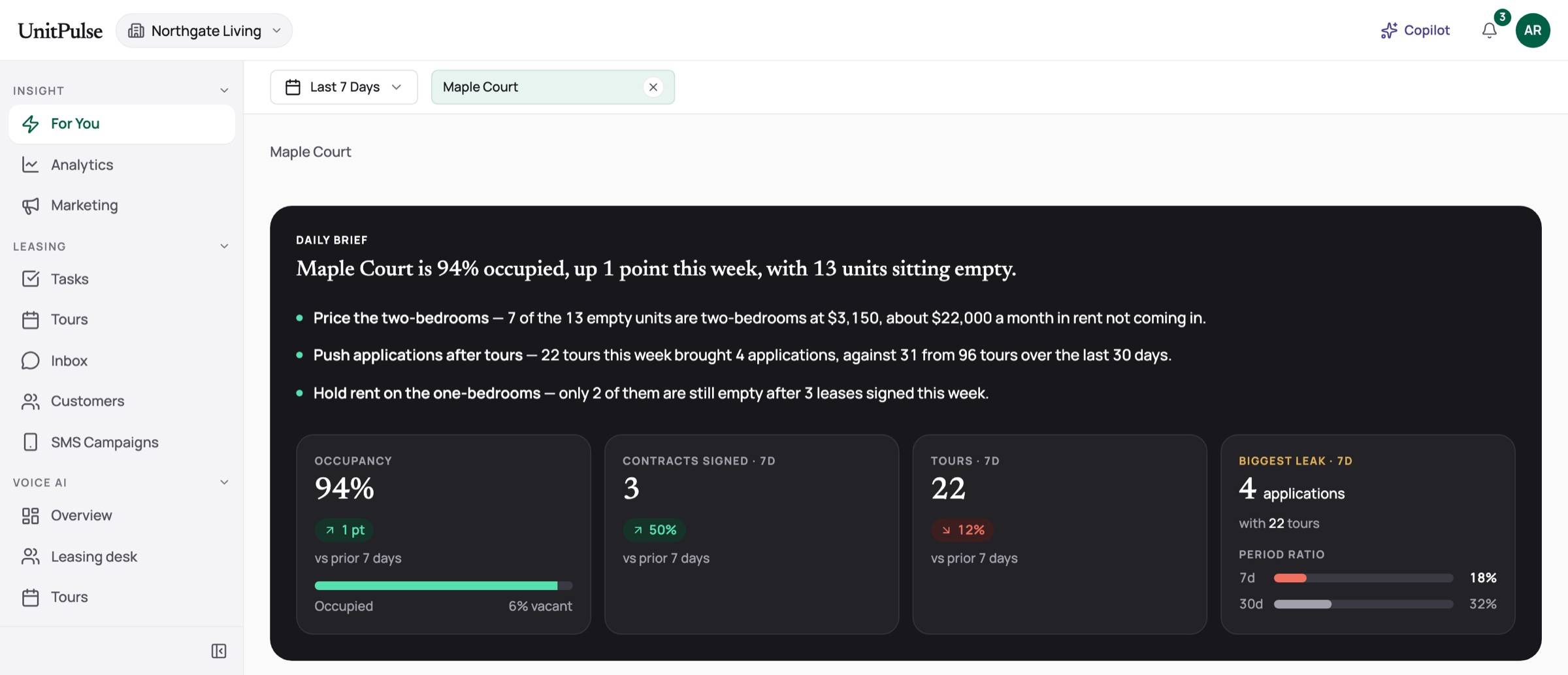
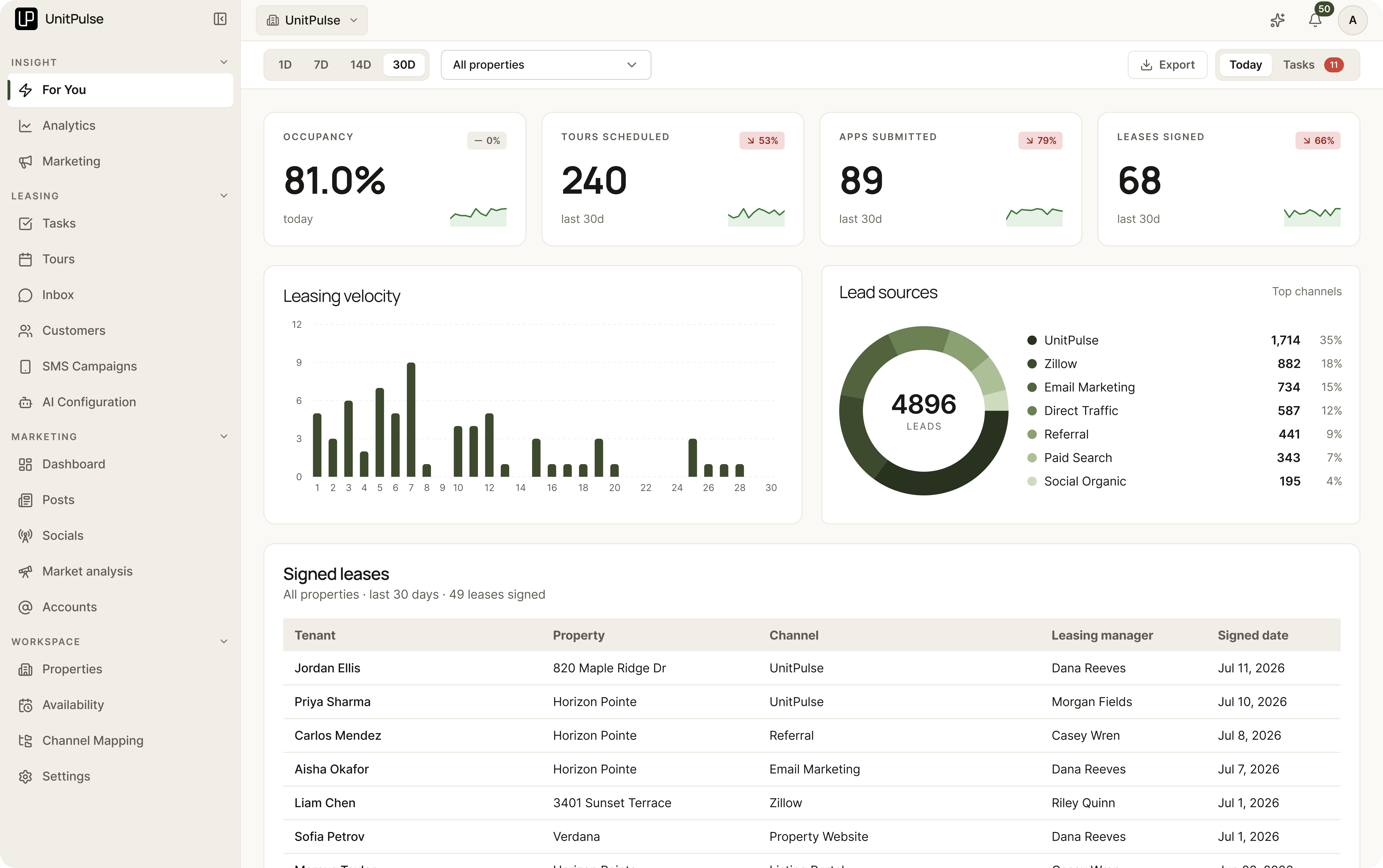
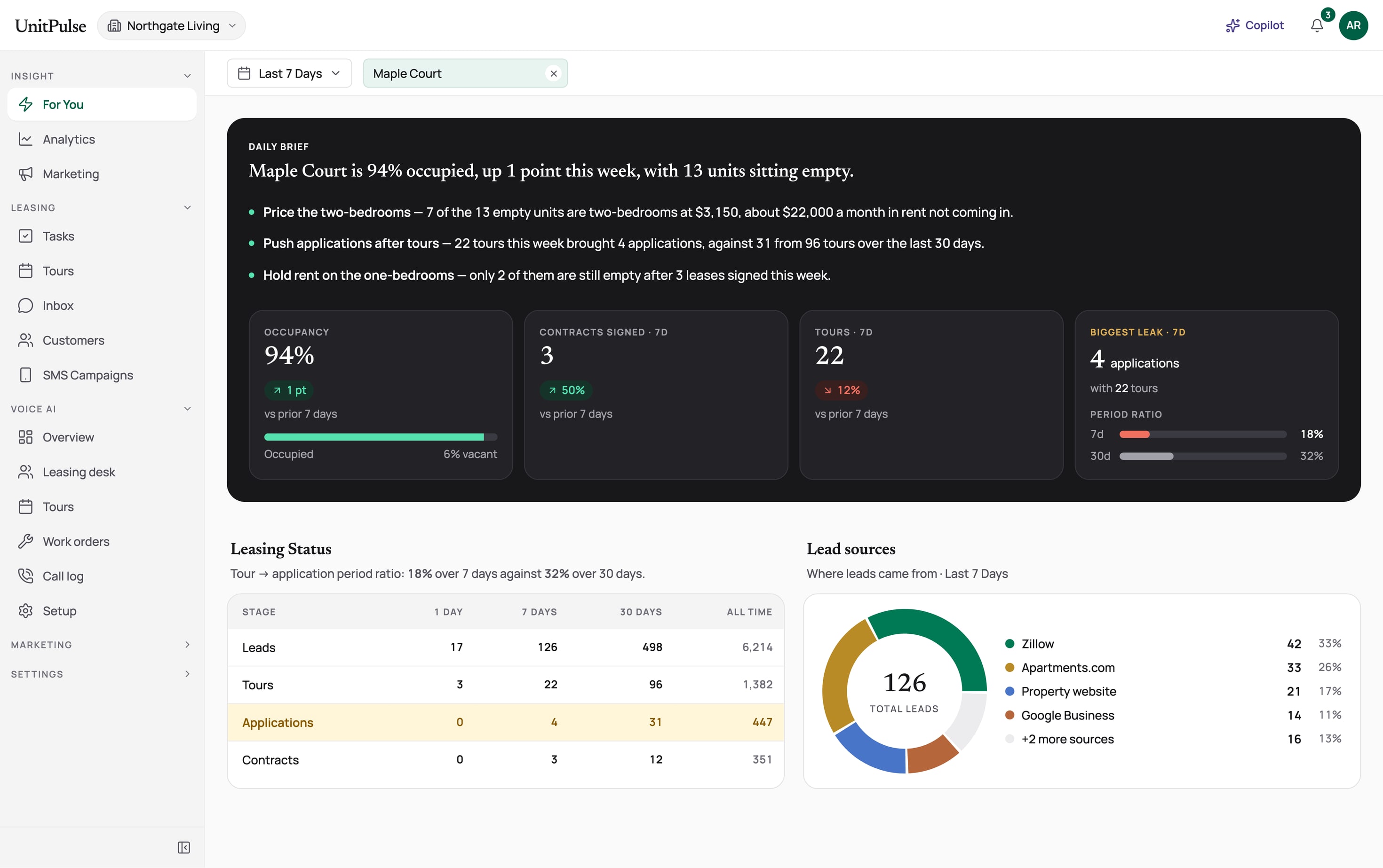
The UnitPulse Portal's For You page for Maple Court: the dark Daily Brief with occupancy, contracts, tours and the biggest leak, then leasing status by stage and lead sources by channel, inside one sidebar for Insight, Leasing, Voice AI, Marketing and Settings
Team
Product Design Lead
Engineering across the platform · no PM, so I also wore the PM hat
Span
Since Feb 2026
Type
Web platform & mobile app
Outcome
821 → 400 → 59 — one traceable cohort: leads, tours, signed leases at a 93-unit property over 2 months
Context

What UnitPulse is

An AI-native leasing platform for property owners and their teams. It finds renters, converts them, and measures the funnel. We built it from zero starting February 2026, and the first paying customer signed a month later. It started as separate products built fast. As design lead, I brought them into one platform with one design system.
  • Insight

    Every morning, the biggest leak called out

    The Insight For You page, with the daily brief on top
  • Agents' app

    Tours, summarized

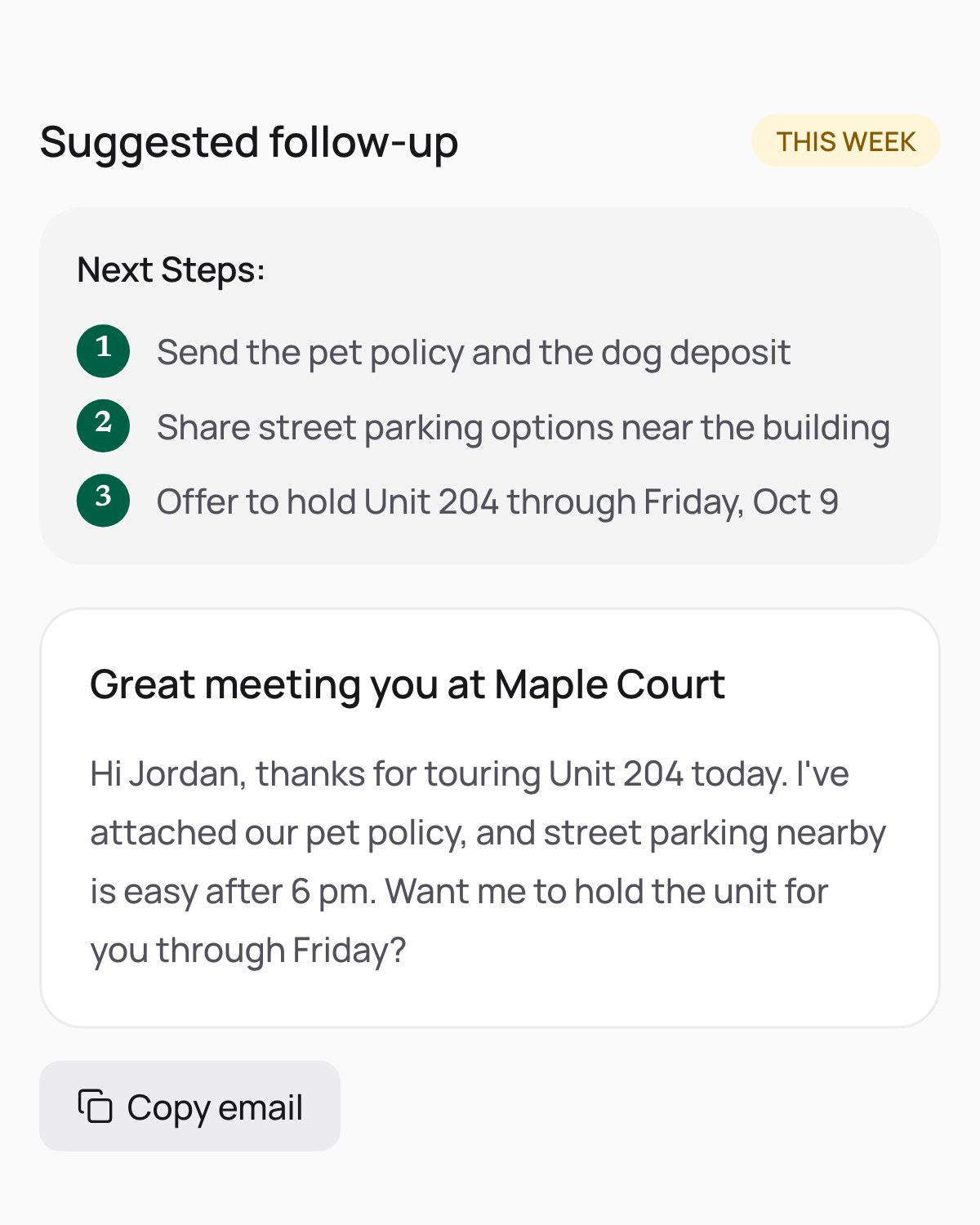
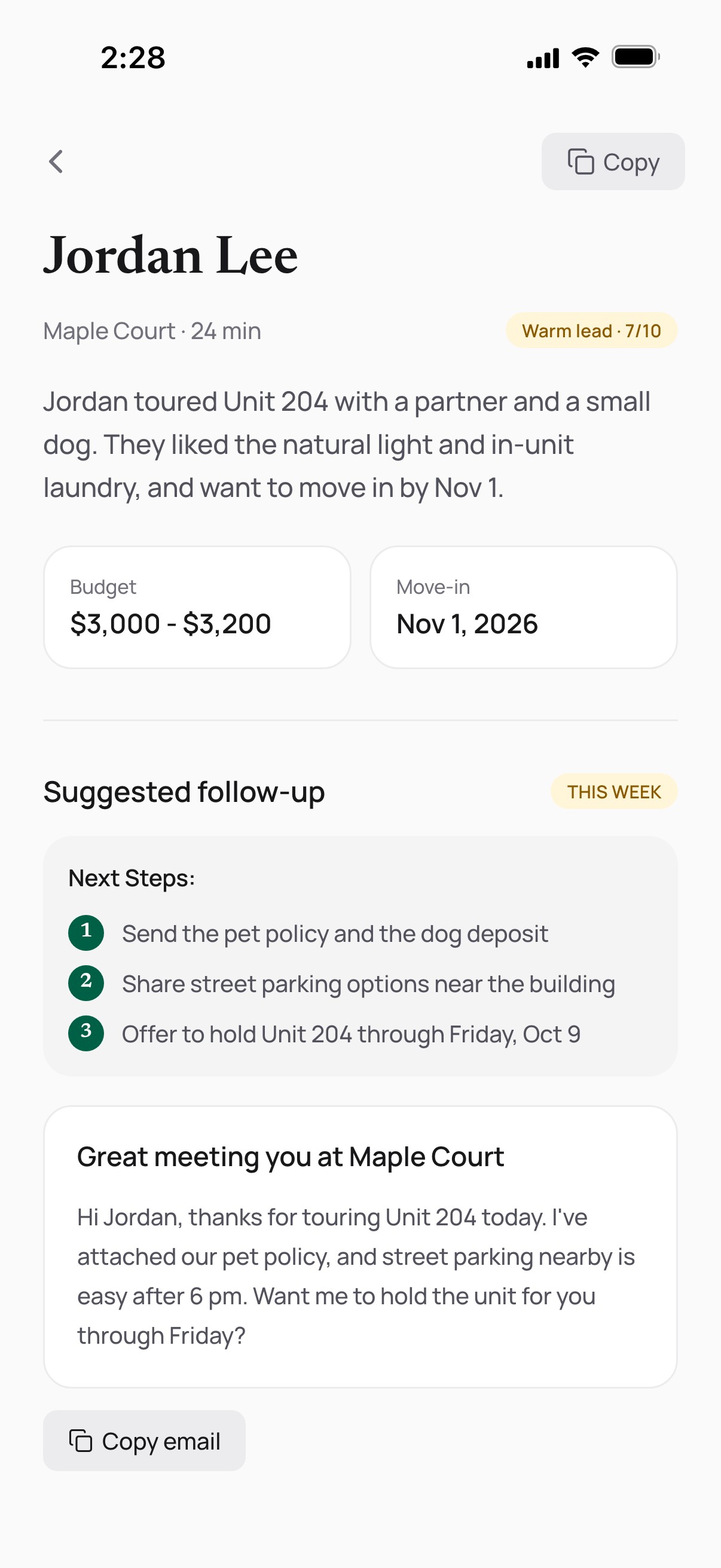
    The agents' app showing a tour summary and a suggested follow-up
  • Leasing

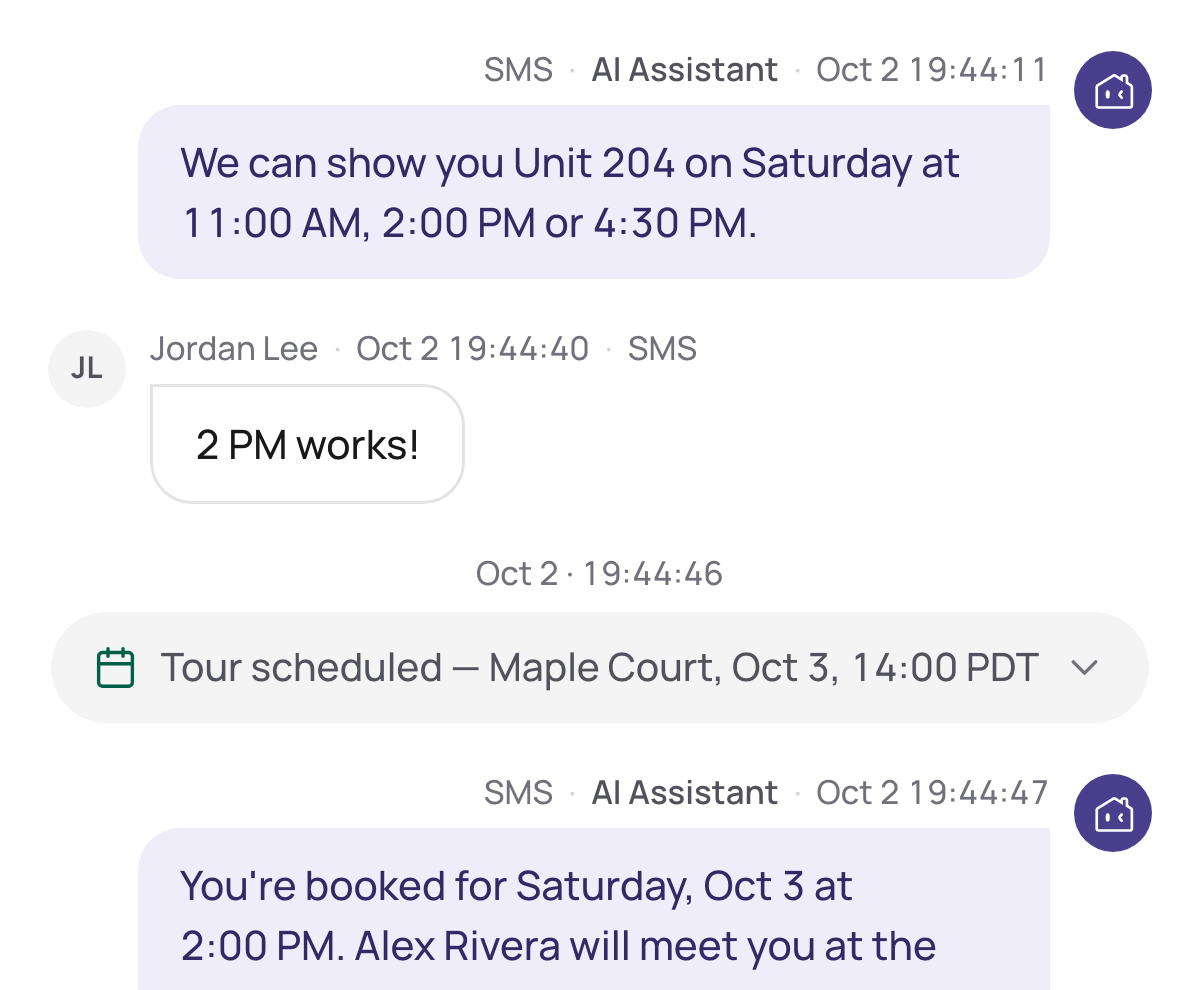
    The AI books the tour

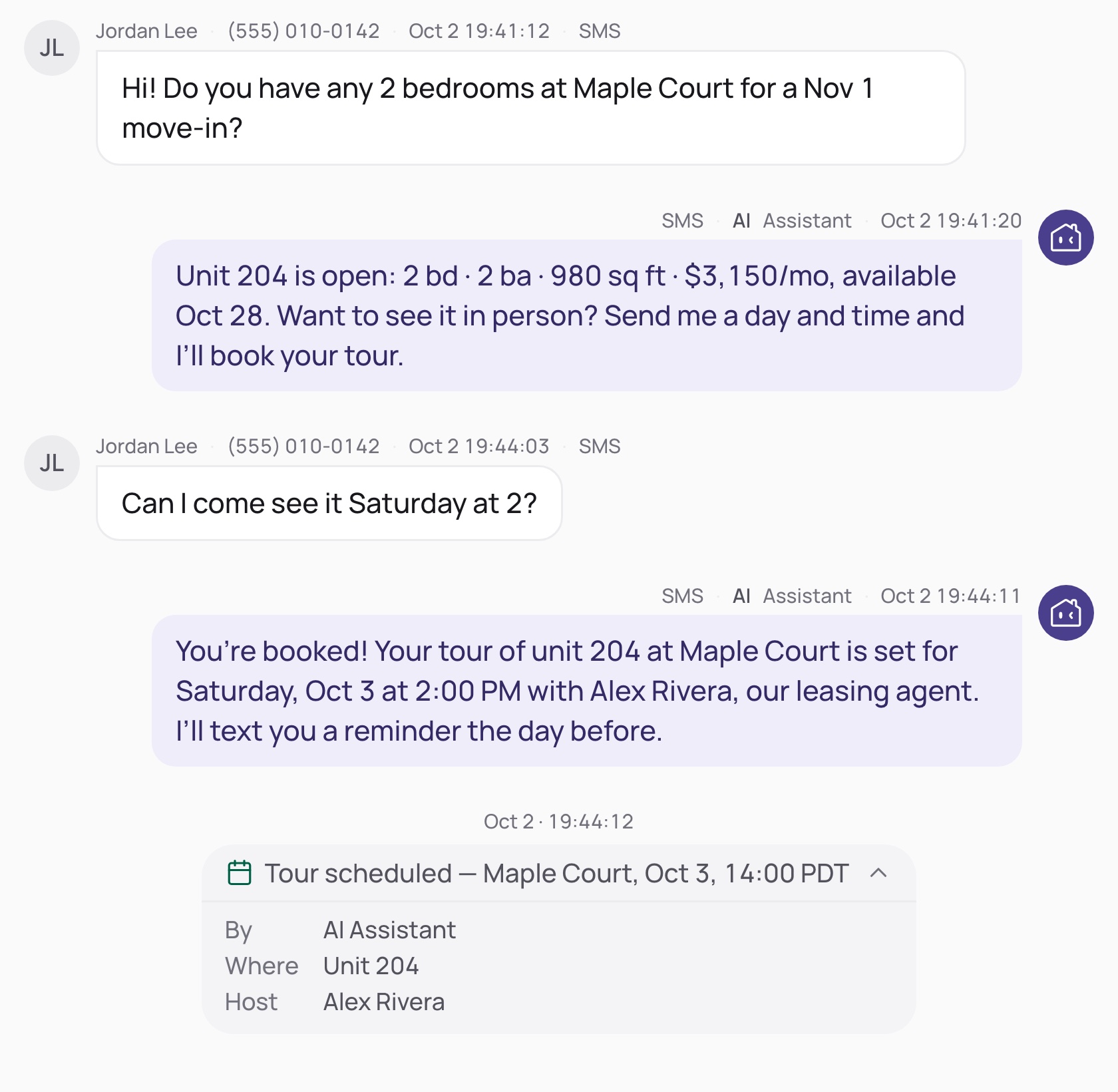
    A text conversation where the AI offers tour times and the renter picks 2 PM
  • Pipeline

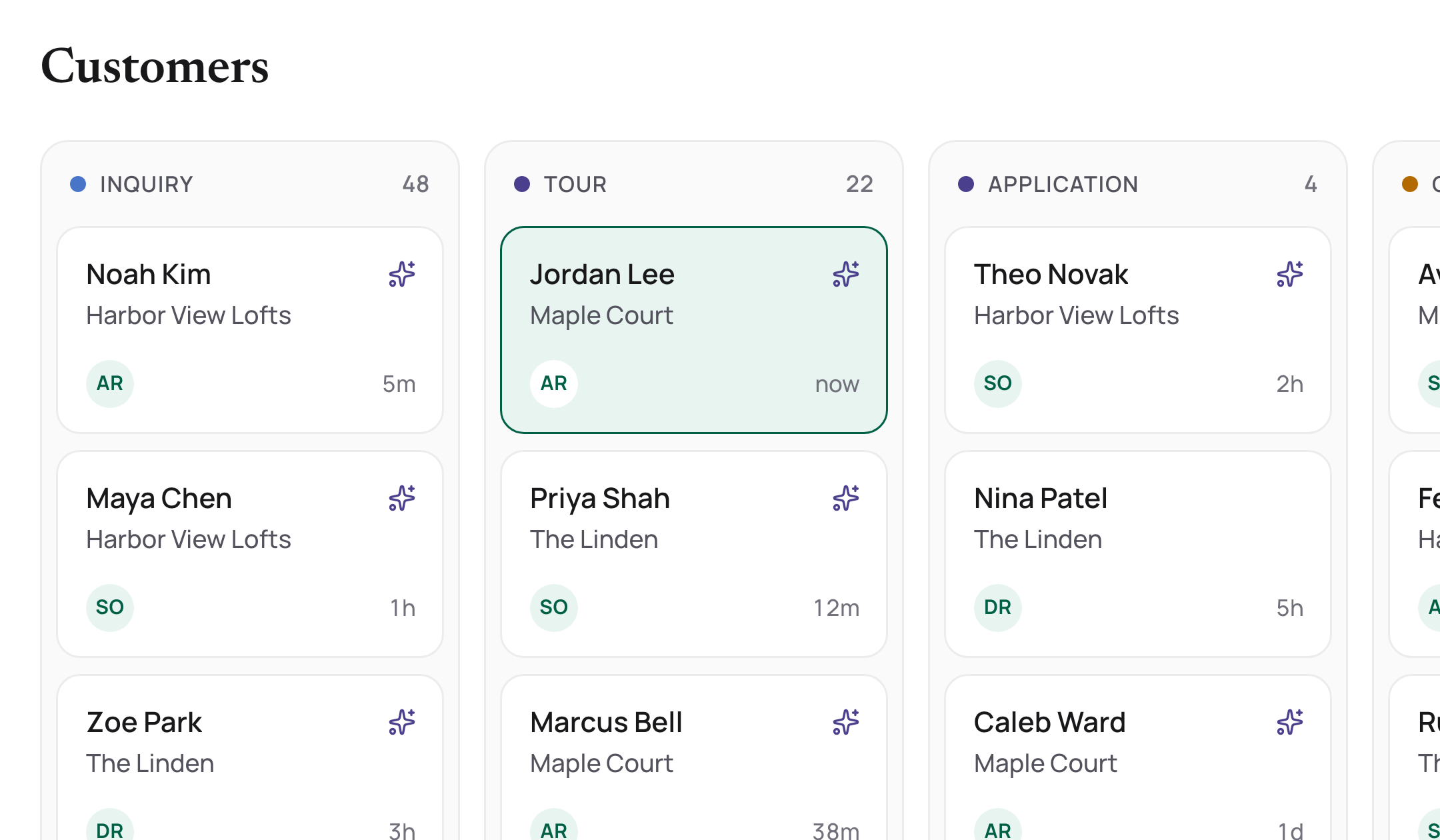
    Every lead in one pipeline

    The Customers pipeline with leads in Inquiry and Tour columns
  • Funnel

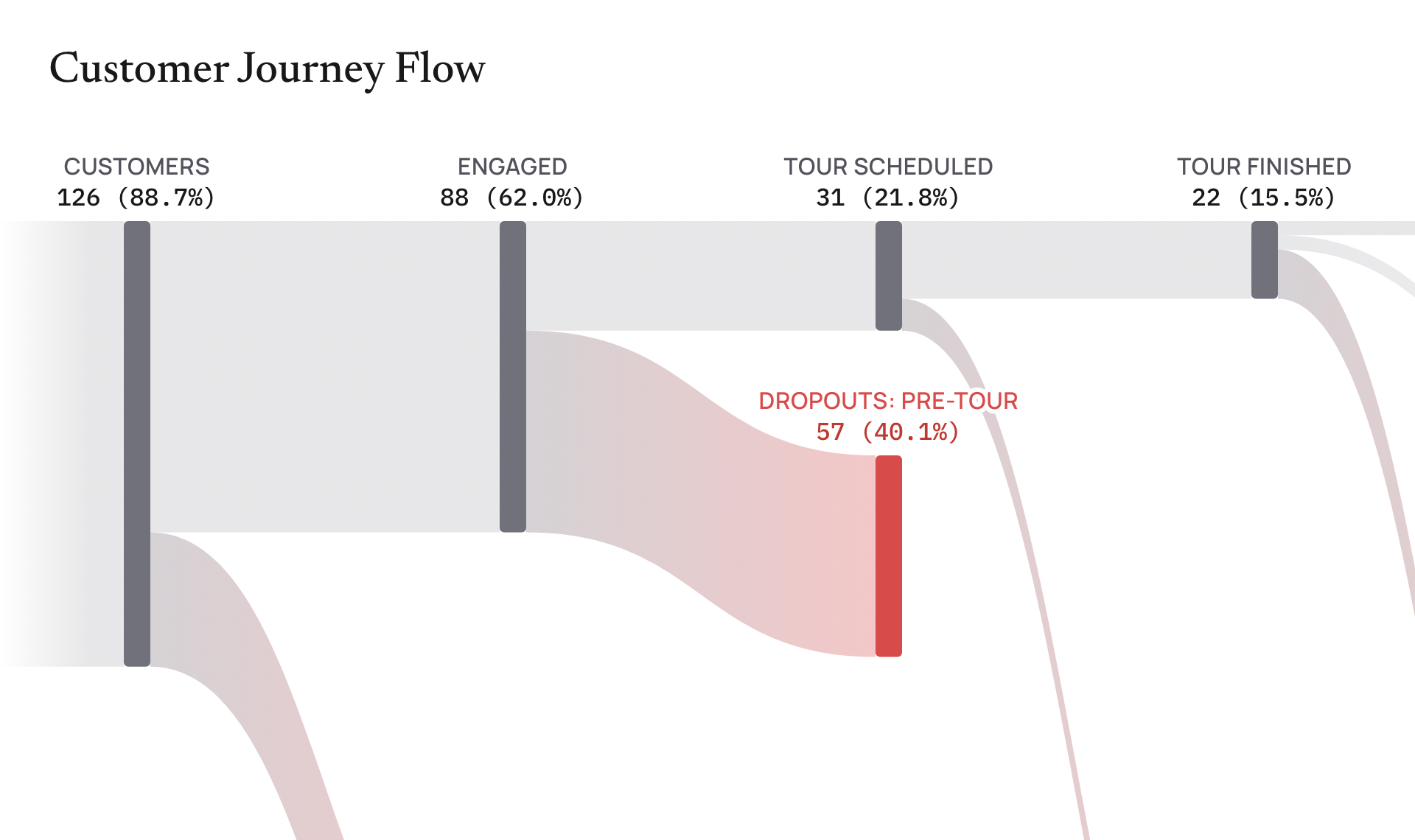
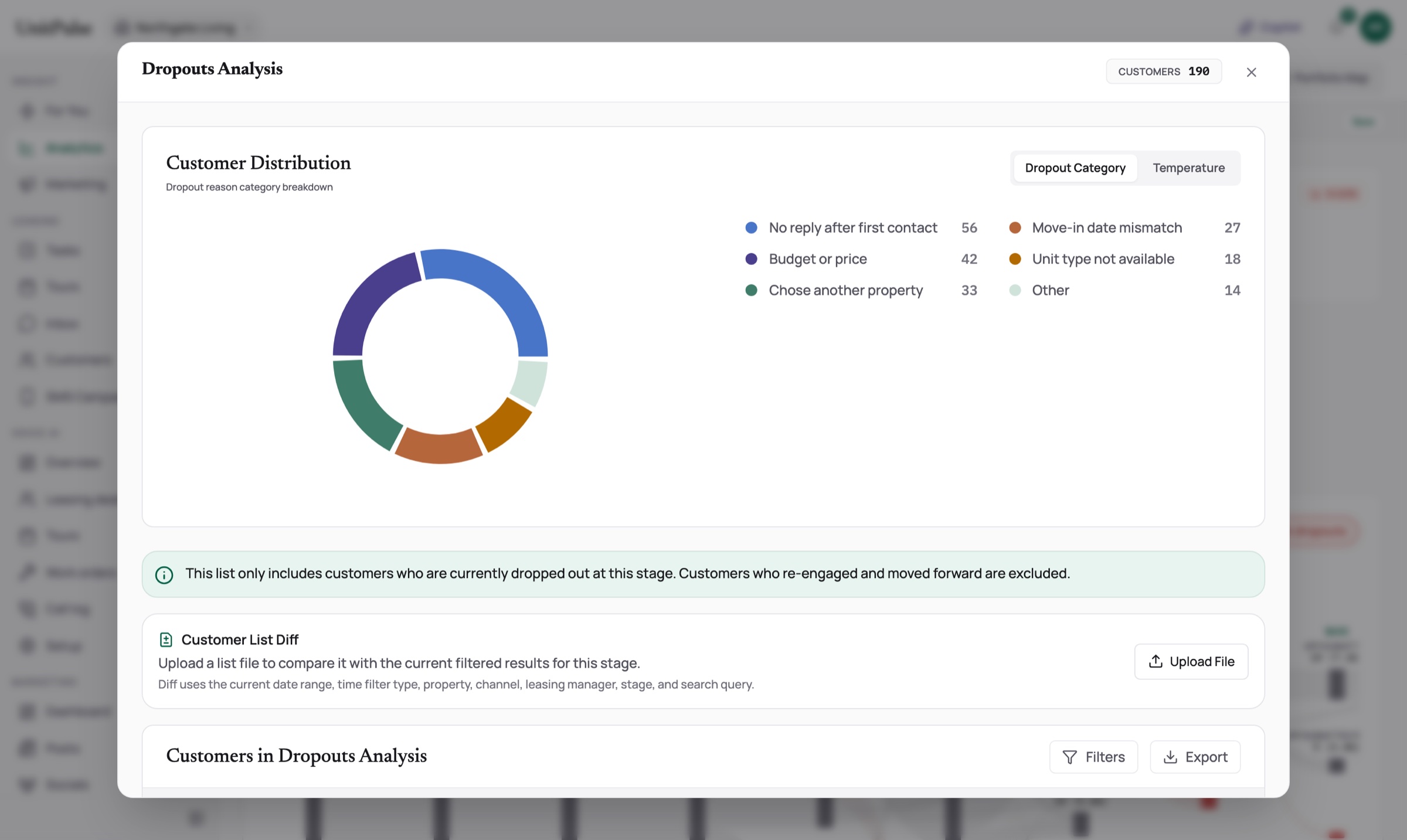
    See where renters leave

    The customer journey flow, showing where renters drop off
  • Marketing

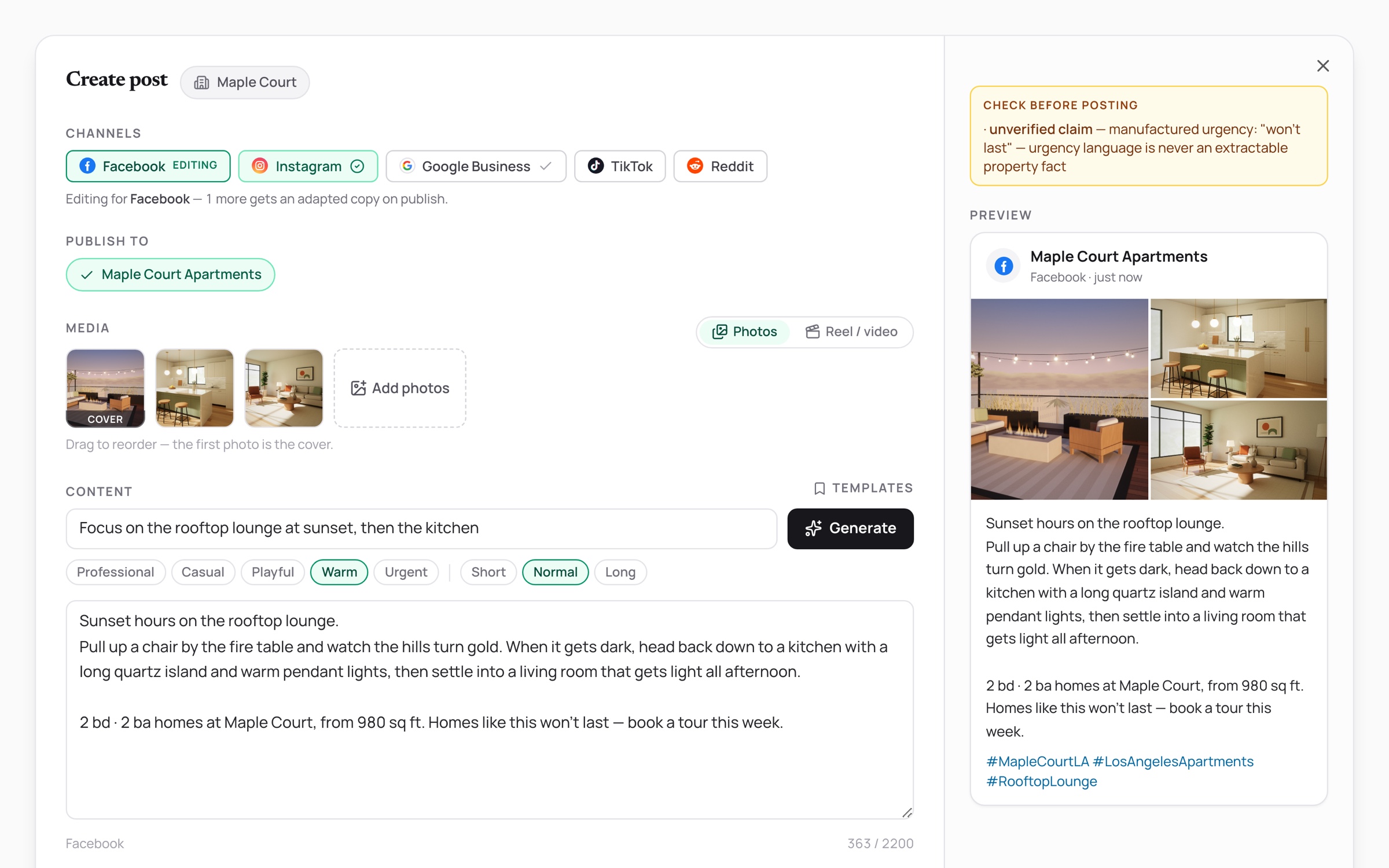
    Posts drafted from market data, held when a fact is off

    Before it posts

    • Fair Housing language
    • Price backed by property data
    • Address doesn't match
    The Create post screen, with a draft held for review
Part 01

Who it serves

Leasing still runs on spreadsheets, 7 disconnected tools, and messages nobody answered. The platform is built around 3 people.

3 people, 3 pains

  • The independent landlord

    Owns a handful of units; leasing eats evenings and weekends.

    • Spreadsheet reporting
    • No analyst
    • Every lead counts

    NeedsAnswers at a glance, and an AI that follows up overnight.

  • The property manager

    Runs a portfolio across neighborhoods with a small leasing team.

    • 7 tools
    • Team coordination
    • Owner reporting

    NeedsOne system of record for marketing, agents, and the funnel.

  • The leasing agent

    Between tours all day, while the CRM lives on a desktop.

    • Menu-deep CRM
    • Follow-ups pile up
    • Always mobile

    NeedsOne sentence instead of 15 clicks, with the office in their pocket.

Part 02

AI agents and human control

The map below shows the 10 main AI agents across the 5 products, with rules-based steps between them and people taking over where it matters. No agent runs the others. They meet at one shared renter record, so a text, a call and a tour all land in the same profile. I designed how people stay in charge: the AI steps back once a person replies, and Copilot waits for a yes before it changes anything.

  • AI agent
  • Rules-based step
  • A person takes over
  • Outcome
  • Where it starts
  • Reads or writes the record
  • Passes by without touching it
MarketingMarketer asksfor postsAIProperty strategistAIPost writerContent checksMarketer approvesPublisherPublished or readyto postLeasingLead emailAILead email readerRenter messagesAILeasing assistantAIFollow-up replywriterReply sent ortour bookedReply-task routerLeasing staffVoice AI · PilotIncoming callCall routerStaff answersAILeasing phoneassistantAIMaintenance phoneassistantAIPost-call summarizerCall loggedInsightOpen thedashboardDaily briefPriorities shownAsk aboutperformanceAIData CopilotFiltered viewopenedManager decidesCopilotAsk inplain wordsAIWorkspace assistantAnswer or view openedConfirms thechangeAction completedShared renter record

Hover a line to follow it, and click a station for details. The moving markers show work flowing along each line. Tap a station for details, and scroll sideways to see the whole map.

How people stay in charge

  • AI replies only when the property, the conversation and the renter all allow it. New properties start with it off.
  • Once a person replies, the AI steps back from that conversation.
  • Copilot looks things up right away, but every change waits for a yes.
Part 03

Marketing: generate demand

Marketing was our first product and our first paying customer. It started as a post generator and grew into an AI marketing team inside the Portal.

AI agents here Property strategistPost writer How they work together

How Marketing evolved in 2026
  1. Mar First product Marketing signs our first paying customer.
  2. Jul Posts from a market read AI drafts posts from an analysis of the property's name and address. AI
  3. Aug An AI marketing team Brand guide, local market, channel plan and photo-aware drafts. AI
  4. Sep Any property can start No website needed; a Portal property is enough.

How a post gets made today

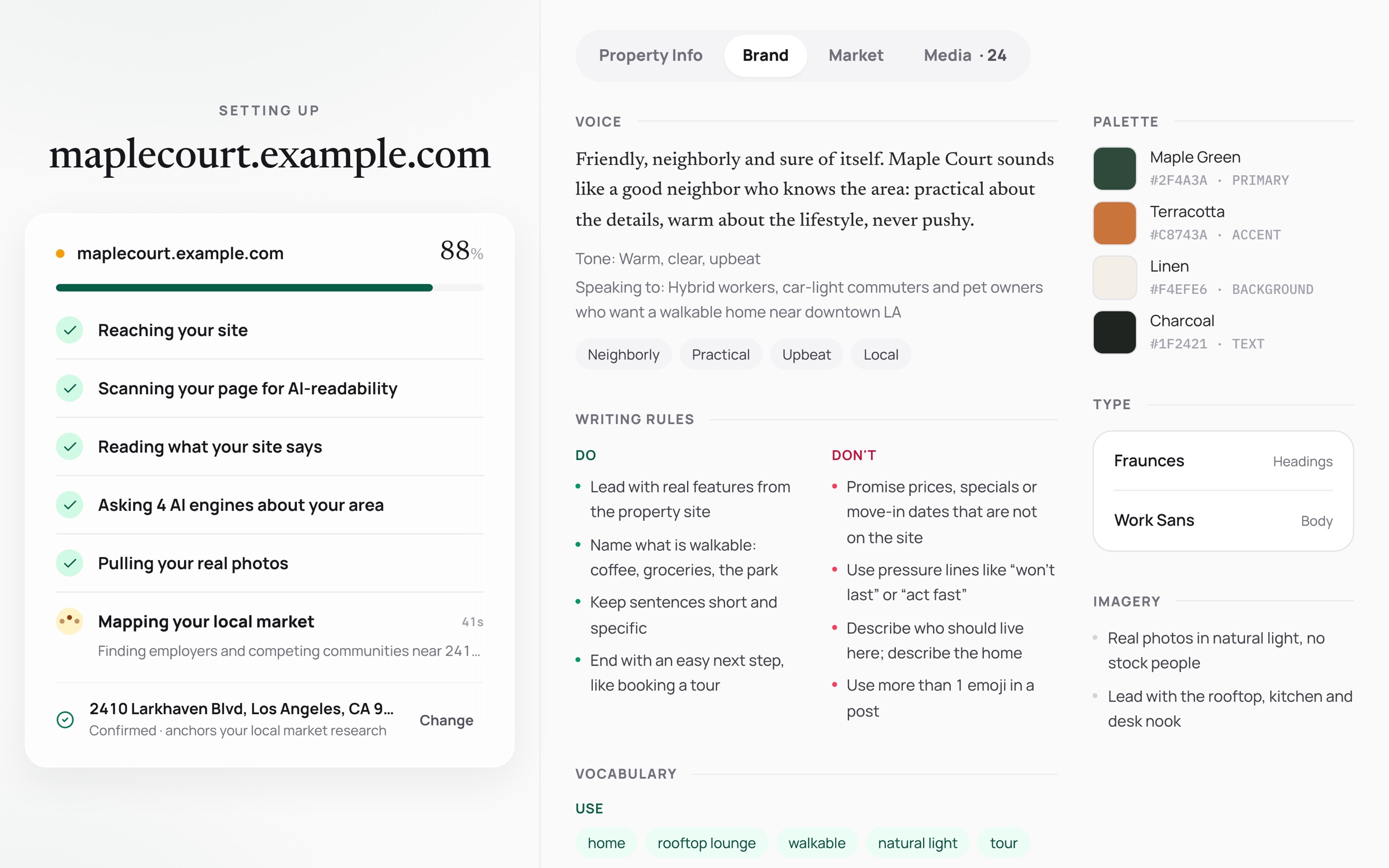
The setup board reading the property's site beside a brand guide with voice, do's and don'ts, colors and fonts
01 · AI

Learn the property

From the website or a Portal property and a confirmed address, AI writes a brand guide and a local market profile.

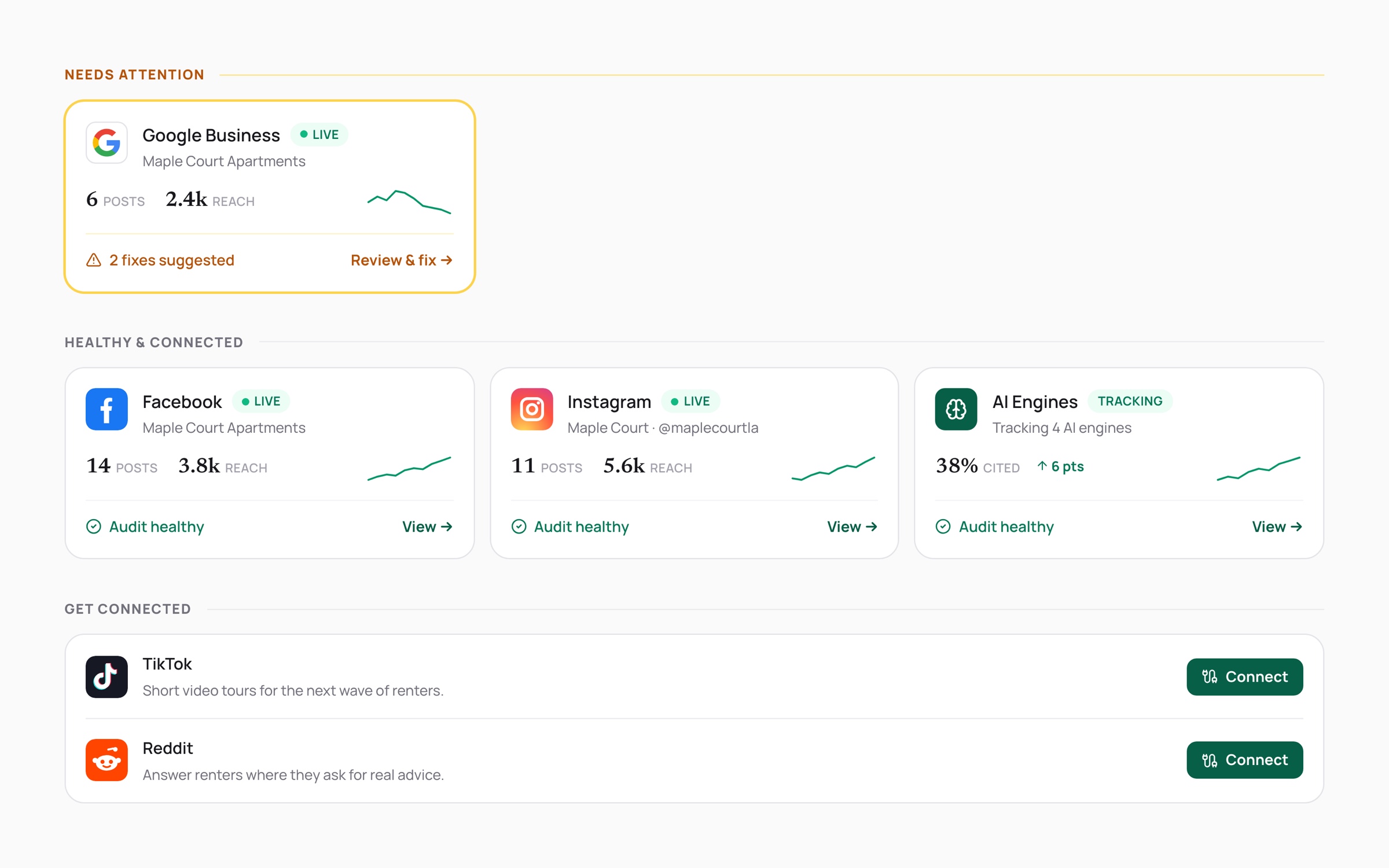
The Channels list grouped into needs attention, healthy and connected, and get connected
02

Connect channels

Google Business, Facebook, Instagram, TikTok and Reddit, with what's live, what needs attention and 30-day reach.

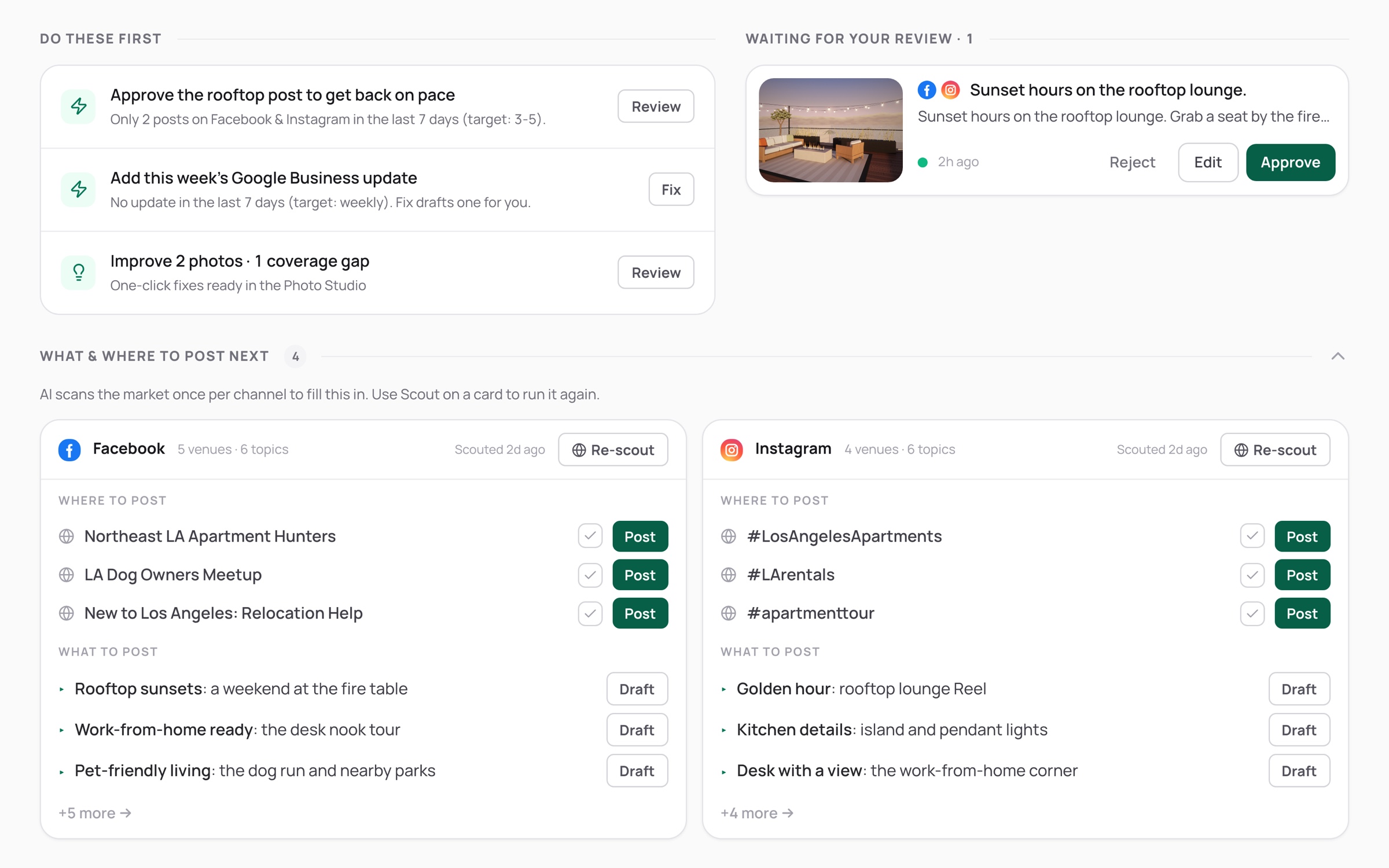
Suggested venues and topics for each channel, the do-these-first list from the rhythm check, and a draft waiting for review
03 · AI

Plan each channel

For each channel, AI scouts where and what to post. A rhythm check turns gaps into suggested drafts.

The composer with channel chips, attached photos, tone and length chips, an AI draft, a preview and a fact-check flag
04 · AI

Draft with photos

Pick a channel, add photos, set the tone and length. The copy matches the photos, and a fact check flags what the data doesn't back.

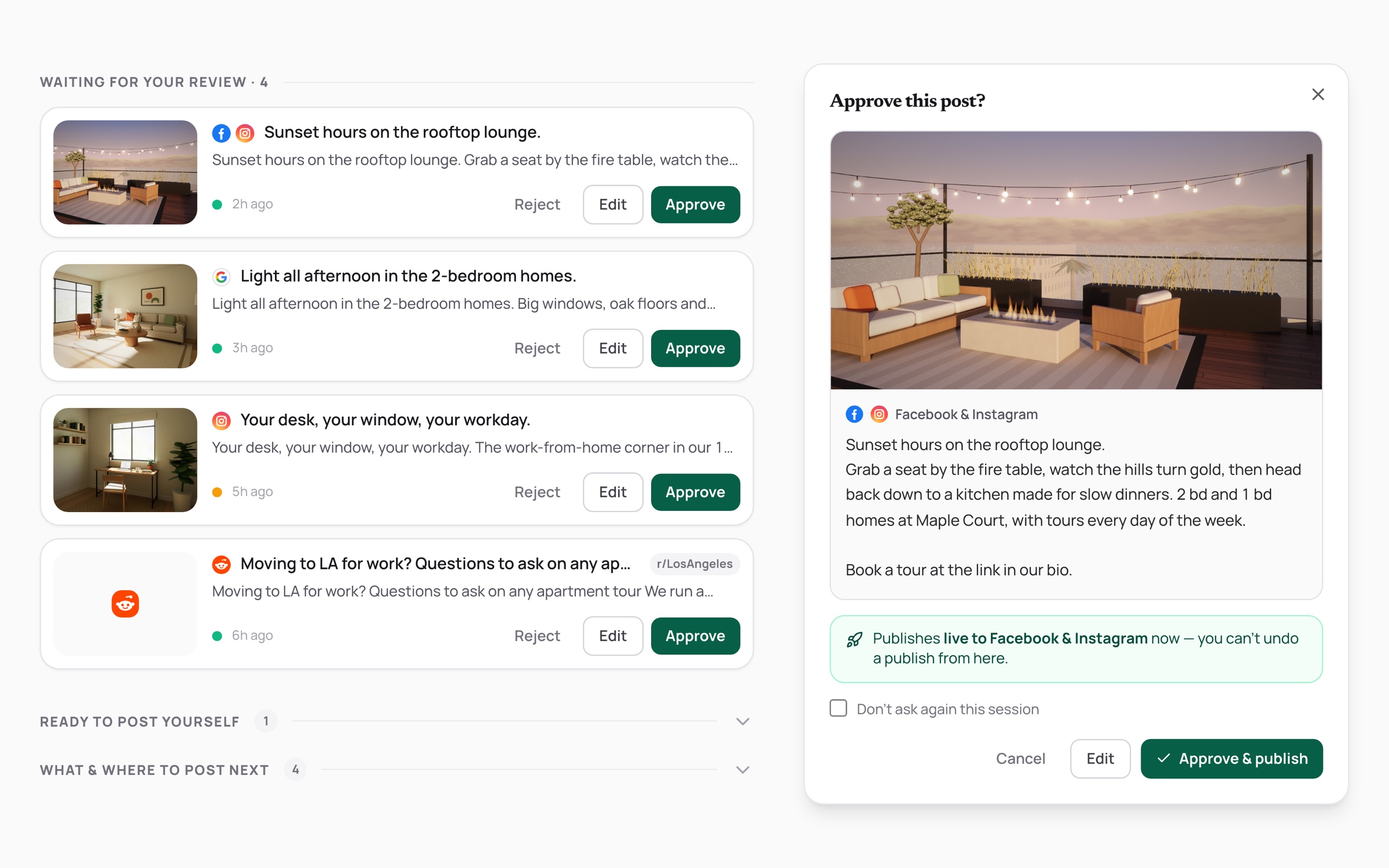
A draft in the work queue with Reject, Edit and Approve, and the confirm dialog before it publishes
05

Approve and publish

Every draft waits for a person: edit, reject or approve. Approving publishes now.

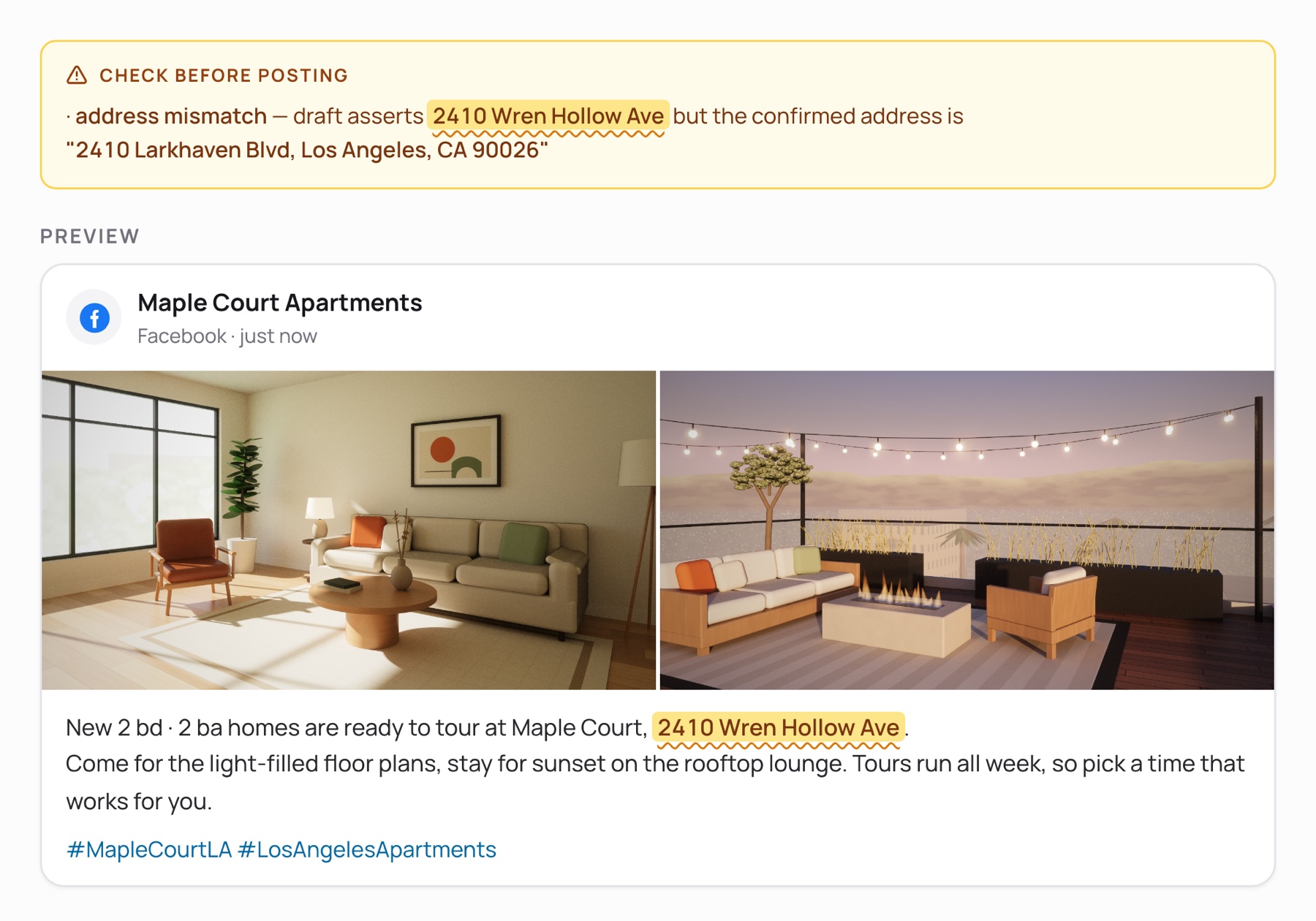
A post preview with 2 property photos, where the fact check highlights the wrong street in the post copy and flags that it doesn't match the confirmed address

Cooperative principle

“Ready to tour at Maple Court, 2410 Wren Hollow Ave.”

What happened
Drafts went out with the property on the wrong street.
What we designed
A fact check now flags any address that doesn't match the confirmed one, and any price or special the property data doesn't back, before anything posts.
Part 04

Leasing: convert leads

UP Leasing turns that demand into signed leases. The AI answers every inquiry knowing who’s asking, writes follow-ups worth reading, and books the tour itself on the on-shift agent’s calendar. When the system doesn’t have the answer, the question goes to an agent as a task.

AI agents here Lead email readerLeasing assistantFollow-up reply writer How they work together

From first message to booked tour
  1. 01 Listen Loads the home in view and the chat so far. Code
    People
  2. 02 Collect Reads what the renter wants. Asking isn't requiring. AI
    People
  3. 03 Route Sorts the message. AI Fair housing first
    People
  4. 04 Act Answers from property data, or books the tour on the agent's calendar. Code
    People Missing data becomes a task for an agent
  5. 05 Reply A warm, short answer in the renter's language. AI
    People
  6. 06 Hand off Lead, chat and preferences go to the on-duty agent. Person
    People The agent takes over the thread
  • Any time an agent replies, the AI goes quiet. Agents can switch it off per conversation.

4 behaviors we designed

The AI booking a Saturday tour of unit 204 on the leasing agent's calendar
Cooperative principle

“Can I come see it Saturday at 2?”

What happened
Renters ask to tour at any hour, often after the office closes.
What we designed
The AI checks the on-shift agent's calendar and books the slot, or offers the nearest open times. The tour lands on the agent's calendar.
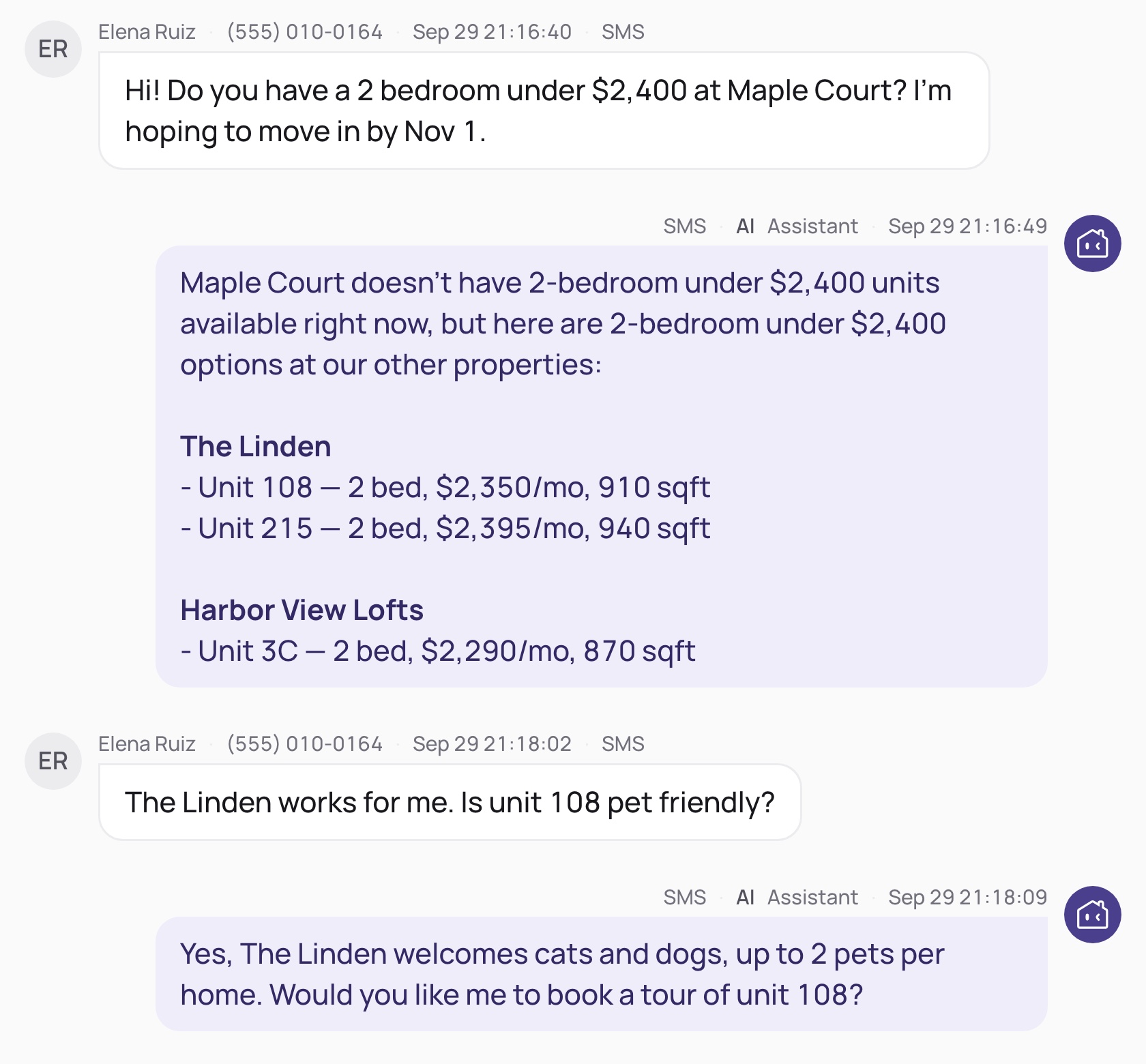
The AI saying Maple Court has nothing under $2,400 and listing matching units at The Linden and Harbor View Lofts
Move the conversation forward

“A 2 bedroom under $2,400 at Maple Court?”

What happened
Nothing at this building fits.
What we designed
It says so, then lists matching units at sister properties, each under its own name, with the same filters.
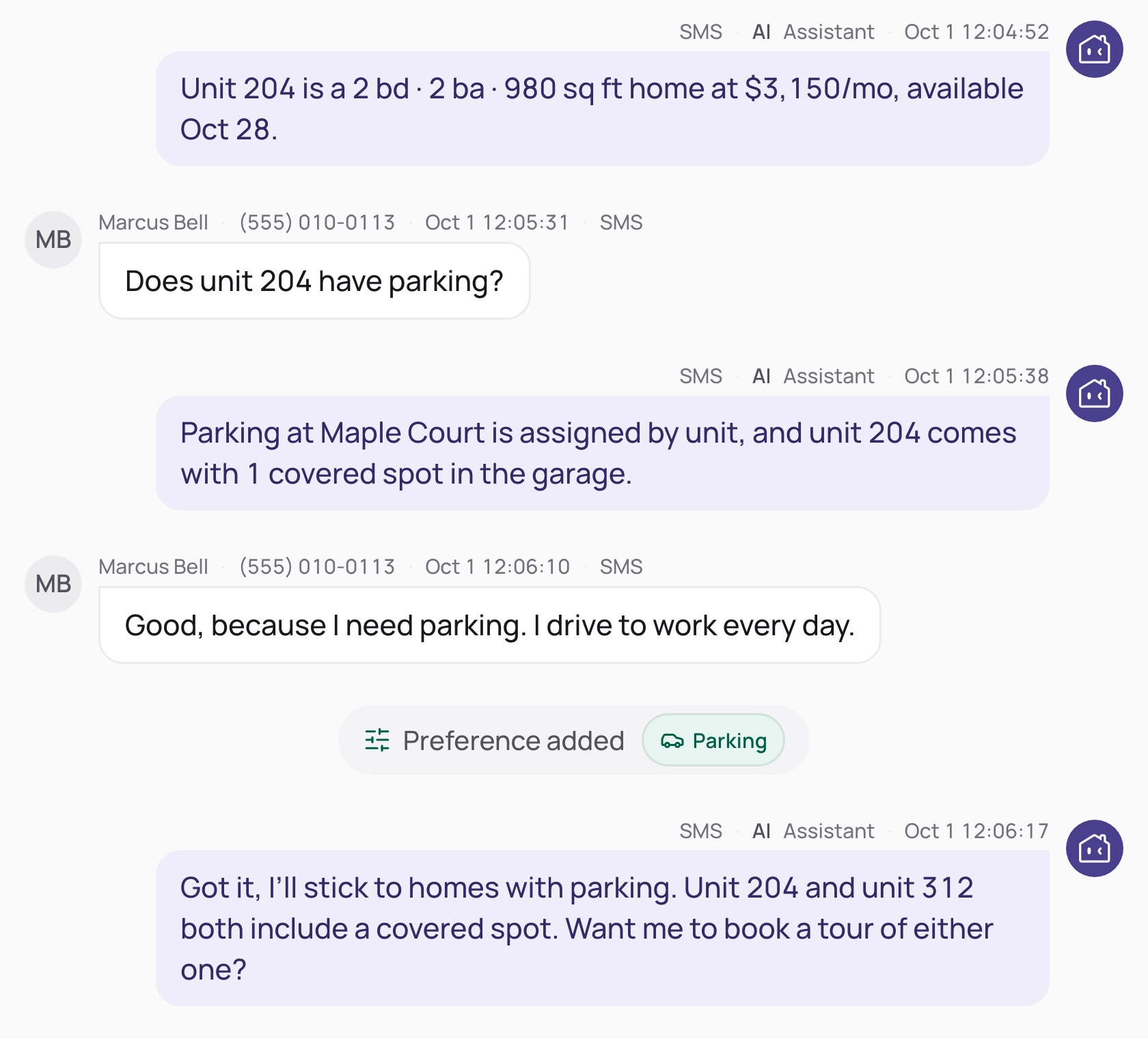
A parking question answered without adding a filter, then I need parking adds a Parking preference
Listen between the lines

“Does unit 204 have parking?”

What happened
Curiosity isn't a requirement.
What we designed
A question gets an answer. Only “I need parking” becomes a filter, and a tour date is never read as a move-in date.
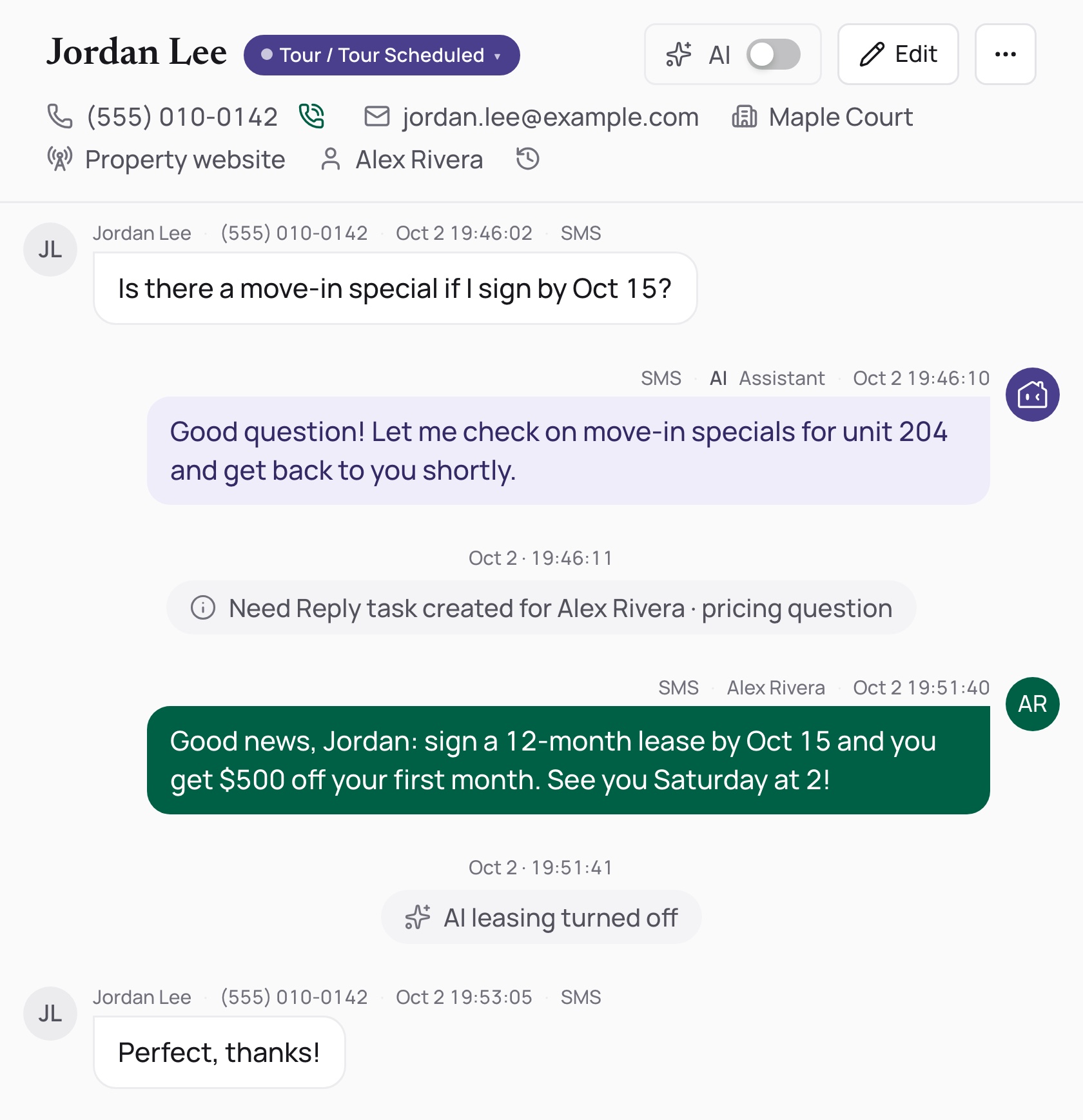
A pricing question the AI can't answer becomes a Need Reply task; the agent answers and AI leasing turns off for the conversation
Turn-taking

“Is there a move-in special if I sign by Oct 15?”

What happened
Pricing isn't in the property data, and a guess would be a promise.
What we designed
The AI says it will check and opens a Need Reply task for the agent. When the agent answers, the AI goes quiet for the rest of the thread.

Part 05

Insight: optimize operations

UP Insight closes the loop for owners who aren’t analysts: the full funnel, per-prospect attribution, the biggest leak called out each morning, and a plain-language Data Copilot. Attribution shows which segments and channels actually sign leases, so the team can decide what Marketing writes next.

AI agents here Data Copilot How they work together

What a manager sees each morning

The morning brief calling out the biggest leak this week and where to look, with action-first bullets
Daily brief

The biggest leak, first thing

Each morning the brief names the stage that slipped most this week, with the numbers behind it and where to look.

The customer journey with drop-offs highlighted and a stage panel showing dropout reasons
Funnel

See where renters leave

The customer journey highlights every drop-off, and the stage panel lists why leads left.

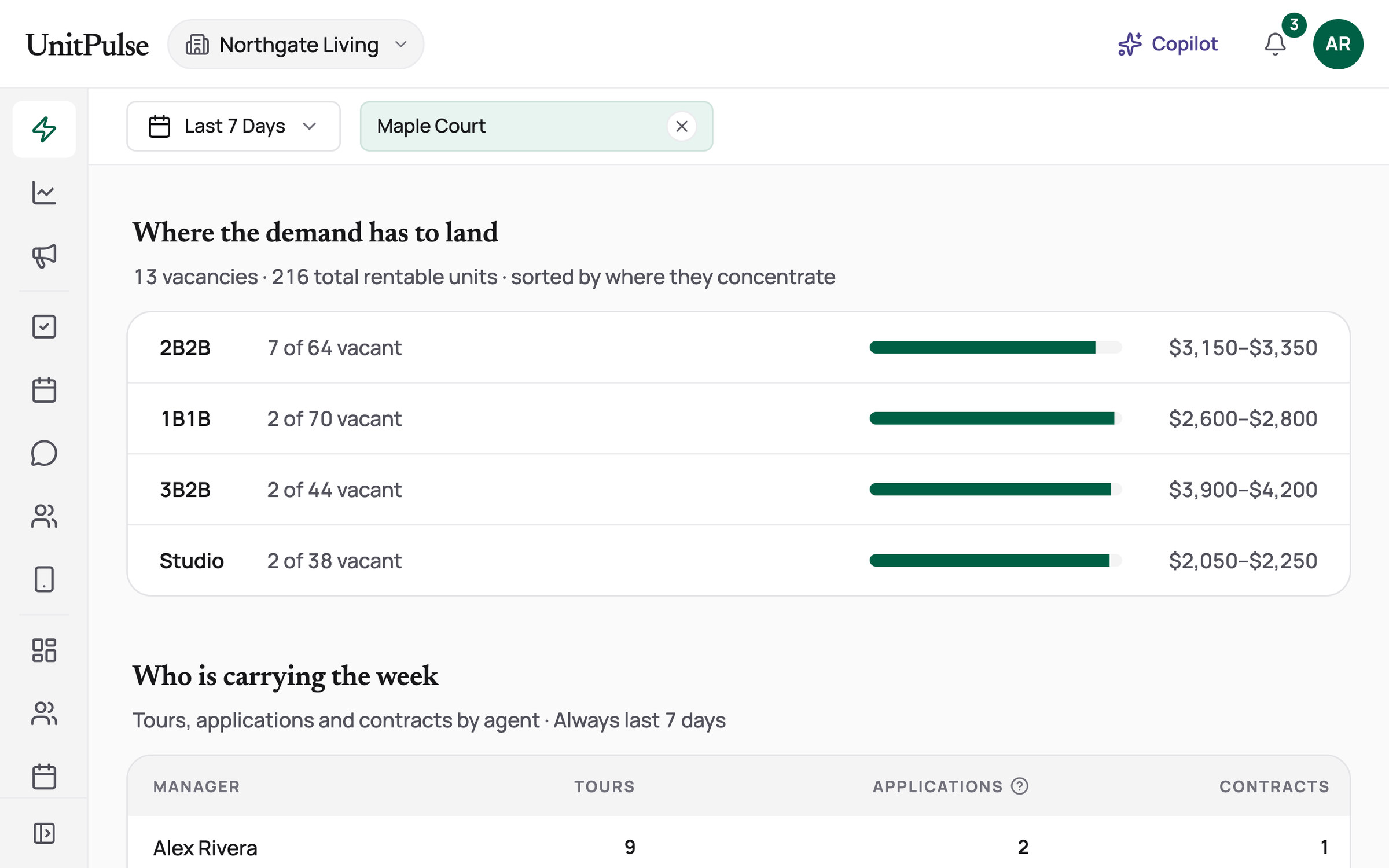
Vacancy by unit type for Maple Court: 2B2B with 7 of 64 vacant at $3,150 to $3,350, then 1B1B, 3B2B and Studio with 2 vacant each, each row with an occupancy bar
Inventory

Where the demand has to land

7 of the 13 empty units are two-bedrooms, so that's where pricing and marketing effort go first.

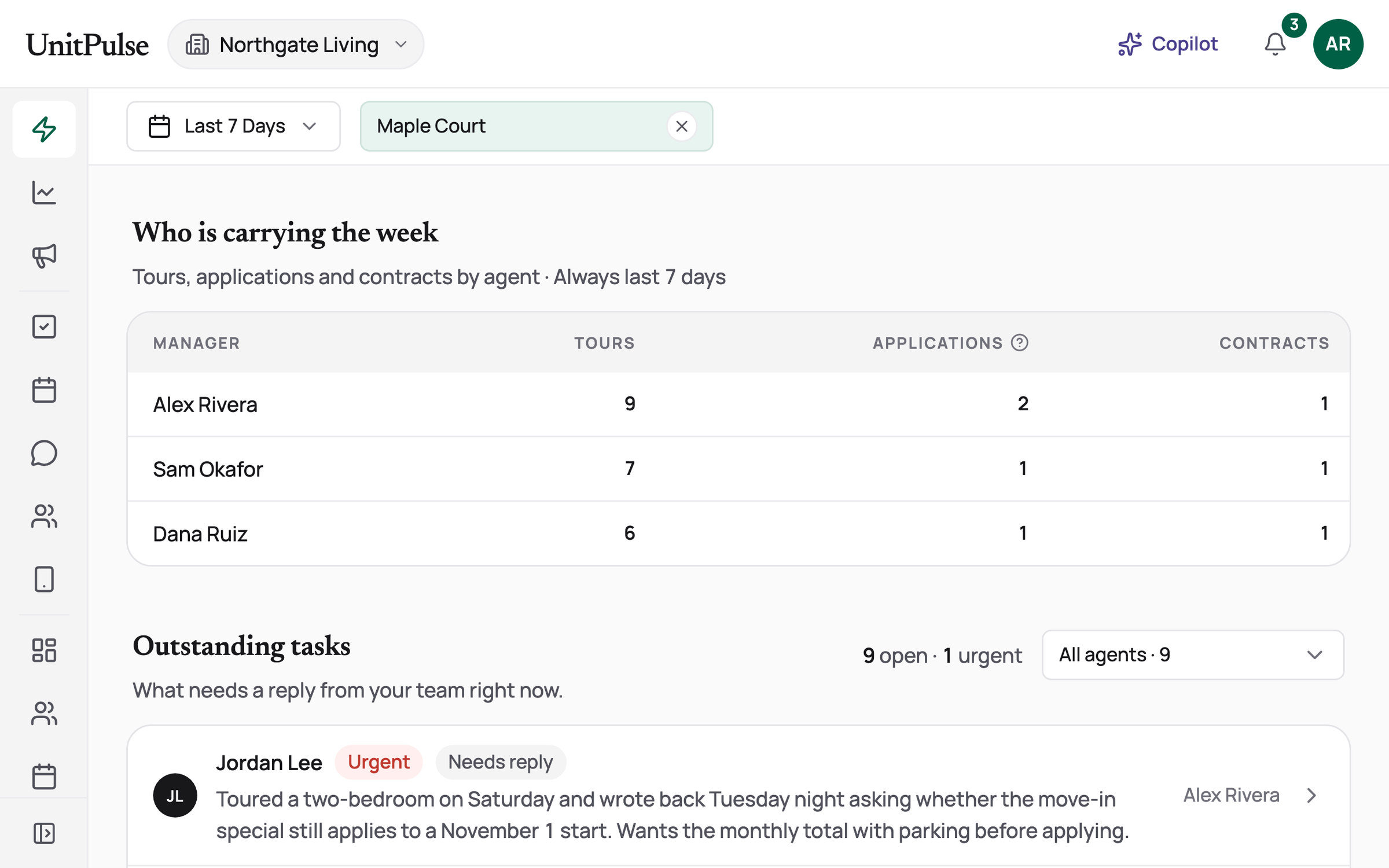
Tours, applications and contracts by manager for the last 7 days: Alex Rivera 9, 2 and 1, Sam Okafor 7, 1 and 1, Dana Ruiz 6, 1 and 1
Team

Who is carrying the week

Tours, applications and contracts by agent, always over the last 7 days.

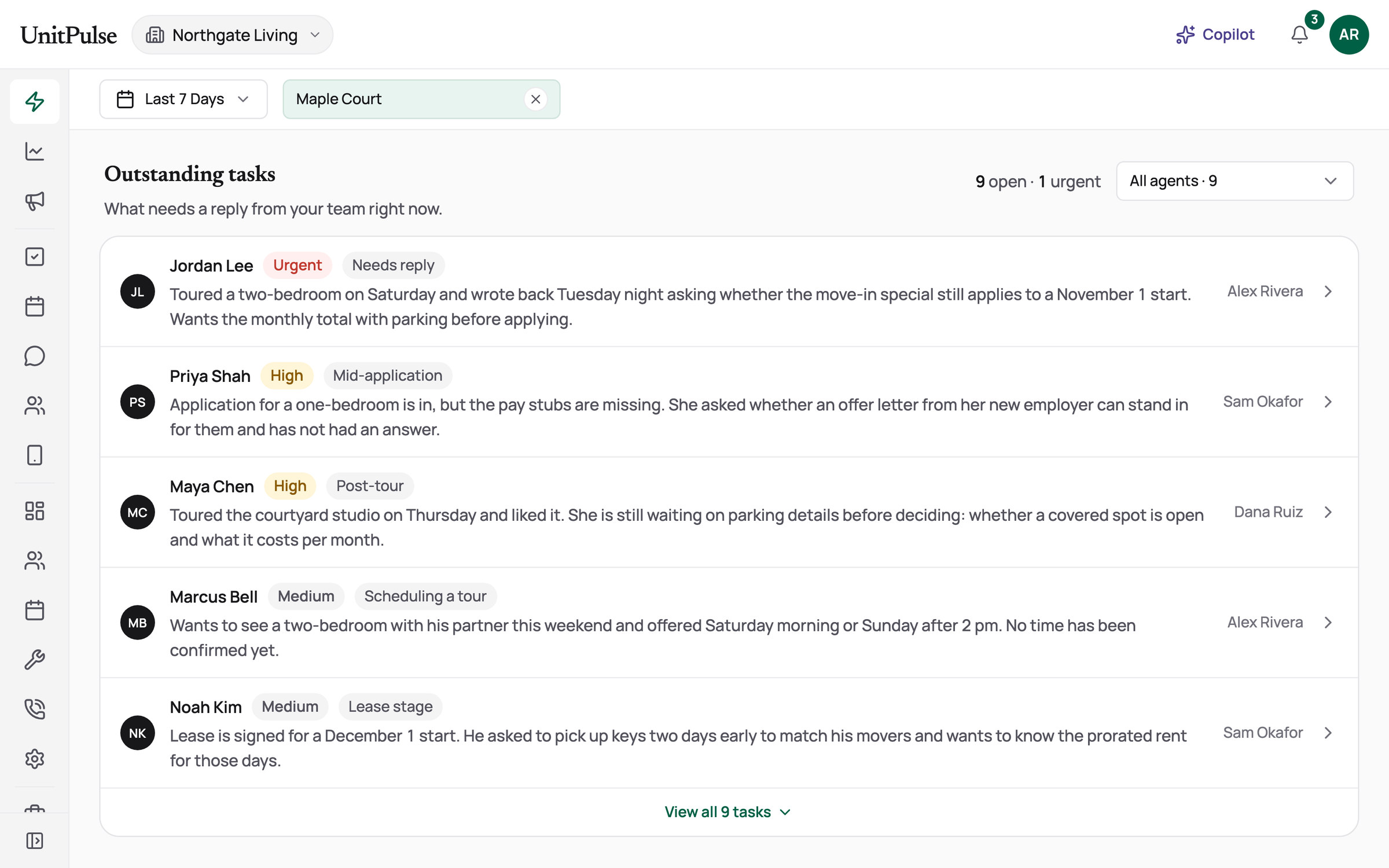
9 outstanding tasks, 1 urgent: Jordan Lee's move-in special question first, then a missing pay stub, parking details, a tour time and an early key pickup, each with a priority, a stage and an owner
Tasks

What still needs a person

Every conversation waiting on the team, ranked by urgency, with the renter's actual question and the agent who owns it.

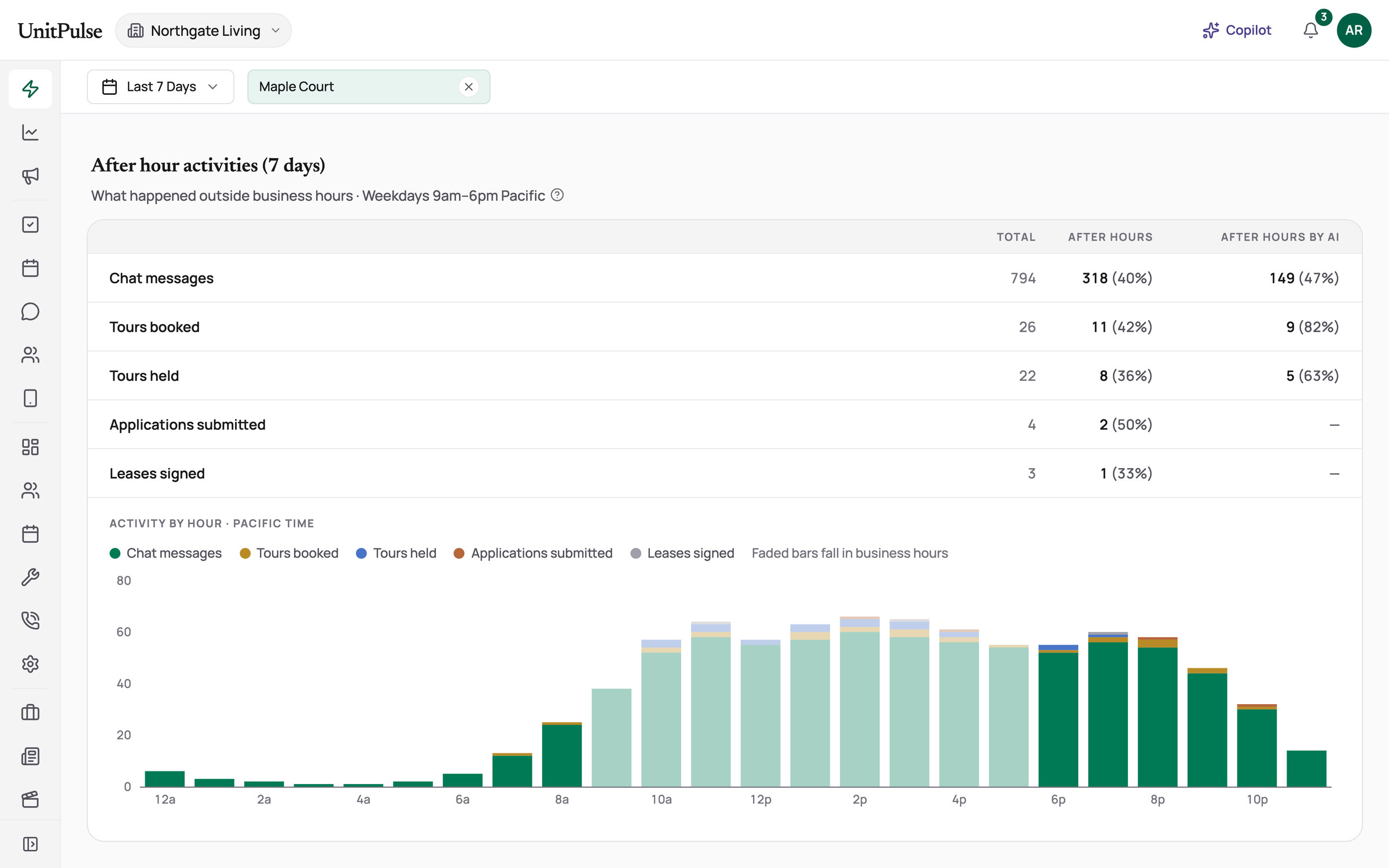
After-hours activity for 7 days: 318 of 794 chat messages, 11 of 26 tour bookings and 8 of 22 tours held came outside business hours, above a chart of activity by hour
After hours

The work that happens after close

40% of chat messages and 42% of tour bookings came outside office hours. The AI booked 9 of those 11 tours.

Part 06

Voice AI: answer every call

When an agent is on a tour, the phone still rings. I designed the setup board, call review, inquiries, work orders and the conversation flows. The AI is the overflow, not the front line.

AI agents here Leasing phone assistantMaintenance phone assistantPost-call summarizer How they work together

How a call reaches a person

  1. Every call After hours, the AI picks up
    1. Person On-duty agent 10 seconds
    2. Person Coverage team
    3. AI AI assistant
    4. Fallback Voicemail
  2. Press 3 A person, no AI
    1. Person On-duty agent
    2. Fallback Voicemail
  3. Asks the AI For a person Live connect in progress
    1. AI Offers a callback
    2. End Filed after a yes
    3. Person Need-reply task + email

    Emergencies: hang up and dial 911

  • Person
  • AI assistant
  • Fallback
How a call goes, step by step
  1. 01 Front door Welcome, language, recording notice, menu. Rule
  2. 02 People first The on-duty agent and the team ring first. Person
  3. 03 Open A virtual assistant introduces itself, asks one question. AI
  4. 04 Understand Finds the building, confirms it aloud. AI
  5. 05 Act Answers, books on real calendars, logs repairs, files callbacks. AI + code
  6. 06 Close Reads it back, offers help once, one goodbye. AI
  • Unclear or silent: a shorter re-ask, then “could you speak up”, then a callback offer. It never hangs up over bad audio.
  • Every call ends in the Portal: an AI summary to review, an email to the on-duty agent, and a task or work order.
Simplified from 147 steps in the leasing flow.

What broke, and what we changed

  1. Hand-off to a person Live connect in progress

    “Can I talk to someone?”

    What happened
    The client's leasing team was short-staffed, so a live transfer would often ring nobody.
    What we changed
    With the client, I made a consented callback the hand-off. Connecting live, for routes with people on duty, came later.
    Before

    Incoming call Reconstructed

    1. Caller: Can I talk to someone?

    2. AI: Transferring you now…

    3. No one on the team picks up

    After

    Incoming call

    1. Caller: Can I talk to someone?

    2. AI: I can have the leasing team call you back. Is this the best number?

    3. Caller: Yes, this number.

    4. Callback filed

      • Need-reply task for the team
      • Email to the on-duty agent
1 / 1
Managers stay in control
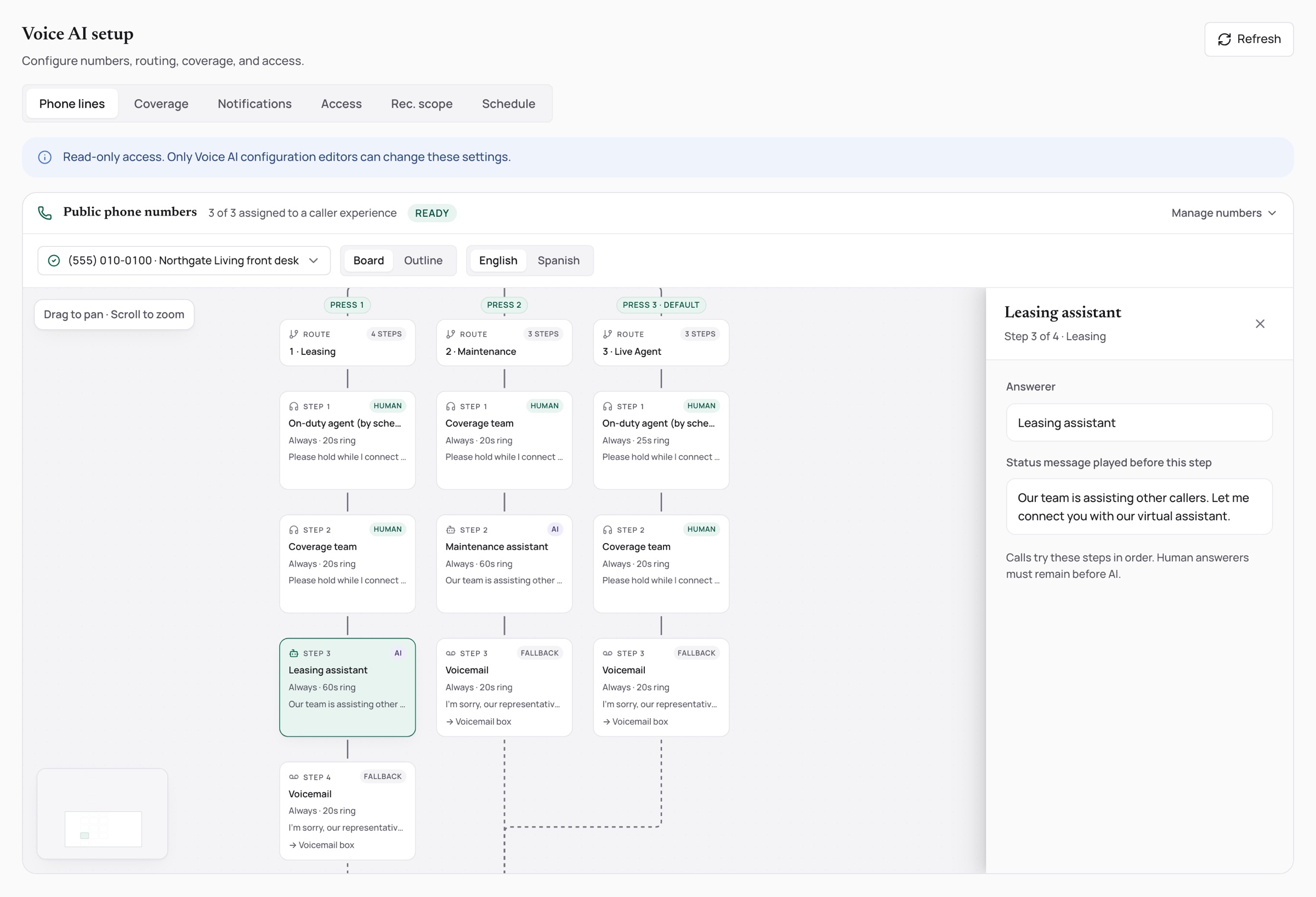
The phone-line setup board drawn as a caller journey with person, AI and fallback steps
Setup board

Every line, drawn as a call

Welcome, language, recording notice, menu, then who answers in what order. The board won't let a person sit behind the AI.

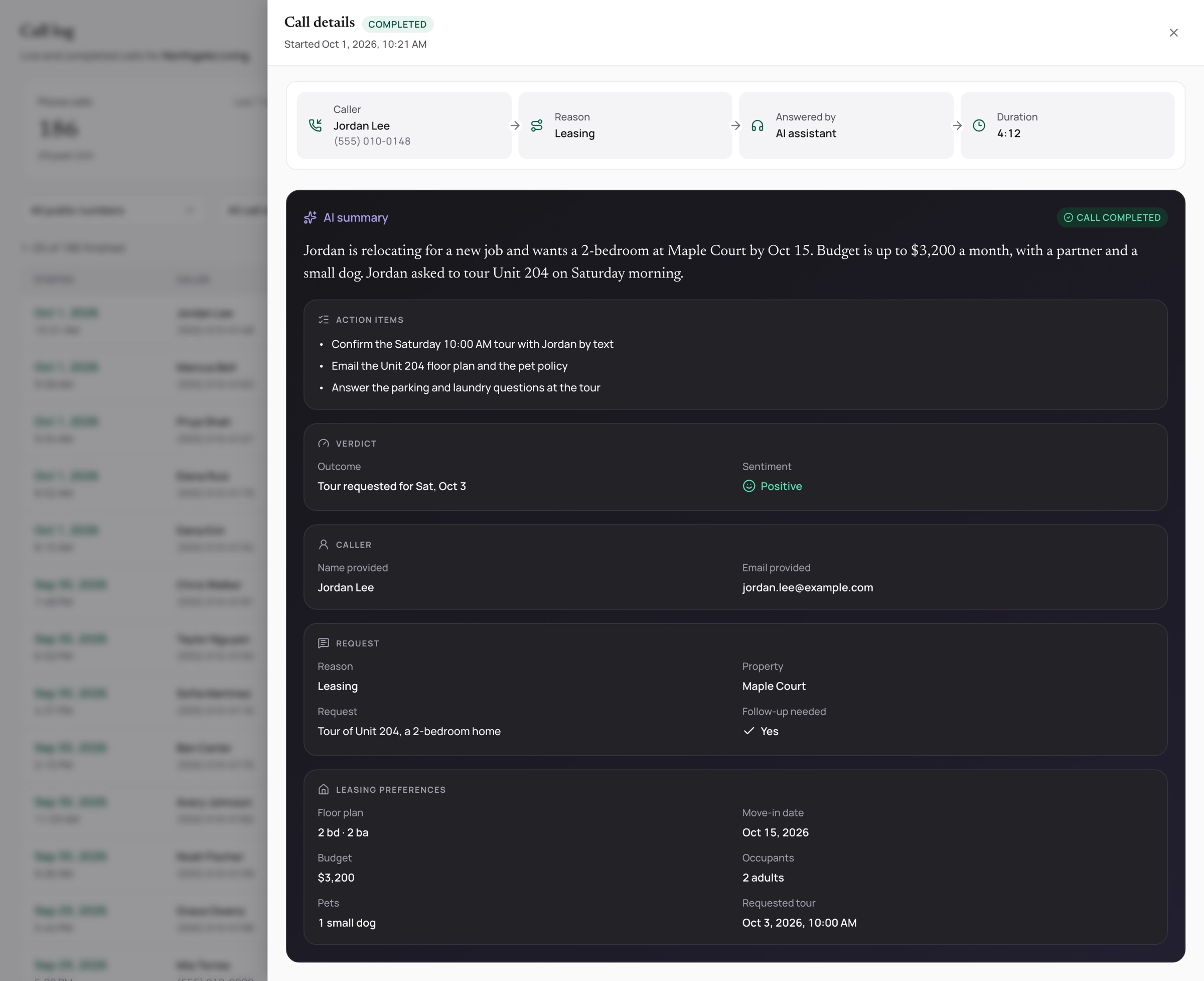
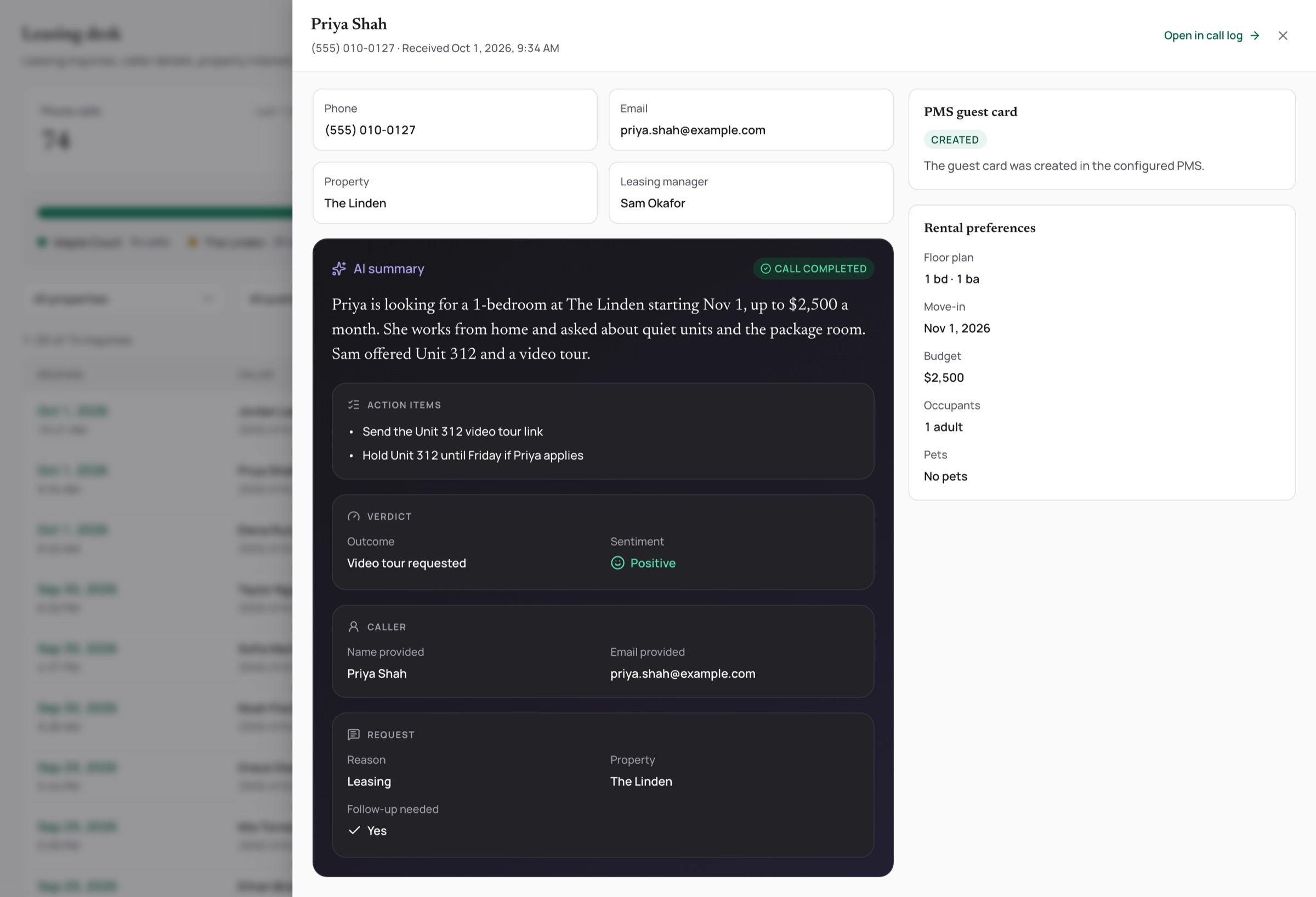
The call log with an AI summary band, action items, verdict and preferences beside the transcript
Call review

Read any call in seconds

An AI summary with a verdict, action items and preferences, beside the transcript and recording.

The leasing desk listing voice inquiries with rental preferences
Inquiries

Leasing calls, ready to follow up

Each caller with their preferences, landing on the leasing desk.

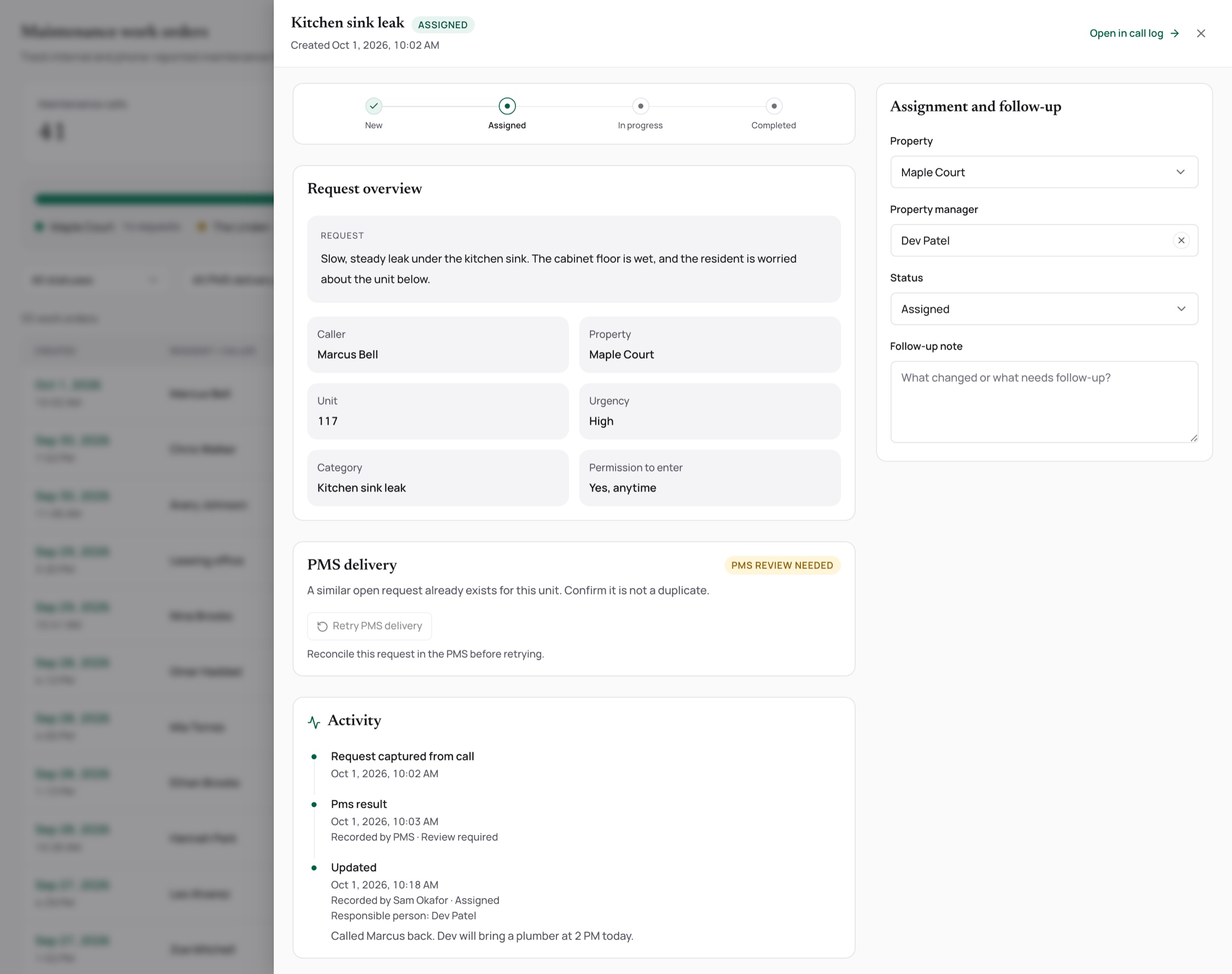
A work order captured from a call with permission to enter and review required
Work orders

Repairs, captured from the call

Unit, issue and permission to enter, marked for review.

Part 07

On the go — the agent's mobile app

Leasing happens on foot, so we built the agents’ app from scratch in 2 weeks, and I decided what went in first. The feature I pushed hardest for was tour recording: it summarizes the visit and drafts a follow-up the agent sends, so leasing’s highest-signal moment becomes data instead of a fading memory. Around it sit chat and calls, tour scheduling, prospect management, and the Copilot.

AI agents here Workspace assistant How they work together

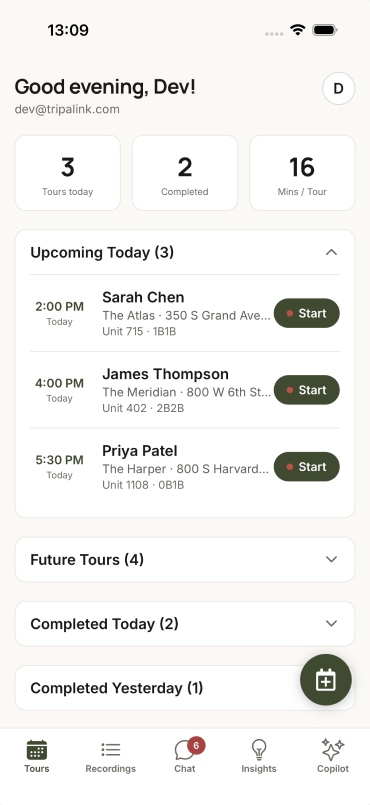
  • The mobile Tours tab: tours today, completed and minutes-per-tour stats, today's upcoming tours with Start buttons, and a completed tour tagged Hot with budget and move-in

    Today's tours, one tap to start

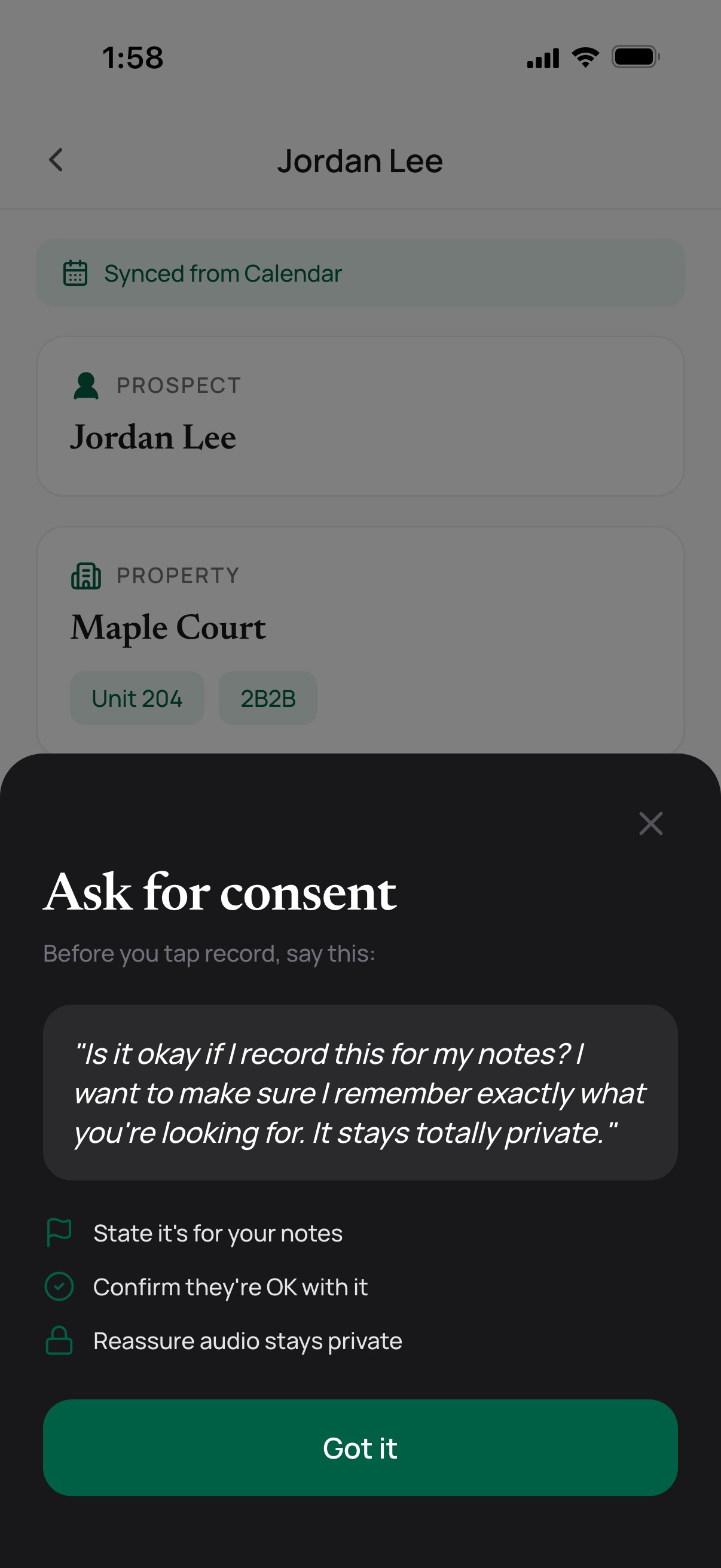
  • Before a tour recording: an Ask for consent sheet with a suggested script and three checks, over the tour's prospect and property

    Ask first, then record

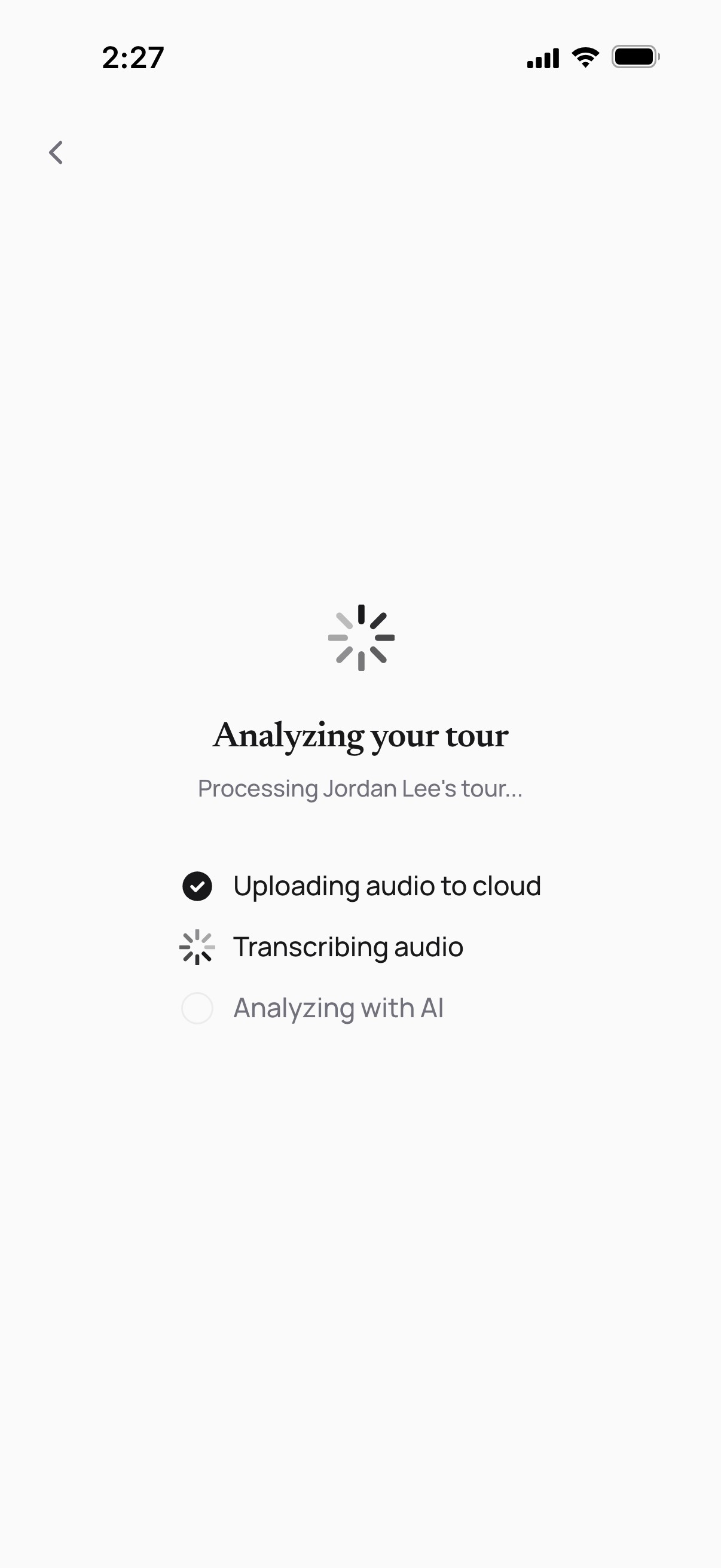
  • Analyzing your tour: upload done, transcription in progress, AI analysis next

    The tour, analyzed

  • Tour details: a warm-lead score, a summary, budget and move-in, next steps, and a suggested follow-up email with a Copy email button

    A follow-up, ready to send

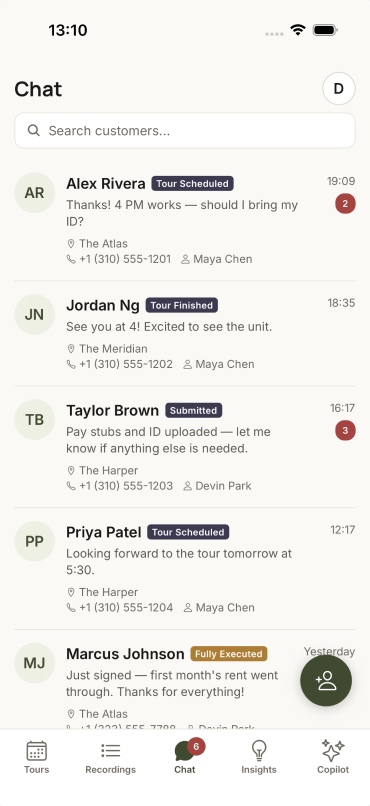
  • The Inbox tab: prospect conversations with status tags (tour finished, tour scheduled, submitted, fully executed), stars and unread counts

    Every conversation, one inbox

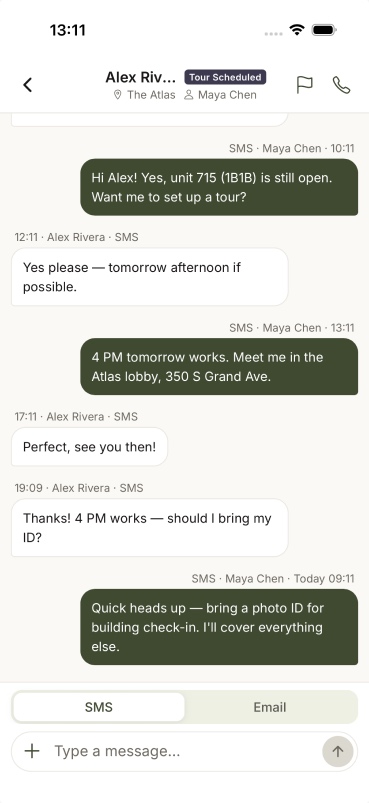
  • An SMS thread: the AI books a Saturday tour, then the agent picks up a move-in special question from the field

    Message and call from the field

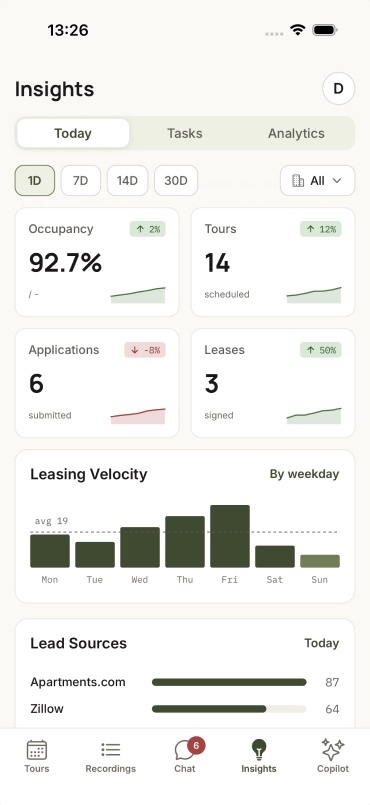
  • Mobile Insights for Maple Court over 7 days: 94% occupancy, 22 tours, 4 applications, 3 leases, leasing velocity and lead sources

    The funnel, in your pocket

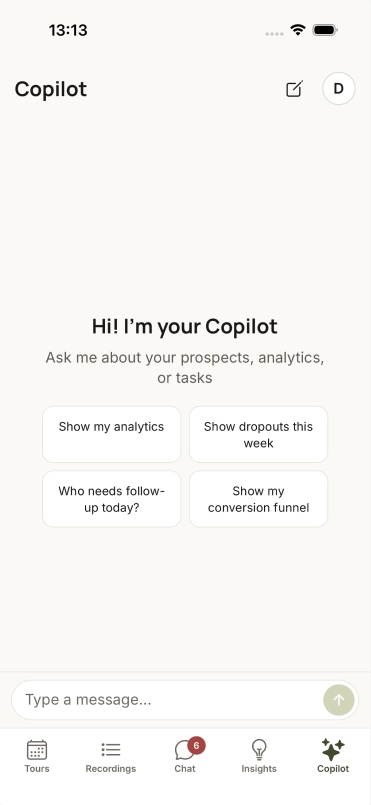
  • The Copilot tab: ask about prospects, analytics or tasks, with four suggested questions

    The Copilot, in a pocket

Every call and tour lands in the profile

  1. 01 Capture A call is recorded, or a tour on the app. Code
    The agent Asks consent before a tour recording
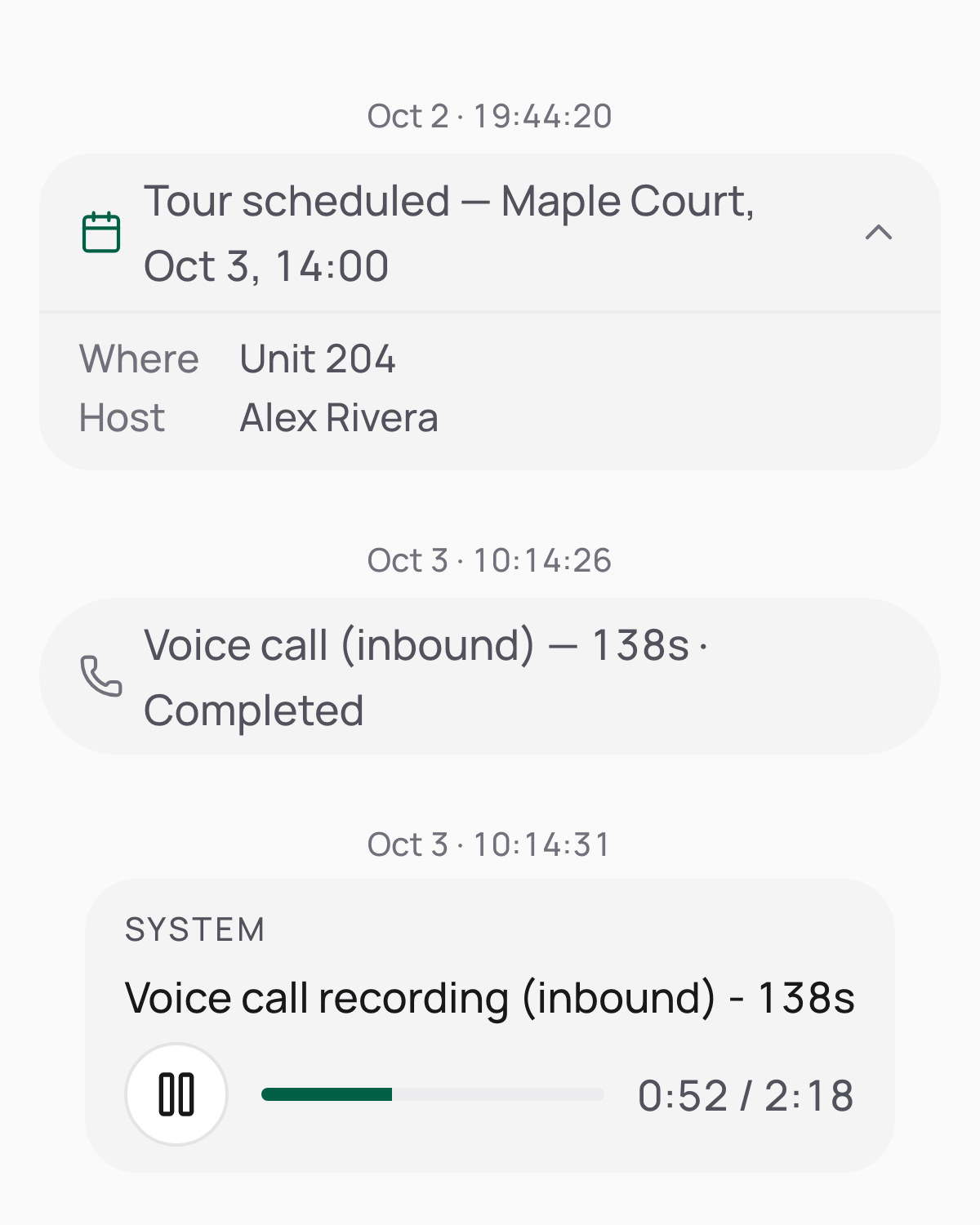
    Jordan Lee's timeline: the tour booked on Oct 2 for Unit 204 with Alex Rivera, then Jordan's inbound call on Oct 3, completed, and its recording playing
  2. 02 Transcribe Every speaker, word for word. AI
    The agent
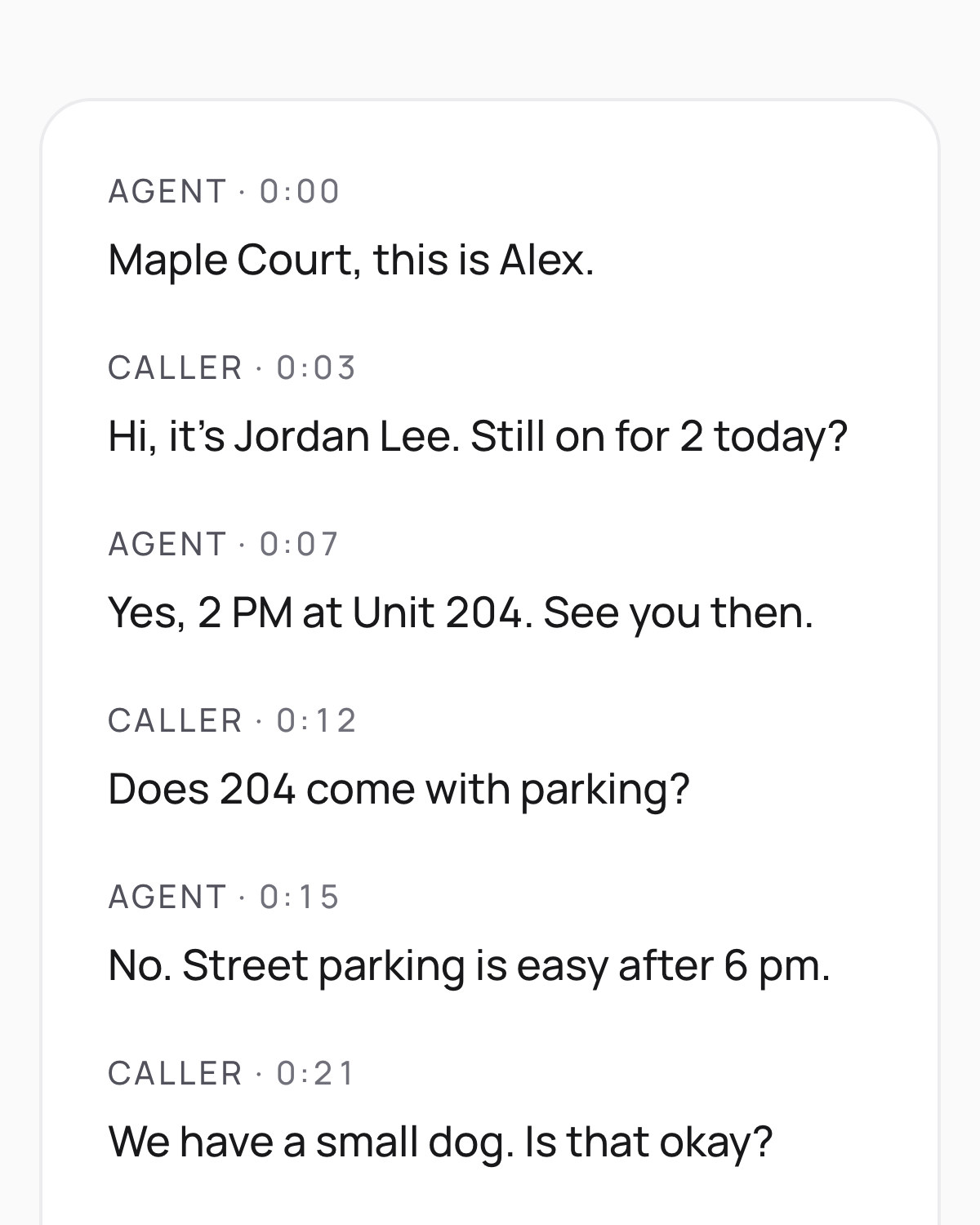
    The call transcript, each line labelled Agent or Caller with its time into the call: Jordan confirms the 2 PM tour of Unit 204, hears street parking is easy after 6 pm, and asks whether a small dog is okay
  3. 03 Summarize A summary card on the prospect's timeline. AI
    The agent Reads it and corrects any preference
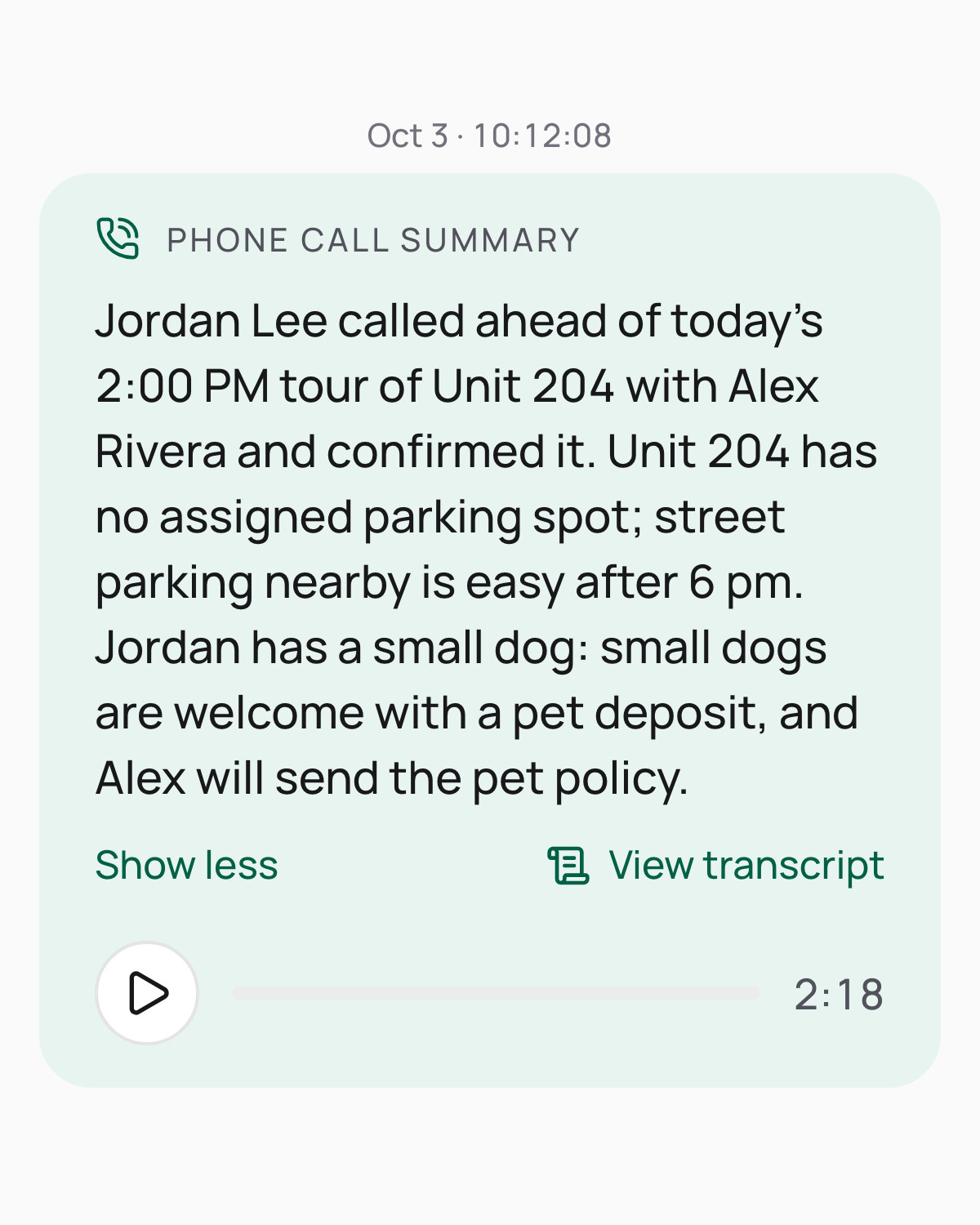
    The phone call summary card: the 2 PM tour of Unit 204 confirmed, no assigned parking but street parking after 6 pm, the small dog fine with a pet deposit, with View transcript and the recording
  4. 04 Follow up After a tour, the app suggests next steps and an email. AI
    The agent Copies the email, edits it and sends it
    The agents' app suggests a follow-up for this week: send the pet policy and dog deposit, share street parking, hold Unit 204 through Friday, Oct 9, with a drafted email and a Copy email button
Part 08

Copilot: one assistant for every product

Ask once, get the answer with the data behind it

The Copilot is the command layer the products share. Managers and agents ask in plain language instead of digging through menus.

Today

  • Insight: leasing performance, drop-offs or a single prospect, answered as charts, KPIs, lists and prospect profiles, with the view one click away.
  • Marketing: draft a post for a property, or check how a channel is doing.
  • On the go: the same Copilot is a tab in the agents’ app.

Next

  • One Copilot across Marketing, Leasing and Insight, so a question asked anywhere can act on any product.
Part 09

Separate products, one platform

Customers came for Marketing, then asked us to run the whole journey. But the 3 products didn’t talk to each other, even though they shared one backend: 3 logins, 3 user-management systems, no shared front door for the AI. So we merged them behind one login and one design system, with the Copilot as the shared command layer, and rebuilt the navigation so each persona sees what’s theirs without wading through everyone else’s. We merged in phases instead of rewriting, and Voice AI later joined the same shell as the fourth product.

What kept the merge safe

  • One set of components

    Each app's own buttons, tables and forms gave way to one shared set, so the screens stopped drifting apart.

  • Written rules

    A list of UI mistakes we'd already fixed once, so they don't come back.

  • A merge, not a rewrite

    Products moved over in phases while the old apps kept running, so no customer had to switch overnight.

I owned the navigation, access states and interaction rules; engineering led the technical integration. As of October 2026, more than 100 properties run on the merged platform.

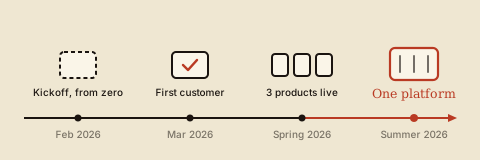
Timeline: kickoff from zero in February 2026, first customer on the marketing product in March, three products live by spring, one platform by summer, and Voice AI joining the same platform as the fourth product in August
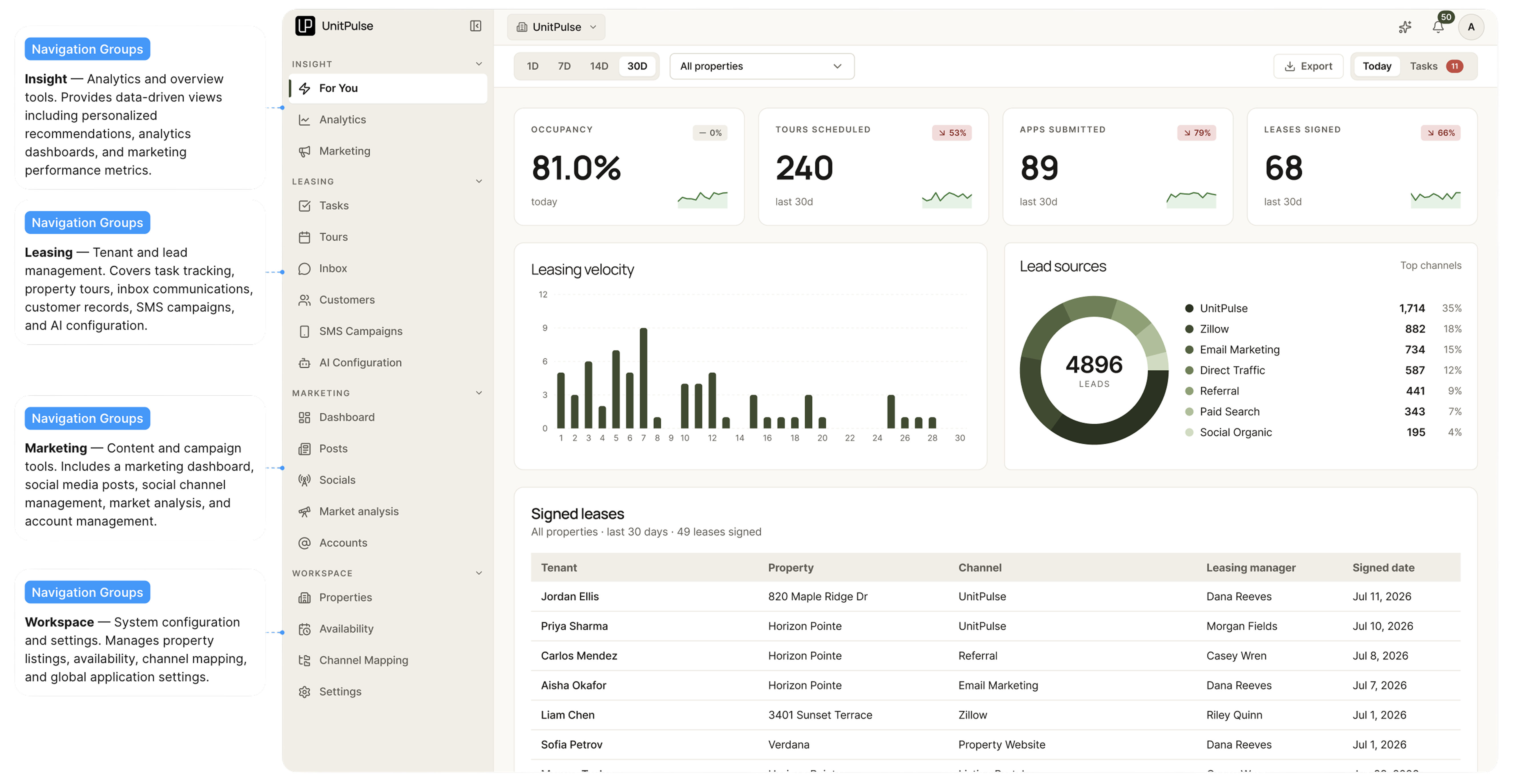
The unified platform's navigation, annotated: one sidebar with 5 groups (Insight, Leasing, Voice AI, Marketing, Settings), each labeled with the pages it holds
Part 10

The design system

The 3 products were built fast, with AI writing Tailwind before AI was good at it, so every screen spoke its own dialect. I wrote the language down once in design.md, built it as components, and moved the Portal onto it. It grew from a first version I built in Claude Design.

The rules that keep it tight

design.md §0 · How to use this document
  1. ## 0. How to use this document
  2. 1. Never invent a value. Every color, size, radius, shadow and duration has a token. If you need one that isn't here, stop and escalate.
  3. 2. Tokens are two-layer. Primitives (raw values) → semantics (jobs). Components bind to semantics only.
  4. 3. When this document and the code disagree, this document wins. Open an issue rather than silently diverging.
  5.  
  6. The five non-negotiables (violating any is an automatic PR rejection):
  7. - No raw color/radius/spacing/shadow literals in code you touch.
  8. - Every icon-only control carries a tooltip and an accessible name.
  9. - Every overlay animates both ways: open and close.
  10. - Selection carries the ARIA state, not just the visual.
  11. - Dark mode is never left behind: a token added to light is added to dark in the same commit.
  • One accent

    Emerald marks the affirmative and the active: approve, publish, live. It is never decoration.

  • AI is violet, and quiet

    A deep, low-chroma violet that only ever means AI. Not grey, and never a bright tech purple.

  • Flat cards, floating overlays

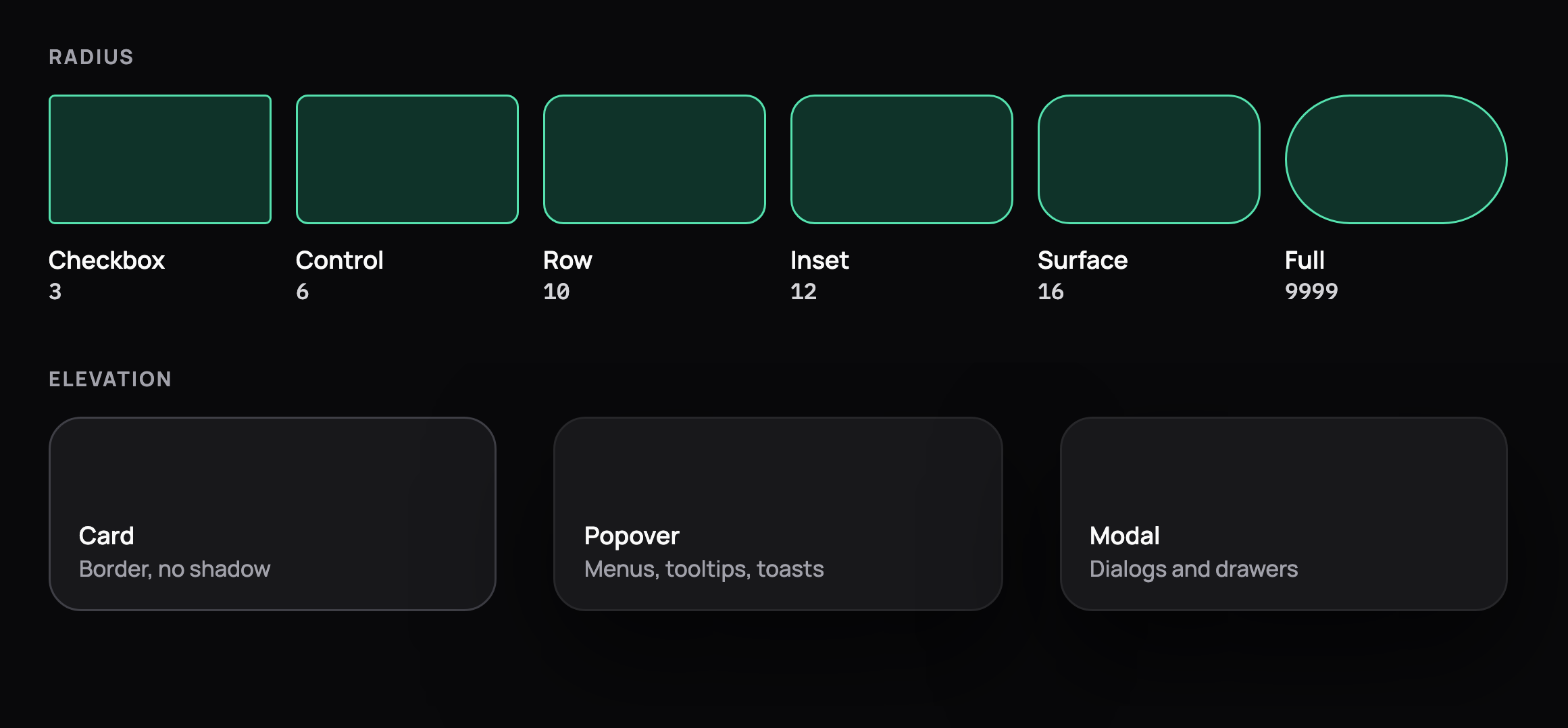
    A card is a hairline border with no shadow. Only what floats over content gets one: modals, drawers, popovers, toasts.
UnitPulse design system

Foundations

Actions

Inputs

Data display

Feedback and overlays

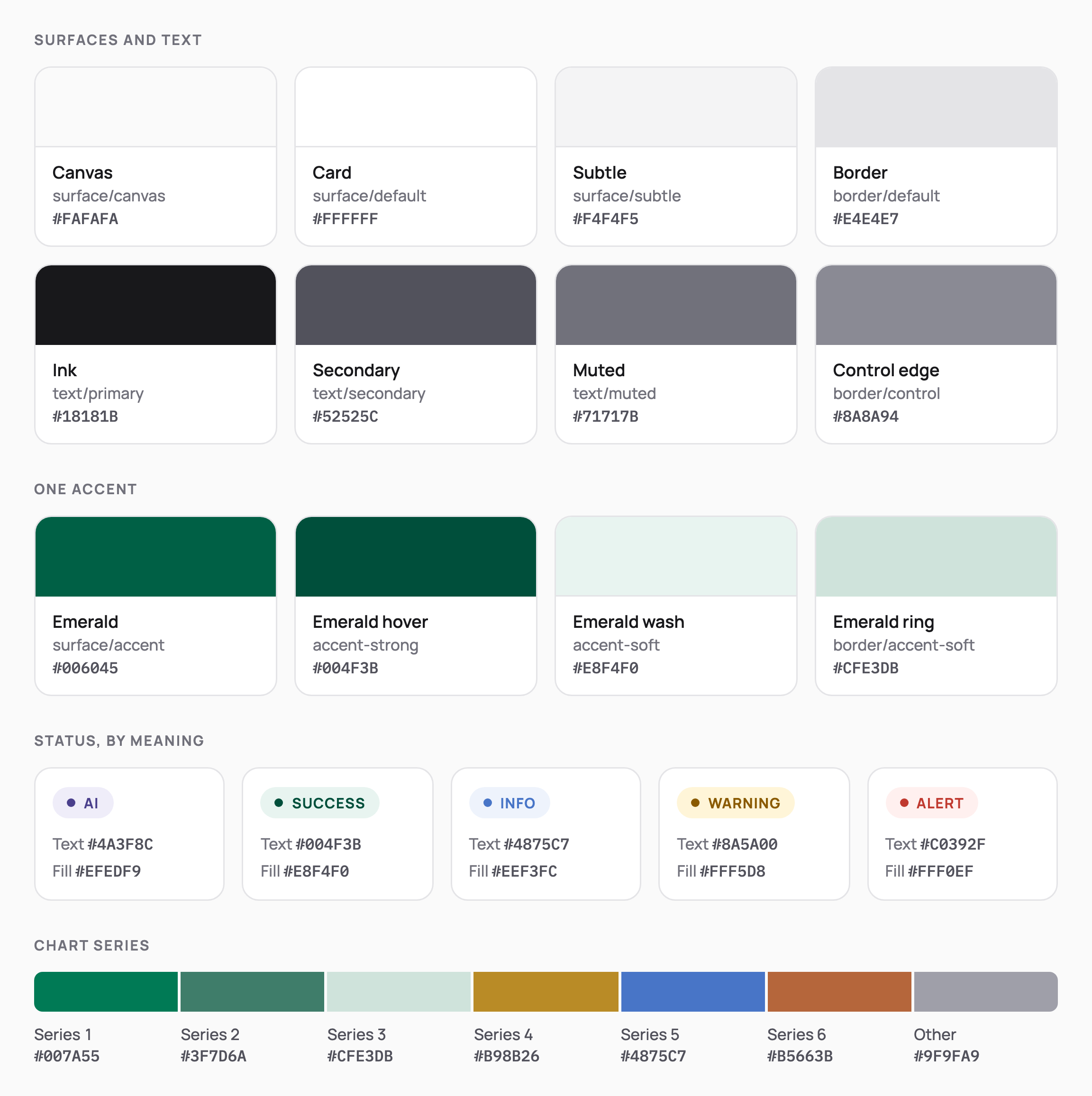
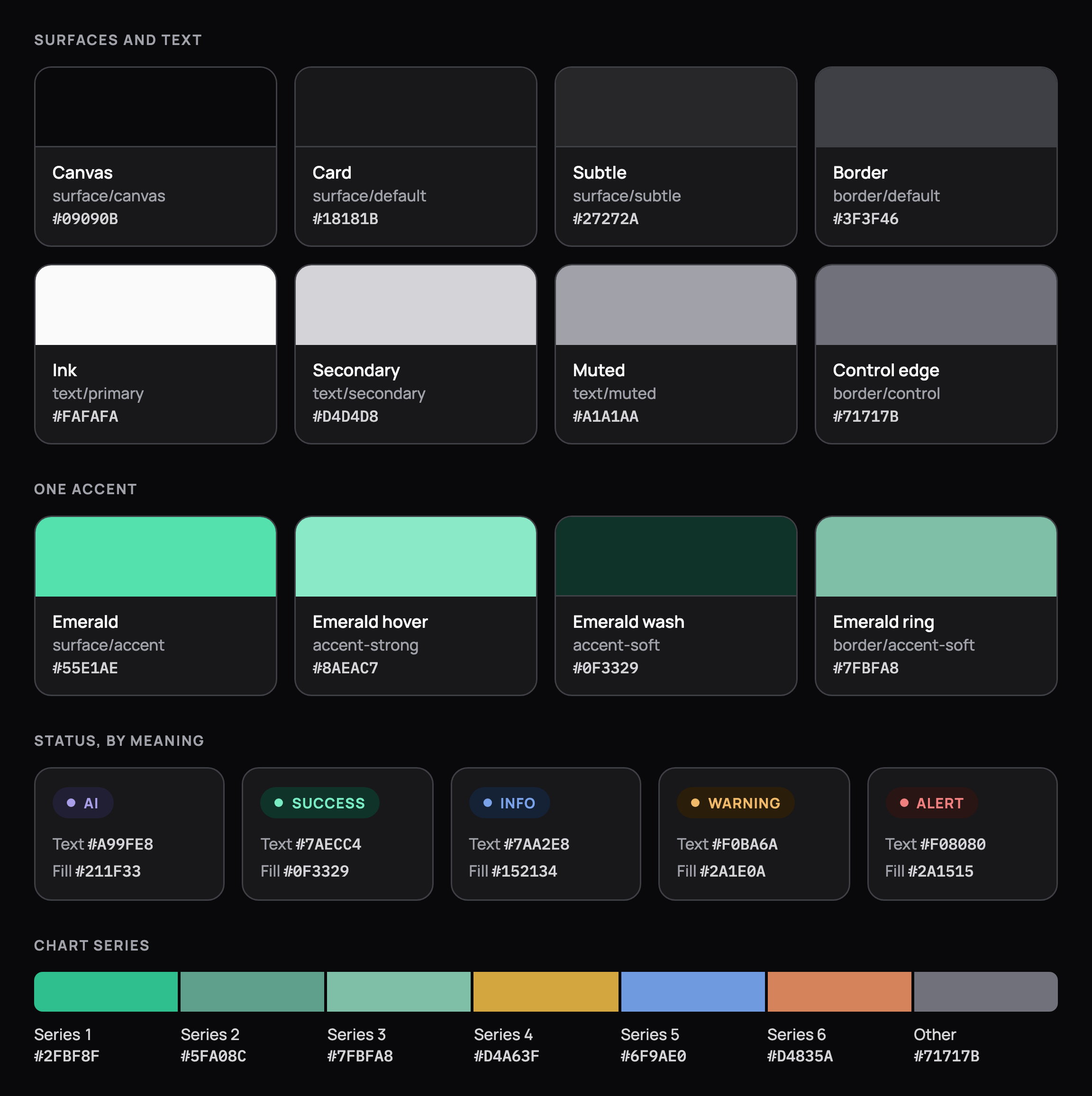
Colour tokens: canvas, card, subtle and border surfaces, 3 text inks, the single emerald accent with its wash and ring, 5 status pairs (AI, success, info, warning, alert) and 6 chart series, each with its hex value. Colour tokens: canvas, card, subtle and border surfaces, 3 text inks, the single emerald accent with its wash and ring, 5 status pairs (AI, success, info, warning, alert) and 6 chart series, each with its hex value, in dark mode
Colour
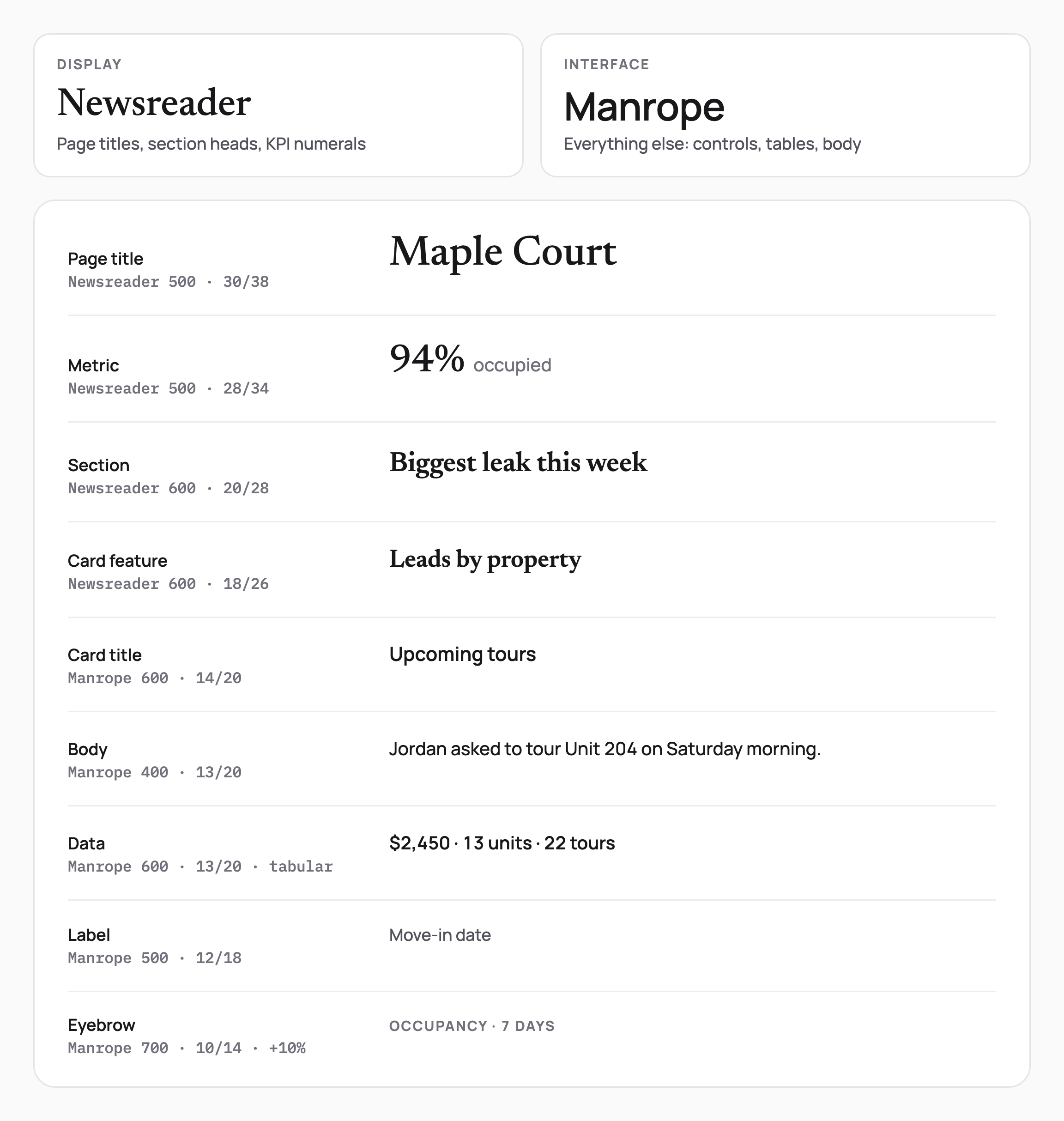
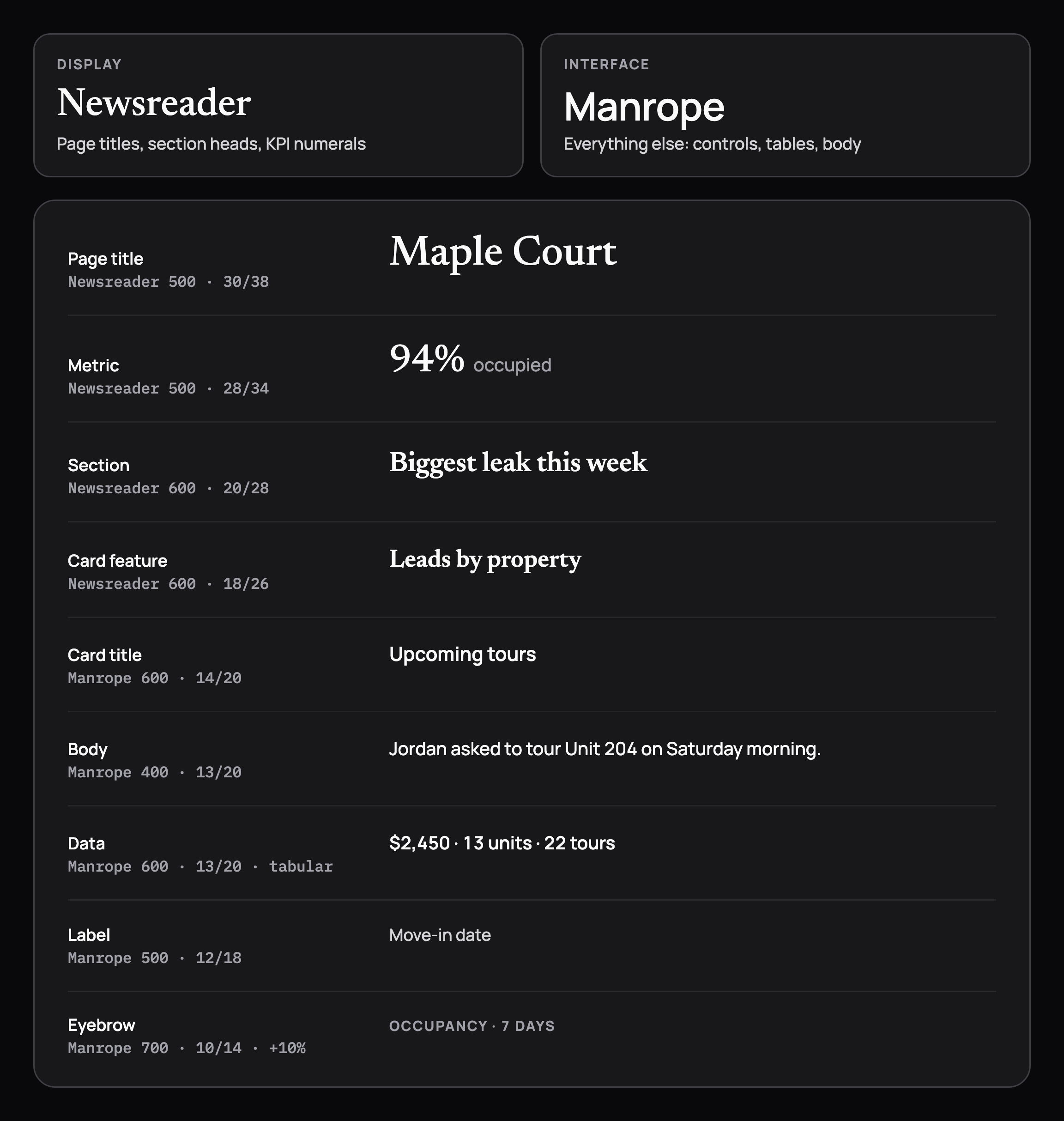
Type scale pairing Newsreader for display with Manrope for UI: page title, metric, section, card feature, card title, body, tabular data, label and eyebrow, each with weight and size. Type scale pairing Newsreader for display with Manrope for UI: page title, metric, section, card feature, card title, body, tabular data, label and eyebrow, each with weight and size, in dark mode
Type scale
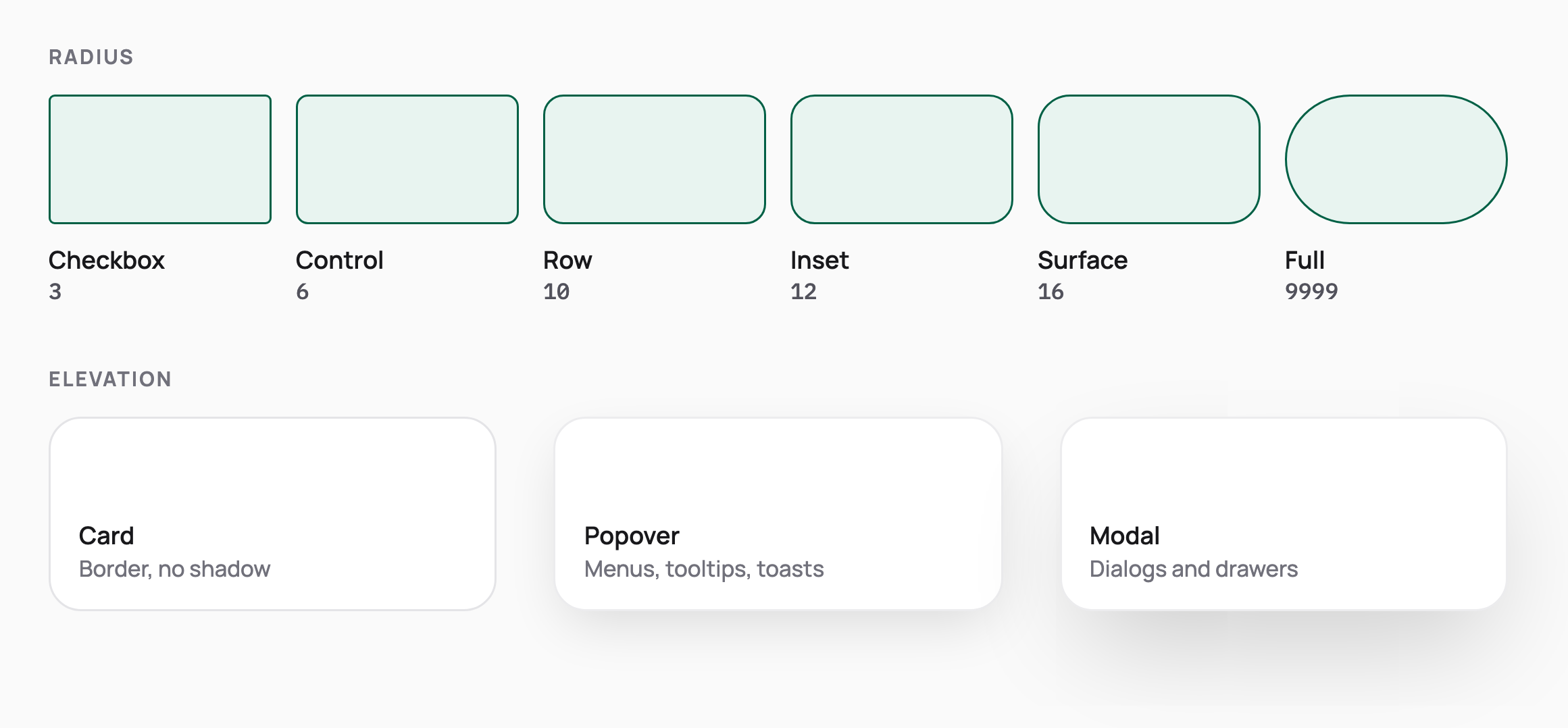
Radius scale from 3 px checkbox to fully round pills, and 3 elevation levels: cards use a border with no shadow, popovers and modals float with shadows. Radius scale from 3 px checkbox to fully round pills, and 3 elevation levels: cards use a border with no shadow, popovers and modals float with shadows, in dark mode
Radius and elevation
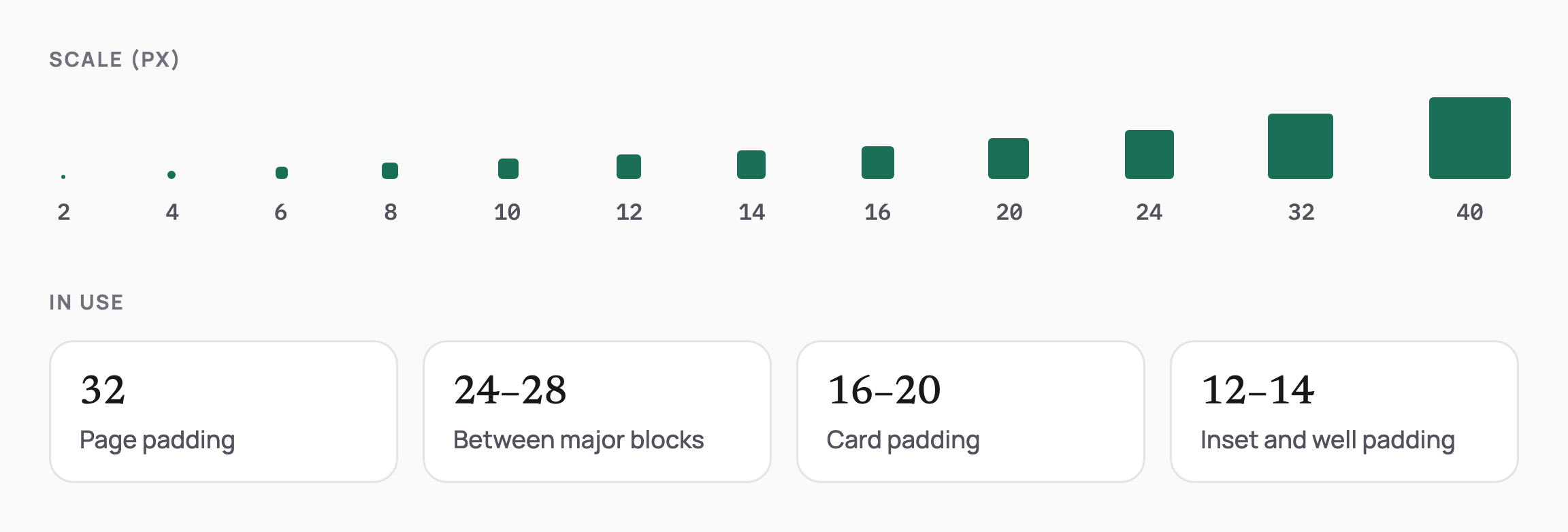
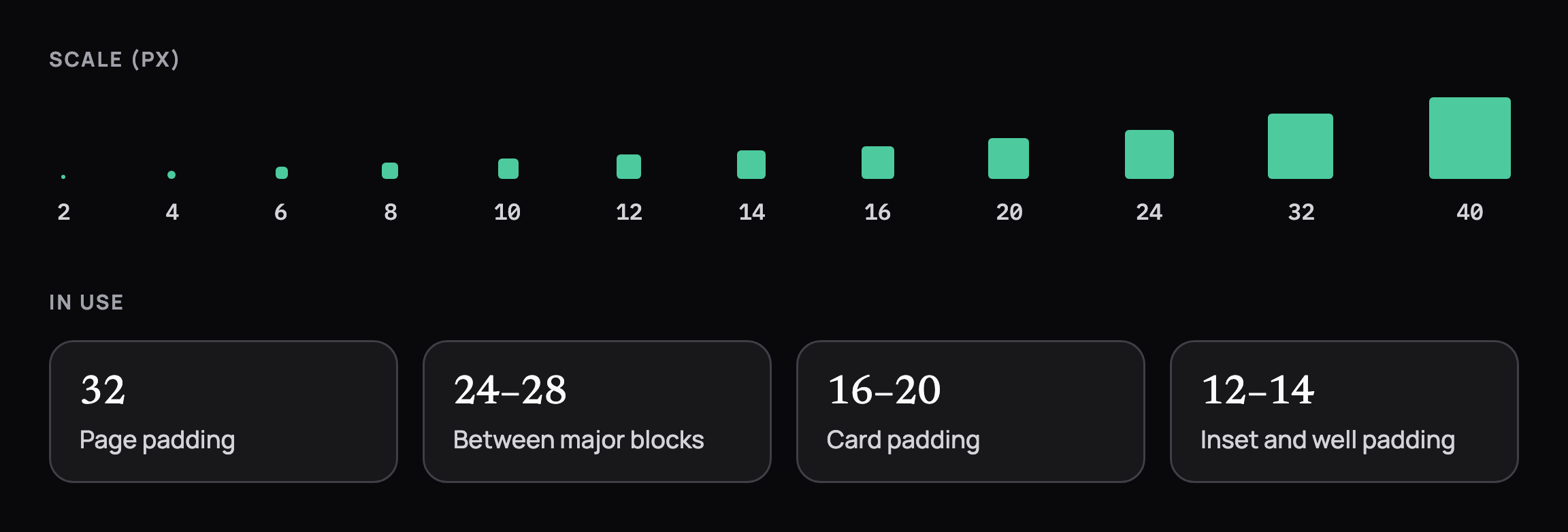
Spacing scale from 2 to 40 px with how it is used: 32 px page padding, 24 to 28 between blocks, 16 to 20 inside cards, 12 to 14 inside wells. Spacing scale from 2 to 40 px with how it is used: 32 px page padding, 24 to 28 between blocks, 16 to 20 inside cards, 12 to 14 inside wells, in dark mode
Spacing
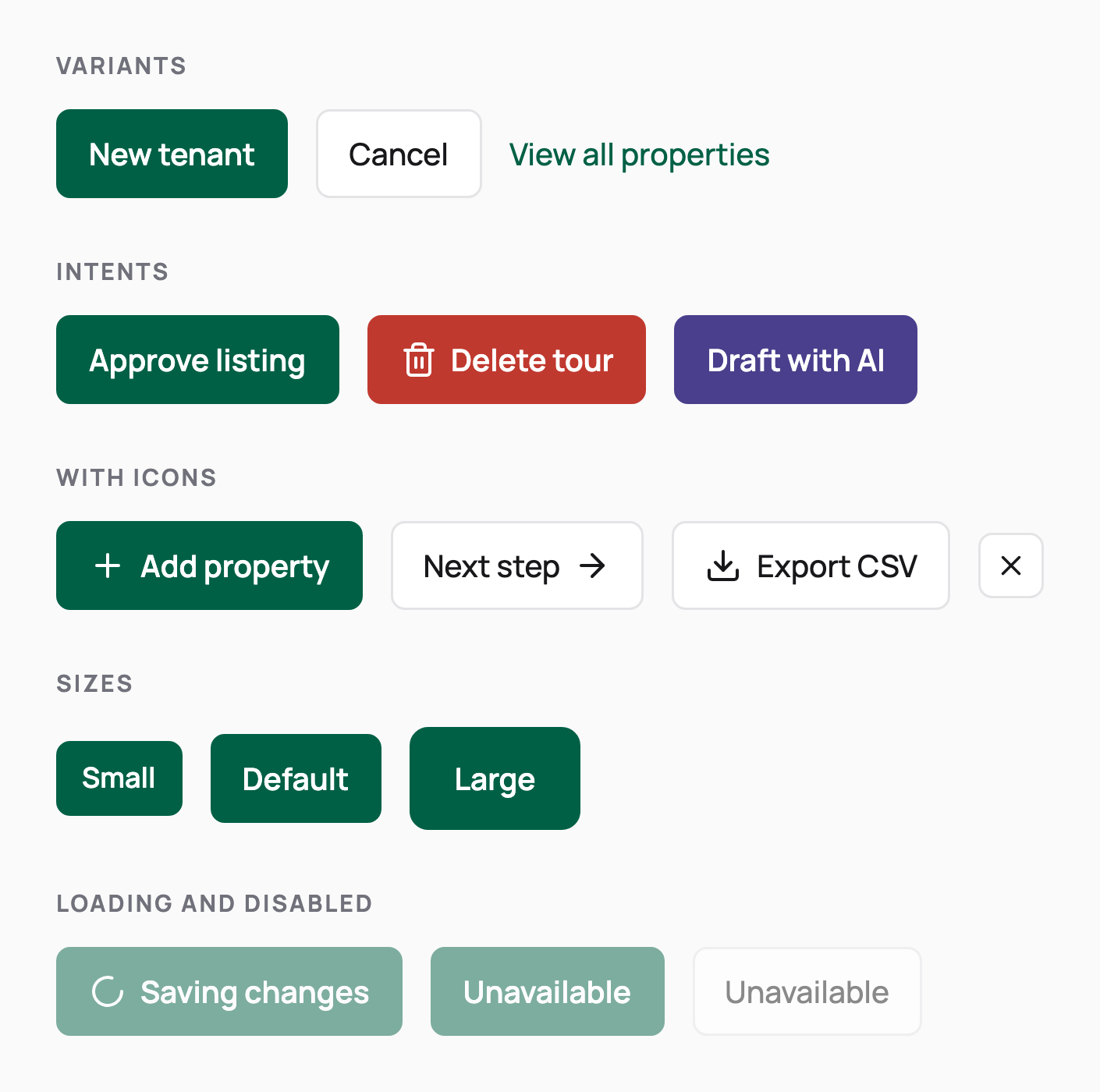
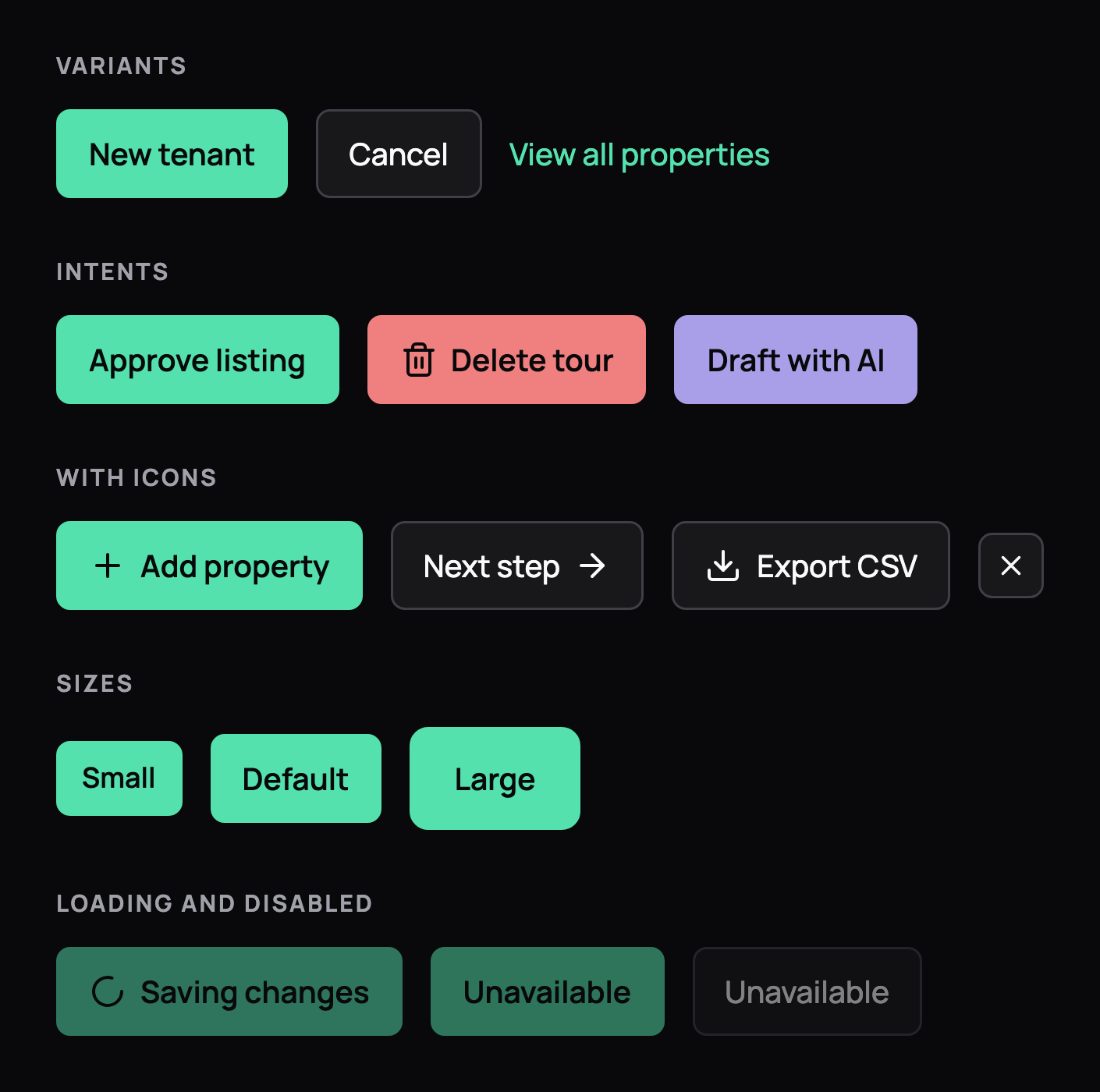
Buttons: primary, ghost and link variants; default, danger and AI intents; icon buttons; 3 sizes; loading and disabled states. Buttons: primary, ghost and link variants; default, danger and AI intents; icon buttons; 3 sizes; loading and disabled states, in dark mode
Buttons
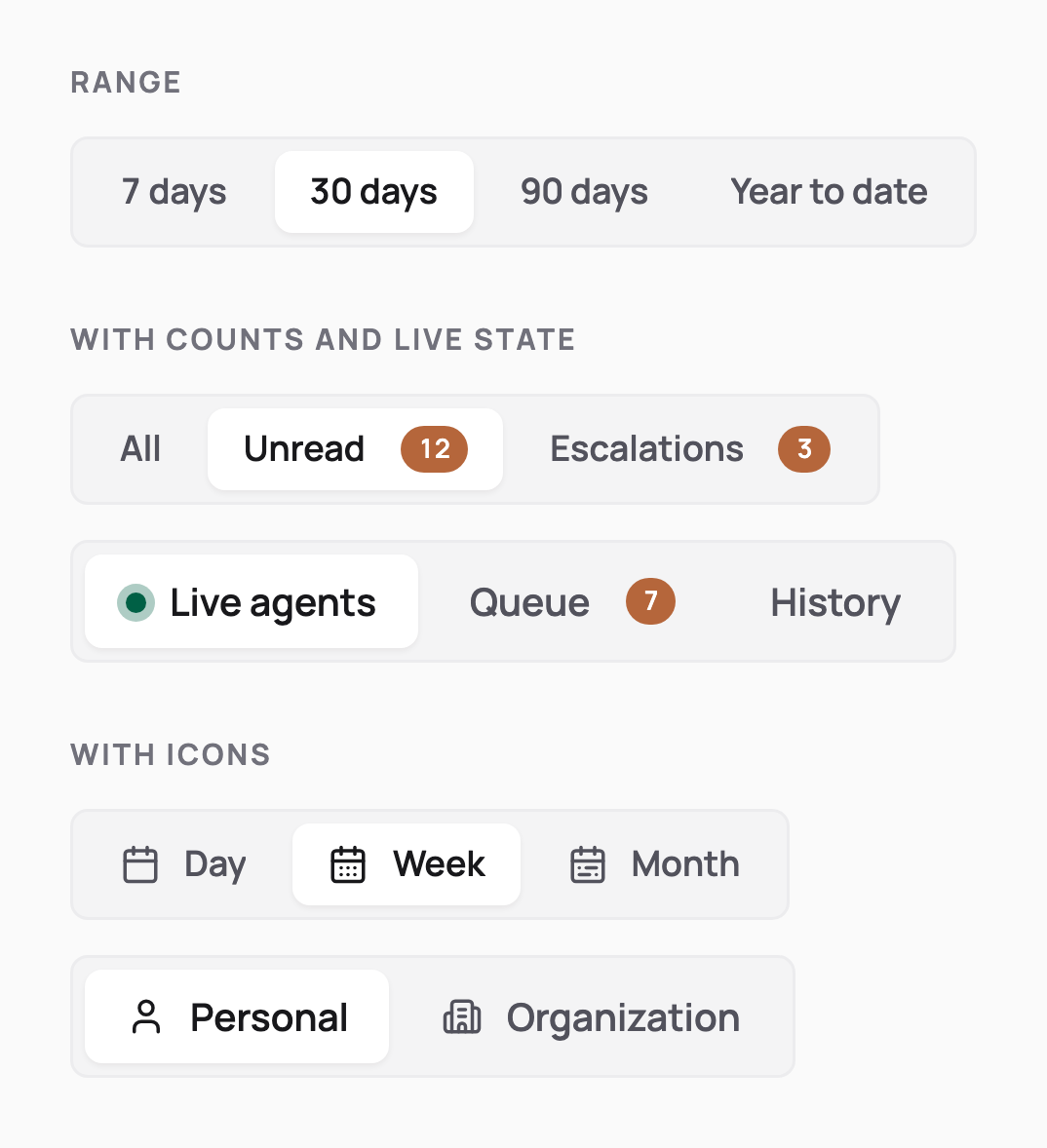
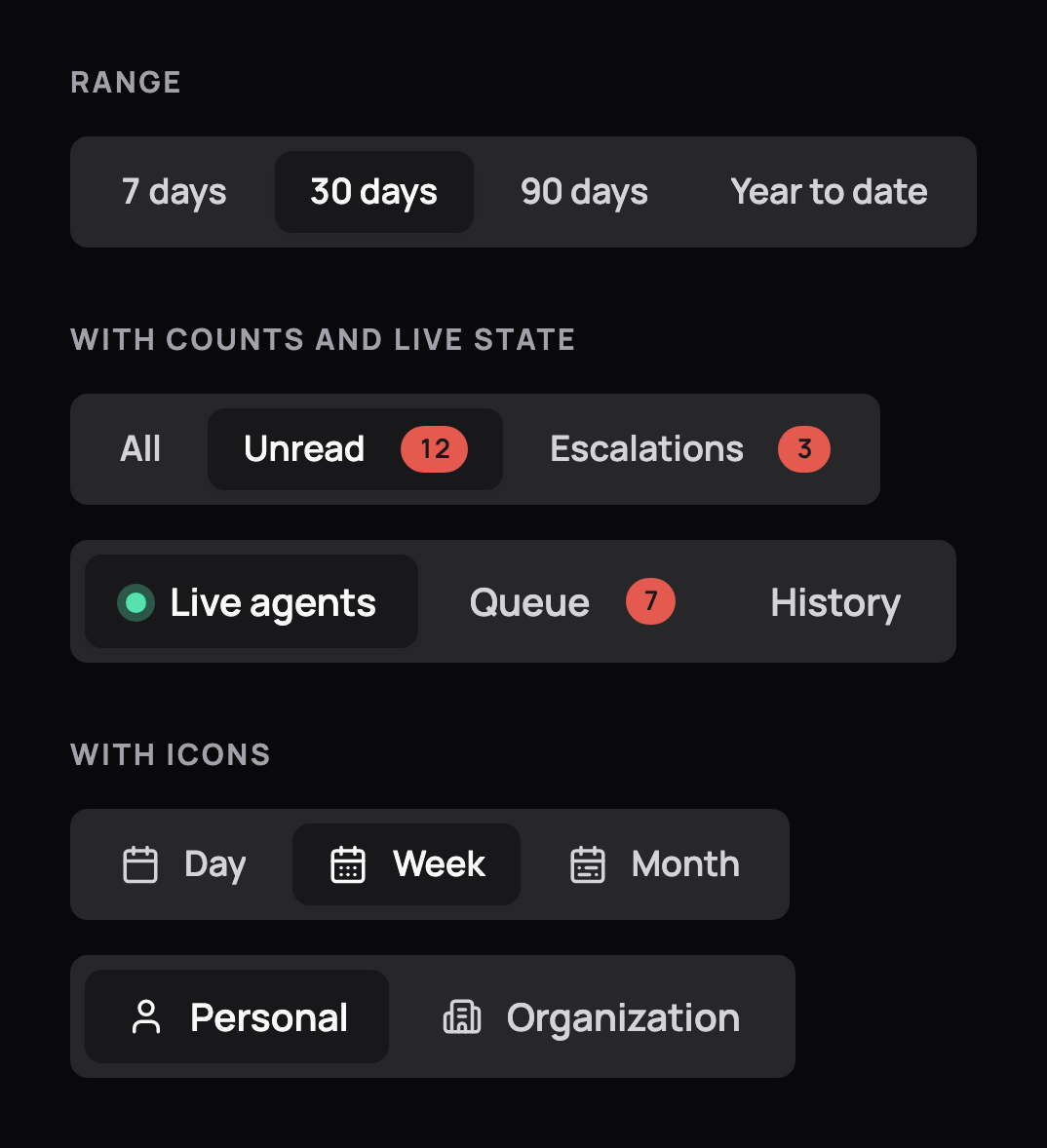
Segmented controls for a date range, inbox tabs with unread counts and a live dot, and a day, week, month switch with icons. Segmented controls for a date range, inbox tabs with unread counts and a live dot, and a day, week, month switch with icons, in dark mode
Segmented controls
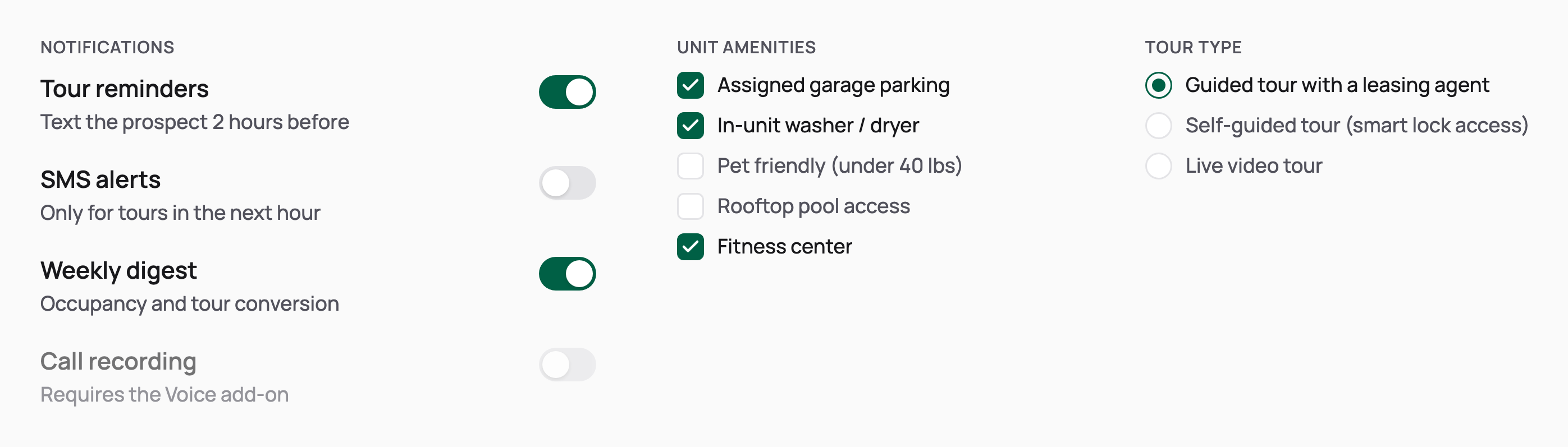
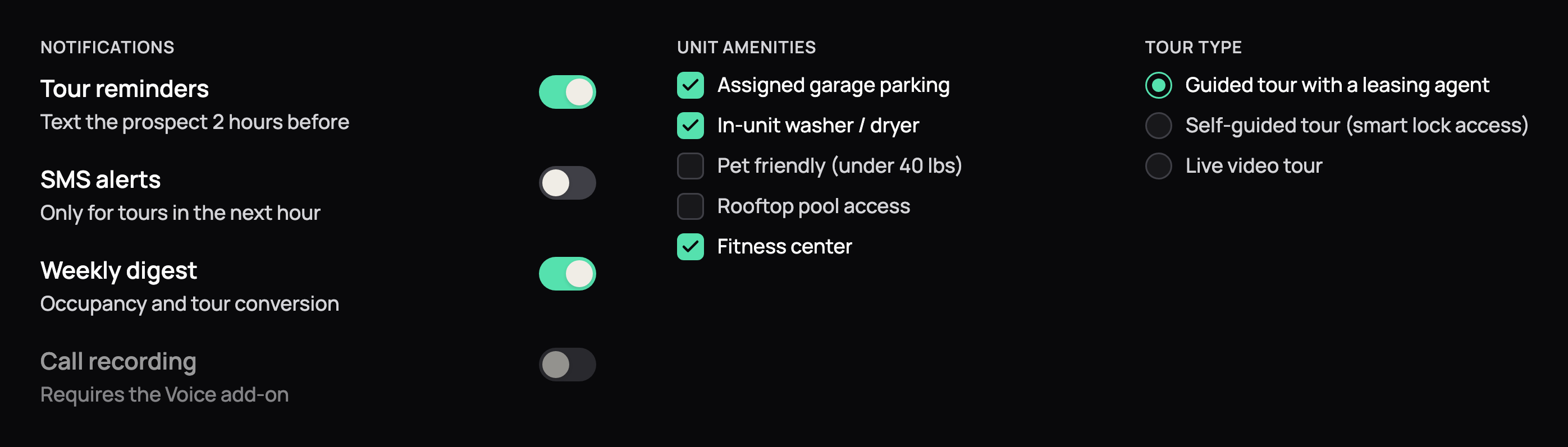
Selection controls: notification toggles with descriptions, an amenities checkbox group and a tour type radio group. Selection controls: notification toggles with descriptions, an amenities checkbox group and a tour type radio group, in dark mode
Toggles, checkboxes and radios
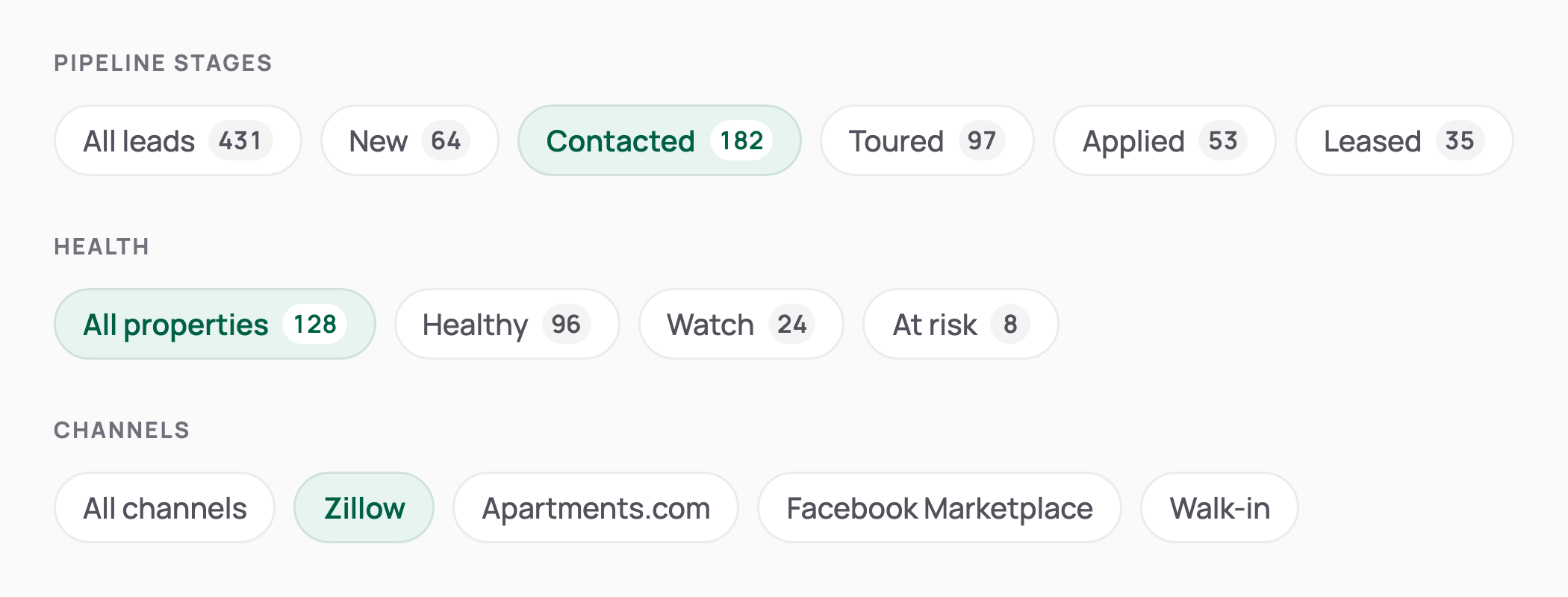
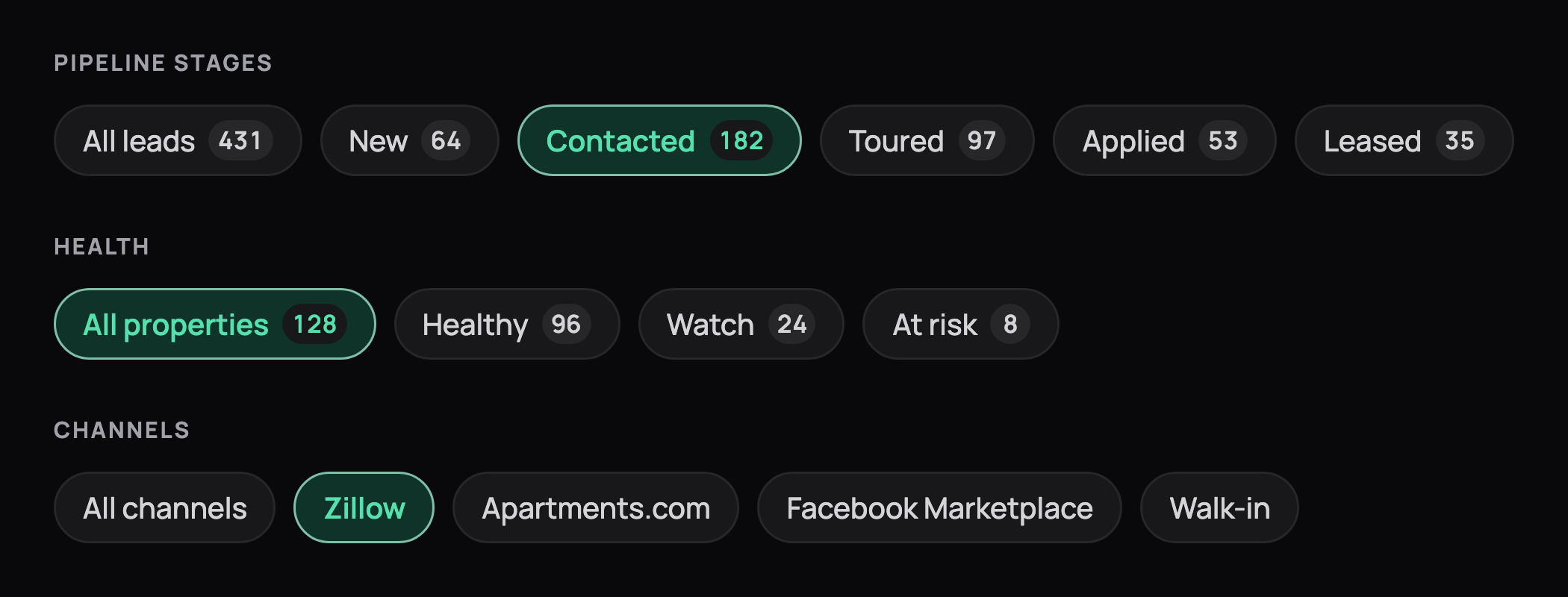
Filter chips with counts for lead pipeline stages, property health and listing channels, one chip selected in each row. Filter chips with counts for lead pipeline stages, property health and listing channels, one chip selected in each row, in dark mode
Filter chips
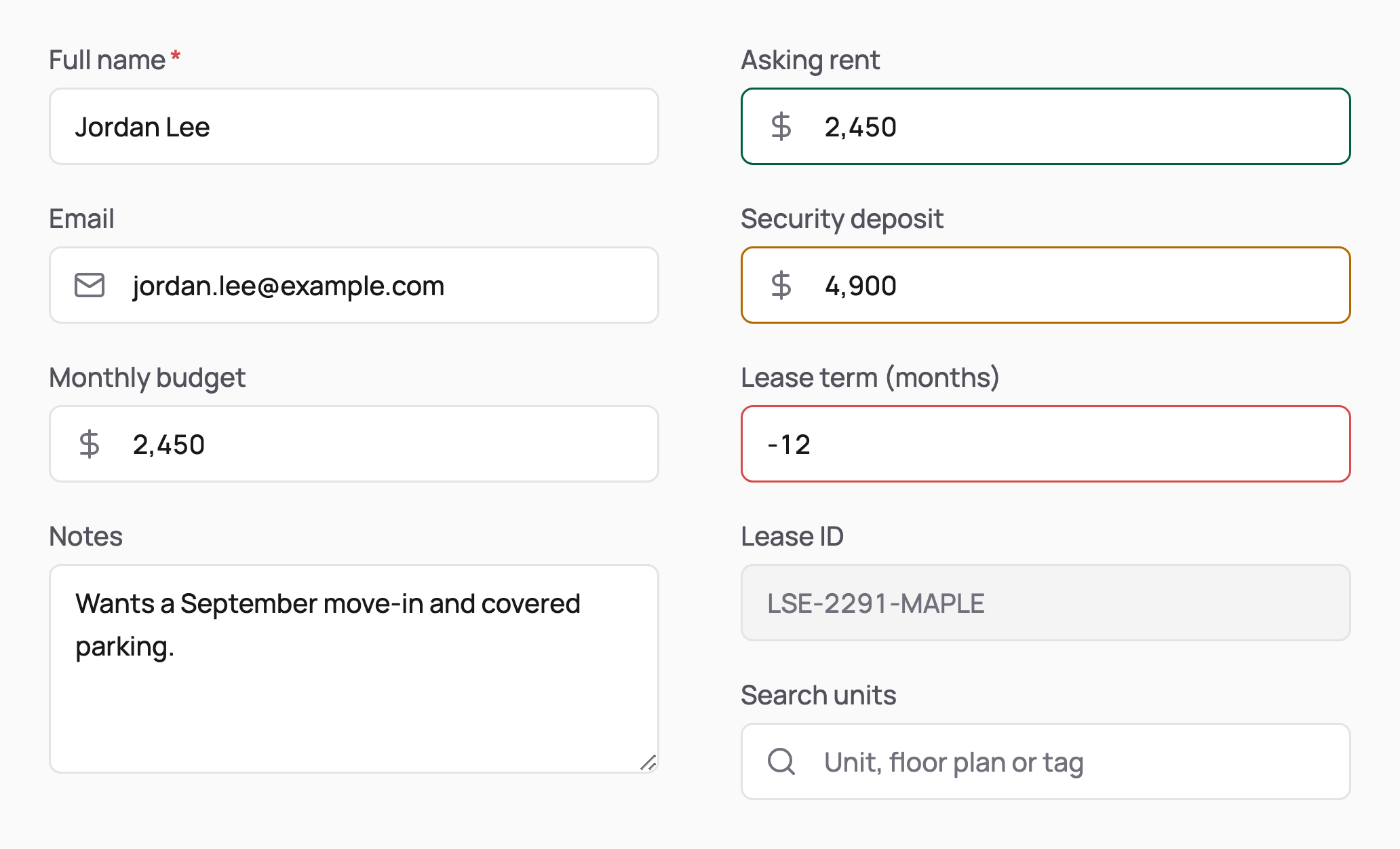
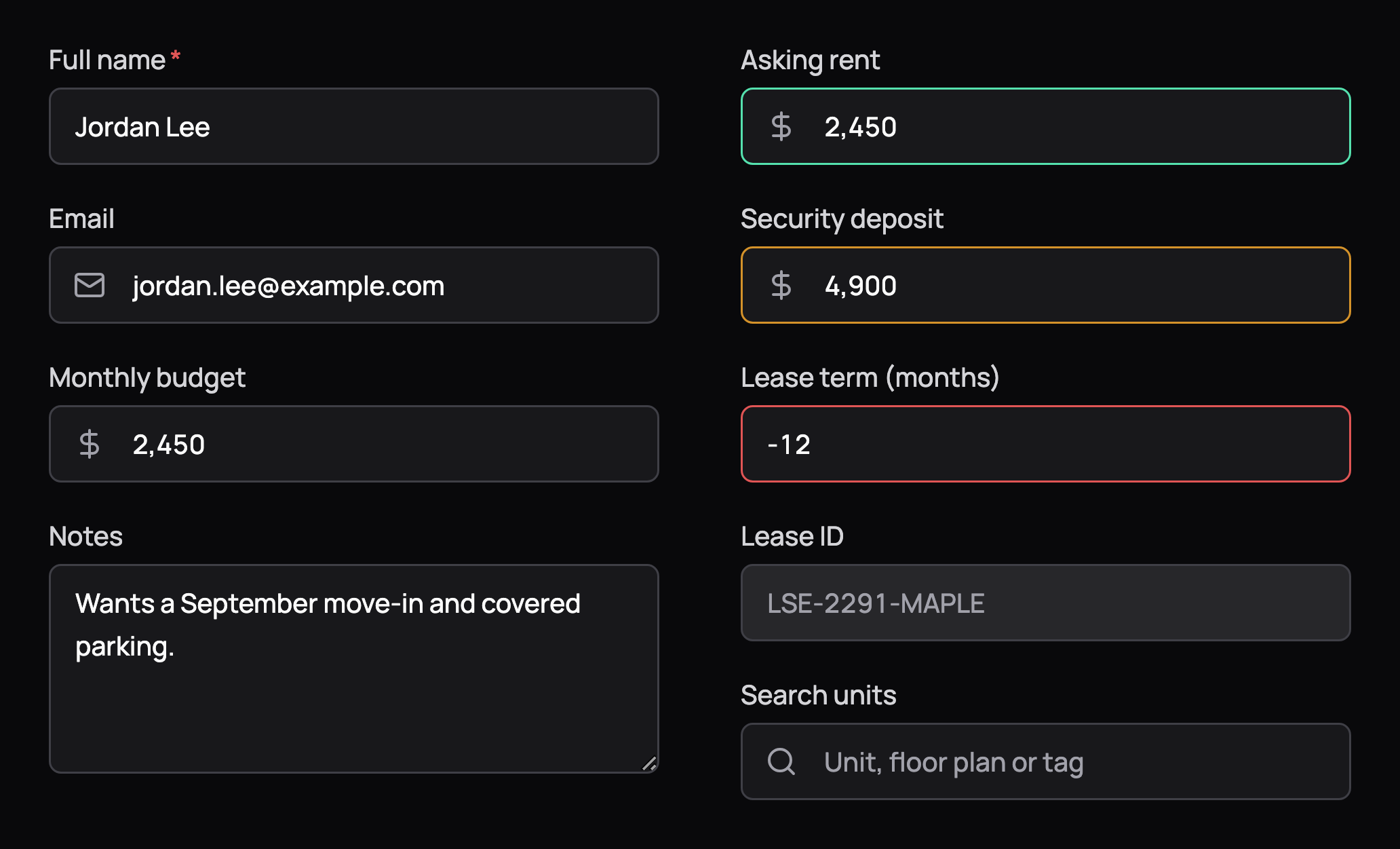
Text fields with labels: required name, email and budget with leading icons, a notes textarea, and success, warning, error, disabled and placeholder states. Text fields with labels: required name, email and budget with leading icons, a notes textarea, and success, warning, error, disabled and placeholder states, in dark mode
Text fields
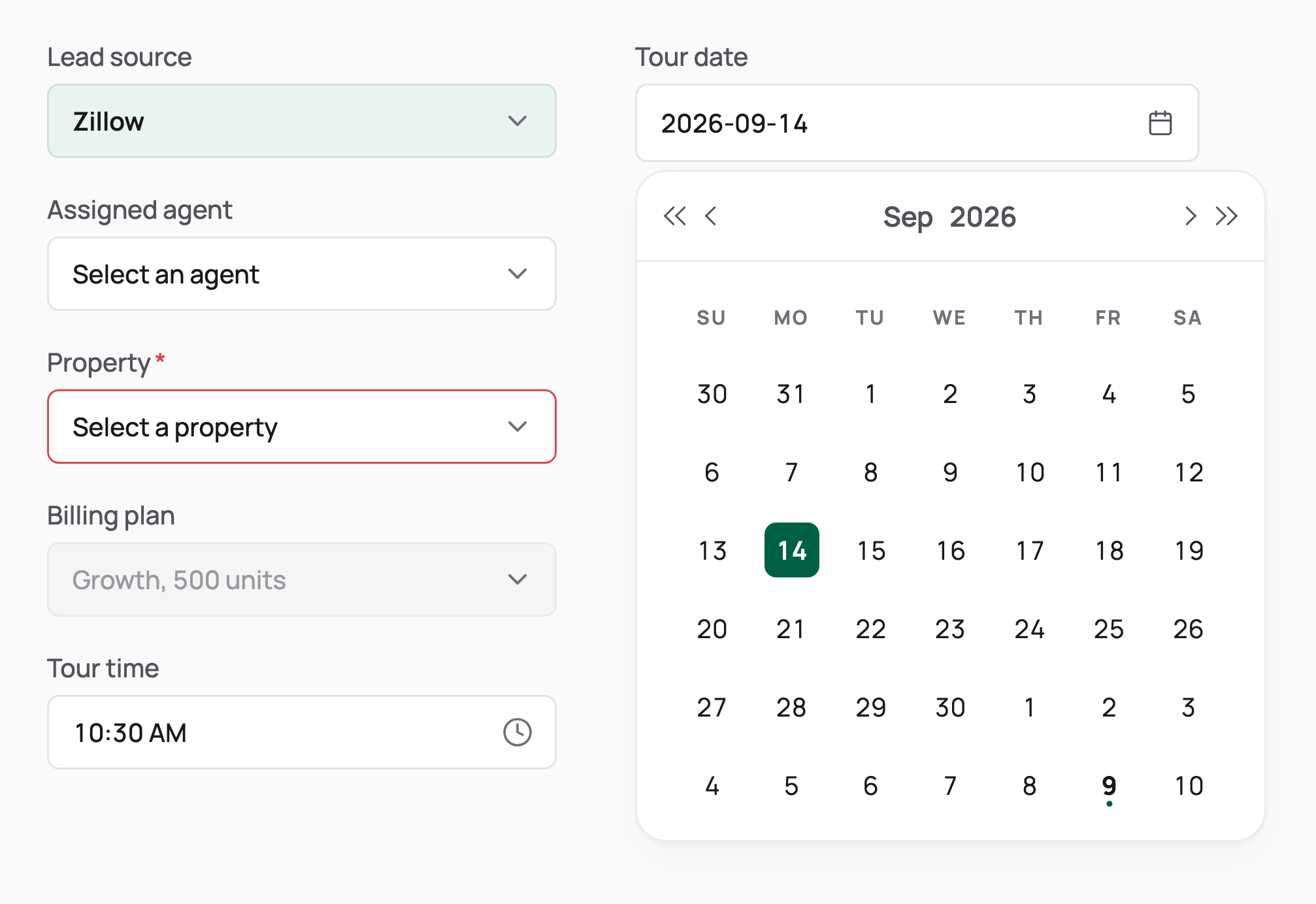
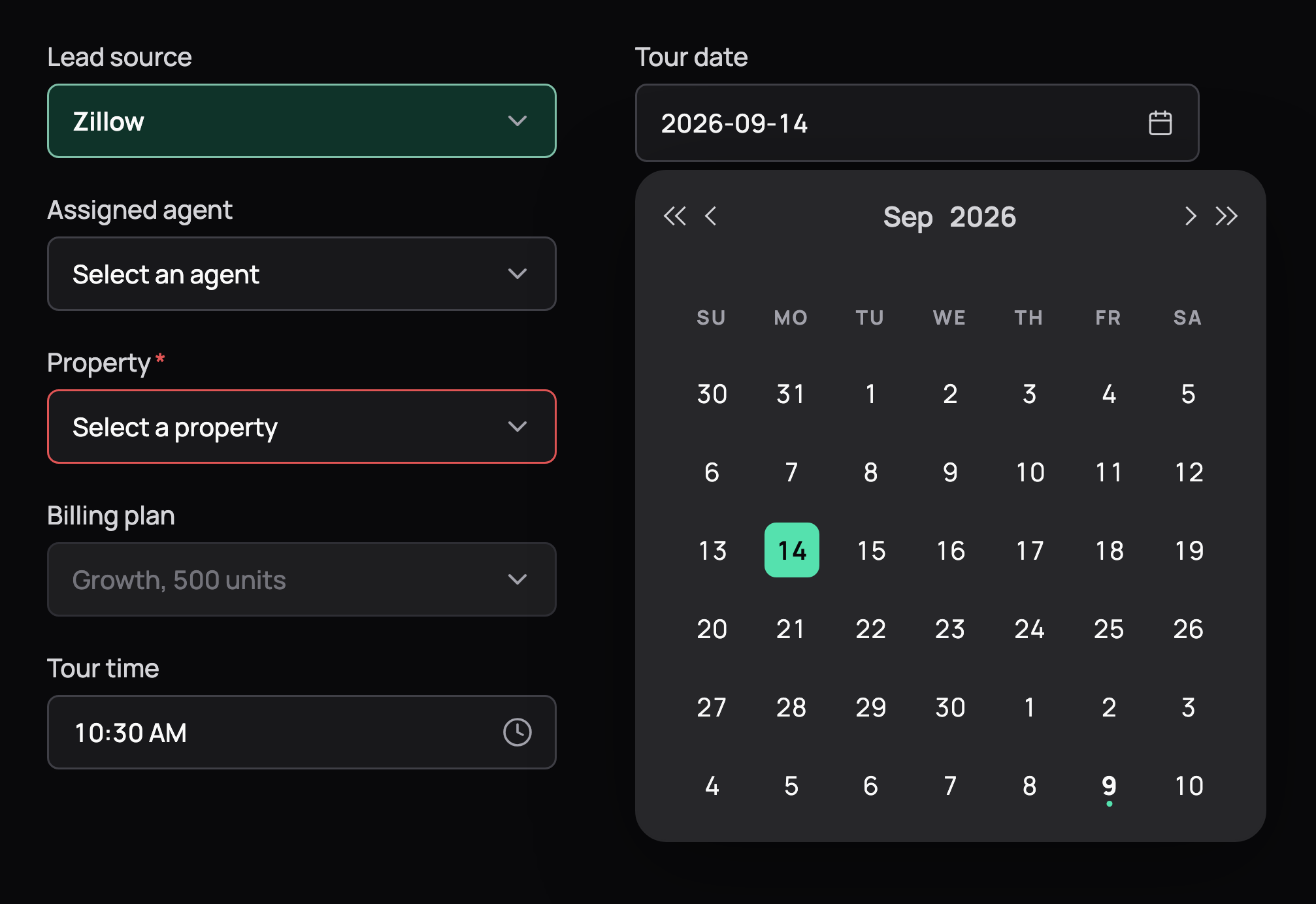
A lead source select, a tour time picker, select states (empty, required with error, disabled) and an open date picker calendar with the selected day in emerald. A lead source select, a tour time picker, select states (empty, required with error, disabled) and an open date picker calendar with the selected day in emerald, in dark mode
Selects and pickers
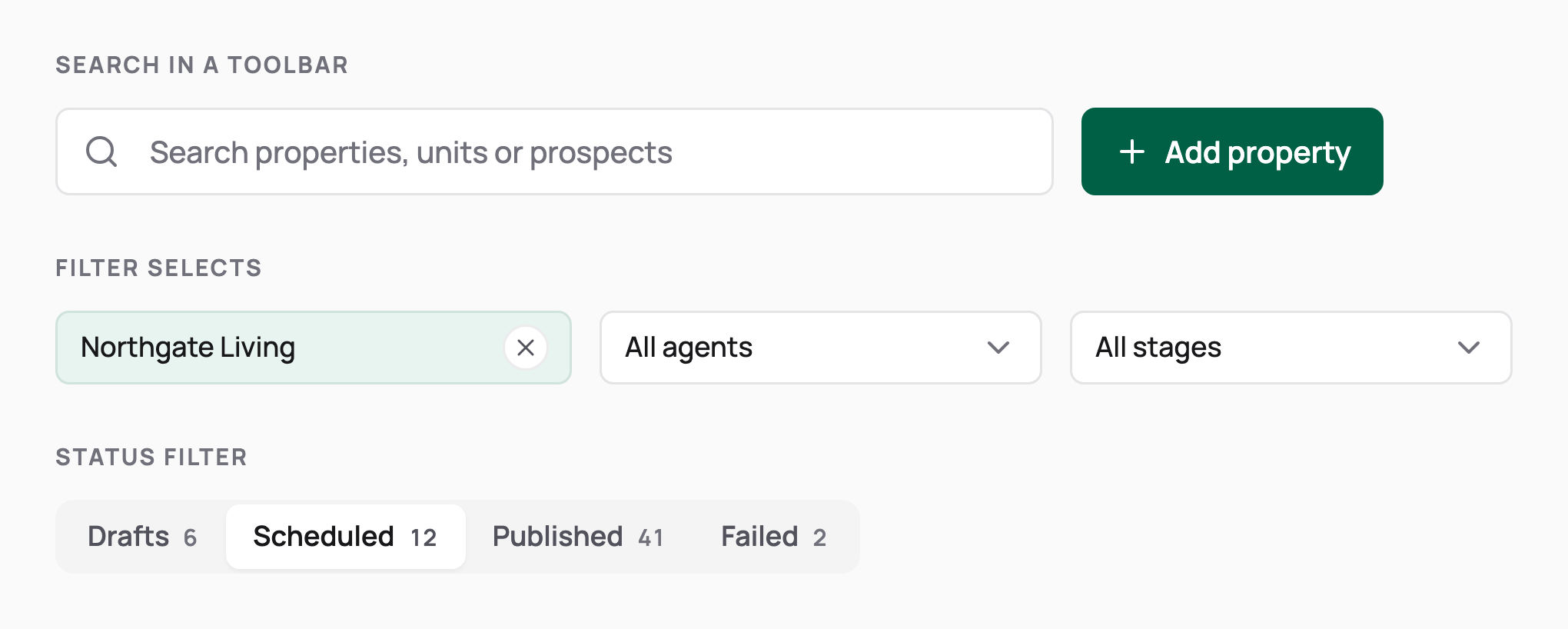
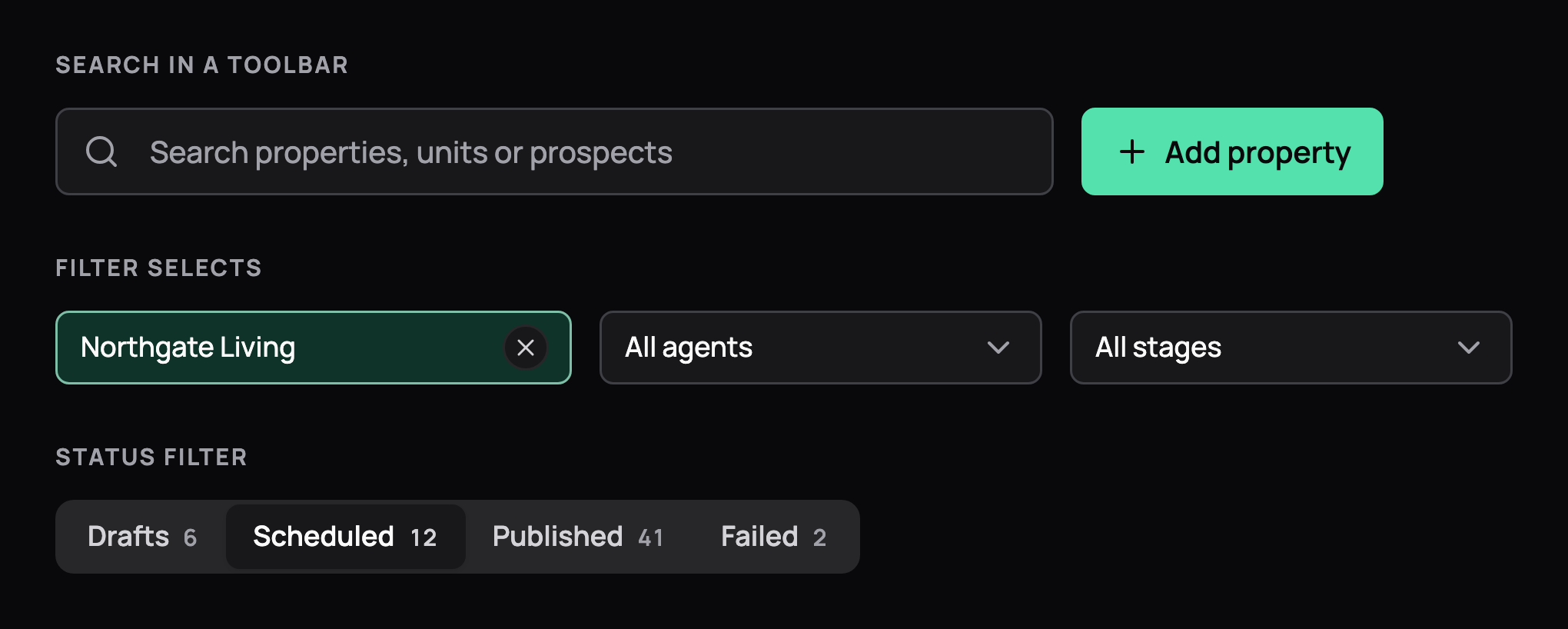
A search field beside an Add property button, a row of searchable filter selects with one applied, and a status filter with counts. A search field beside an Add property button, a row of searchable filter selects with one applied, and a status filter with counts, in dark mode
Search and filters
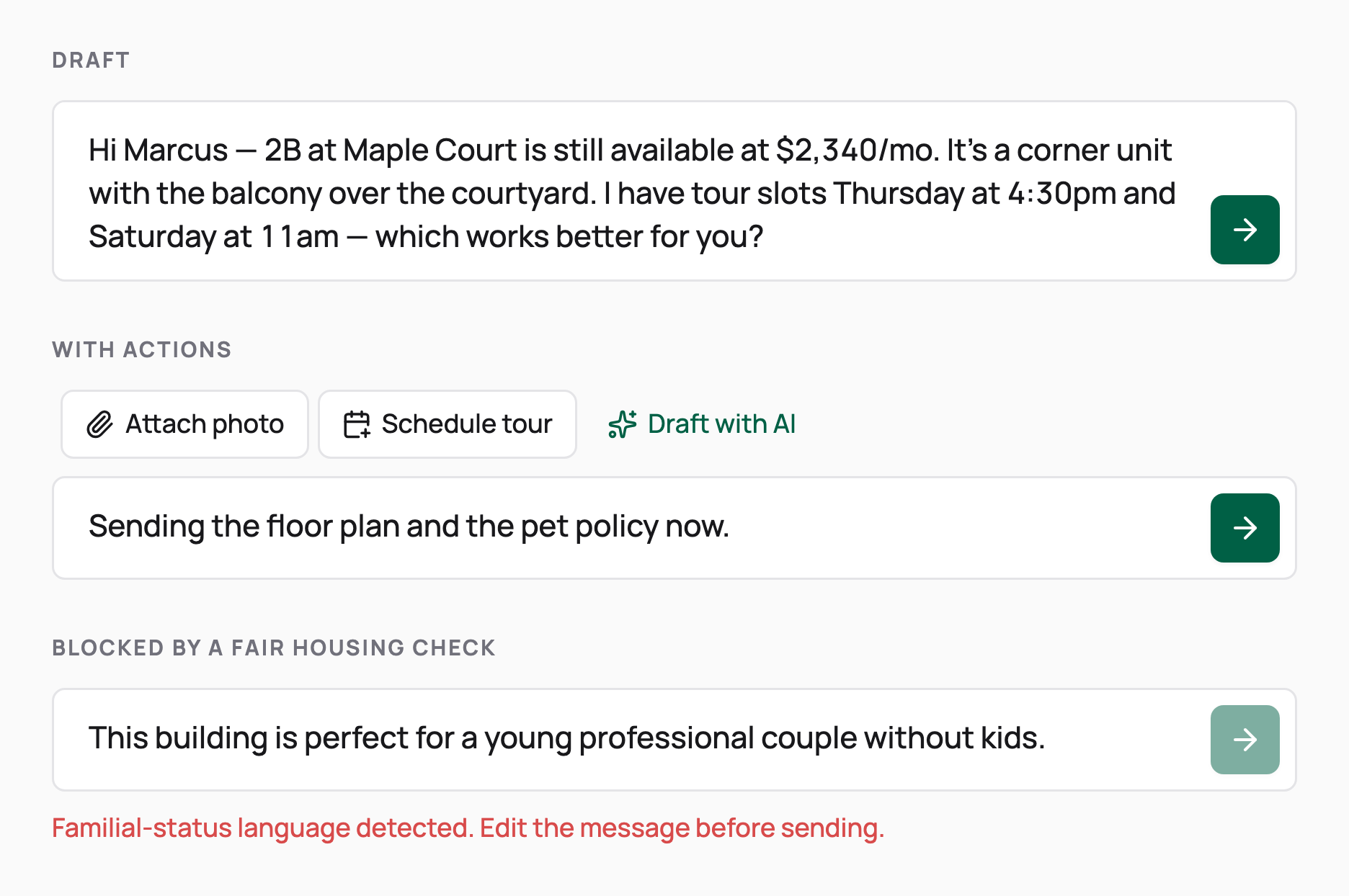
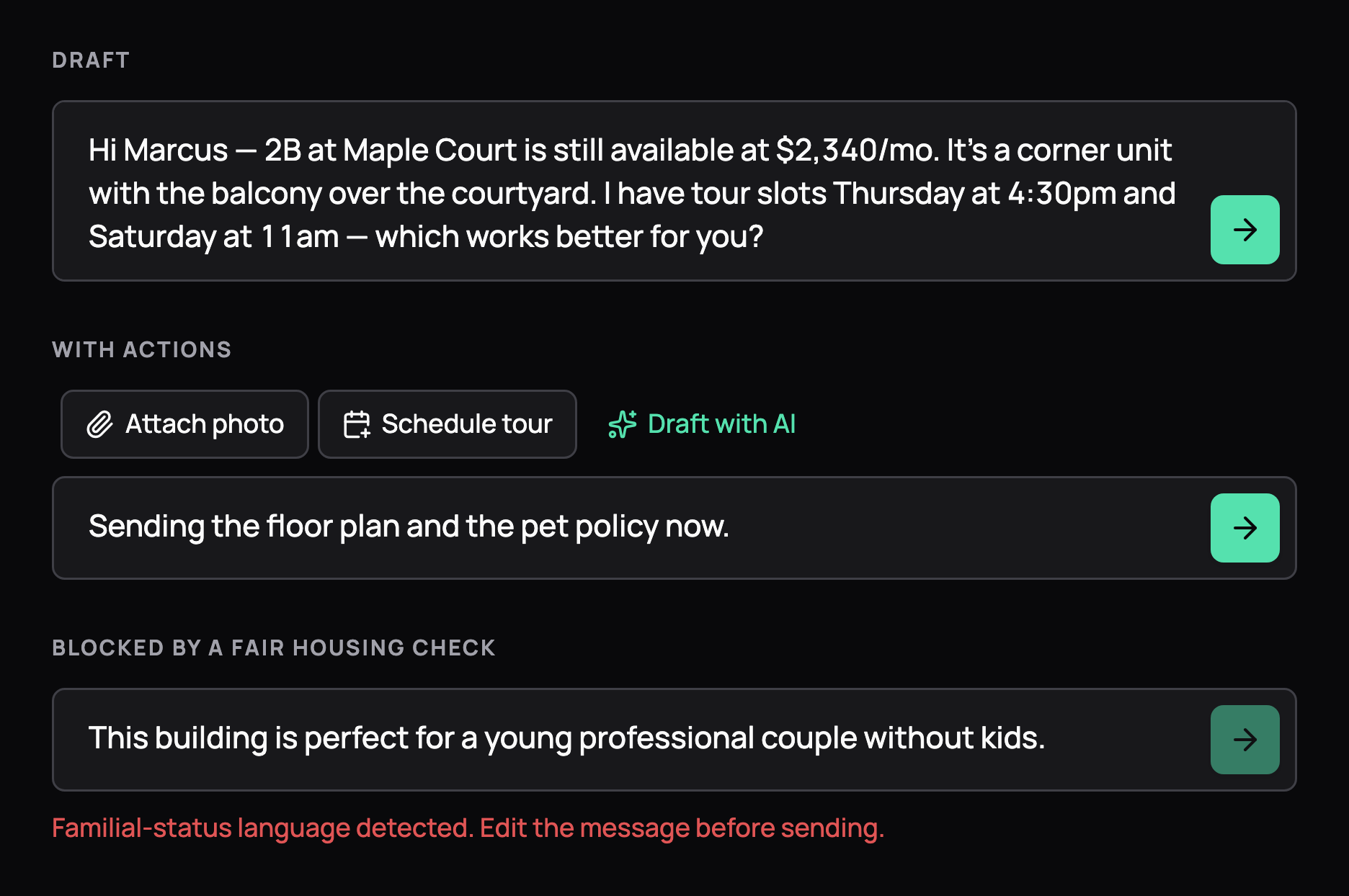
Message composer states: a drafted reply with a send button, quick actions to attach a photo, schedule a tour or draft with AI, and a send blocked by a Fair Housing check. Message composer states: a drafted reply with a send button, quick actions to attach a photo, schedule a tour or draft with AI, and a send blocked by a Fair Housing check, in dark mode
Message composer
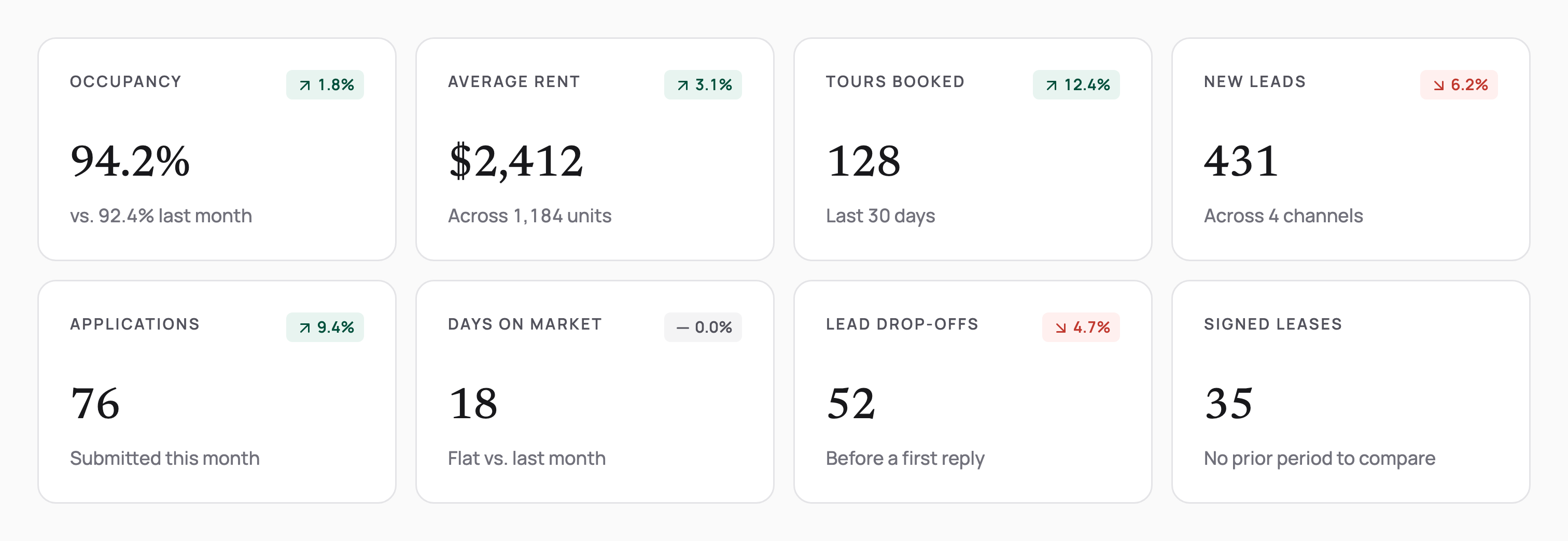
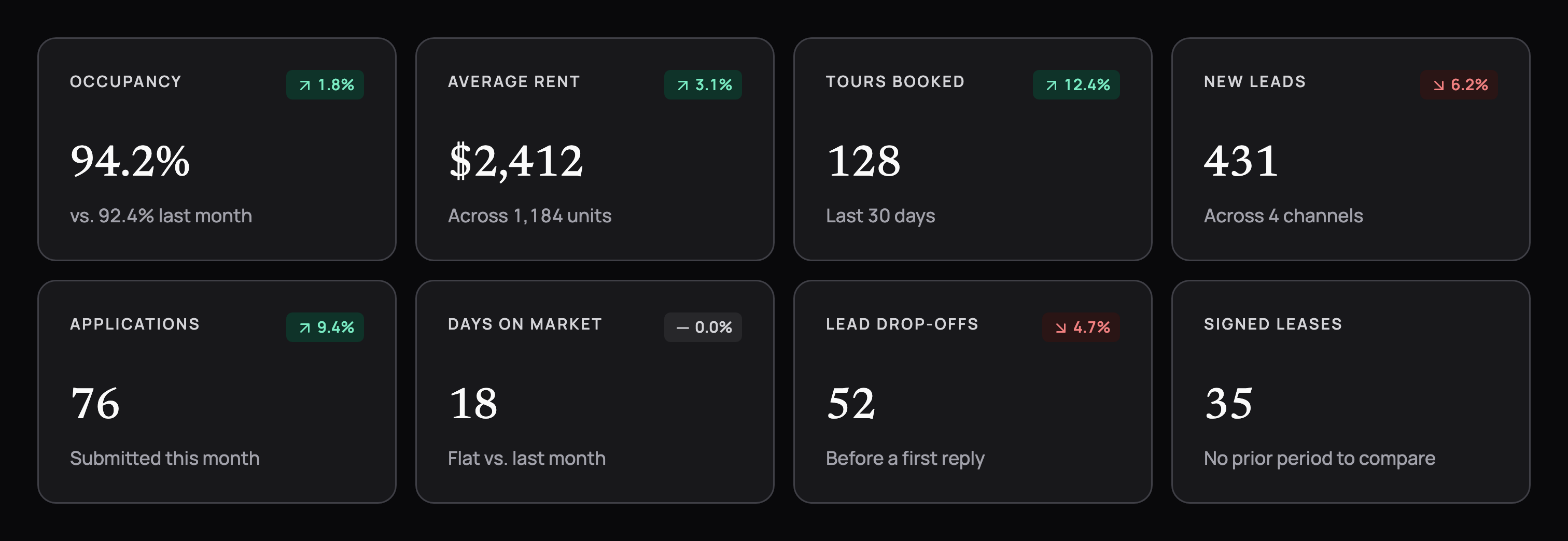
2 rows of metric cards with Newsreader numerals and trend pills: occupancy, average rent, tours booked, new leads, applications, days on market, lead drop-offs and signed leases. 2 rows of metric cards with Newsreader numerals and trend pills: occupancy, average rent, tours booked, new leads, applications, days on market, lead drop-offs and signed leases, in dark mode
Metric cards
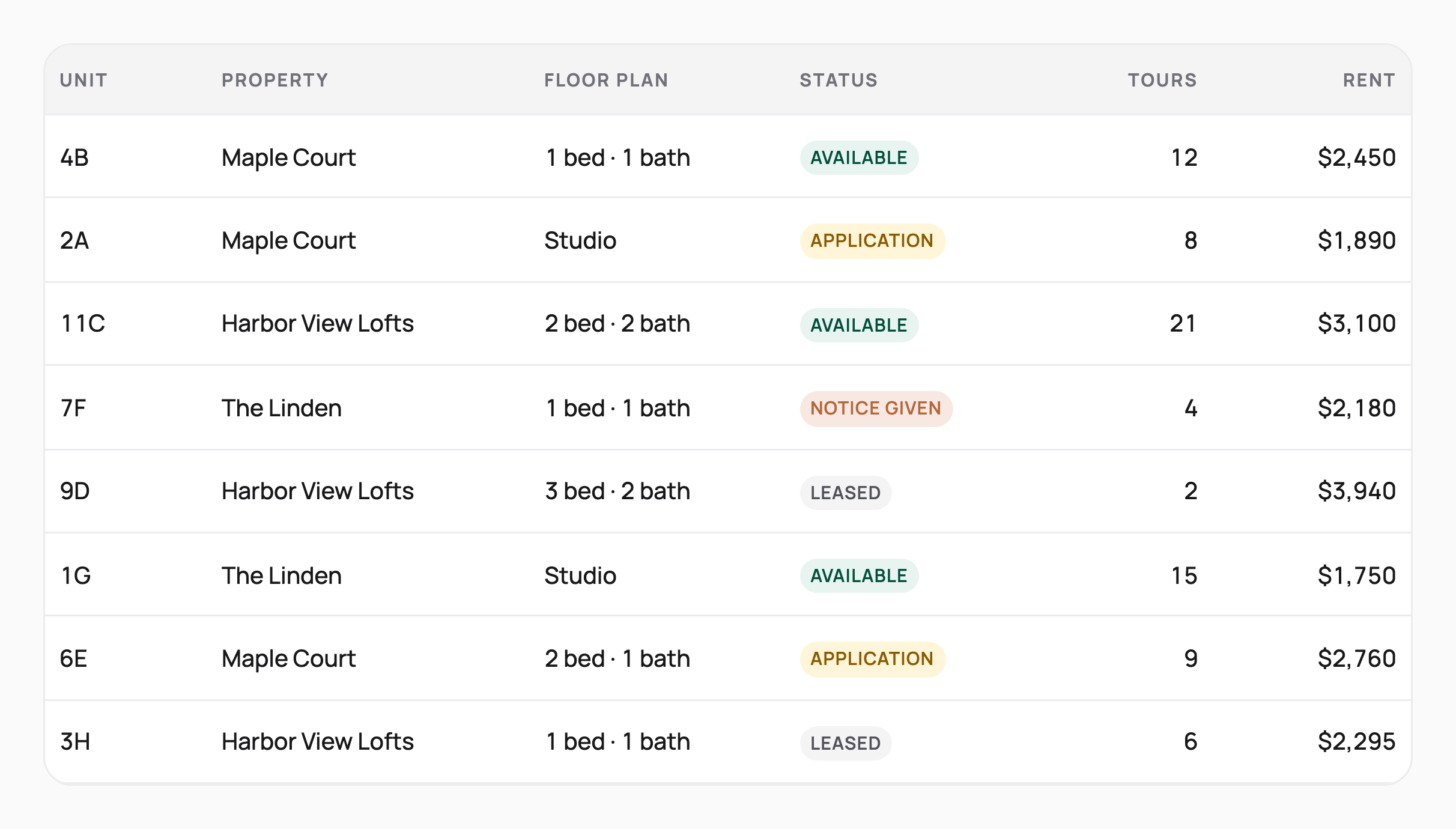
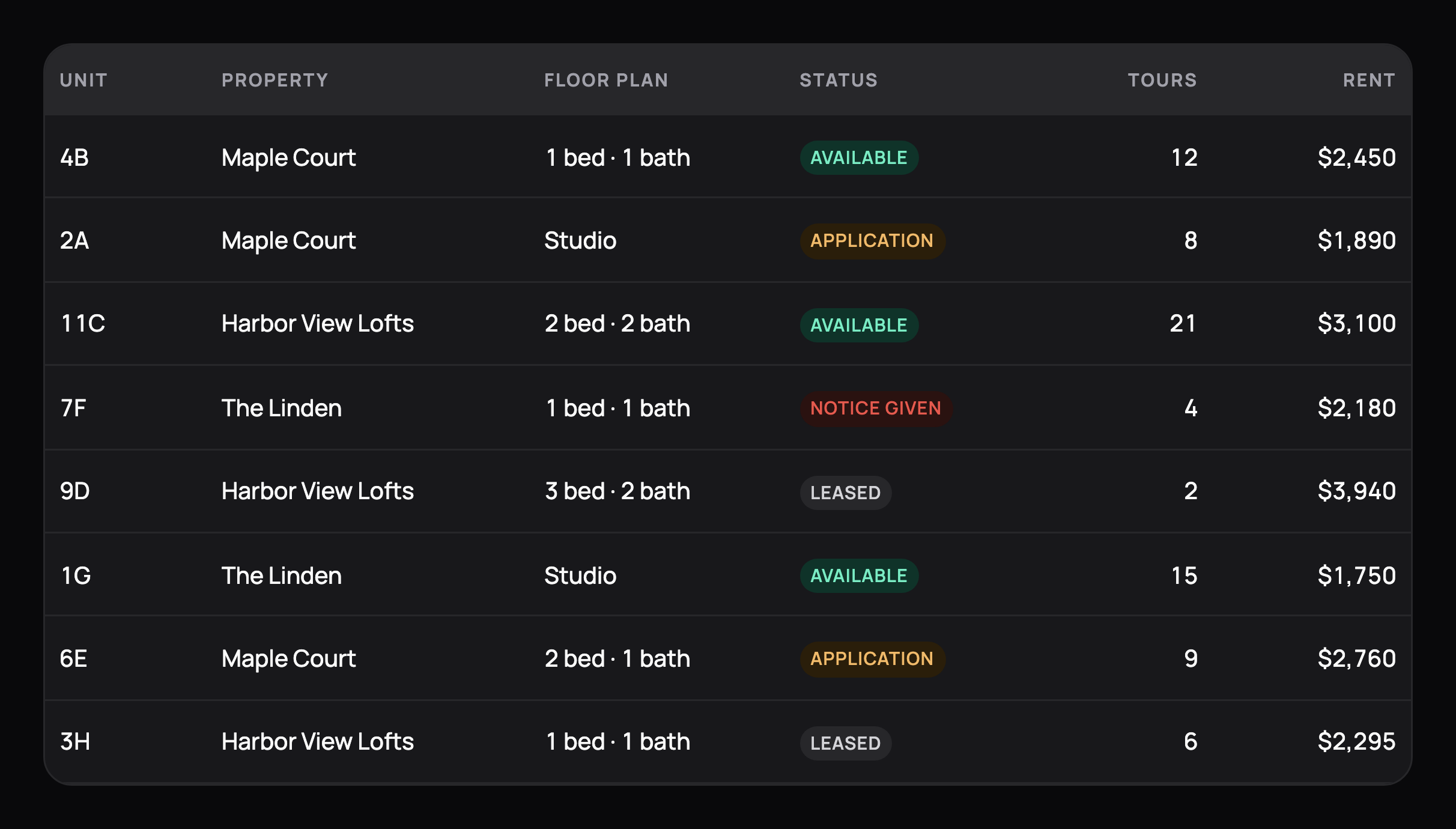
A unit table listing unit, property, floor plan, status chip, tours and rent, with tabular numerals and hairline row dividers. A unit table listing unit, property, floor plan, status chip, tours and rent, with tabular numerals and hairline row dividers, in dark mode
Data table
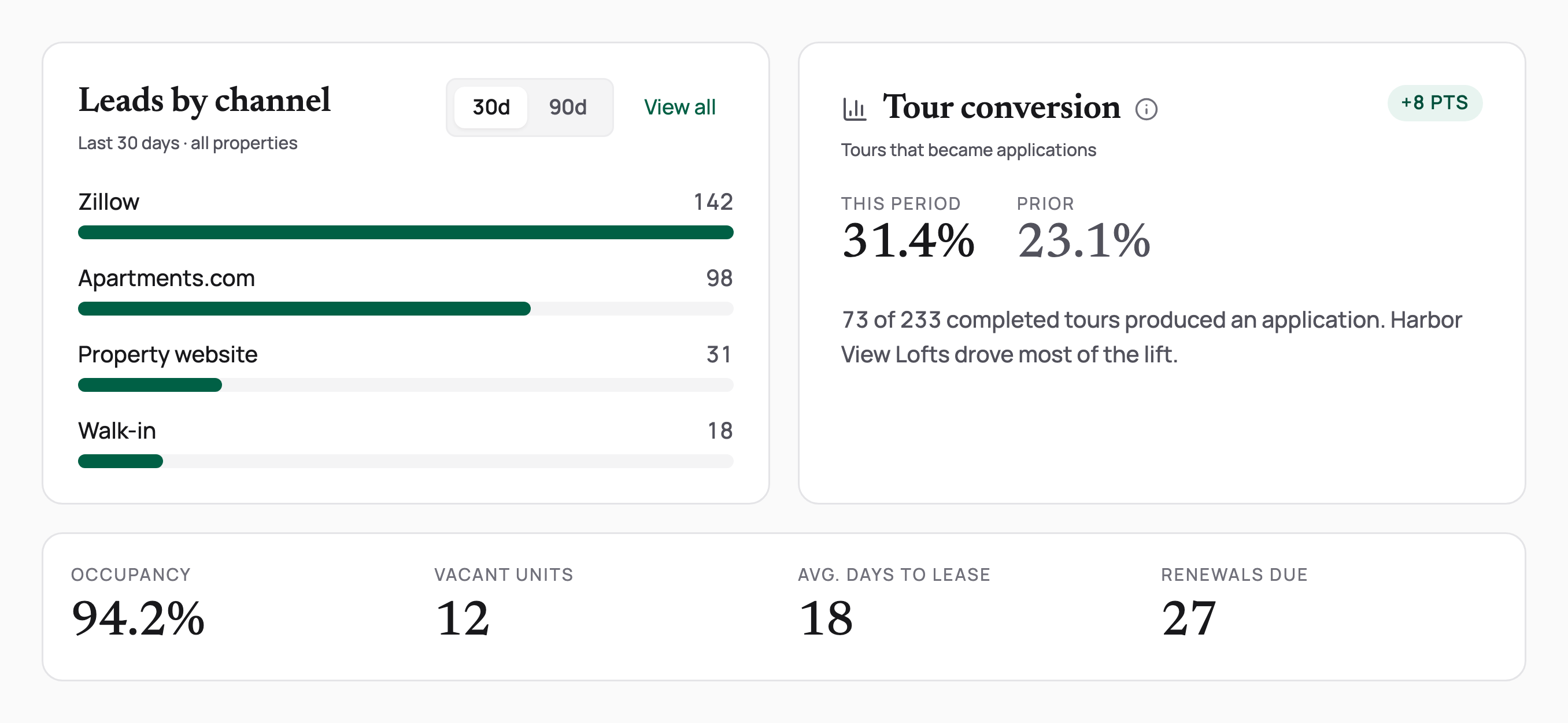
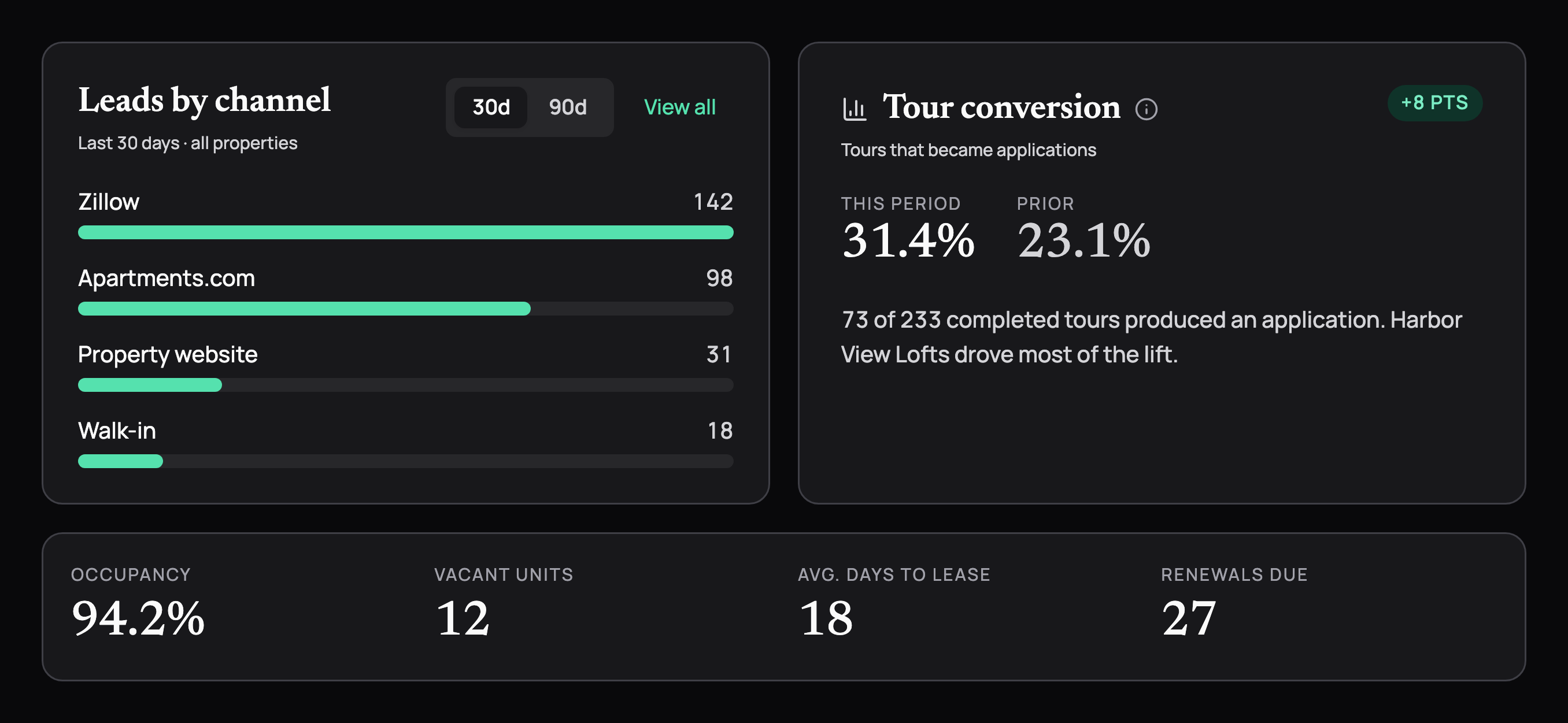
Module cards: leads by channel with a 30 and 90 day switch and emerald bars, tour conversion against the prior period, and a headless KPI strip for occupancy, vacant units, days to lease and renewals. Module cards: leads by channel with a 30 and 90 day switch and emerald bars, tour conversion against the prior period, and a headless KPI strip for occupancy, vacant units, days to lease and renewals, in dark mode
Module cards
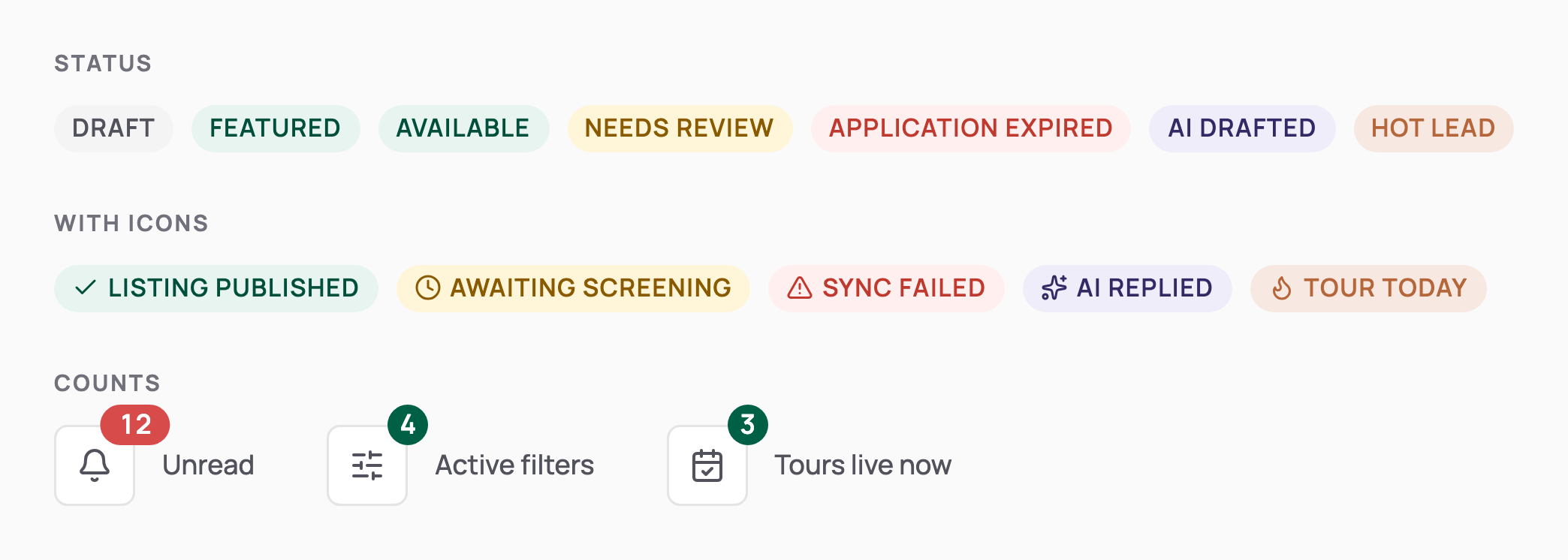
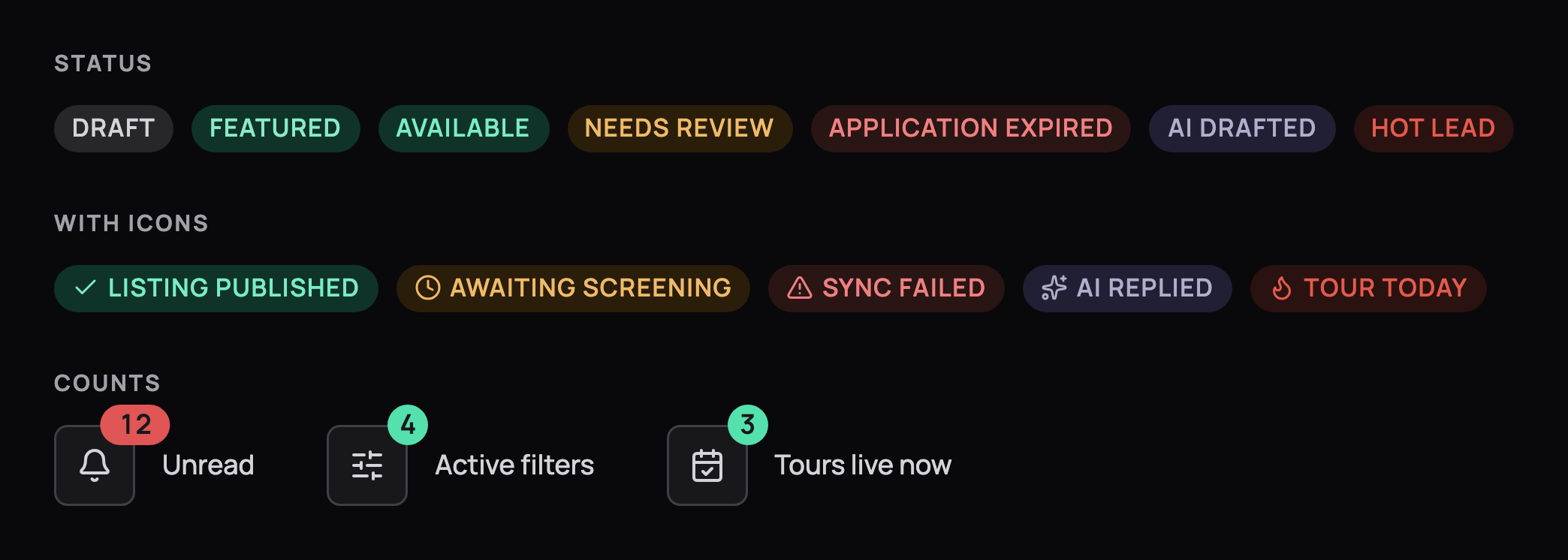
Status badges in neutral, brand, success, warning, alert, AI and hot tones, badges with icons, and count bubbles on icon buttons. Status badges in neutral, brand, success, warning, alert, AI and hot tones, badges with icons, and count bubbles on icon buttons, in dark mode
Badges and counts
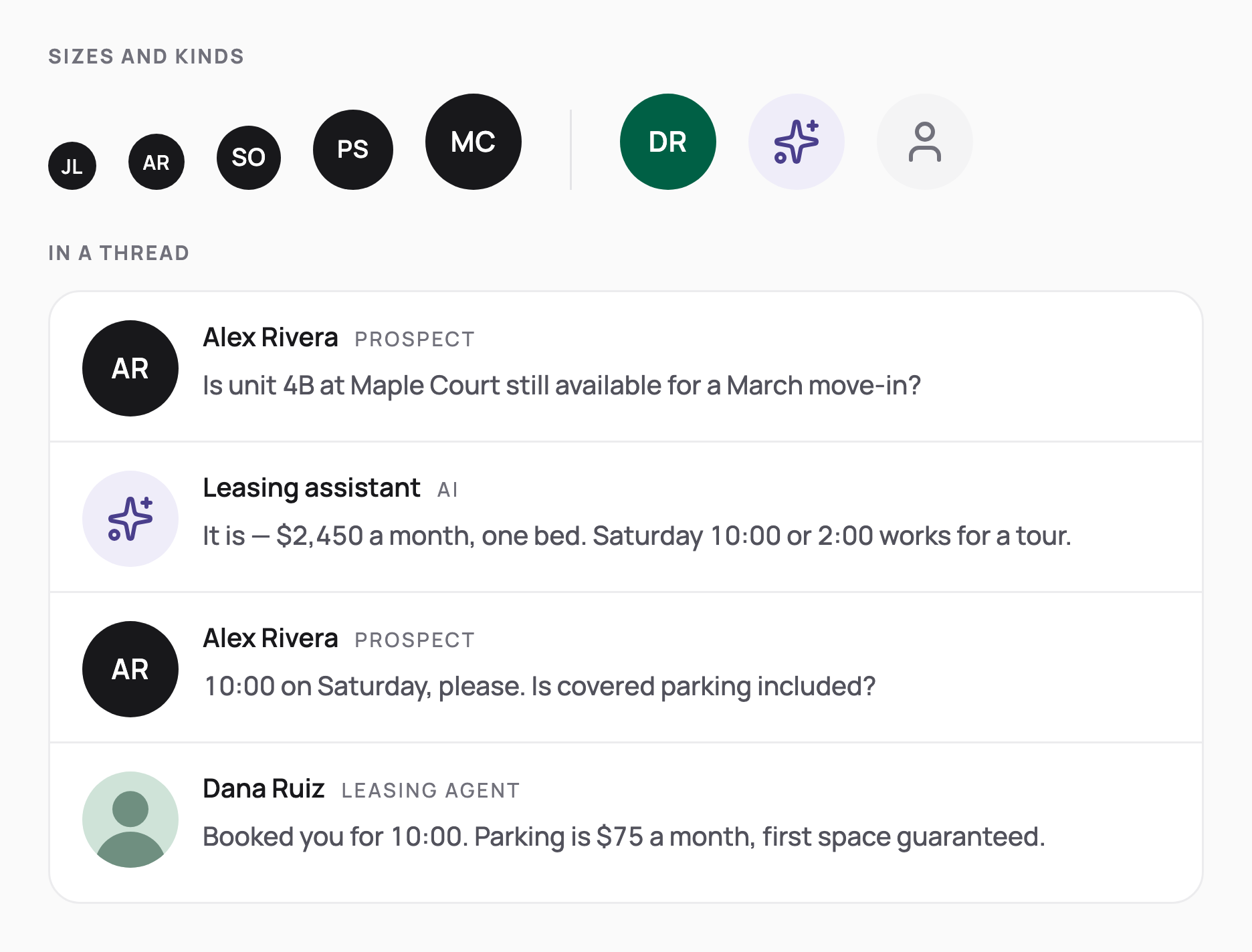
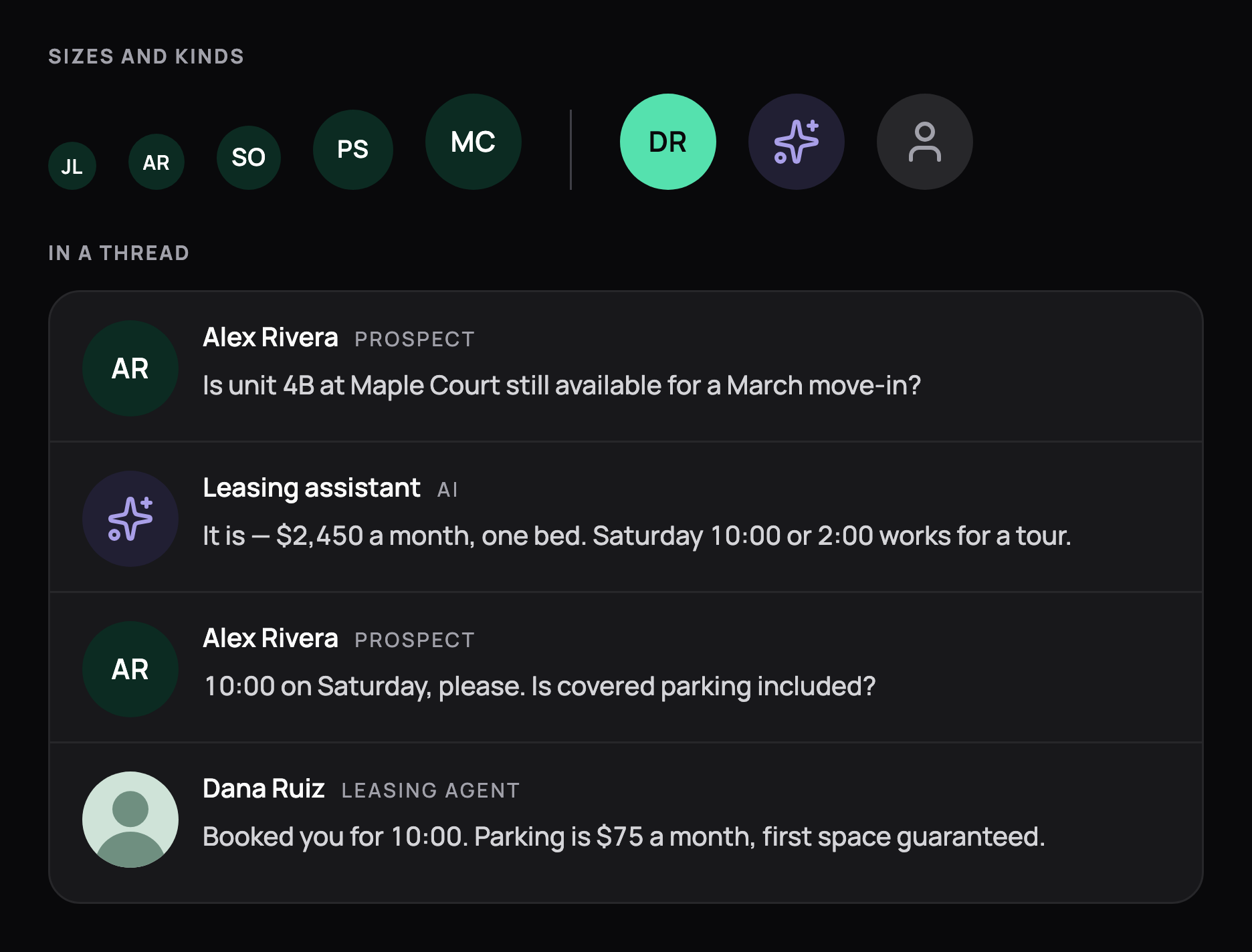
Avatars in 5 sizes, the signed-in accent, the AI mark and an unknown caller, plus a message thread pairing prospect, assistant and leasing agent. Avatars in 5 sizes, the signed-in accent, the AI mark and an unknown caller, plus a message thread pairing prospect, assistant and leasing agent, in dark mode
Avatars
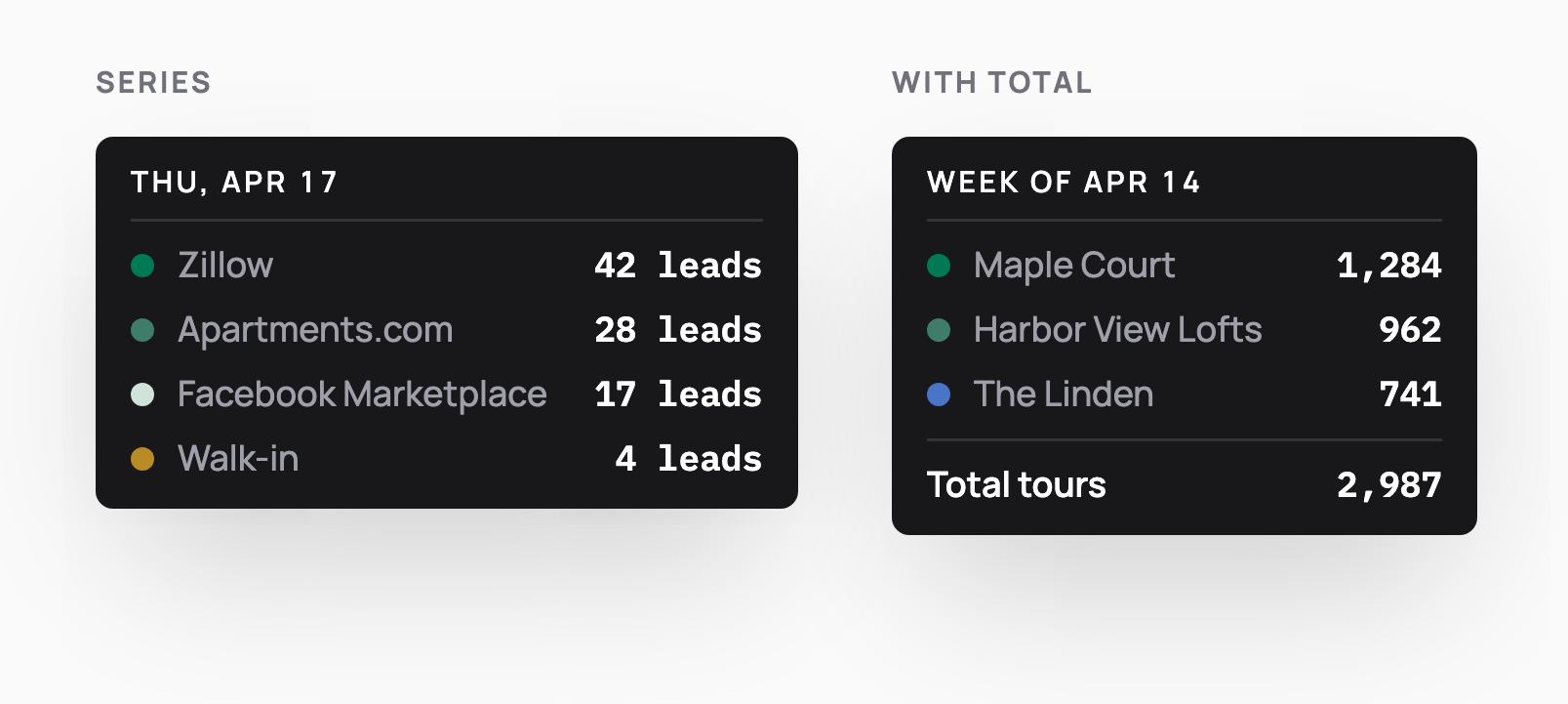
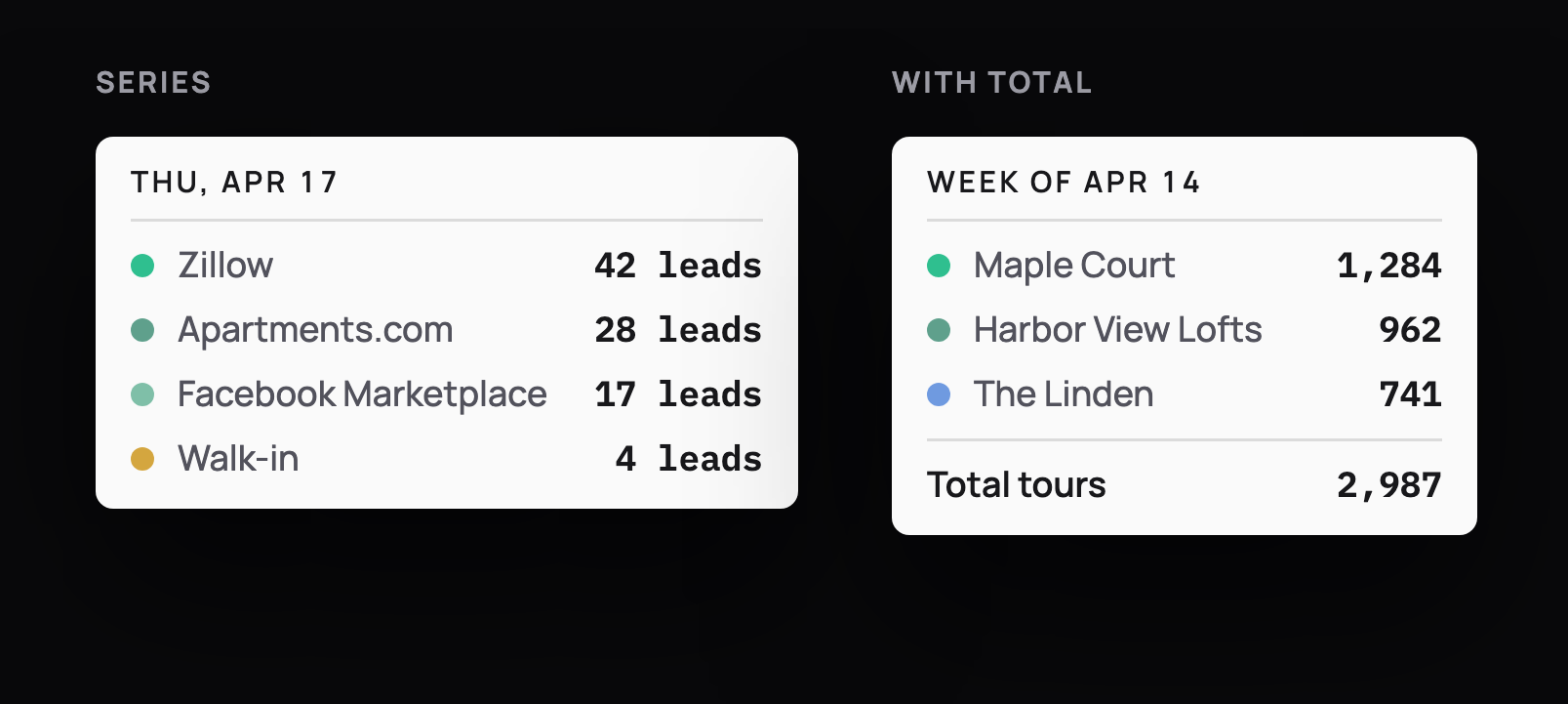
Chart tooltips: leads per listing channel for one day, and tours per property for a week with a total row. Chart tooltips: leads per listing channel for one day, and tours per property for a week with a total row, in dark mode
Chart tooltips
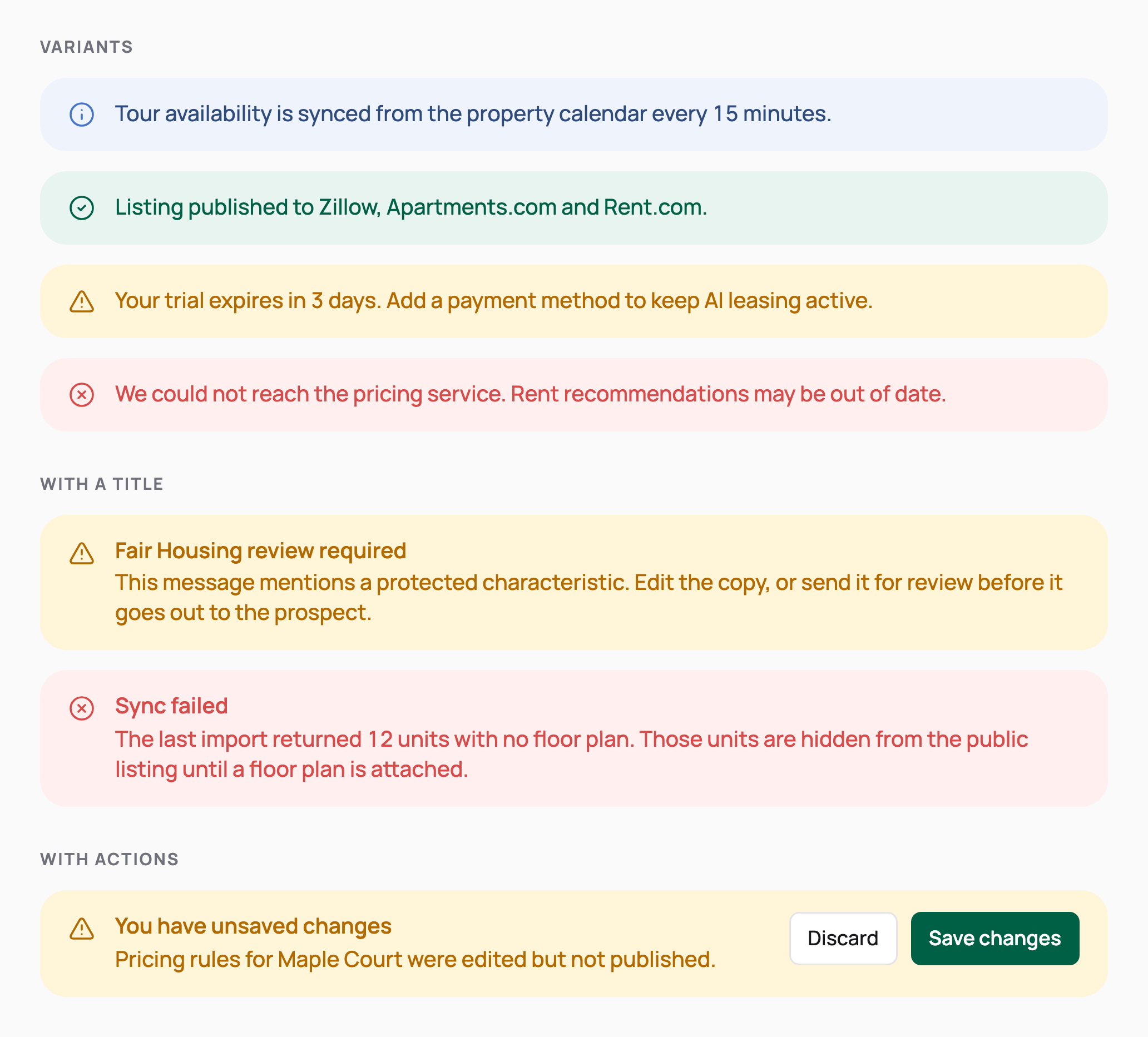
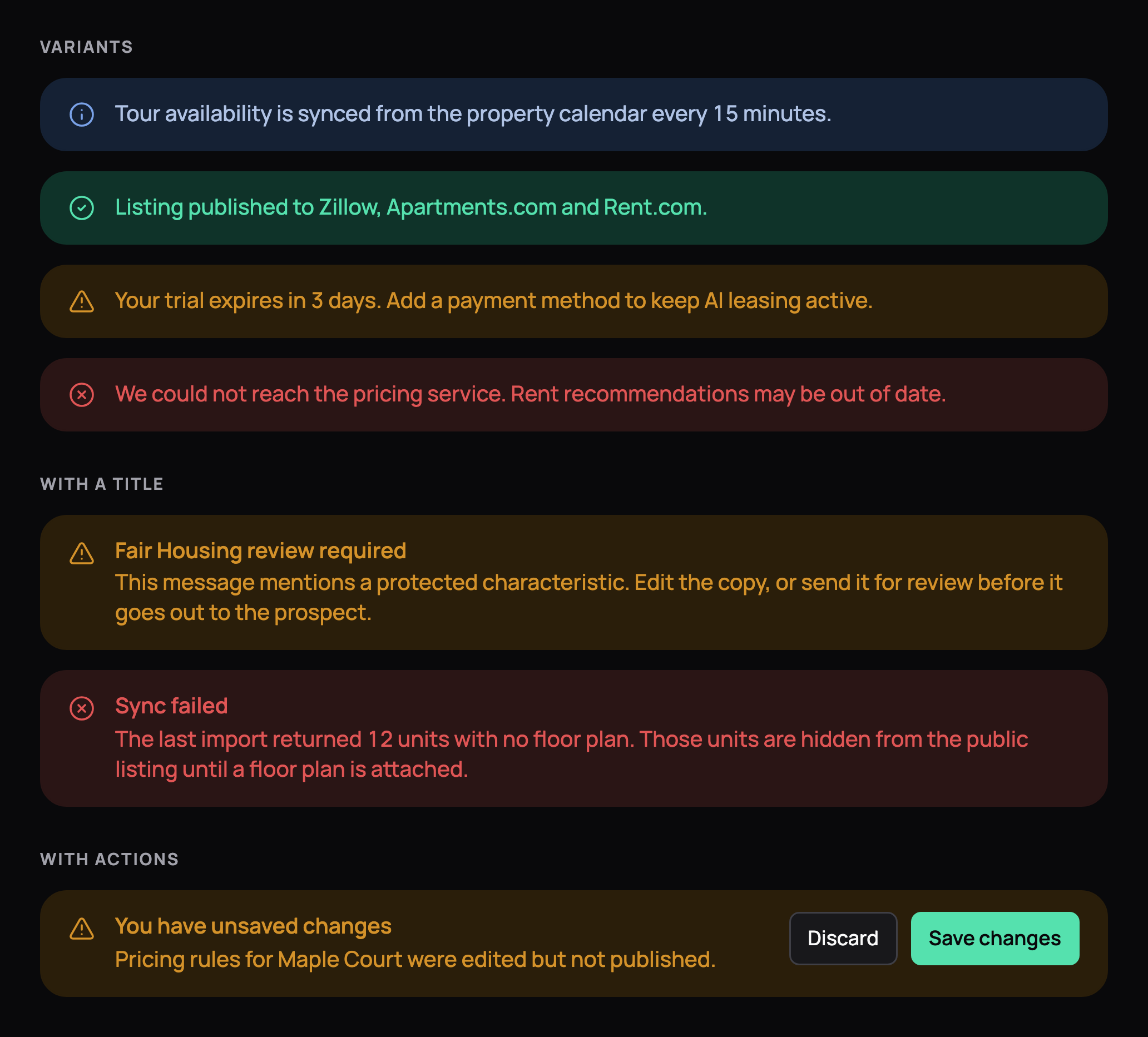
Inline alerts in info, success, warning and error tones, titled warning and error alerts, and an unsaved-changes bar with Discard and Save changes. Inline alerts in info, success, warning and error tones, titled warning and error alerts, and an unsaved-changes bar with Discard and Save changes, in dark mode
Alerts
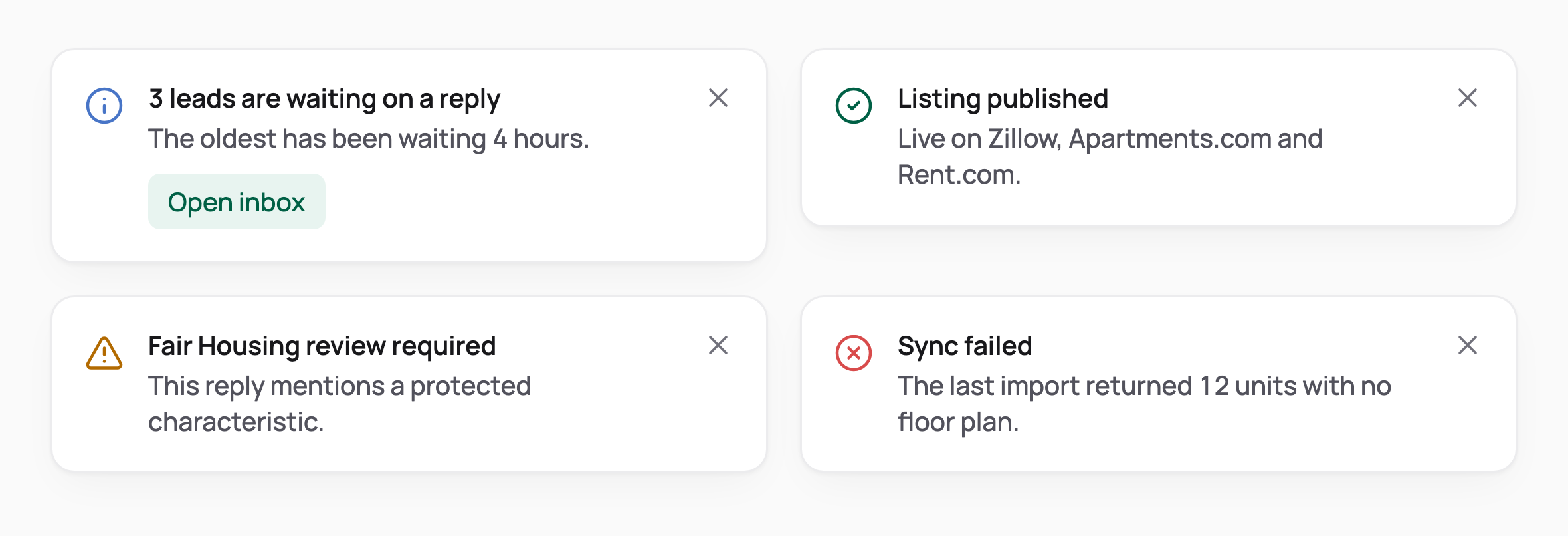
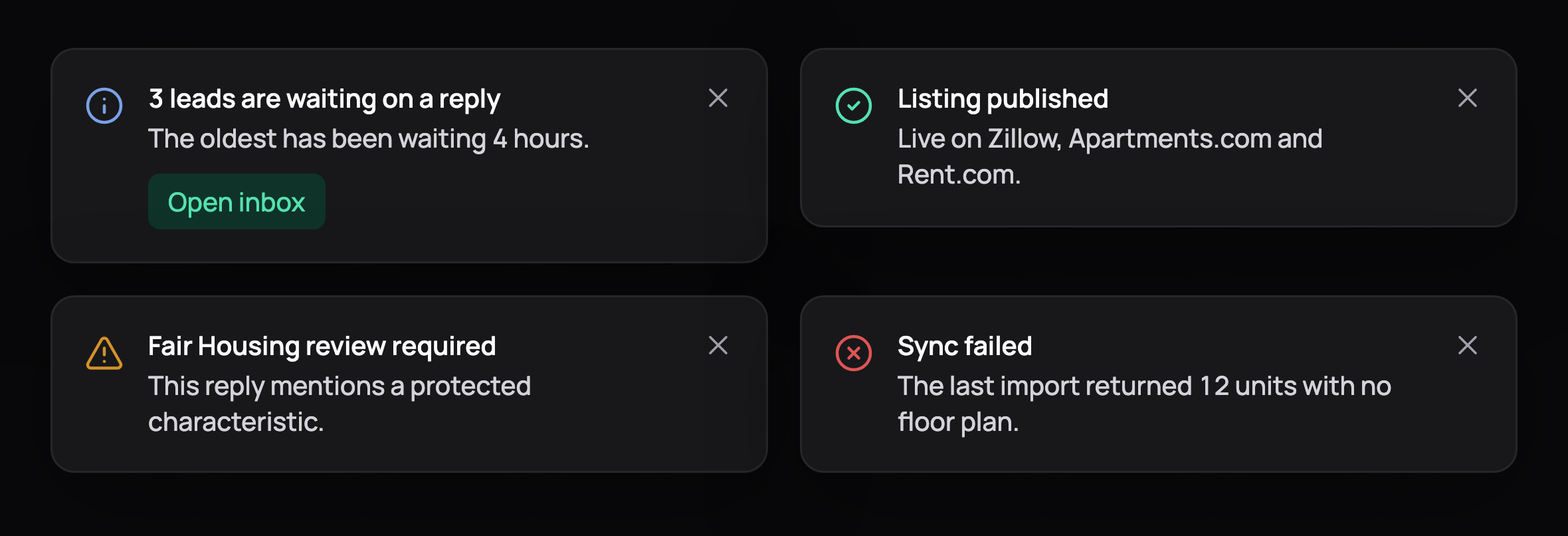
4 toasts: leads waiting on a reply with an Open inbox action, a Fair Housing review warning, a published listing and a failed sync. 4 toasts: leads waiting on a reply with an Open inbox action, a Fair Housing review warning, a published listing and a failed sync, in dark mode
Toasts
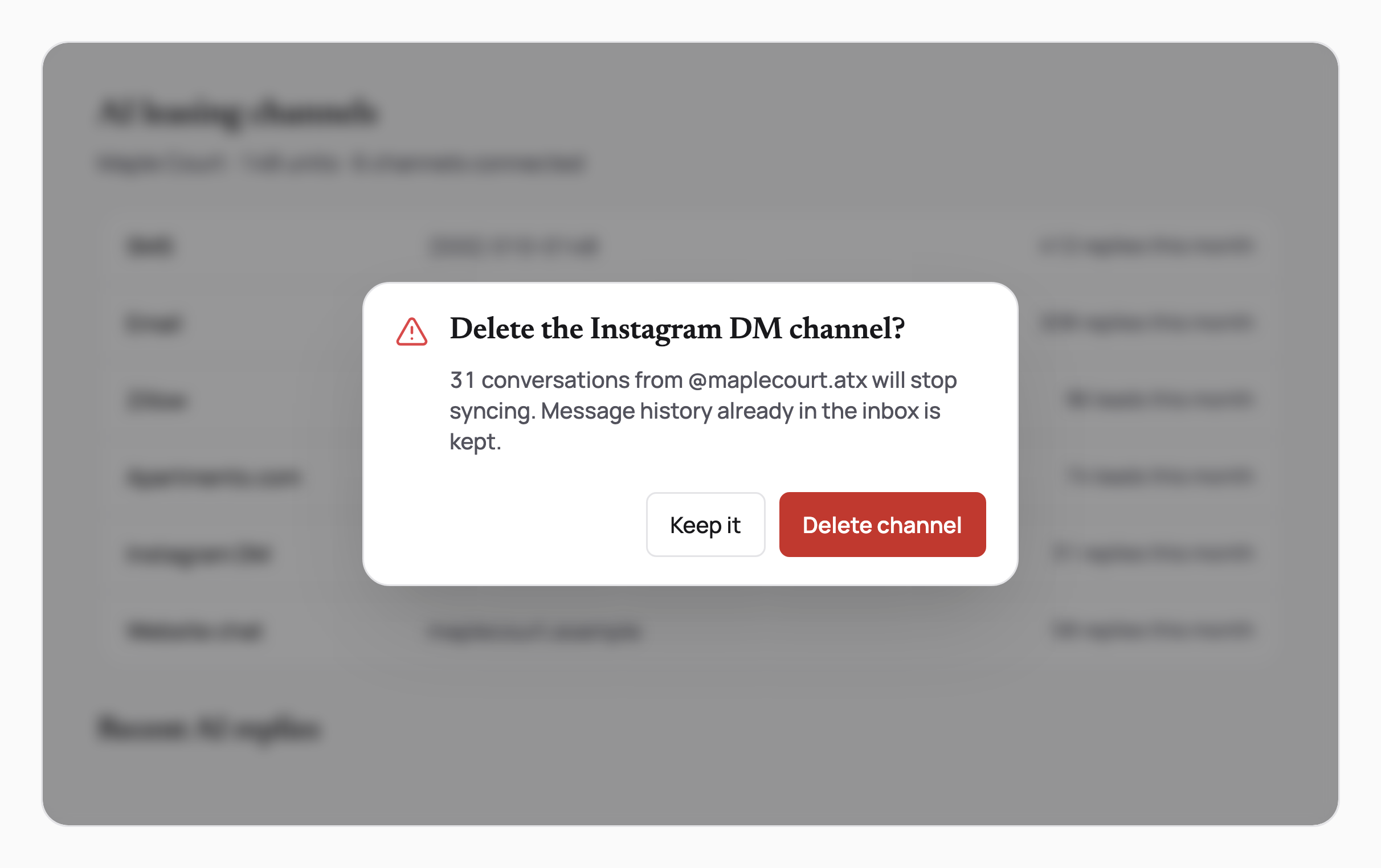
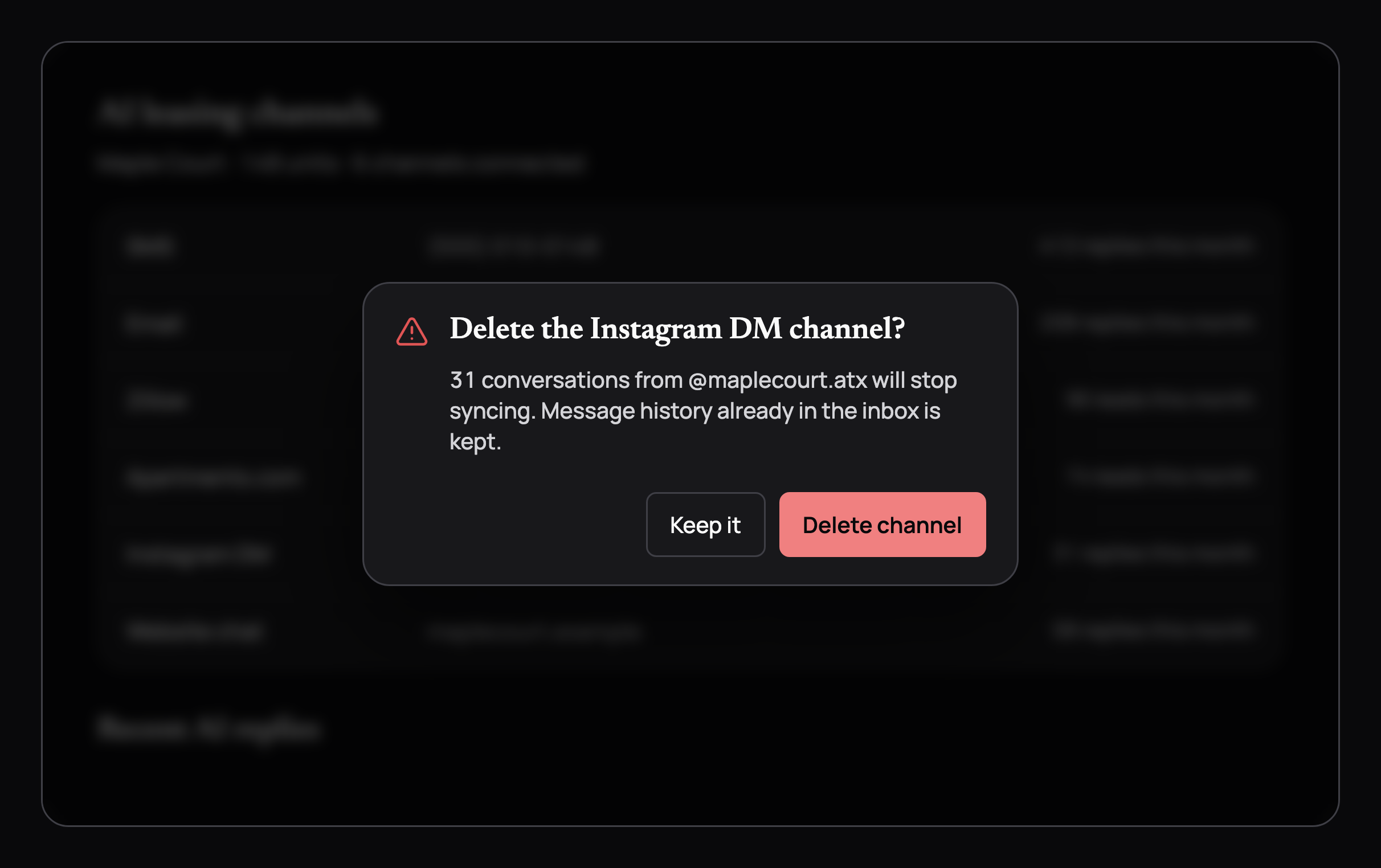
A danger confirm dialog asking to delete the Instagram DM channel, floating over a blurred channel list with Keep it and Delete channel buttons. A danger confirm dialog asking to delete the Instagram DM channel, floating over a blurred channel list with Keep it and Delete channel buttons, in dark mode
Confirm dialog
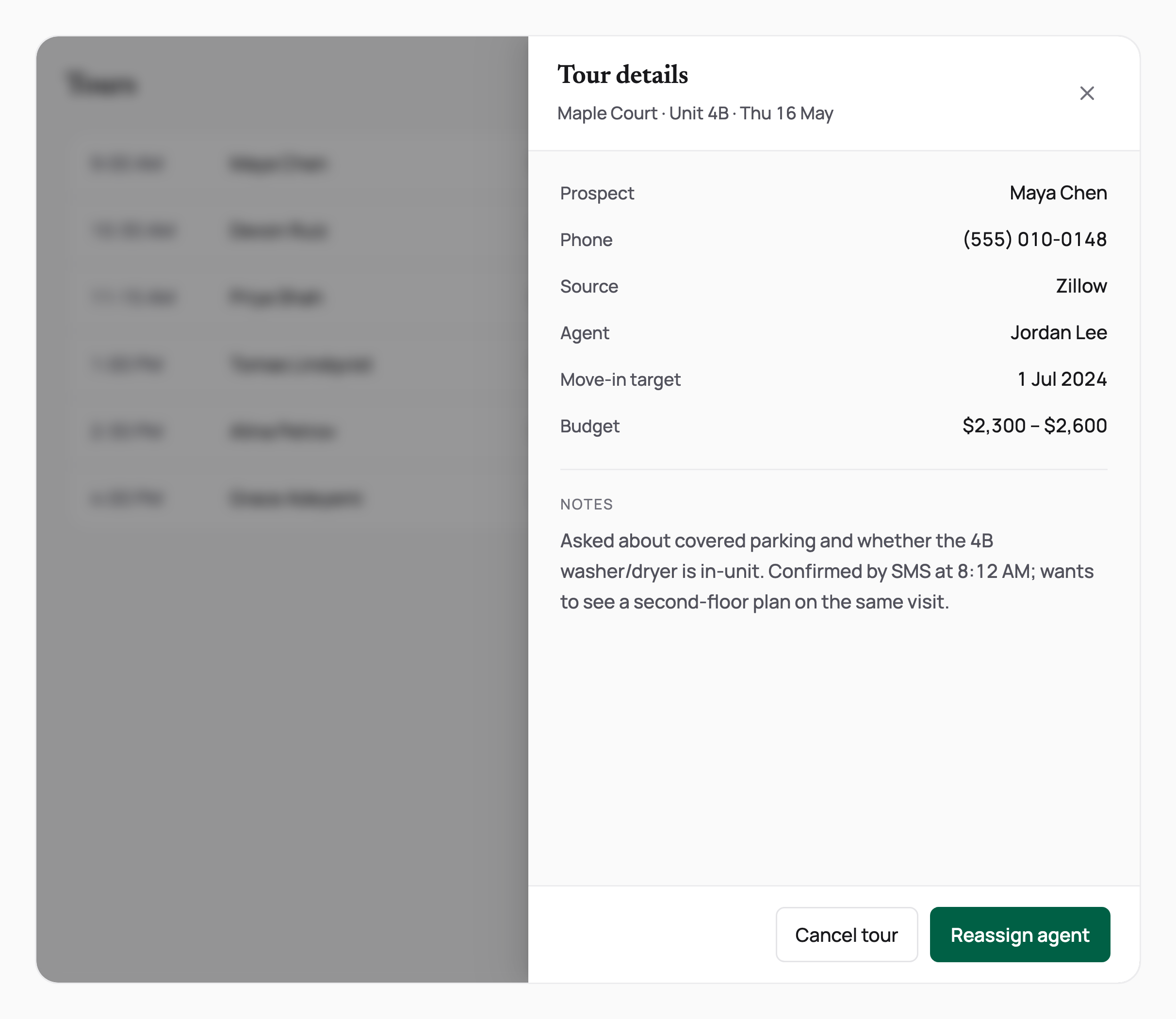
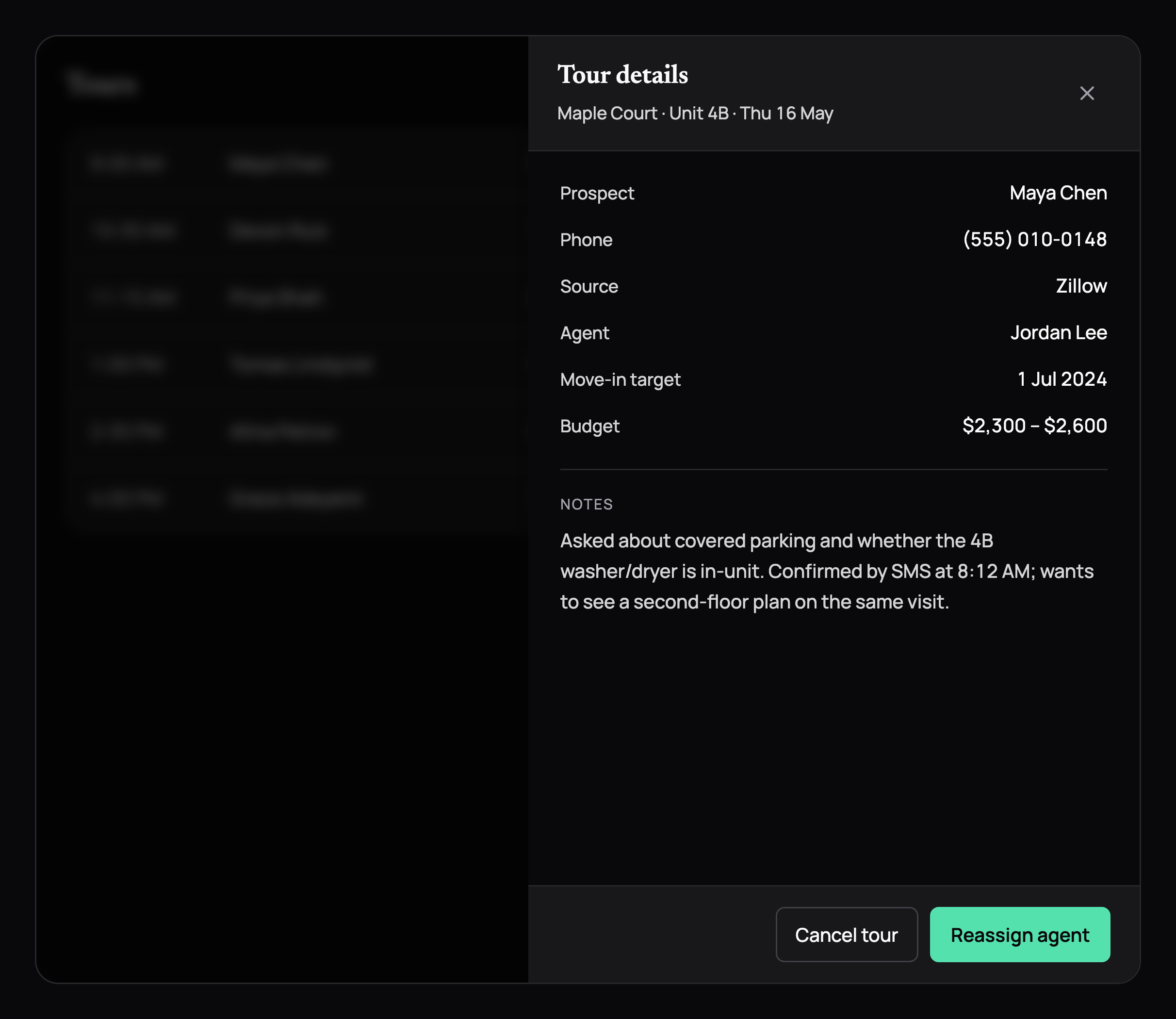
A tour details drawer over a dimmed tour list: prospect, phone, source, agent, move-in target, budget and notes, with Cancel tour and Reassign agent. A tour details drawer over a dimmed tour list: prospect, phone, source, agent, move-in target, budget and notes, with Cancel tour and Reassign agent, in dark mode
Drawer
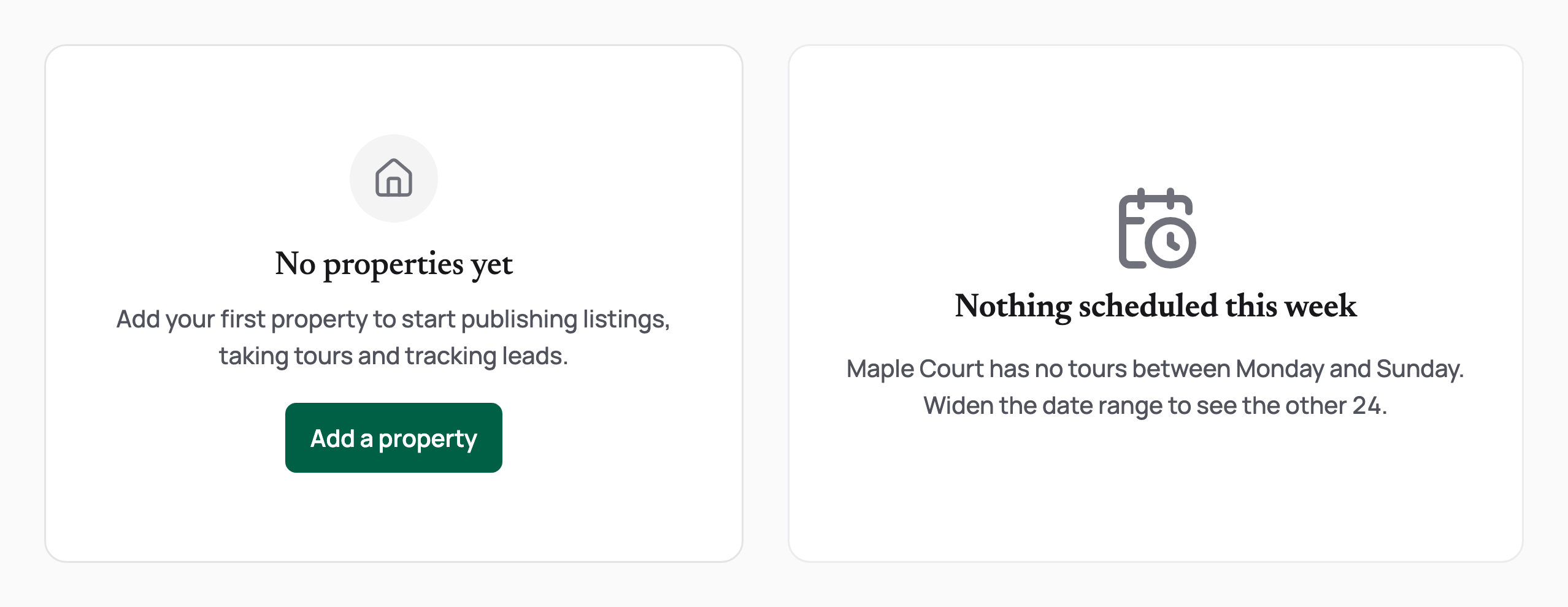
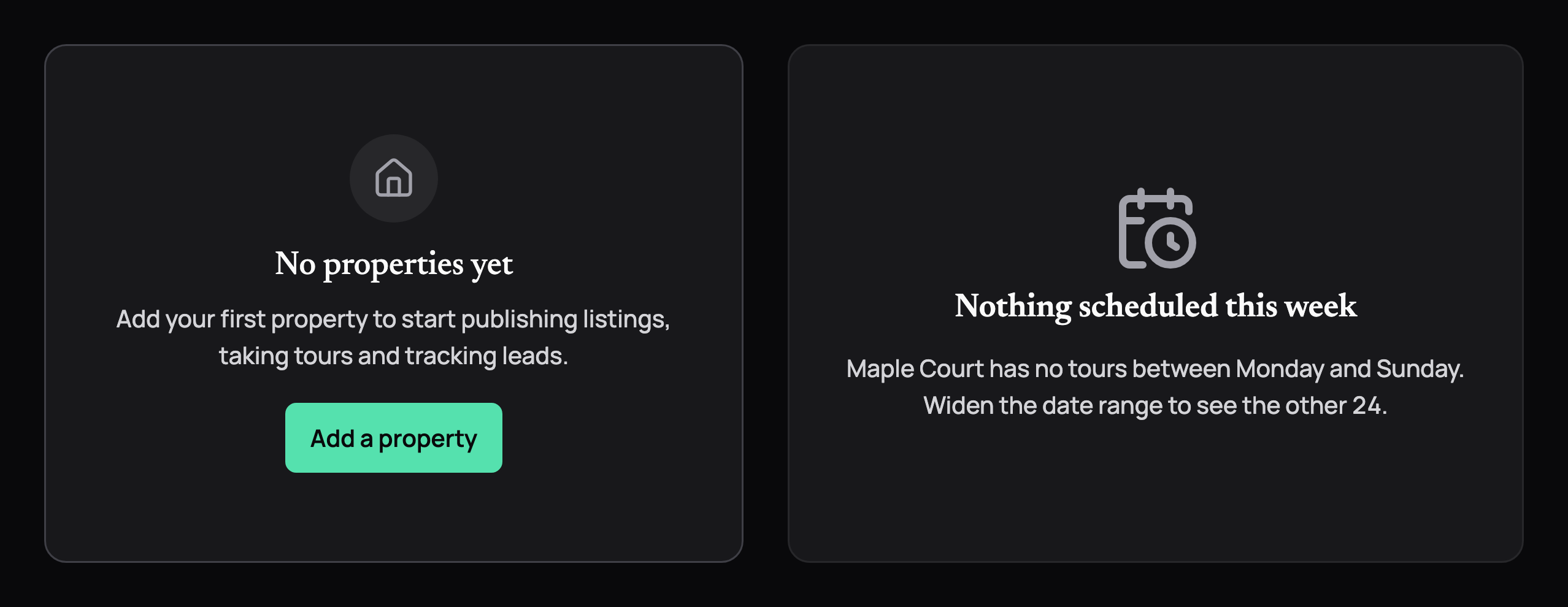
Empty states: no properties yet with an Add a property button, and an empty week in a table frame. Empty states: no properties yet with an Add a property button, and an empty week in a table frame, in dark mode
Empty states
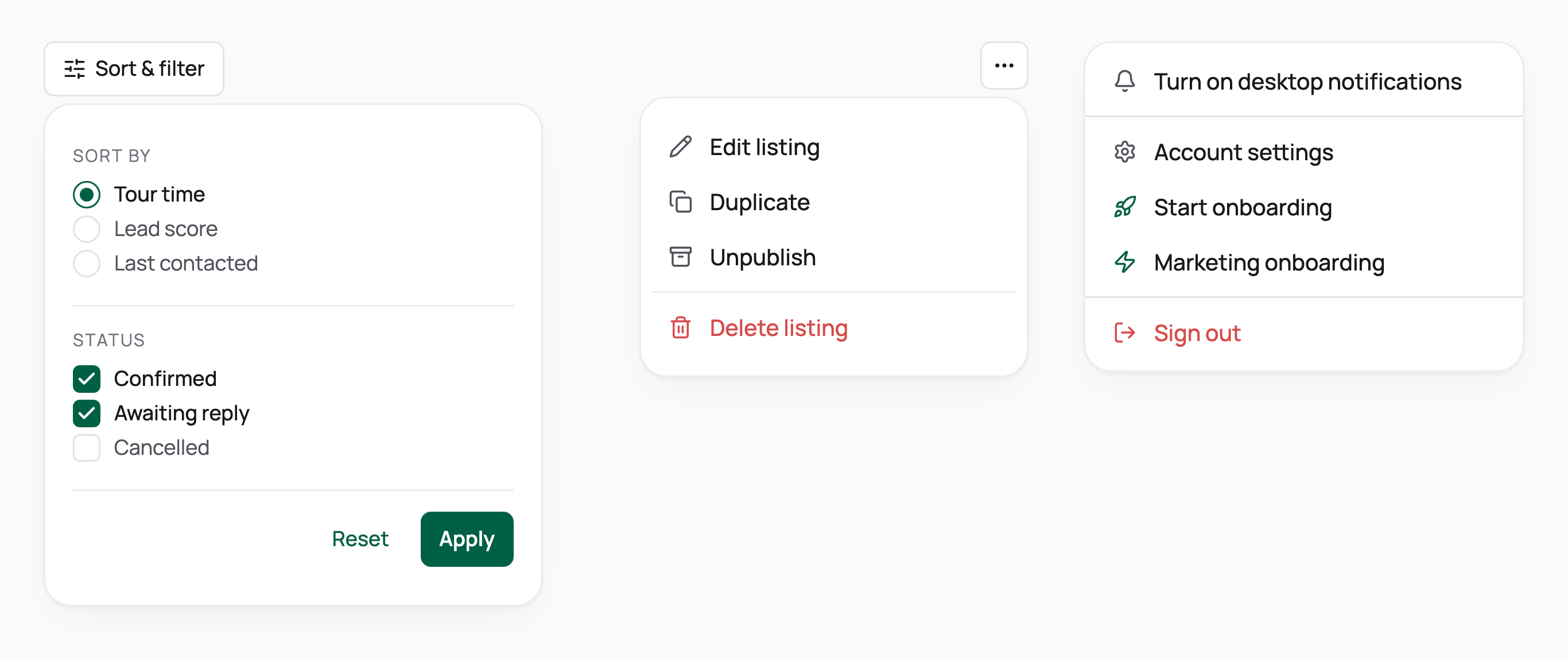
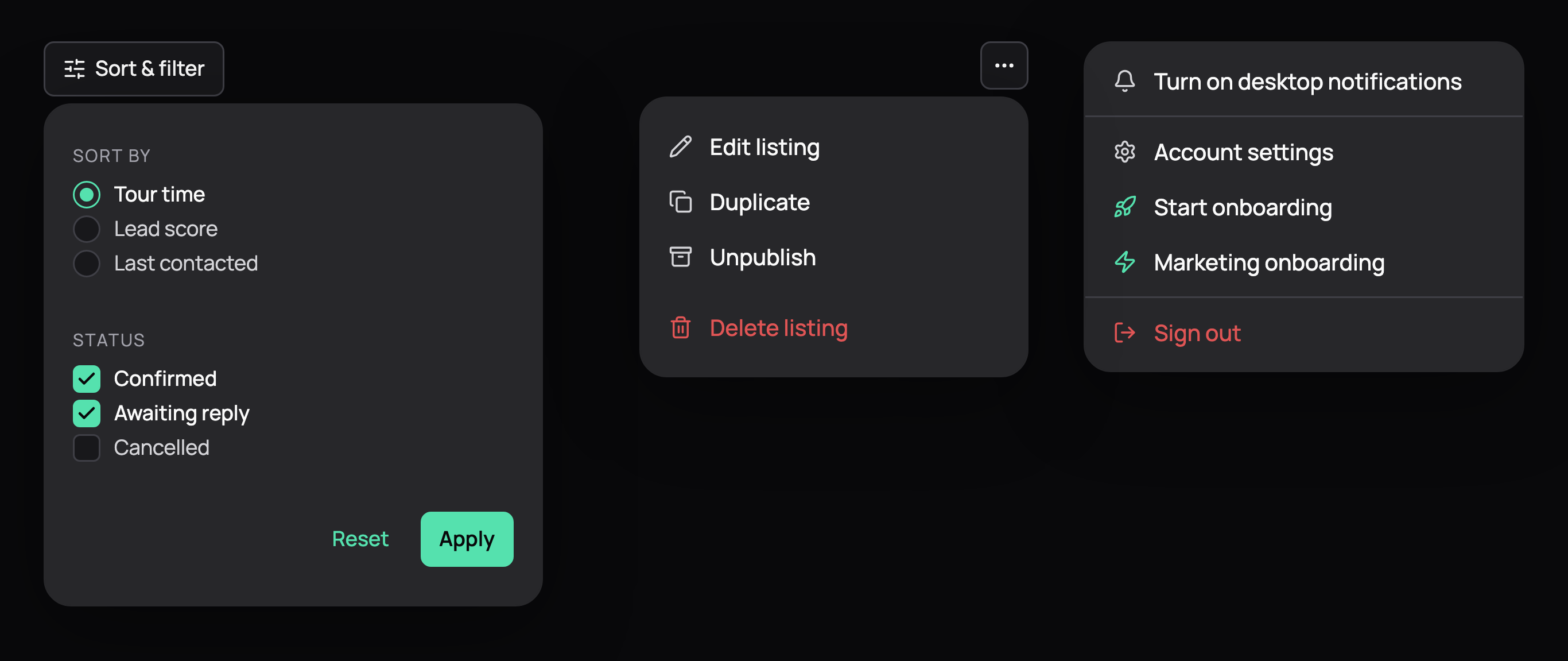
A sort and filter popover with radios, checkboxes and Apply, a listing action menu with a destructive delete, and an account menu. A sort and filter popover with radios, checkboxes and Apply, a listing action menu with a destructive delete, and an account menu, in dark mode
Popovers and menus

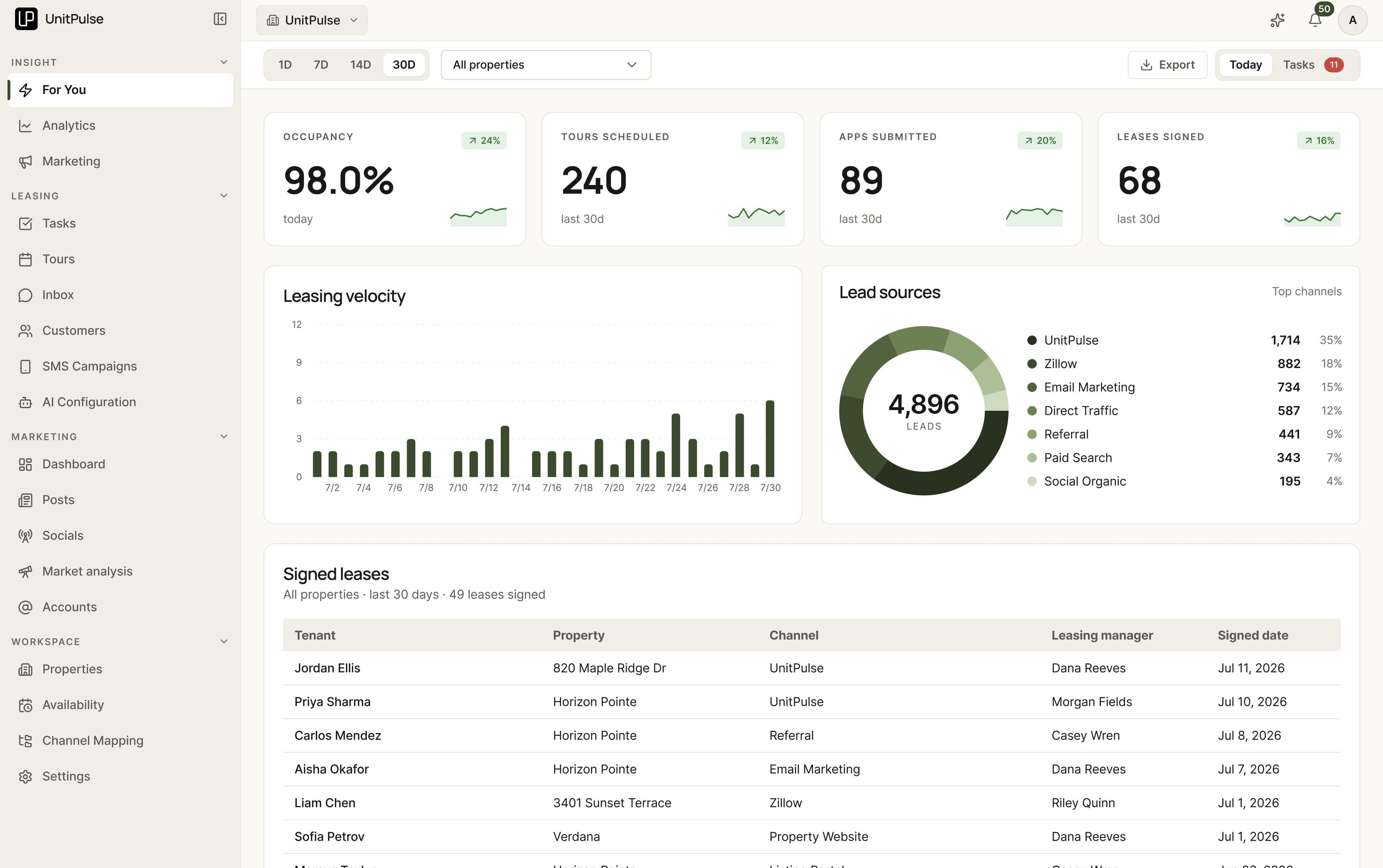
Before and after the new design system

The same For You page on the first version of the system, and on the new one.

The For You page in the first design system: olive on cream, Inter, square uppercase chips The same page today: emerald on neutral, Manrope and Newsreader, the dark daily brief and pill badges

Before The first version: olive on cream, Inter, square uppercase chips and mono trend pills.

After Today: emerald on neutral, Newsreader for titles and numbers, Manrope for the UI, pill badges, flat cards on hairline borders.

Part 11

What it's done so far

100+
Properties on the platform
As of October 2026
7
Partner accounts
Owners and operators leasing through it
~45 min
Insight use per user, weekly
79 accounts, May 2026

One property shows the whole funnel: a new 93-unit building, 3 leasing agents, 2 months. Every lead came in during that window, and every signed lease came from those leads.

821
Leads in
2 months · 1 property · 93 units
48.7%
Lead → tour
400 tours scheduled
59
Leases signed
7.19% observed to date

The building was in lease-up, filling all 93 units at once, so there’s no before to compare against, and I don’t claim the platform caused a lift. What it did was run the whole funnel and show where it leaked. Tour recordings kept surfacing the same objections: no parking, and bedrooms facing the stairwell or the elevator.

What I’d hold it to

  • Conversations the AI carries to a tour

    TodayAbout 70% at the cohort property

    I'd hold it toIf it drops below 60% for 2 weeks, find why conversations go to people and add the property facts they were missing.

  • Lead to tour scheduled

    Today48.7%, 400 of 821 leads

    I'd hold it toIf it falls below 40% over 4 weeks, find the stage where conversations stall.

  • Lead to lease

    Today7.19% so far, while the cohort matures

    I'd hold it toIf it stays under 5% once the cohort has had 90 days, study tour-recording objections by floor plan.

Part 12

Reflection

On what I got wrong

Spec first, then let AI build

Early on I handed AI coding an underspecified design language and took the speed. The drift and rework that followed taught me the order: write the system down first — a design.md, tokens, tested components — then let AI build against it. AI helps me try ideas and build faster. I still need to define the behavior, review the details, and test whether it works for the person using it.

What I'd fix next

Recovery at the edges

Two missed keypresses at the phone menu still end a call; they should reach voicemail. And text written by code should answer in the renter’s language, the way the AI’s own replies do.

Where AI helped, and what I decided

  1. 01Discover

    AI did A fast first pass of research.
    I decided Users for depth: customer feedback drove the merge; 3 manager conversations shaped For You.
  2. 02Define

    AI did design.md: the rules, written once, for the team and AI coding tools.
    I decided Navigation, access states and interaction rules.
  3. 03Develop

    AI did Boards in Claude Design, and frontend changes with AI coding tools.
    I decided The behavior, and every detail I review.
  4. 04Deliver

    AI did A frontend change co-authored with AI, in a pull request.
    I decided Weekly releases through a staged merge, then changes from manager feedback.
Next case

Home Search, in Your Own Words

Rebuilding UnitPulse's renter experience around conversational search and live listings, with property content designed for discovery through search and AI. Shipped in about six weeks.