Austin already had event sites, but they cast a wide net. We got tired of wading through general listings just to find the tech gatherings worth showing up to. So we built one central place for Austin’s tech events, classes, and networking — somewhere to learn, play, and network — and cut the clutter that never served students, enthusiasts, or working professionals.
University of Texas at Austin · 2015 · Team Co-leader · Interaction Designer · User Researcher
TechScene
An event site built for one job: surface Austin's tech meetups, classes, and networking in a single place — no wading through five general listings sites.
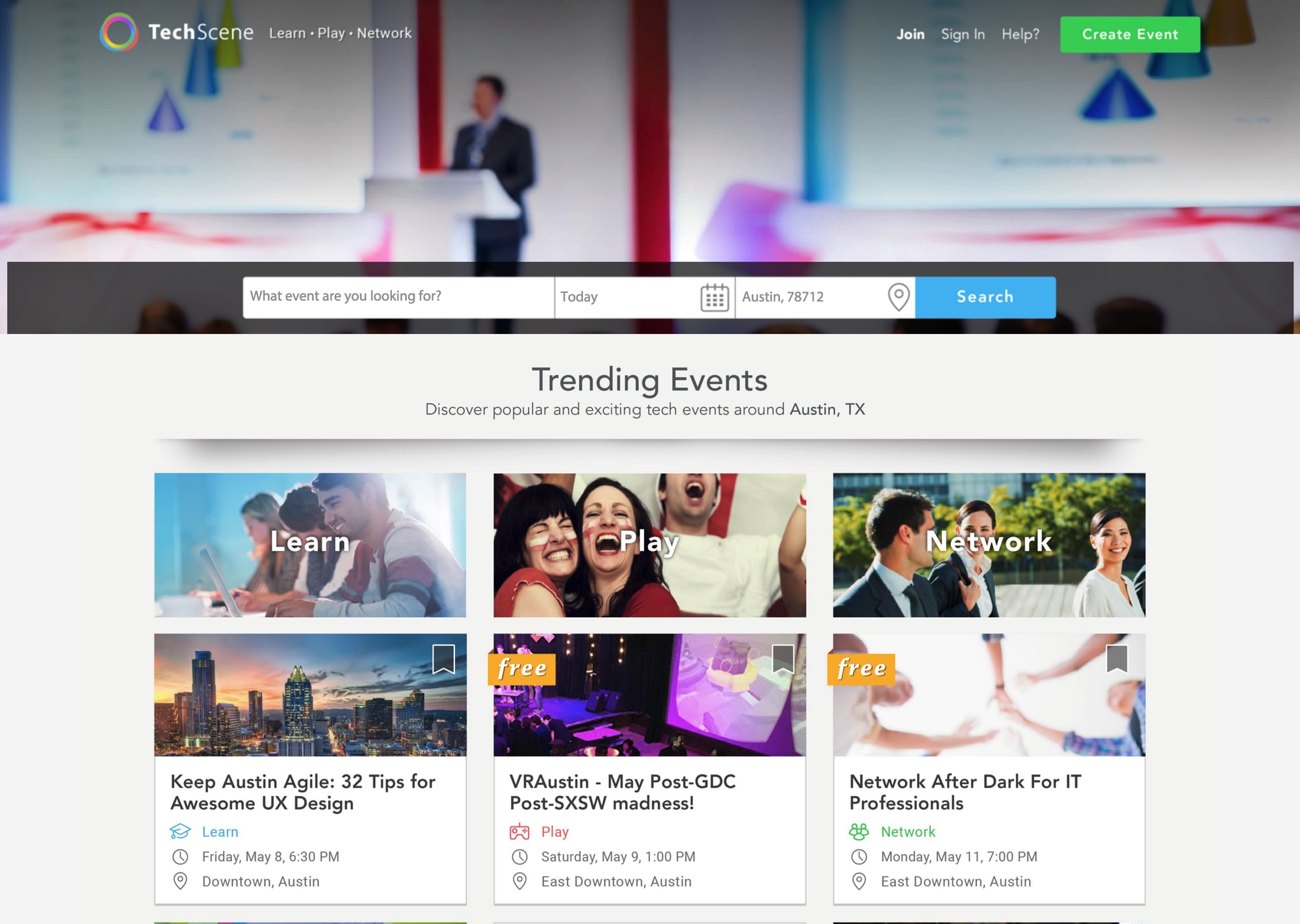
TechScene is an event site dedicated to Austin’s technology scene — meetups, classes, talks, and networking, gathered in one place.
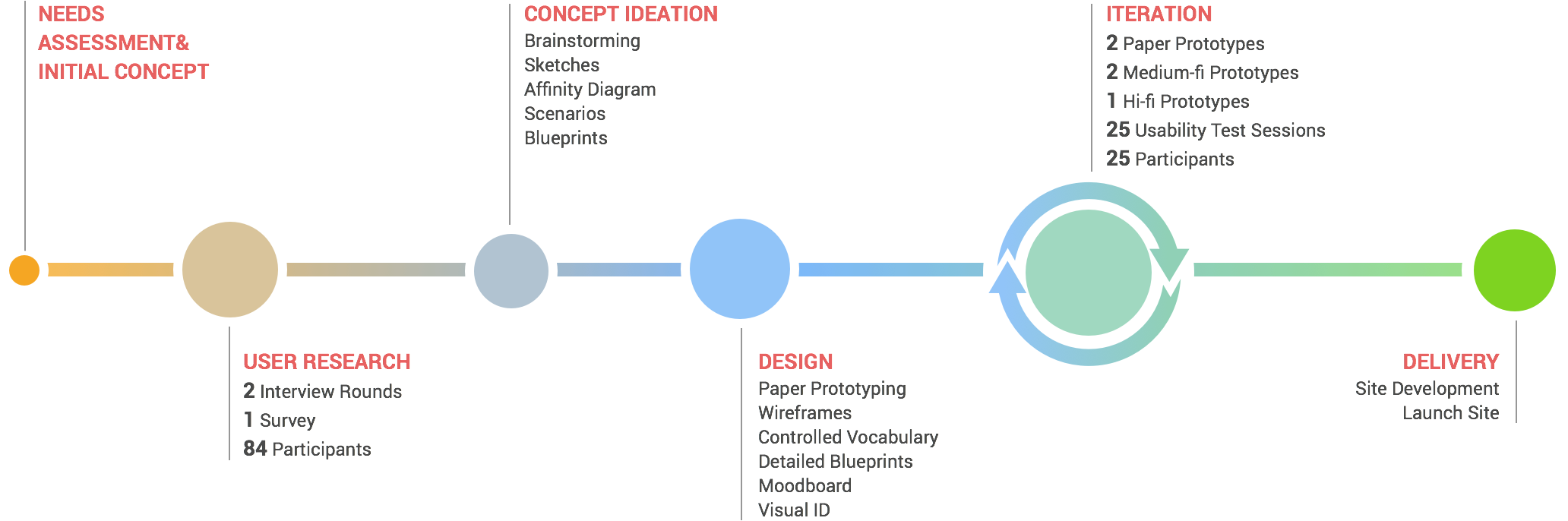
The path from that itch to a finished design ran through research, synthesis, and 5 rounds of iterative design. Here’s the whole arc.
User research
We listened in 4 passes: 2 rounds of interviews, a competitive teardown, and a Qualtrics survey.
6
Interviews
Phase one, ages 22–35
6
Sites analyzed
Competitive teardown
4
Interviews
Phase two, ages 22–60
13
Question survey
Fielded in Qualtrics
In the first phase we sat down with 6 people, ages 22 to 35. We asked how they experienced tech events, how they searched for them today, and what they’d want from a site built just for tech.
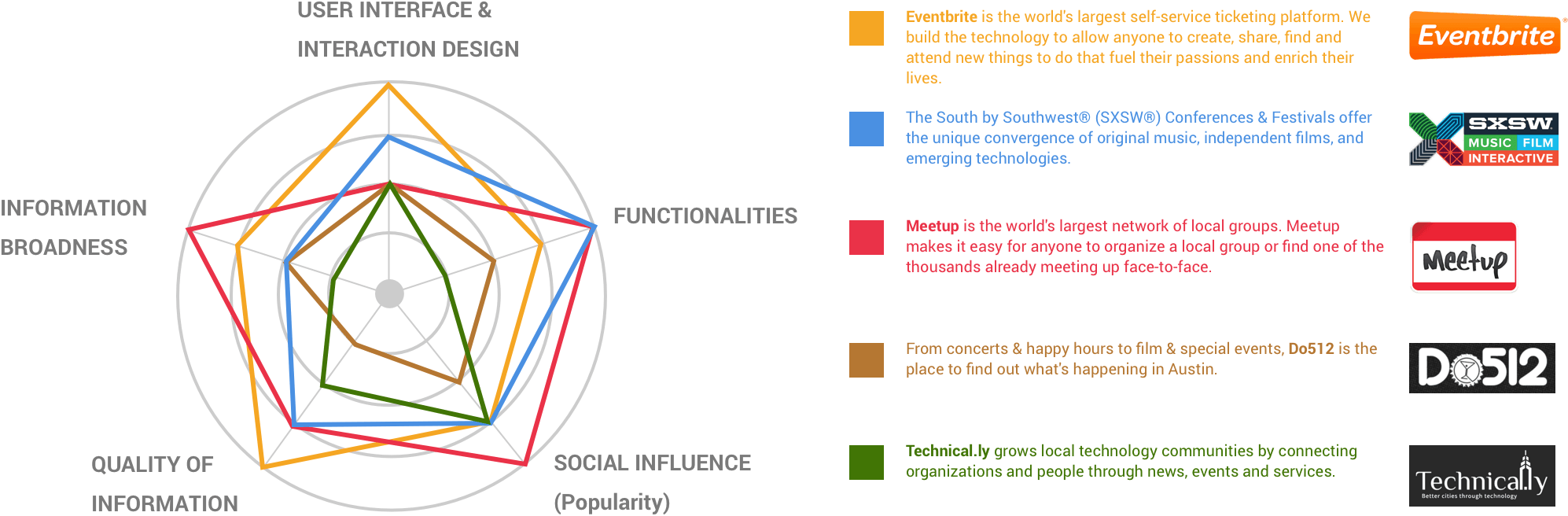
Next we looked at 6 sites our interviewees and team kept naming — among them Meetup, Eventbrite, Do512, SXSW, and Technical.ly. For each, we weighed the design, the search, and how events were categorized, noting what worked and what didn’t, then kept and improved the pieces worth carrying over.
Round one skewed female and student-heavy, so for the second phase we recruited 4 people, ages 22 to 60, to balance it out — an instructor, a professor, and 2 people working in tech.
University student
Wants to go with friends
What I care about is when it's happening and how I'll get there. And I want to go with friends — before I commit, I ask if anyone else wants to come.
University professor
Bridging school and industry
I want to meet people in my field from both the university and industry, compare how we each teach, and find internships and jobs for my students.
Works in tech
Relevance and calendar sync
I want events tied to my work — who's speaking, what the topic is, how it's run, and who's hosting. And I want to sync it straight into my own calendar.
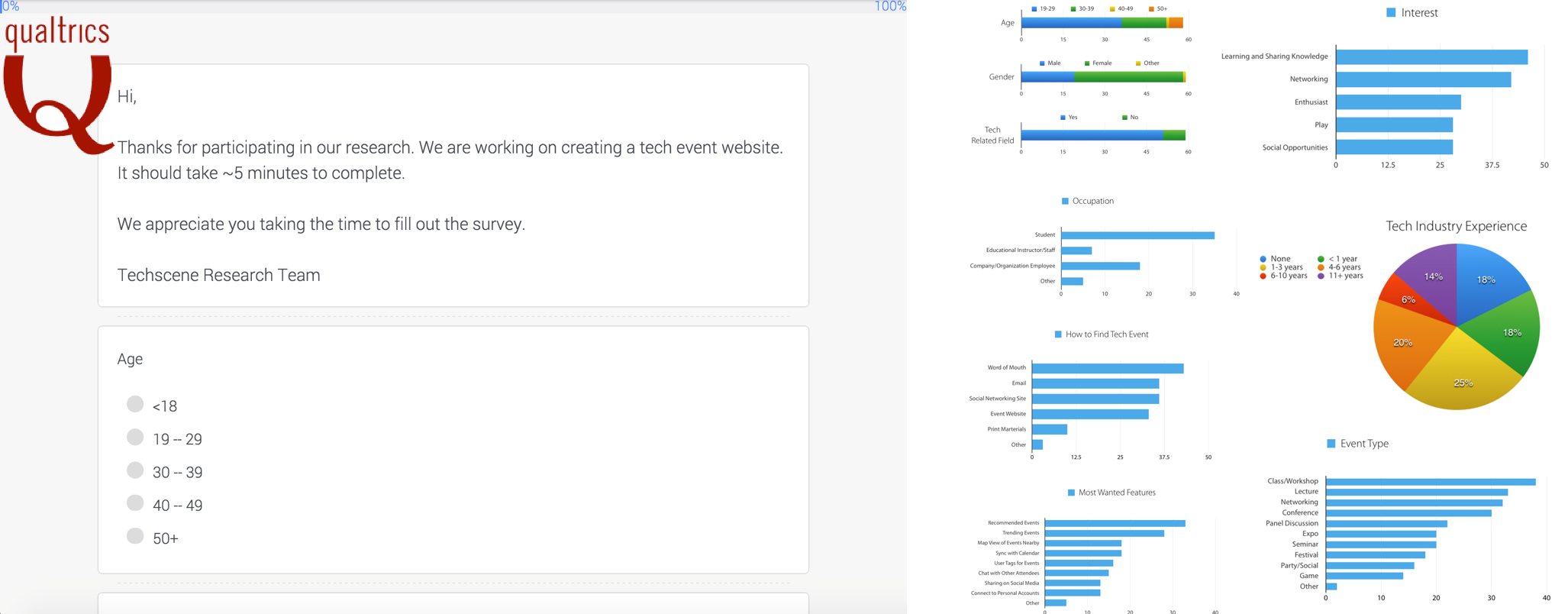
Last, we ran a 13-question survey in Qualtrics and shared it through the iSchool’s Insider newsletter and our own contacts in the tech industry. It asked about demographics, how much experience people had with tech events, and what they wanted a site like this to hold.
Concept & IA
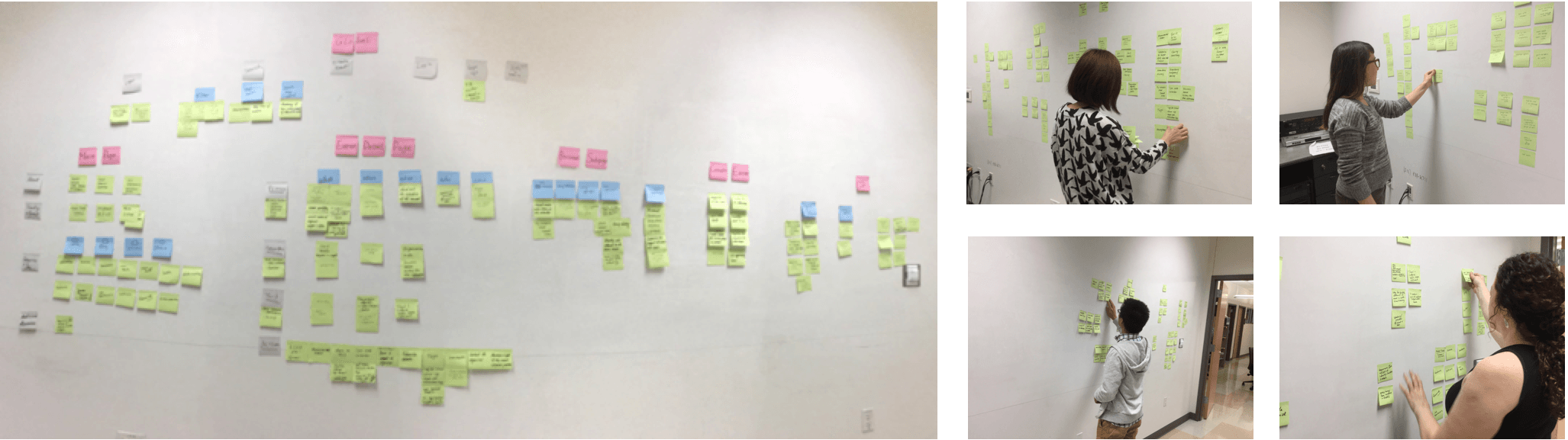
We sorted what we’d heard with an affinity diagram. Each of us read back through the interviews and survey, wrote one sticky per candidate area of the site, and grouped them our own way — then we merged the groupings into a shared map.
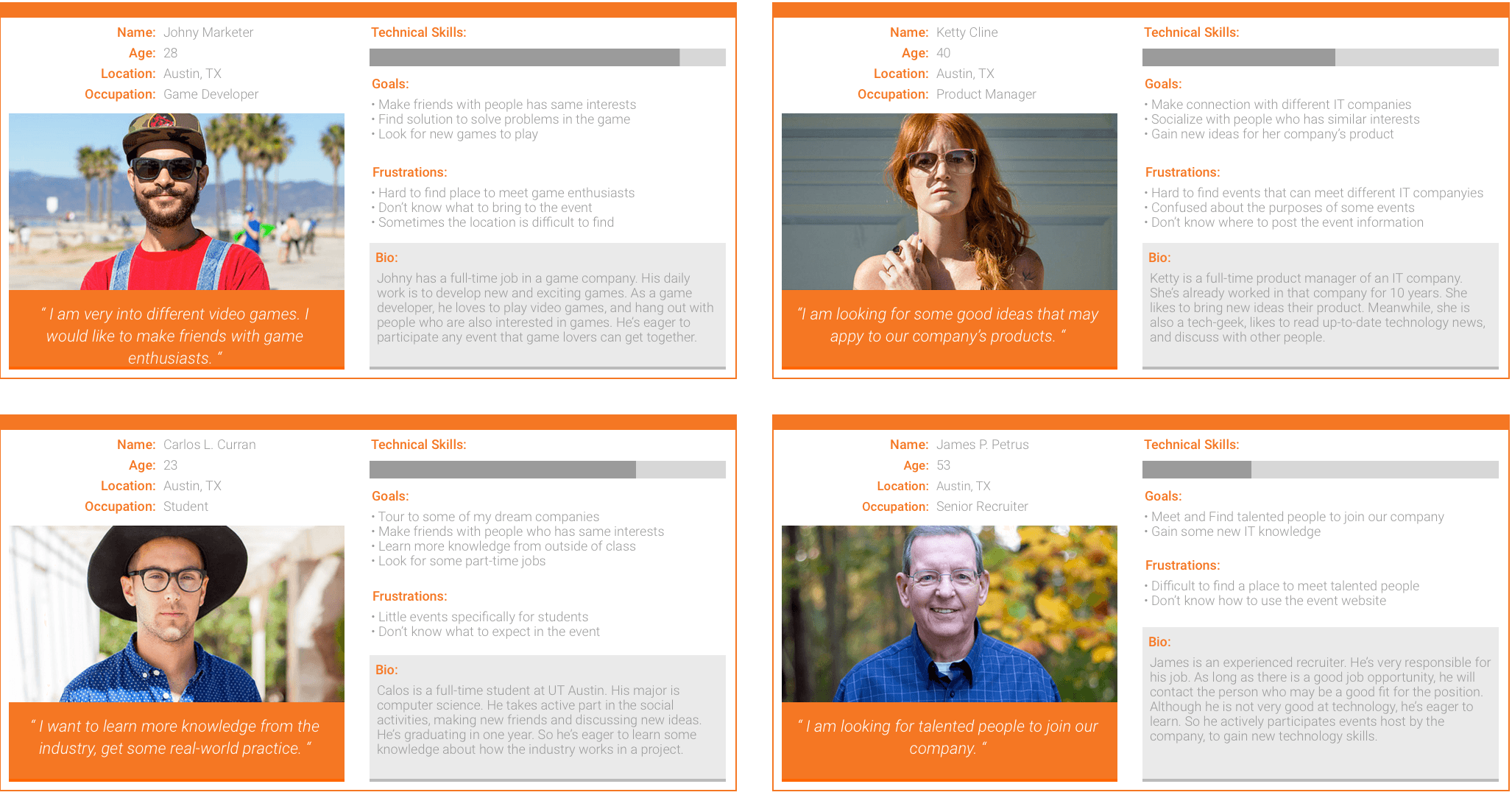
From that map we built personas and storyboards, and a first-cut structure — the categories, global navigation, homepage, event-detail page, settings, and the event-creation flow.

Iterative design
5 rounds, paper to hi-fi, tested at every step.
We set the blueprint, then started rough — paper prototypes of the main flow. Across 5 rounds, from paper sketch to hi-fi, we tested each version and refined it, settling the content mapping and controlled vocabulary alongside the visual design.
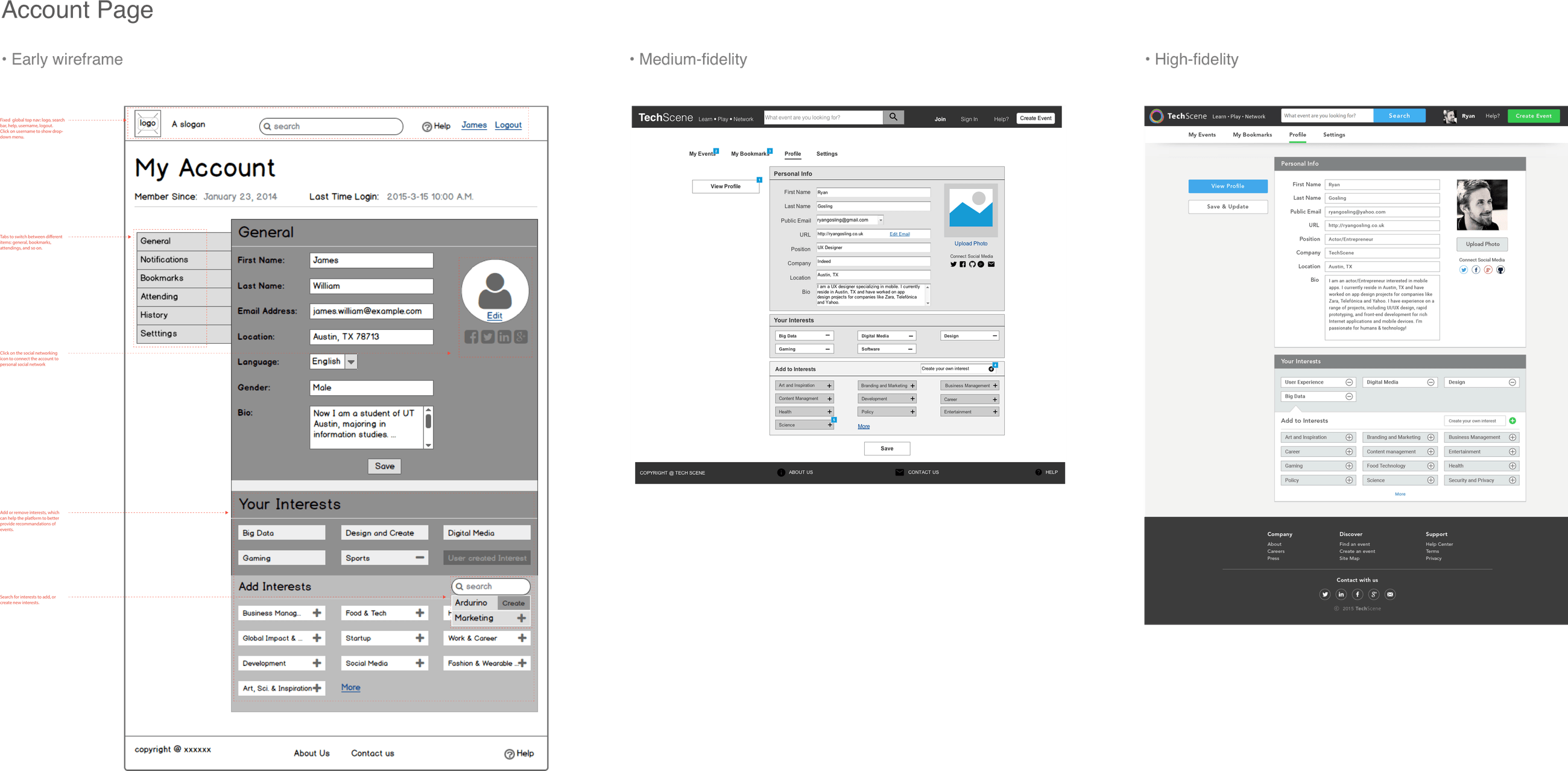
We built the wireframes in Balsamiq and Axure — homepage, search results, event detail, account, and the create-event flow. Both were quick to prototype, which let us test the information architecture before we committed to it.
Usability testing
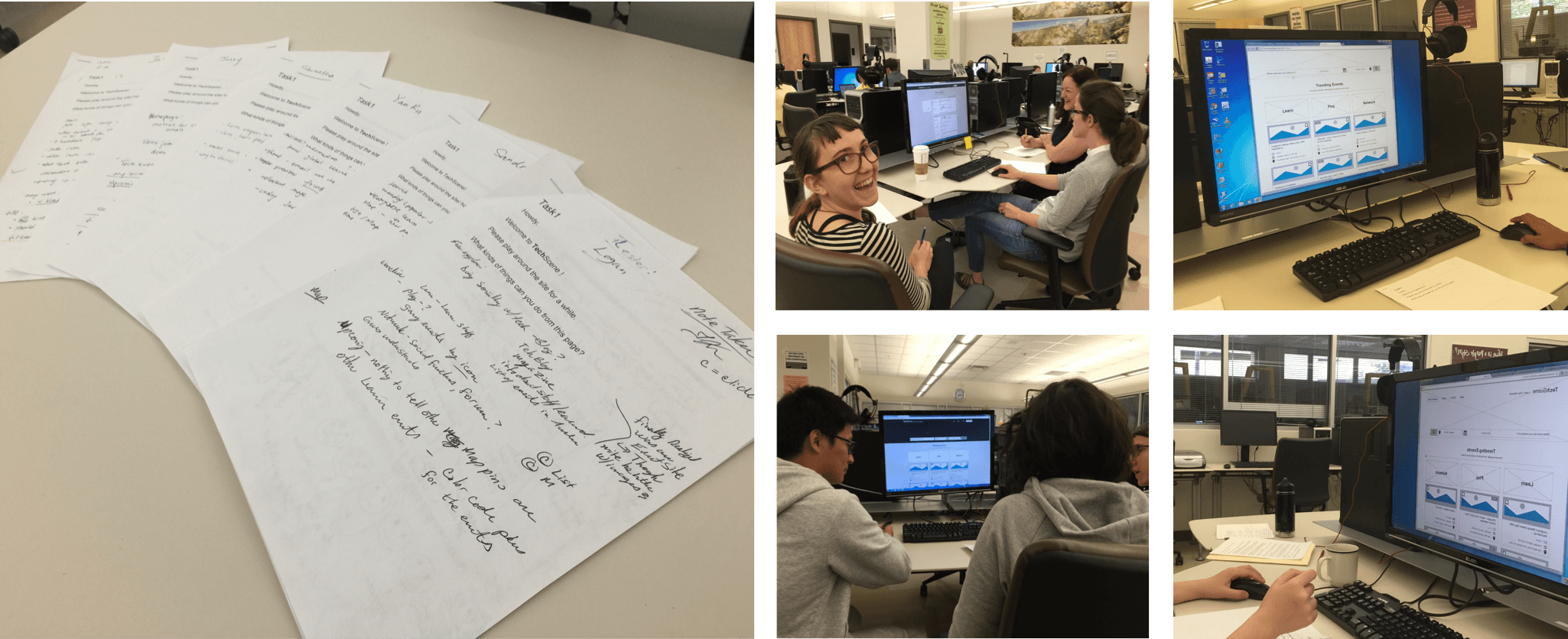
We ran usability testing on every prototype — 15 participants across 25 sessions in total. Each round’s feedback pointed us at the pages that mattered most to the experience, and that’s where the next round’s changes went.
A shared brand reference
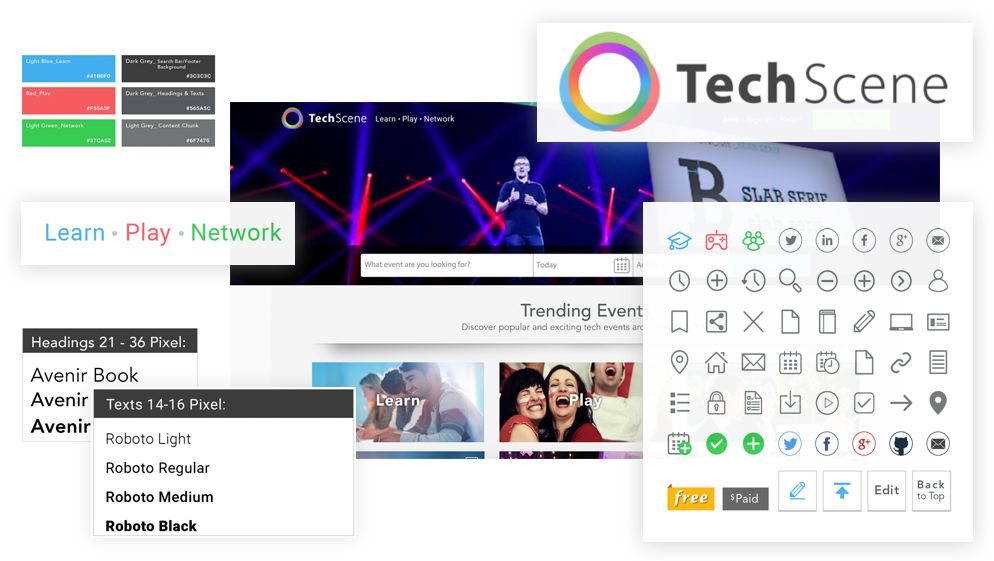
For hi-fi we pinned down TechScene’s brand — color, typography, imagery, icons, grid, and interaction standards — so designers and developers worked from one shared reference, not their own separate interpretations.
Design iterations
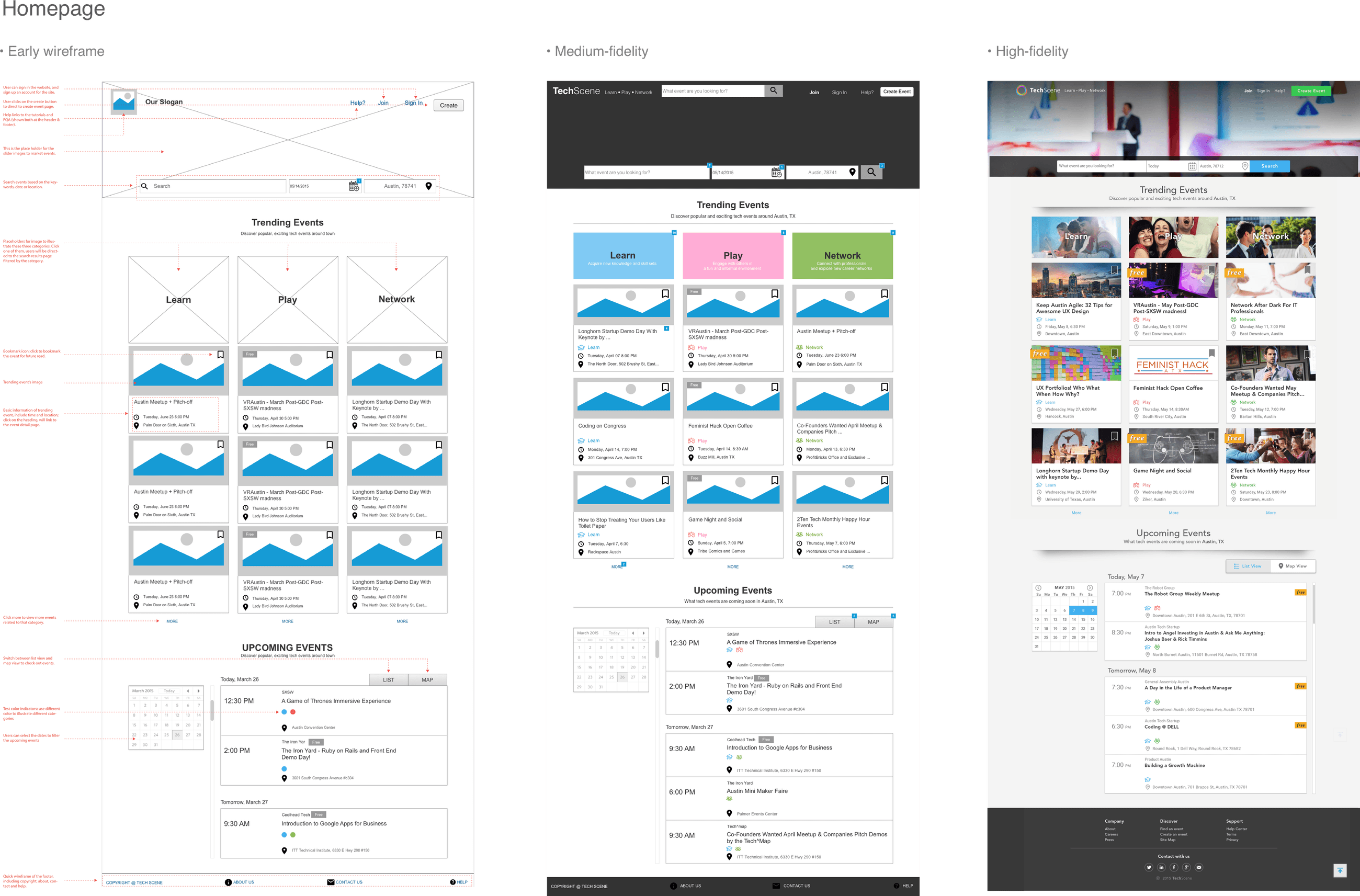
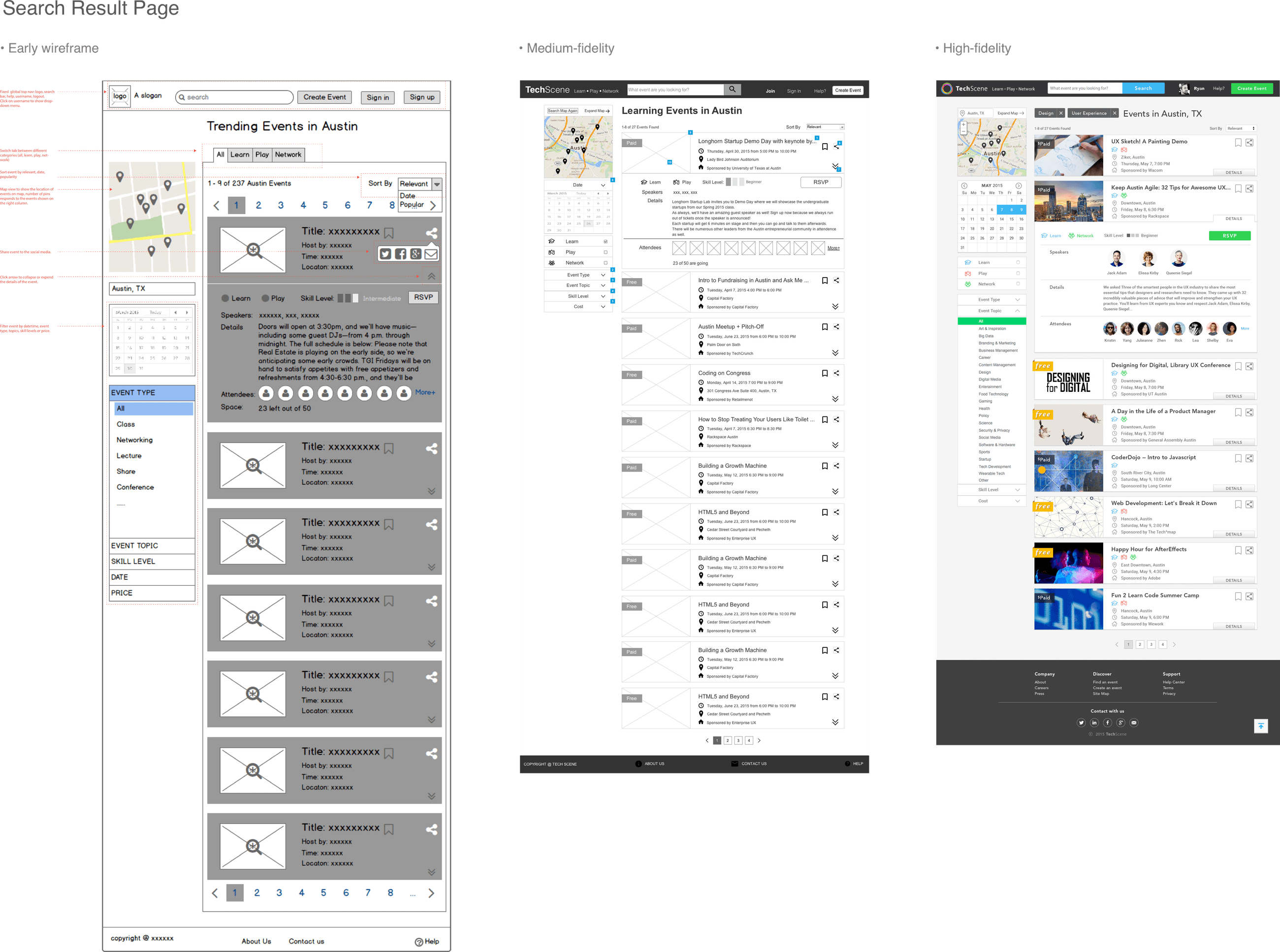
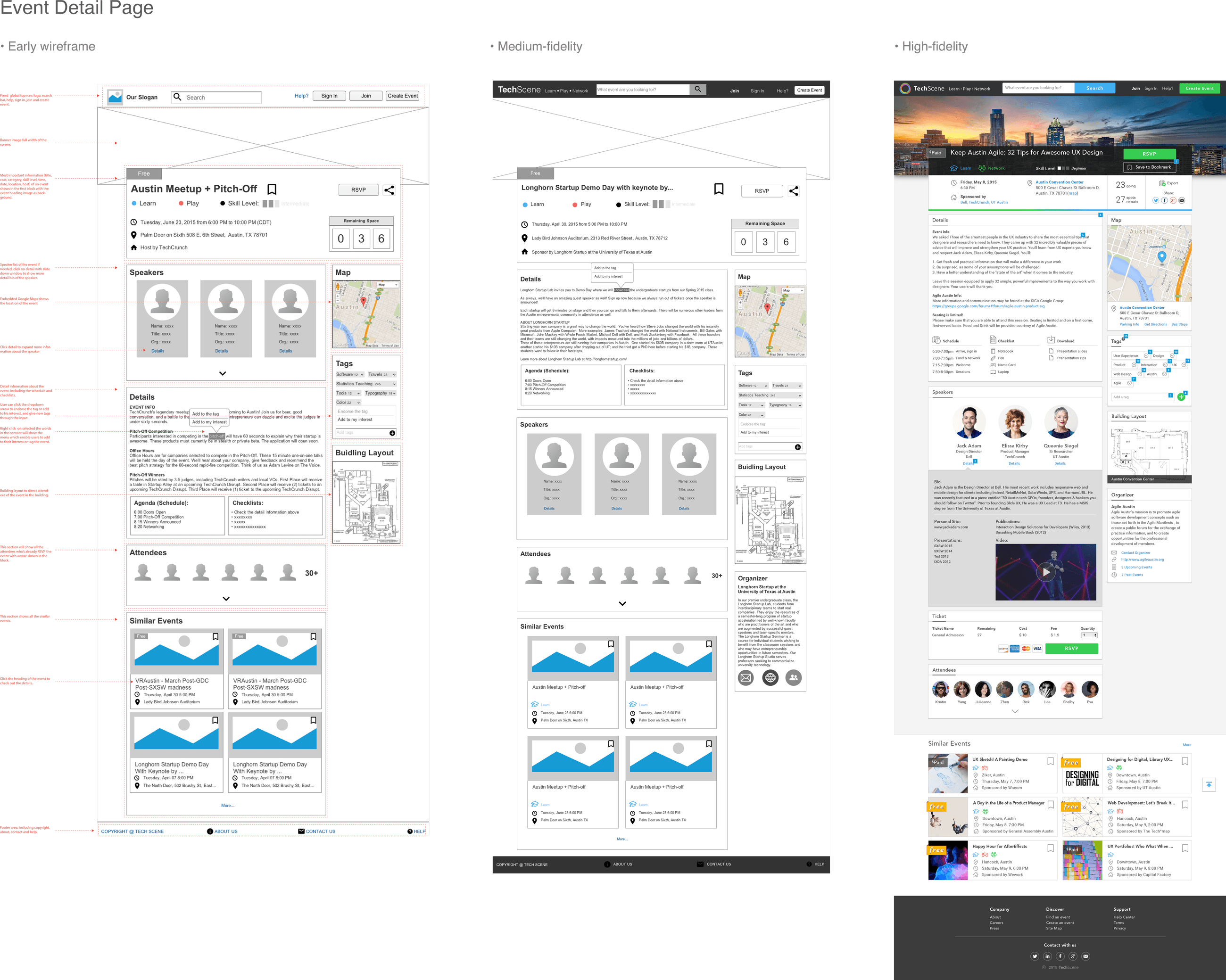
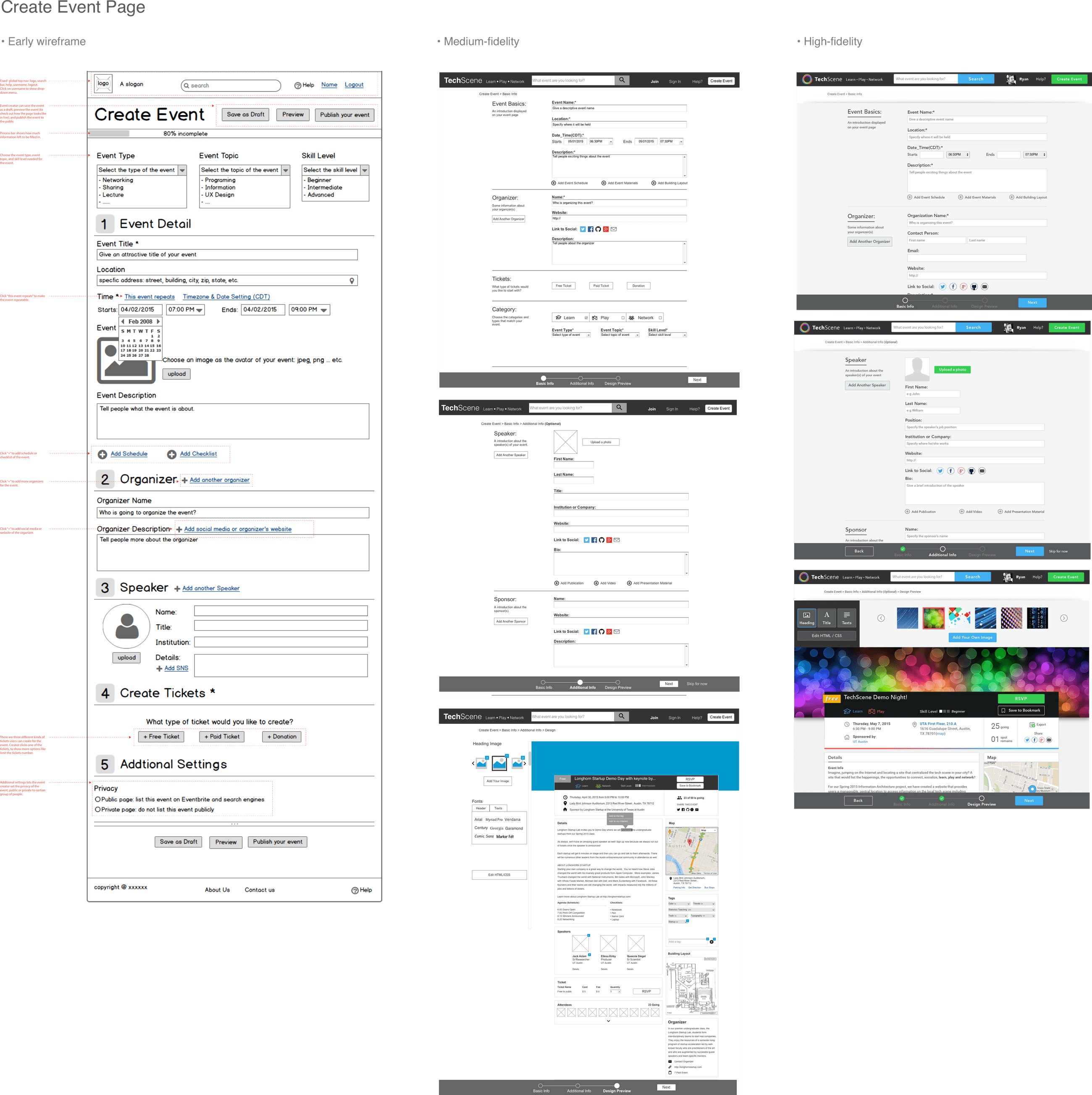
Here’s how each core page evolved across the rounds — from the first rough sketch to the final layout.
Homepage
Search results
Event detail
Create event
Account