As lead feature designer on Hub, I worked a repeatable process — gathering requirements, running design workshops, wireframing, design critiques, and high-fidelity prototypes — to take features from a problem to a shipped design. Portability of Configurations was one of two features I led; the other, Integration Landscape, is written up separately.
Tasktop · 2022 · Senior UX Designer · Design Lead
Making integration configurations portable
A way for customers to move configuration changes between product instances without manual rework — from five user studies to a shipped History, export, and import flow.
Tasktop Integration Hub is enterprise software that connects the specialized tools across a software delivery chain — flowing work automatically from tool to tool so teams stop sharing every update through emails, status sheets, and endless meetings.
The problem
This feature lets customers track the changes they make in one instance of the product and transfer those changes to another instance without too much manual work. A new History screen catalogs changes Tasktop Hub users make to general settings or specific configuration elements — including the date of the change, the name of the user who made it, and a description — and lets users export selected changes and import them into a different instance.
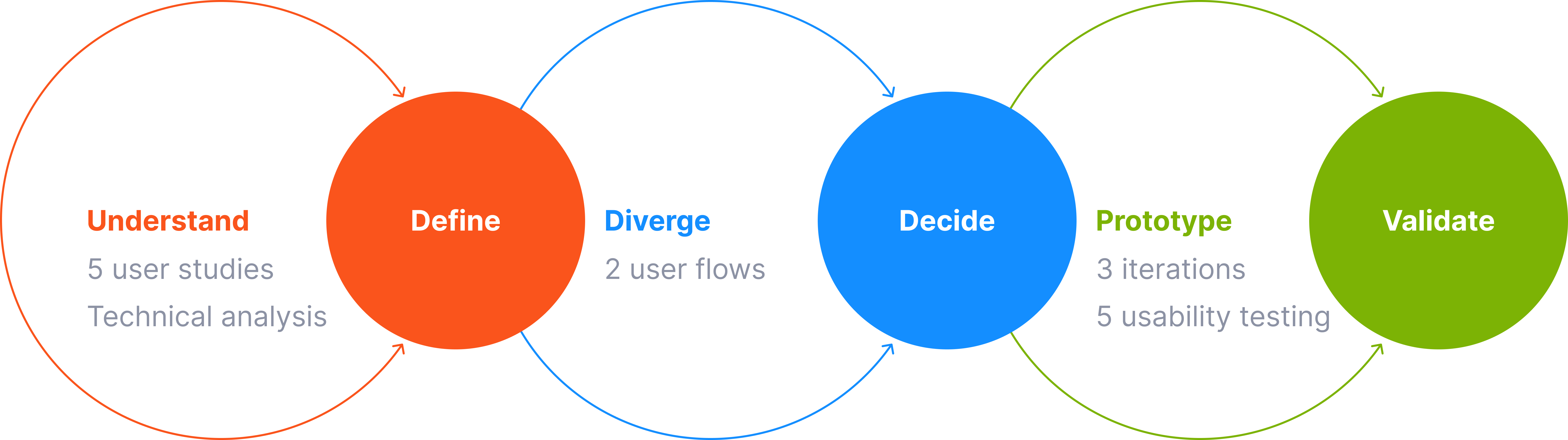
Background
To ensure the integrity and functionality of their systems, customers typically make changes in a controlled environment such as a test or development environment, where they can validate and fine-tune the changes before deploying to production. But even after successfully testing and verifying the changes, customers still need to manually replicate them in the production environment. This manual replication process is crucial to maintain consistency between environments and minimize potential errors or discrepancies — and it was a deal-breaking feature for the business.
Five user studies
I worked with the PM to conduct five user studies, asking customers to walk through their journey.
🚗
Automotive
6+ instances45+ integrations
💵
Finance
2 instances10+ integrations
💼
Insurance
2 instances15 integrations
🎧
Consulting
6+ instances10–15 integrations
🚙
Automotive
10+ instances8+ integrations
From pain points to a flow
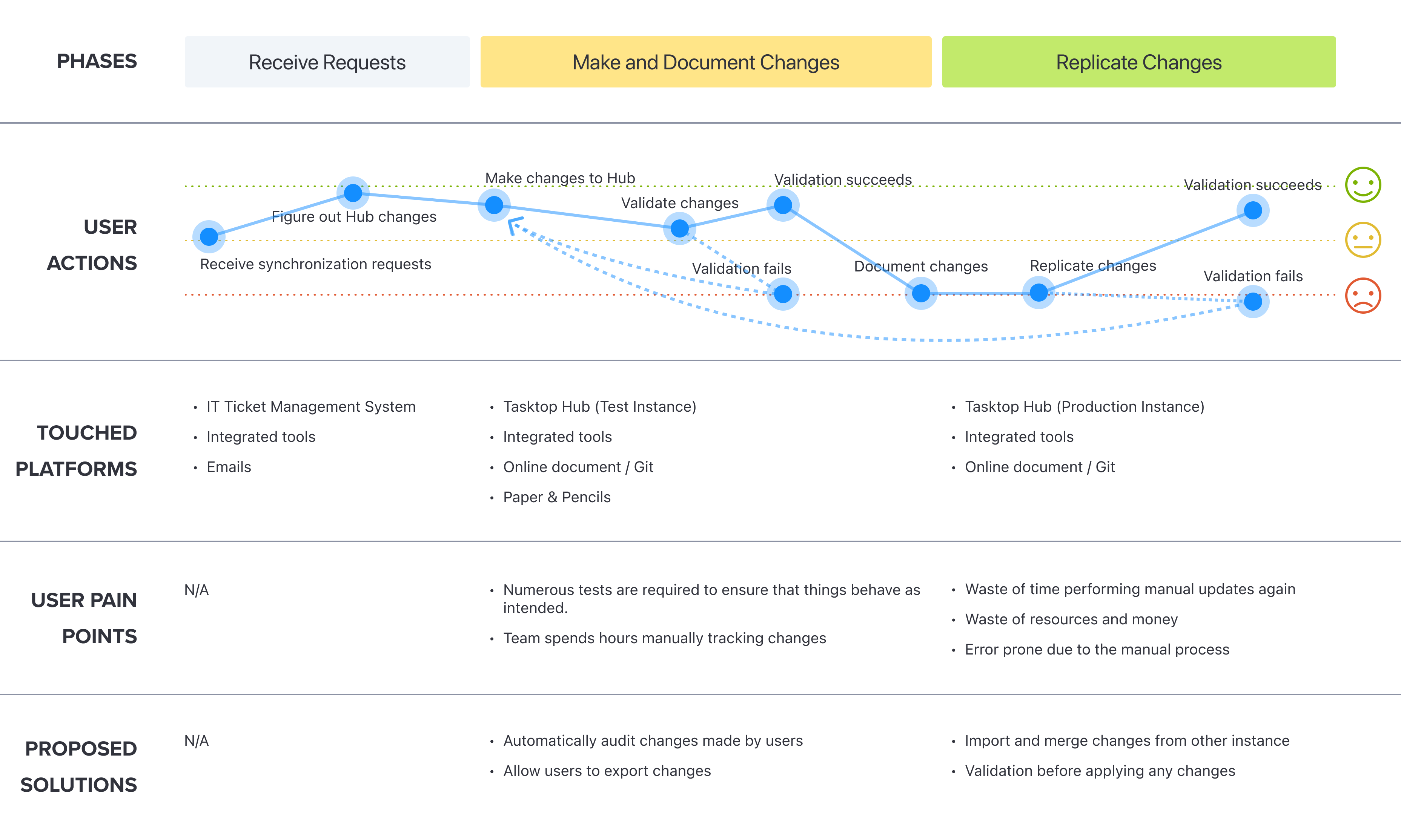
Top pain points
01
Overhead manually tracking changes
Manually tracking and documenting changes is time-consuming and labor-intensive — keeping track of changes to code, configuration files, or other system components using spreadsheets, version control tools, or even paper-based logs.
02
Error-prone manual replication
Replicating changes made in a test instance manually to a production instance is time-consuming, tedious, and prone to errors, which can lead to inconsistencies due to human error, lack of documentation, miscommunication, and differences in system configurations.
Proposed solutions and user flow
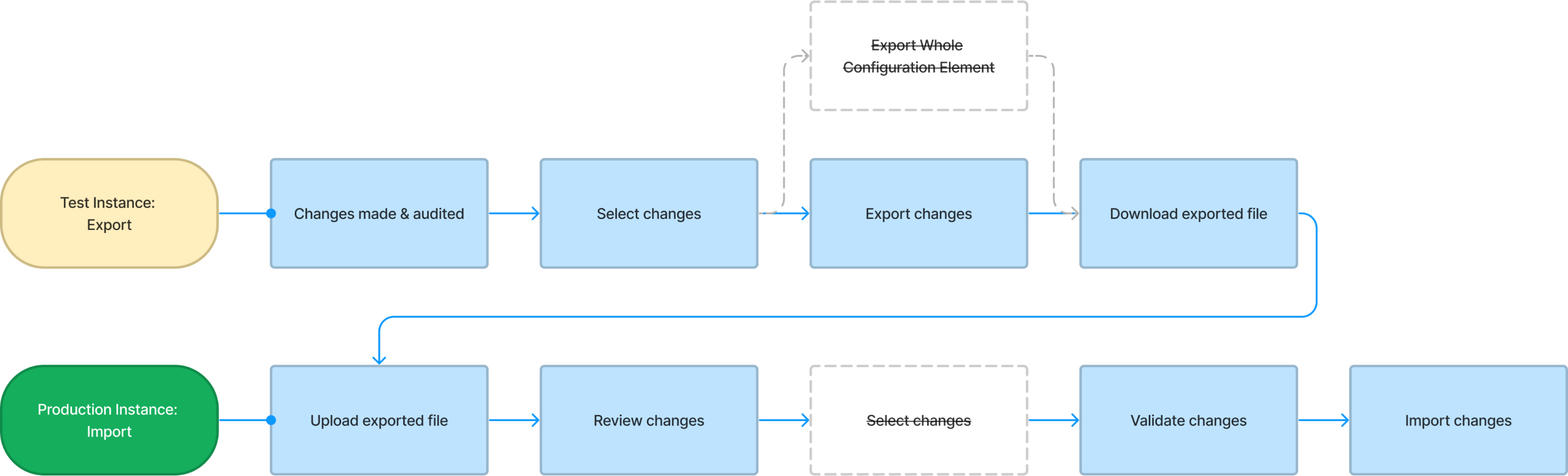
To tackle the pain points, I worked with PMs and engineers to come up with solutions and potential user flows.
01
Audit configuration changes
Automatically audit all user-made changes and present a transparent record of the change history, eliminating the need for manual documentation.
02
Transfer changes
Enable users to transfer changes from one instance to another, with assistance in validating the changes for a seamless migration.
Iterating to ship
Design iterations and usability testing
I conducted five usability tests with three internal users and two customers, iterating on the designs along the way. A few of the changes:
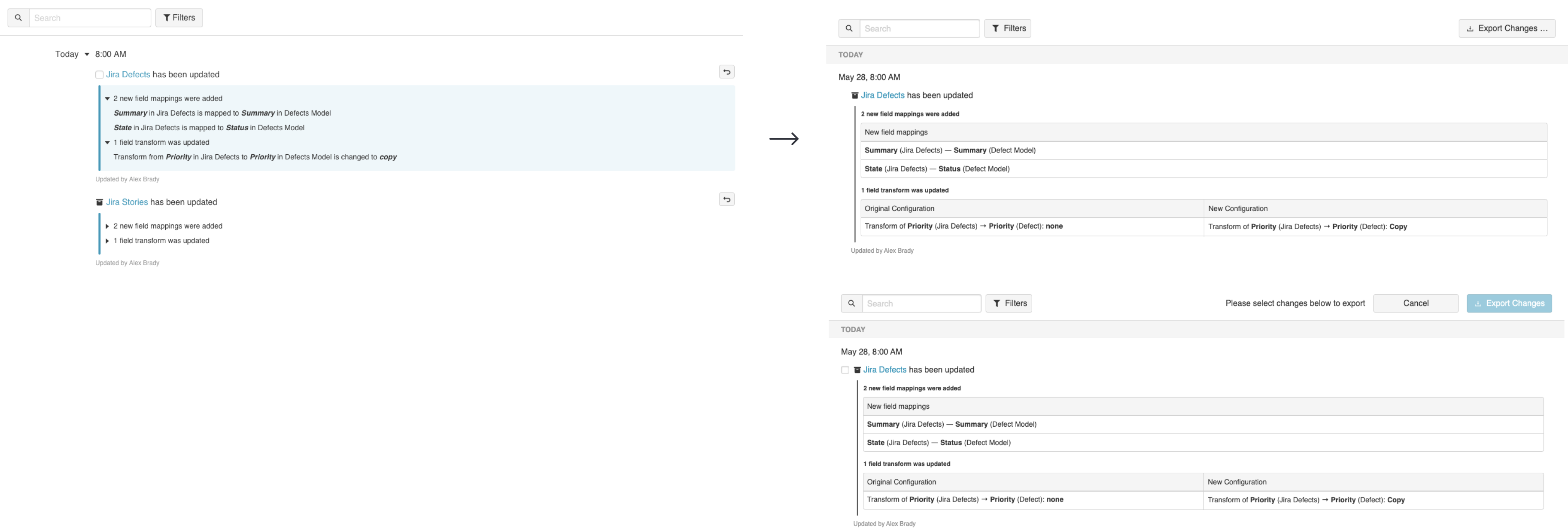
On the History screen, the expand-and-collapse was over-complicated and the summary could be clearer, so I reduced the number of collapses and reorganized the information.

It also wasn’t clear that users could select and export changes, so I added an action button to trigger the selection for export.
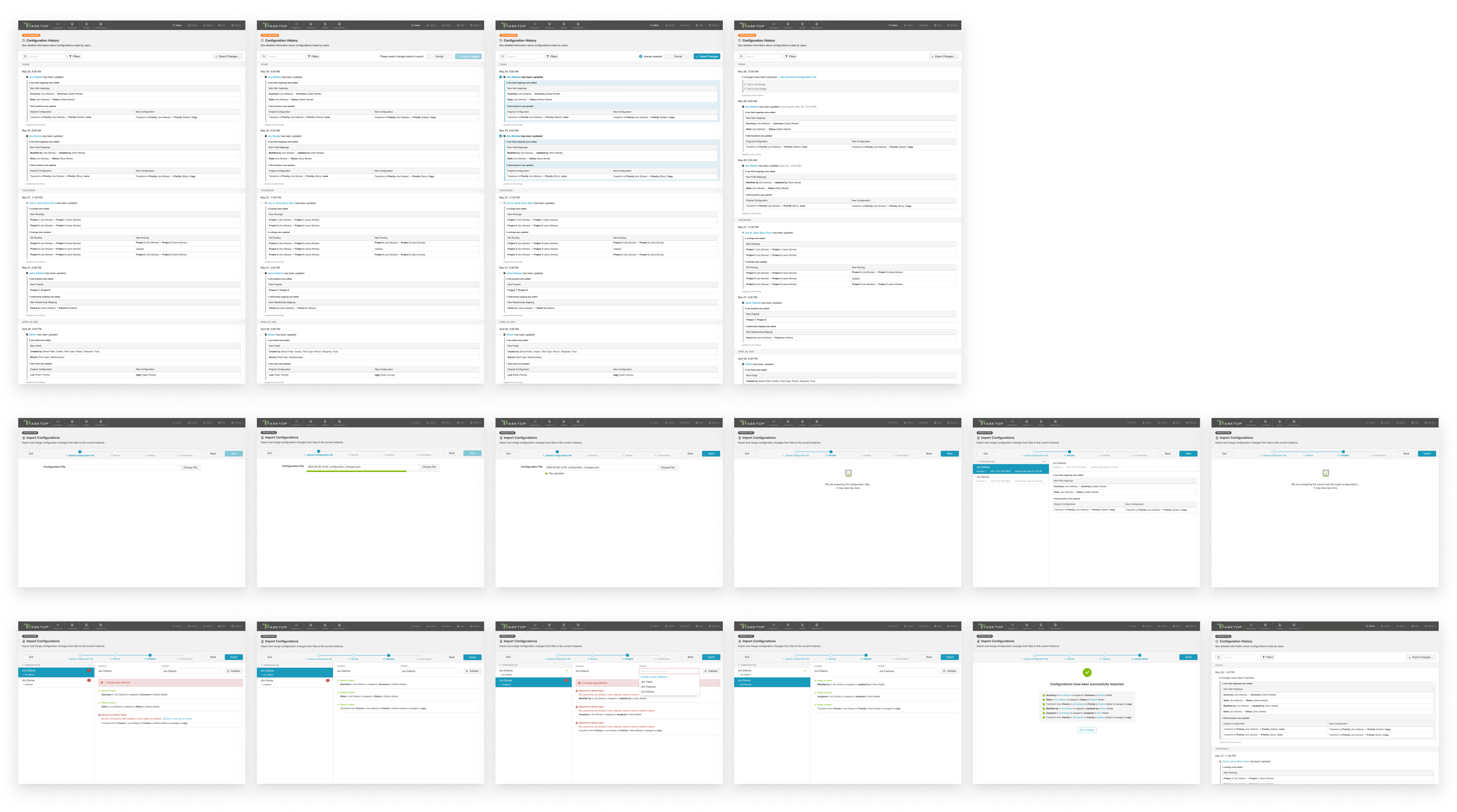
In the Import Wizard, more metadata needed to be included in the exported file, so I added details like instance name, last updated date, and number of changes.

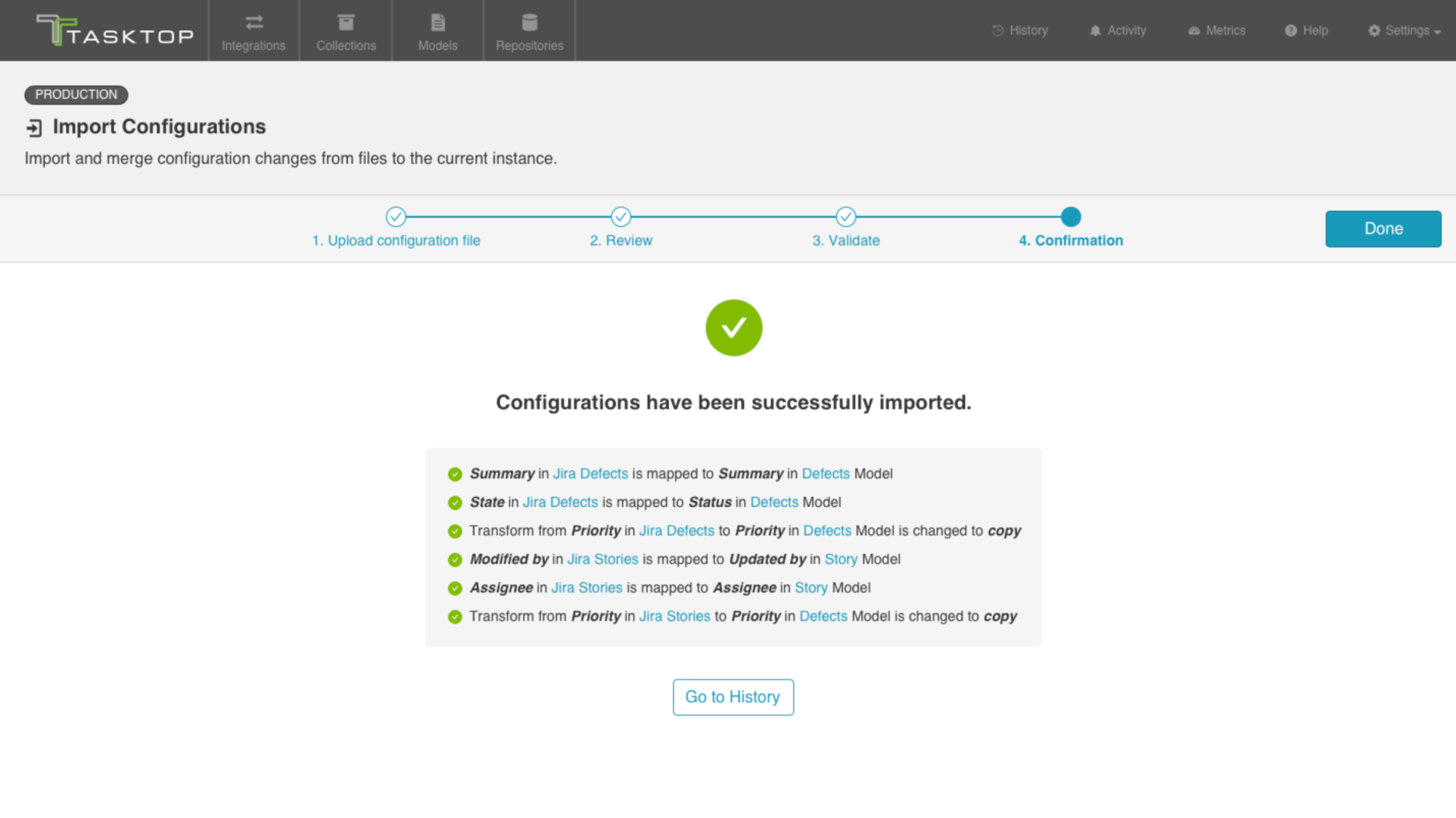
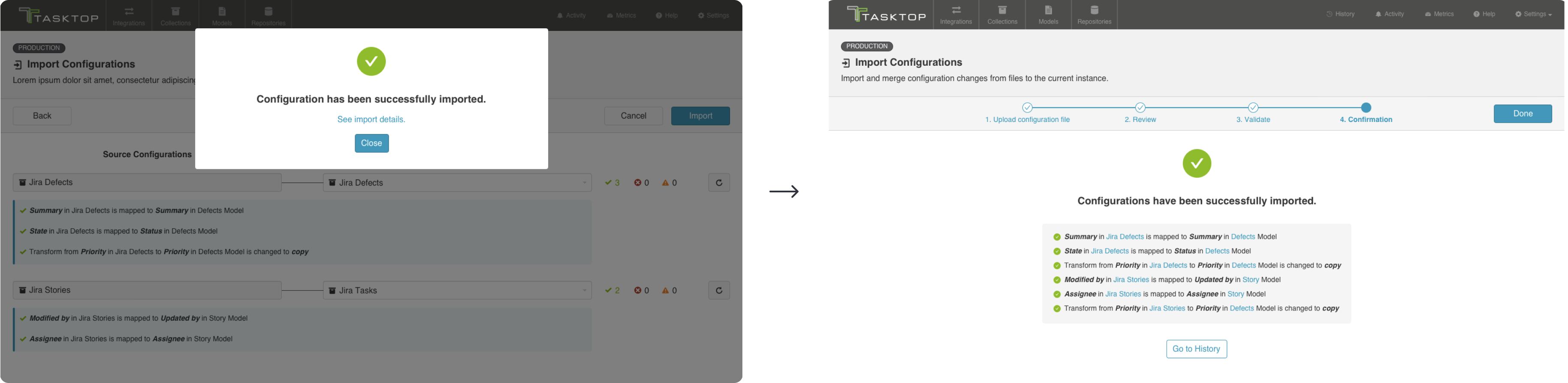
Rather than a confirm dialog with limited information, testing suggested an extra summary step, so I added a confirmation step at the end of the wizard to summarize what had been imported successfully.
Key learning
While working with engineering, we faced technical difficulties aligning the History screen summary with the design. To ensure a quick release, I proposed temporarily hiding some unnecessary information from the log while keeping it readable. Engineering and the PM agreed, with plans to fine-tune the history to match the design later.
On shipping
“Don't let perfect be the enemy of good”
Instead of spending a lot of time tackling the technical difficulties, use an alternative solution to solve it for customers — even if it isn’t perfect.